


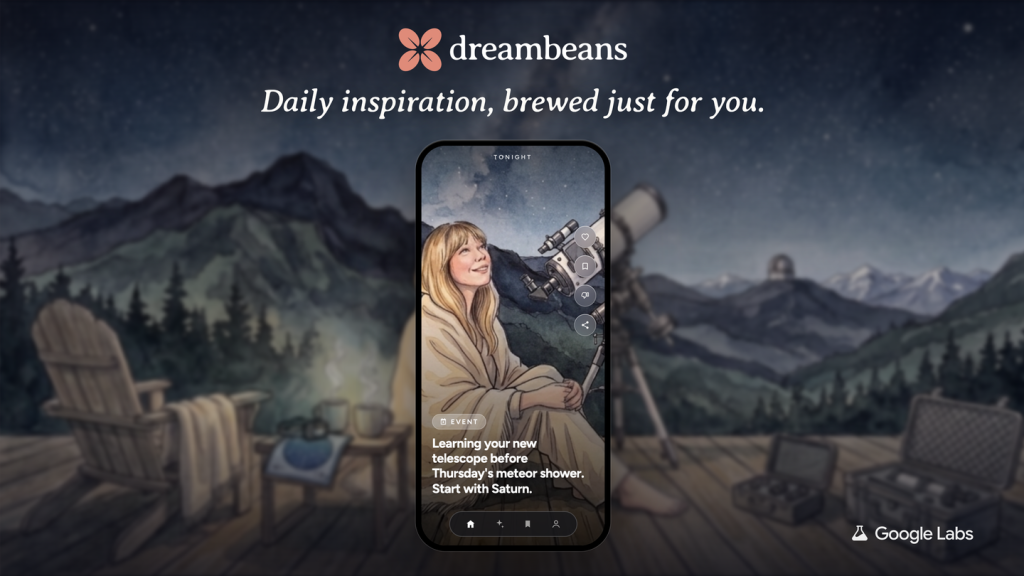
Key Points
- Dreambeans, a new personalized story service, is now available to all U.S. users (age 18+) on Android and iOS, after an earlier Labs experiment.
- Each daily story blends user‑chosen topics with data from Google apps like Calendar, Gmail, Photos, Search, YouTube, and Gemini, and can include family photos.
- Users can explore, bookmark, share, and give feedback to shape the content, making the feature a handy addition to the Google ecosystem on Chromebooks and the Chrome browser.
Google Labs has moved its experimental Dreambeans project from the sandbox to the mainstream. Starting this month, anyone with a U.S. account who is 18 or older can download the app on Android or iOS and start receiving a fresh collection of stories each day. The launch marks a shift from a limited test to a full‑featured product that lives inside Google’s broader suite of services.
Dreambeans builds each day’s feed from personalized topics and connected apps. Users pick themes they love—places to explore, shows to watch, or reminders for upcoming events—and then link Google apps such as Calendar, Gmail, Photos, Search, YouTube, and now Gemini. By pulling information from these services, the stories feel tailored to individual interests while staying useful across daily tasks. This integration works smoothly with the Chrome browser, as any tabs or searches you keep open can subtly influence the topics you see.
If you have Google Photos enabled, Dreambeans can add visuals of you and your loved ones to the narratives. The app recognizes faces and places you’ve captured, turning ordinary memories into thoughtful prompts for daily inspiration. For Chromebook users, this visual layer is especially handy because the device already stores many photos locally, and the seamless sync with Google’s cloud makes the stories instantly relevant.
Every story is interactive. You can explore deeper into any item, bookmark pieces for later, or share them with friends to spark conversation. The platform also invites you to give feedback, which Google uses to refine future collections. This loop of usage and improvement keeps the experience fresh and aligned with what users actually want from their personalized news feed.
Dreambeans is free to download for U.S. accounts on both major mobile platforms. The app respects age restrictions, limiting access to users 18 and over, and it works without requiring a Pixel device. Once installed, the onboarding process guides you through linking your preferred Google apps, after which the daily story generator begins delivering content straight to your phone. The launch also opens a new channel for developers interested in building extensions that could later appear on Chromebooks and the Chrome browser, expanding the ecosystem’s capabilities.
As Dreambeans rolls out, it invites users to think about how personalized digital storytelling can enrich everyday routines. Whether you’re planning a trip, catching up on a series, or simply looking for a moment of inspiration, the service offers a ready‑made narrative that ties together the threads of your digital life. By giving you the tools to explore, share, and feedback, it turns passive consumption into an active, community‑driven experience that could shape how we interact with Google’s services on any device.
You can also check out our list of the Best Instagram Extensions, Best Pinterest Exensions & the Best AI Extensions.