


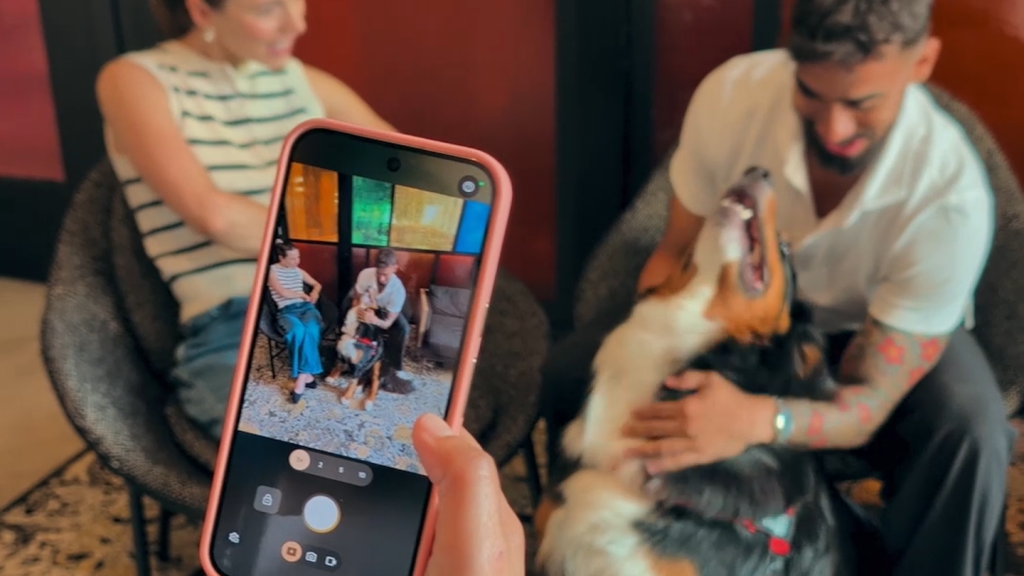
Key Points
- Magic Capture on Pixel 11 automatically records frames to catch perfect moments.
- The feature works with Google services, allowing easy sharing to Chrome and Photos.
- Pre‑order and launch on August 20, available at the Google Store and retailers.
Google has added a new tool called Magic Capture to the Pixel 11. The feature is meant to help you keep those quick moments without fumbling for the camera. When you start a session, the phone watches the scene and saves the best frames automatically. It works with the same Google services that power Chrome, so the photos can be shared directly to your Chrome browser or saved in Google Photos.
You simply press a button with a single tap, and the phone looks at nearly 400 frames to find the perfect moment. It can catch a smile, a laugh, or any action that happens in the blink of an eye. The system then gives you a ready‑to‑use picture without you having to adjust settings. This makes it easy to stay present while still getting great shots.
Imagine a birthday cake moment where the candles are about to be blown out. You start a session and the phone records the seconds before and after the blow. It then selects the frame with the brightest expression, like a genuine laugh, so you don’t miss the exact instant. The result is a clear, well‑timed photo that feels natural.
If you choose to enable automatic tweaks, the phone can apply light edits such as cropping or straightening the image. These adjustments happen in the background, so you get a polished picture without spending time in an editor. The changes are subtle, keeping the original feel while improving clarity.
The Pixel 11 phones will be ready for preorder starting now, and they hit shelves on August 20. You can learn more and place an order at the Google Store, which also offers updates on other Google products. Retail partners will also carry the device, making it easy to get your hands on the new camera feature.
To see the feature in action, watch the video where Shenaz Zack, senior director of product management for Pixel, demonstrates how the feature works. The short clip shows the step‑by‑step process and explains the benefits for everyday users.
When you take a picture with Magic Capture, the image can be sent instantly through Chrome sync to any device signed into your Google account. If you use a Chromebook, the photo appears in the Files app without any extra steps. This seamless transfer works whether you are on a laptop, tablet, or phone, keeping your media organized across the Google ecosystem.
Google says the feature runs locally on the phone, so your photos are never uploaded without your permission. This privacy protection gives you confidence that your personal moments stay private. In addition, the device receives regular software update to keep the camera AI accurate and secure.
The company hints that Magic Capture could expand to other devices, and voice commands through Google Assistant may soon let you start a session without touching the screen. These future updates aim to make capturing life’s fleeting moments even easier for everyone.
With instant sharing you can send the perfect shot to friends in seconds, and the memory keeper feature builds a timeline of your happiest days. A tap keeps you and you never miss a moment. The simplicity of a single tap lets you stay present for life’s quick highlights. The cloud backup ensures your captured moments are safe and reachable from any device.
You can also check out our list of the Best Instagram Extensions, Best Pinterest Exensions & the Best AI Extensions.