


Key Points
- Gemini now delivers free, personalized image creation by tapping into your Google apps.
- Users can unlock “Personal Intelligence” with a simple, opt‑in setup that pulls data from Gmail, Google Photos, YouTube, and Search.
- The new feature is seamless on Chromebooks, turning the Chrome browser into a creative hub that learns your tastes.
Google’s Gemini app has just added a layer called Personal Intelligence that reads your connected Google tools—Gmail, YouTube, Search, and the Photos library—to offer answers that feel like they were made just for you. The system asks for permission once, then copies useful snippets of your life into its knowledge base, so it can anticipate what you need.
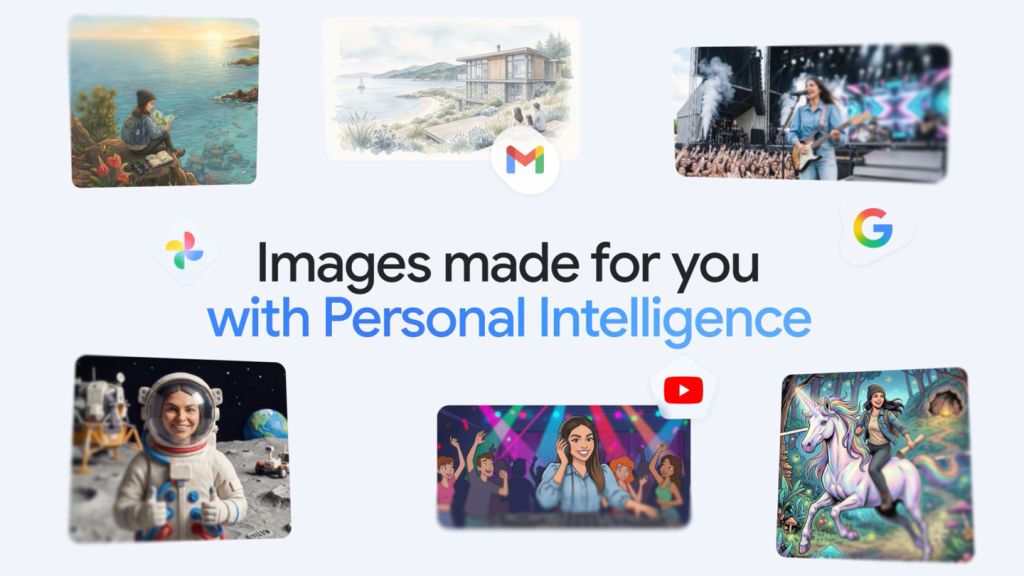
With Gemini’s free image‑generation capability, users can now produce highly customized illustrations without paying a dime. The feature blends Nano Banana, Google’s advanced graphics engine, with the picture library you already own. That means artists and designers can see their vision come alive in a fraction of the time.
Instead of spending hours describing a scene, you can simply type “design my dream house,” and Gemini will sketch out a building that matches your style. If you wish to add a personal touch, upload a photo or let the app pull one from Google Photos that best represents you. Once it sees the photograph, it can automatically generate an illustration of that image along with your favorite objects.
Choosing what to share is completely in your hands. Gemini offers a fully opt‑in experience that lets you control which Google apps feed the model. Make adjustments anytime from the settings panel—turning “Heart Beat” on or off is as easy as flipping a switch. Your private data stays with you unless you decide otherwise.
Chromebooks love this new tool because Gemini runs natively inside the Chrome browser on ChromeOS. The work does not require any heavy desktop software, making a high‑end GPU unnecessary. When the same model that works on an iPad or MacBook runs on the modest hardware found in Chromebooks, users enjoy the same personalized interaction.
Developers note that Gemini’s design is optimized for low‑power devices, which makes it ideal for the kind of everyday laptops that many students and small‑business teams rely on. Battery life remains stable, and load times stay short even when the model pulls data from multiple Google services.
If you’re ready to test the waters, sign into Gemini on any Chrome‑based device today. Start with a prompt like “create a travel map for my last vacation,” and watch the assistant quickly turn your ideas into visuals. The interface is straightforward: type, keep waiting a moment, and let the AI do the rest. This experiment opens up a new way of working that blends AI assistance with the everyday ecosystem you already use.
You can also check out our list of the Best Instagram Extensions, Best Pinterest Exensions & the Best AI Extensions.