

Readers like you help support this site. When you make a purchase using links on our site, we may earn an affiliate commission. All opinions remain our own.
The best games for babies and toddlers on Chromebook in 2026 are Khan Academy Kids (for ad-free learning), Sago Mini World (for open-ended play), and Lego Duplo World (for creative building). These three lead the pack because they are safe, ad-free, and optimized for touchscreens.
As a new mom, I quickly discovered that keeping a little one entertained wasn’t always easy. Between diaper changes and endless “cooing” sessions, I found myself searching for ways to not only engage my baby but also create special moments of connection.
As I was working on my trusty ol’ Chromebook, I think I was editing a spreadsheet or something and suddenly something hit me: Why can’t I find some games that my baby and I can play together?
Below, I share our top picks for 2026. I personally tried each game with my daughter (who was 2 at the time), and she definitely had her favorites.
Have a favorite we missed? Contact us or leave a comment below.

🛡️ Parent Pro-Tip: “Baby-Proof” Your Chromebook
Terrified your toddler will accidentally delete your work? Enable “App Pinning.”
Go to Settings > Apps > Google Play Store > Manage Android Preferences > Security > Advanced > App Pinning.
Turn it ON. Now, when you open a game, you can “pin” it so your child cannot exit the app without pressing a specific key combination.
⭐ The Essentials (Must-Haves)
If you only download three apps, make them these. They are the ones I couldn’t survive parenting without.


1. Sago Mini World
Editor’s Choice

If you want an app that feels like a digital playground rather than a video game, this is it. There are no high scores, no time limits, and no “losing.” Your child just explores diverse worlds with cute animal friends.
❤️ Why Parents Love It
Perfect for car rides (offline play). It encourages storytelling, I often ask my daughter, “Where is the dog going?” and she builds a story around it.
🧠 Educational Benefit
- Empathy: Characters have feelings.
- Open Play: Builds decision-making.

2. Khan Academy Kids

The gold standard for free education. It offers a massive library of books, songs, and logic games. It adapts to your child’s age (2-8), so it grows with them.
❤️ Why Parents Love It
Guilt-free screen time. It feels like a digital preschool. I love the “Library” mode where I can choose a specific book to read together.
🧠 Educational Benefit
- Literacy: Teaches sight words.
- Logic: Sorting and matching games.

3. Lego Duplo World

New for 2026: This brings physical blocks to life. Toddlers build trains, rescue cats, and learn counting in a 3D space.
❤️ Why Parents Love It
The Multi-Touch feature is a winner. You can put the Chromebook flat on the table and build together with your child.
🧠 Educational Benefit
- Spatial Reasoning: 3D shapes.
- Math: Counting and ordering.
👶 Sensory & First Skills
These games are perfect for “calming down” moments or for babies just learning to touch the screen.
4. Sensory Baby Learning
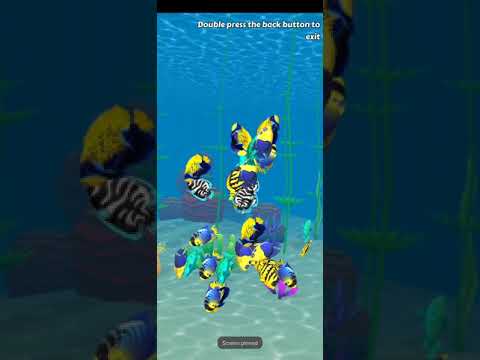
The digital “fidget spinner.” Touching the screen makes fish swim, bubbles pop, and fireworks explode.
❤️ Why Parents Love It
It is the ultimate distraction tool for a fussy moment or waiting room.
🧠 Educational Benefit
- Cause & Effect: Touch = Action.
- Focus: High contrast tracking.
5. Bebi: Baby Games

A giant playroom of 500+ mini-games. It teaches shapes, colors, and sorting without any complex menus to get lost in.
❤️ Why Parents Love It
One app replaces 10 others. It has everything from coloring to matching.
🧠 Educational Benefit
- Cognitive: Pattern recognition.
- Motor: Precise tapping.
6. Pok Pok (Montessori)

A digital Montessori playroom. No instructions, no winning, just gentle exploration (flipping switches, sorting buttons).
❤️ Why Parents Love It
It is calm. If your child gets overstimulated by loud cartoons, this is the antidote.
🧠 Educational Benefit
- Focus: Deep concentration.
- Inquiry: Self-directed play.
🎨 Language & Creativity
These apps encourage your child to speak, read, and create art.

7. Endless Alphabet

A massive favorite on Reddit parenting forums. Cute little monsters knock over a word, and your child has to drag the letters back into place. As they touch a letter, it makes the phonetic sound (“b-b-b-b”), teaching them how to read, not just memorization.
❤️ Why Parents Love It
The animations are hilarious. It teaches advanced words like “Gargantuan” and “Cooperate” in a way that actually sticks.
🧠 Educational Benefit
- Phonics: Letter sounds.
- Vocabulary: Definitions of big words.
8. Crayola Create and Play

This is a safe space to draw, color, and raise virtual pets. It’s “mess-free” art where kids can experiment with glow-in-the-dark markers, glitter, and stamps without ruining your carpet.
❤️ Why Parents Love It
It is creativity without the cleanup. Plus, there are no ads to accidentally click on.
🧠 Educational Benefit
- Fine Motor: Precise drawing.
- Responsibility: Caring for digital pets.
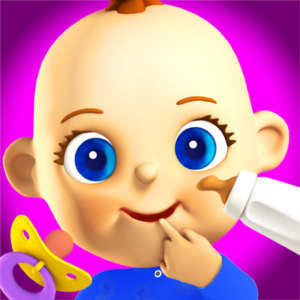
9. Talking Baby Babsy
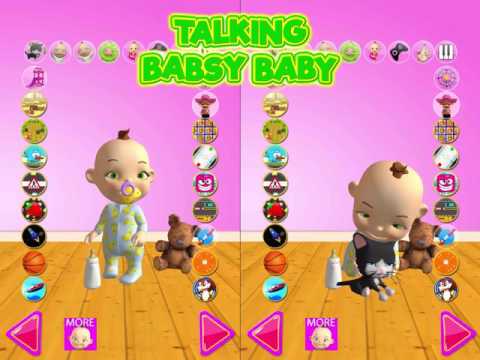
Imagine a virtual playdate. Babsy is an interactive baby who repeats what your child says in a funny voice. It sounds simple, but for toddlers just learning to speak, it is hilarious and motivating.
❤️ Why Parents Love It
It gets even shy kids laughing and using their voice loud and clear.
🧠 Educational Benefit
- Verbal Skills: Encourages speech.
- Empathy: Babsy reacts to touch (giggles or cries).
10. PBS Kids Games
Featuring favorites like Daniel Tiger and Elmo. These games are backed by university research and are designed to teach social-emotional skills alongside math.
❤️ Why Parents Love It
It uses characters they already love and trust, making the lessons stick.
🧠 Educational Benefit
- Social Skills: Sharing and feelings.
- Core Subjects: Math and science.
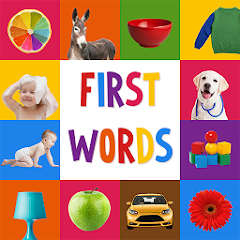
11. First Words for Baby
Simple digital flashcards. Tap a “Cat,” hear “Cat.” It is basic, but it is one of the most effective ways to introduce new vocabulary to the youngest toddlers (ages 1-2).
❤️ Why Parents Love It
It’s easy to use one-handed while holding a baby. Zero setup required.
🧠 Educational Benefit
- Association: Linking pictures to sounds.
- Vocabulary: Common daily objects.
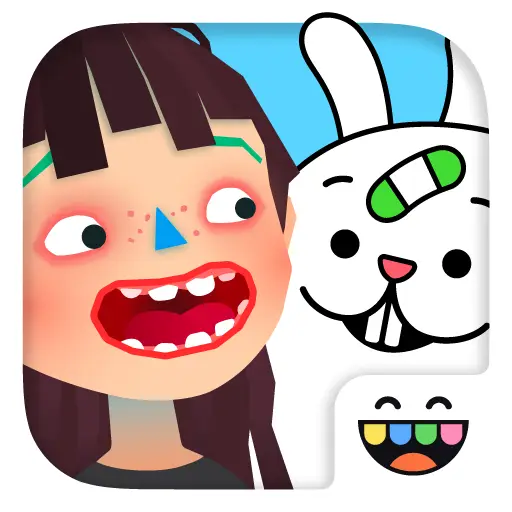
12. Toca Boca Jr

A classic role-playing game. Your child cooks “gross” or delicious food (blend a shoe with a carrot!) and feeds it to guests to watch their funny reactions.
❤️ Why Parents Love It
It’s messy fun without the messy kitchen. The characters’ faces make everyone laugh.
🧠 Educational Benefit
- Experimentation: Mixing ingredients.
- Empathy: Reading facial expressions.
🤖 2026 Tech: How Parents Use AI
You might be wondering: “Does AI have a place in my toddler’s life?” While we don’t recommend giving a baby access to a chatbot, you can use tools like Gemini or ChatGPT to be a “Super Parent.”
🌙 Instant Bedtime Stories
Ask AI: “Write a 2-minute bedtime story about a brave toddler named [Your Child’s Name] who befriends a dinosaur who loves broccoli.” It creates a personalized book in seconds.
🤔 The “Why?” Phase
When your child asks “Why is the sky blue?” for the 50th time, ask AI to “Explain it to a 3-year-old.” You’ll get perfect, simple analogies.
🛡️ Keep Your Child Safe Online
Worried about what else they might click on? Use Google Family Link to set screen time limits and approve app downloads remotely.
Common Questions from Parents
What are the educational benefits?
Can screen time cause autism?
How much screen time is safe?
The AAP recommends:
- Under 18 Months: Avoid screens (except video calls).
- Ages 2-5: Limit to 1 hour/day.
- Always: Prioritize co-viewing (playing together) over solo play.
Looking for more? Check out our guide on Best Education Apps for Older Kids.