



Readers like you help support this site. When you make a purchase using links on our site, we may earn an affiliate commission. All opinions remain our own.


The best offline games for Chromebook and Googlebook include Stardew Valley for relaxing countryside farming and cave exploration, Terraria for expansive 2D sandbox mining and boss battles, Dead Cells for fast-paced action roguelite dungeon runs, Alto’s Odyssey for serene endless desert sandsurfing across dunes, and Slay the Spire for deep tactical deckbuilding card strategy.
Have a favorite offline game we missed? Tell us about it, including which device and platform you use to play.
Top Offline Games for Chromebook & Googlebook
#1
Stardew Valley
★ Farming RPG
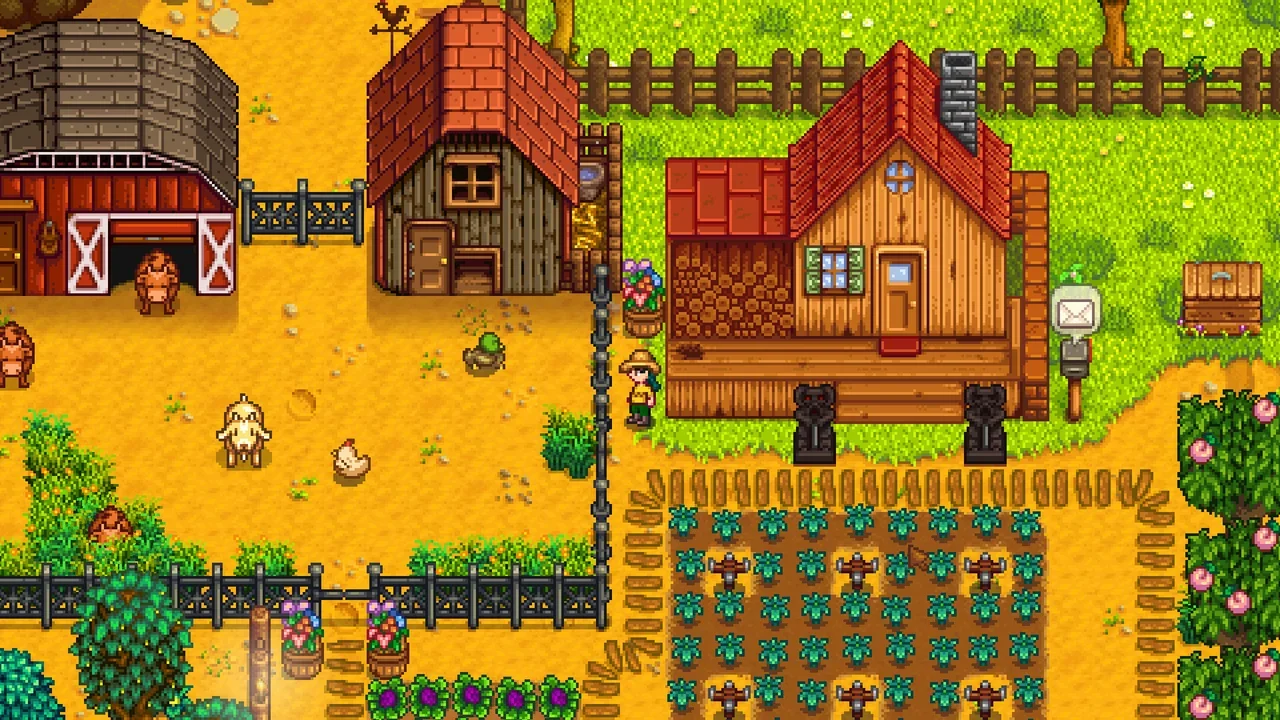

Stardew Valley hands you the deed to an overgrown countryside farm plot and invites you to build a thriving homestead at your own pace. You clear timber, plant seasonal vegetables, tend barn livestock, and venture deep into the Pelican Town mines to gather copper and gems. While PC and console players enjoy online co-op, the Android edition on Chromebook is built around solitary pastoral life where all farming routines, town social events, and dungeon dives operate fully without an active network connection.
- Full Offline Single-Player: Every crop harvest, mine floor, festival sequence, and villager friendship cutscene functions completely without an active internet connection.
- Deep Crafting and Mining: Explore perilous cavern depths, craft automated sprinklers, and smelt rare ores into durable farm equipment.
- One-Time Premium Purchase: Runs as a standalone paid game without energy meters, intrusive timers, or in-app purchase paywalls.


#2
Terraria
★ 2D Sandbox Survival
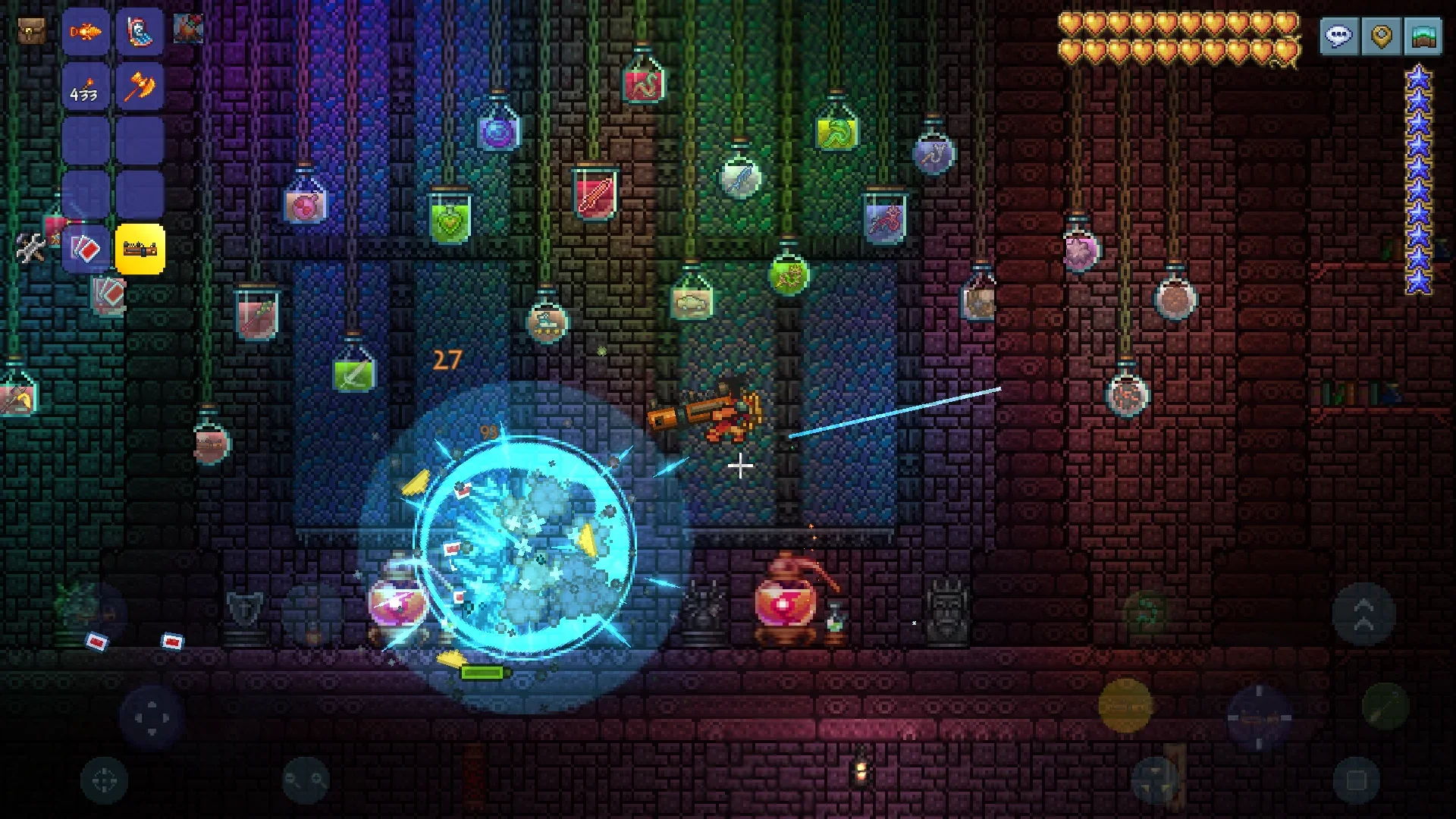

Terraria is an expansive 2D action-adventure sandbox that drops your customized hero into a sprawling procedurally generated world filled with floating islands, shadowy chasms, and cavernous underworlds. You chop trees to erect multi-room shelters for incoming merchant NPCs, forge weapons from freshly mined ore, and trigger memorable boss encounters. When disconnected from Wi-Fi, single-player world generation, mining, and boss progression remain entirely functional, while multiplayer server hosting requires network access.
- Self-Contained World Exploration: Generate local small, medium, or large worlds and battle challenging subterranean bosses entirely offline.
- Expansive Crafting Tree: Discover thousands of weapon, armor, and potion recipes using materials mined beneath the surface.
- Gamepad and Mouse Controls: Supports physical USB and Bluetooth controllers alongside traditional keyboard and mouse inputs on ChromeOS.
#3
Minecraft
★ Voxel Sandbox
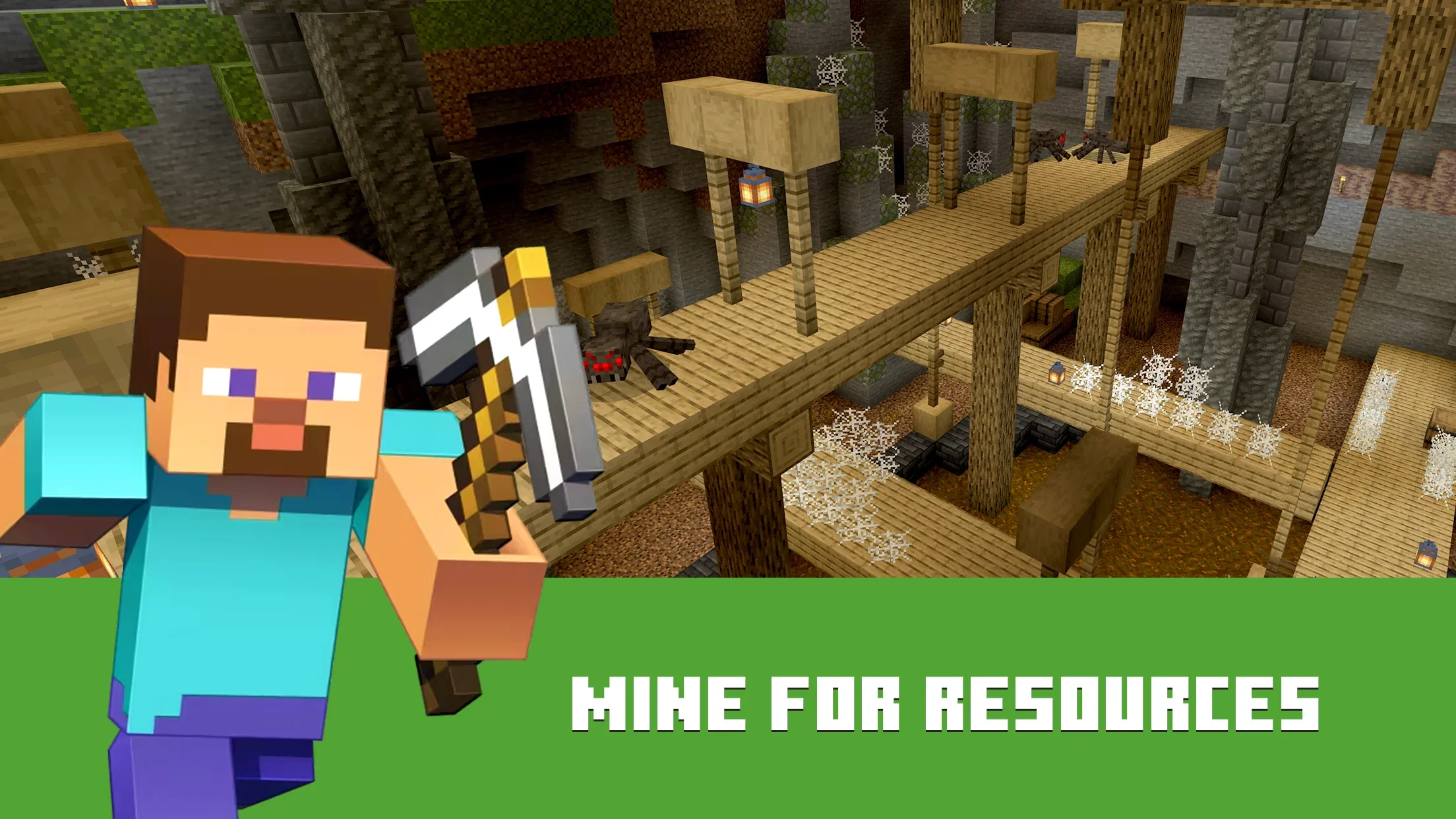

Minecraft brings its iconic block-building and survival loop natively to ChromeOS through the Google Play store. Once your initial license authentication and account setup are completed online, you can launch the client without internet and explore offline single-player worlds without interruption. You harvest wood, construct protective shelters before sunset, harvest crops, and explore twisting subterranean ravines. Keep in mind that connected elements like Realms, Marketplace downloads, and online servers remain locked until you reconnect.
- Offline Single-Player Worlds: Create and explore local survival or creative worlds without needing Wi-Fi once initial account setup is done.
- Full Keyboard and Mouse Support: Operates seamlessly with native Chromebook laptop keyboards, trackpads, and external USB mice.
- Selective Connectivity Caveat: Online multiplayer servers, Realm subscriptions, and Marketplace catalog purchases require an active internet connection.
#4
Dead Cells
★ Action Roguelite
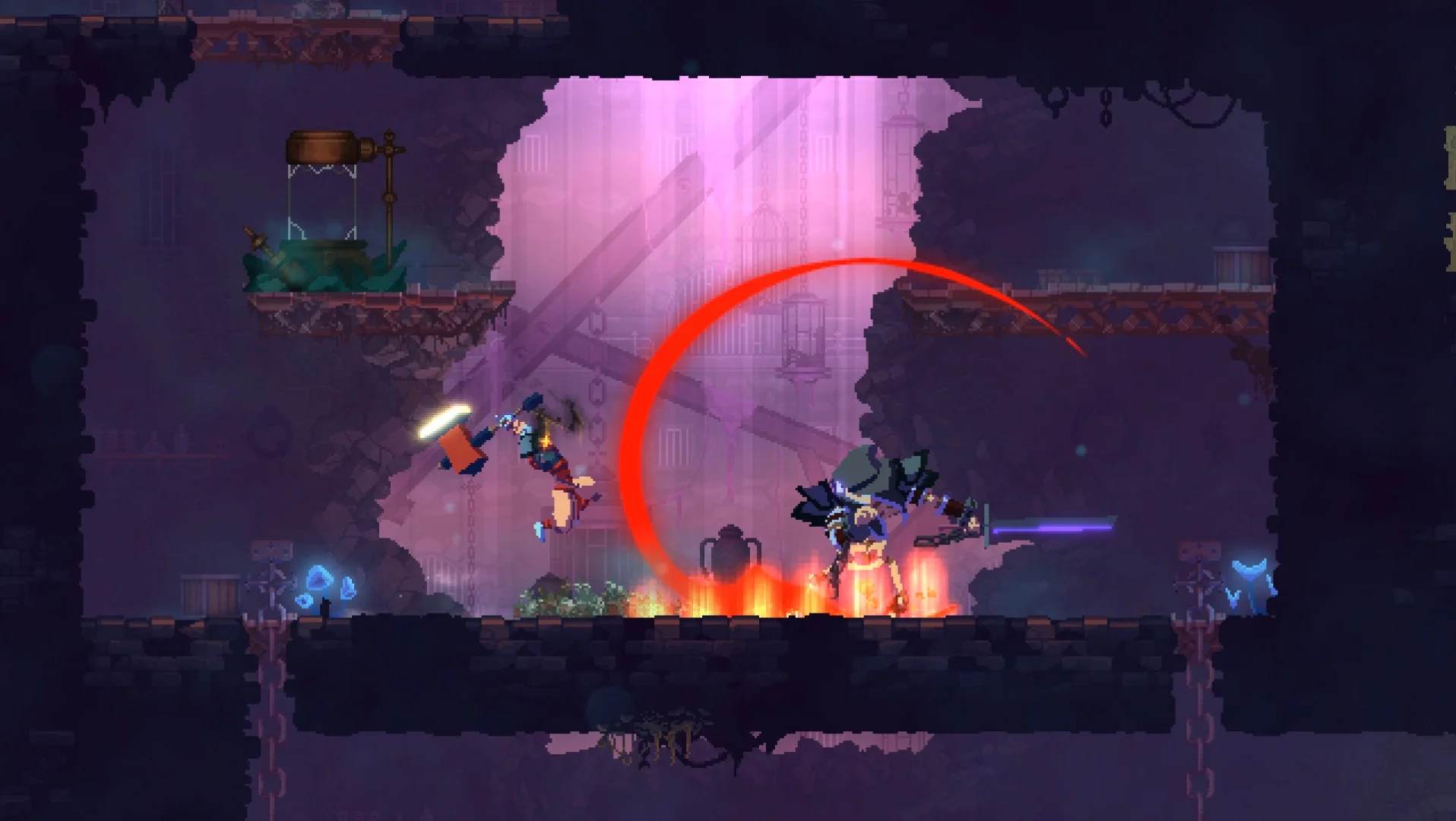

Dead Cells merges fast-paced 2D combat with the procedural unpredictability of a roguelite metroidvania. Taking control of an immortal prisoner, you roll through enemy slashes, deploy mechanical turrets, and wield elemental weapons across interconnected biomes. Every run rewards you with cells to unlock permanent upgrades and weapon blueprints at checkpoint safe zones. Core campaign runs, boss battles, and equipment unlocks operate completely offline, with internet required solely for optional Daily Challenge leaderboards.
- Pure Offline Campaign Runs: Every procedural level, boss confrontation, and weapon forge upgrade functions entirely without network access.
- Twitch Reflex Combat: Master dodge rolls, shield parries, and secondary gadgets against aggressive gothic monsters.
- Gamepad Compatibility: Plays with natural analog precision when paired with any standard Bluetooth or USB controller on ChromeOS.
#5
Vampire Survivors
★ Survival Roguelite
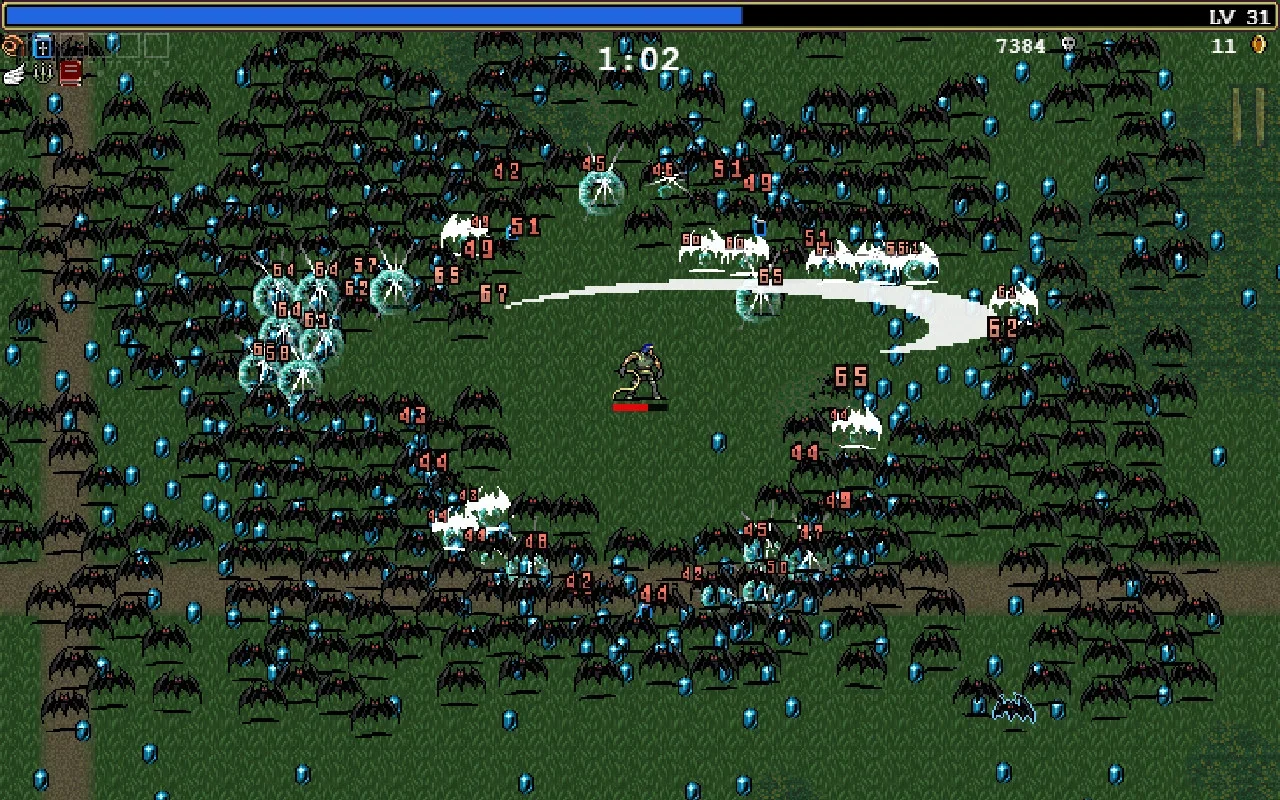

Vampire Survivors is an addictive time-survival roguelite where your hero attacks automatically while you focus entirely on positioning and evasion. Hundreds of nocturnal horrors, including bats, zombies, and ghostly apparitions, swarm your position as you gather glowing experience gems. Leveling up lets you combine weapons into devastating evolved spells like soul-eating garlic rings and holy bibles. The core 30-minute survival runs and gold upgrades function offline, while optional ad revives and store downloads use internet.
- Unrestricted Offline Runs: Survive 30-minute mob onslaughts, trigger weapon evolutions, and unlock new characters without Wi-Fi.
- Simple One-Hand Controls: Navigate stages using simple arrow keys, trackpad swipes, or analog thumbsticks while attacks fire automatically.
- Generous Free Access: Core stages and characters are completely free to play, with optional ad views used only for extra gold.
#6
Slay the Spire
★ Roguelike Deckbuilder
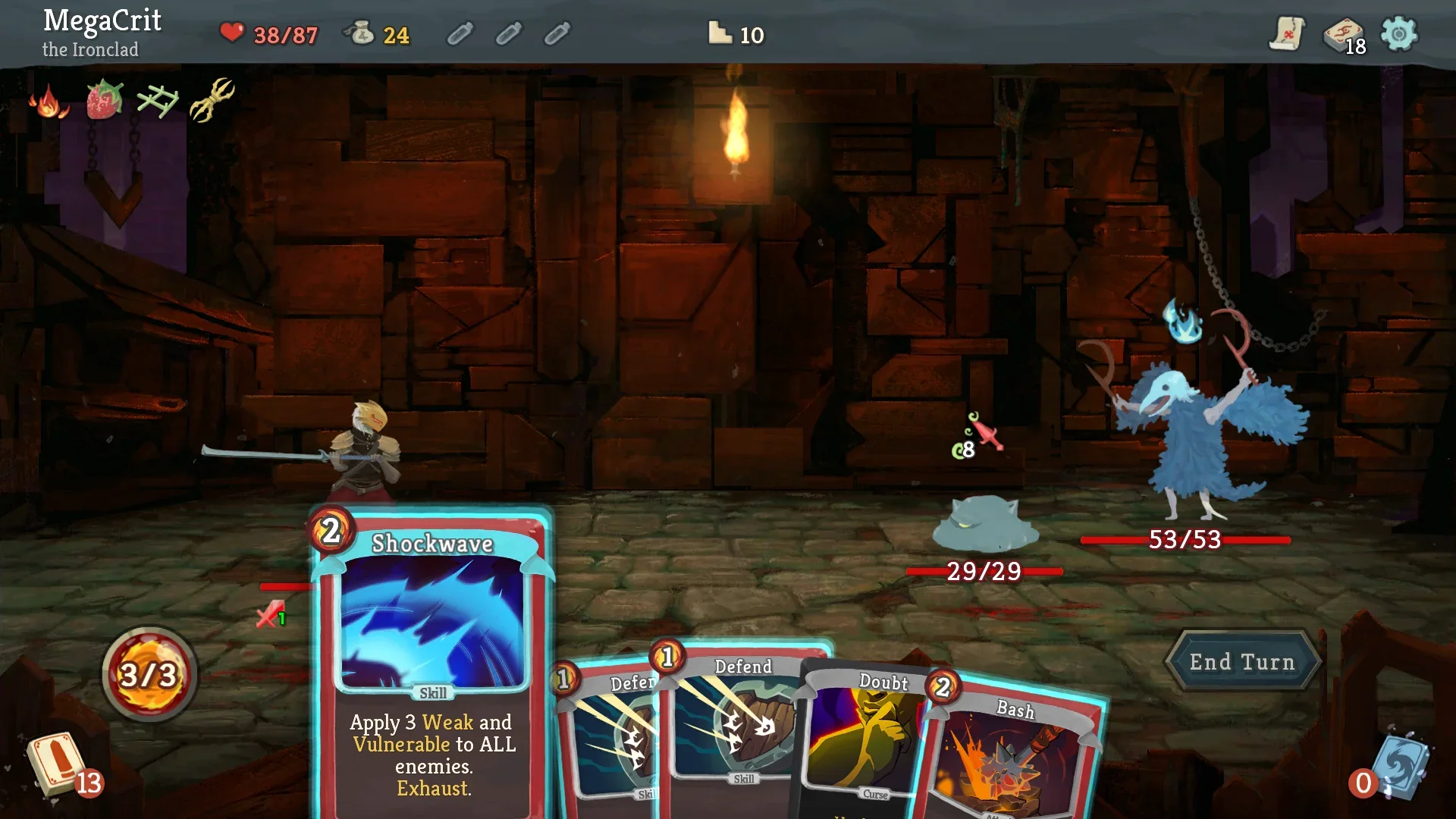
Slay the Spire fuses tactical turn-based card play with procedural roguelike map navigation. Ascending the ever-shifting spire, you draft offensive strikes, defensive blocks, and synergistic relics into a lean, lethal deck. Strategic encounters demand careful energy calculation, as you anticipate telegraphed enemy actions and counter lethal debuffs. The complete spire climb, card unlocks, and ascension difficulty tiers operate without an active internet connection, making it ideal for thoughtful offline sessions.
- Complete Offline Campaigns: Ascend all spire acts, test character deck archetypes, and climb ascension difficulty ladders entirely offline.
- Synergistic Card Drafting: Combine hundreds of playable cards and game-altering relics to formulate unstoppable combat combos.
- Turn-Based Pacing: Play at your own tempo with precise trackpad clicking, external mouse control, or touchscreen taps.
#7
Monument Valley
★ Perspective Puzzle

Monument Valley leads silent princess Ida through a series of surreal monuments sculpted from impossible geometric architecture. By rotating staircases, shifting pillars, and manipulating M.C. Escher-inspired optical illusions, you forge continuous walking paths where none seemed possible. The meditative soundtrack and minimalist visual design transform each chapter into a calming visual puzzle. The original self-contained adventure runs entirely offline from start to finish once installed.
- Self-Contained Story Campaign: Complete the entire poetic architectural puzzle narrative without needing an active internet connection.
- Optical Illusion Mechanics: Rotate physical structures to bridge disconnected ledges through clever isometric optical trickery.
- Calming Ambient Presentation: Relax with harmonic chimes and tranquil pastel palettes that respond dynamically to your puzzle solutions.
#8
Alto’s Odyssey
★ Endless Runner

Alto’s Odyssey transports the serene momentum of sandboarding to a vast, uncharted desert. Gliding effortlessly down wind-carved dunes, you jump across chasms, grind along temple vines, bounce off hot air balloons, and perform mid-air backflips. A dynamic weather system transitions seamlessly from peaceful starry nights to blinding sandstorms. Core sandboarding runs, character level objectives, and Zen Mode work completely offline, while optional ad views and store purchases use connectivity.
- Uninterrupted Desert Gliding: Enjoy complete single-player sandboarding runs, unlockable characters, and Zen Mode entirely without Wi-Fi.
- Dynamic Atmospheric Weather: Experience shifting desert lighting, swirling wind vortexes, and sudden sandstorms during extended runs.
- One-Button Fluid Momentum: Execute backflips and grind canyon walls using a single keyboard key or light touchscreen tap.
#9
GRID Autosport
★ Circuit Racing

GRID Autosport delivers genuine console-tier motorsport simulation to ChromeOS without microtransactions or artificial fuel bars. You compete across touring car championships, endurance nighttime circuits, open-wheel sprints, and street drift courses with authentic handling physics. It is a noticeably demanding and large Android installation compared with casual mobile racing titles, requiring substantial local storage. Once all vehicle assets are downloaded, the expansive single-player career mode runs entirely offline.
- Full Offline Motorsport Career: Progress through dozens of multi-discipline racing championships across world circuits without an internet connection.
- Substantial Storage and Hardware: Requires several gigabytes of local storage and capable Chromebook hardware to handle detailed car models and physics.
- Analog Gamepad Precision: Full support for physical Bluetooth gamepads delivers nuanced throttle, brake, and steering sensitivity.
#10
Riptide GP: Renegade
★ Water Racing
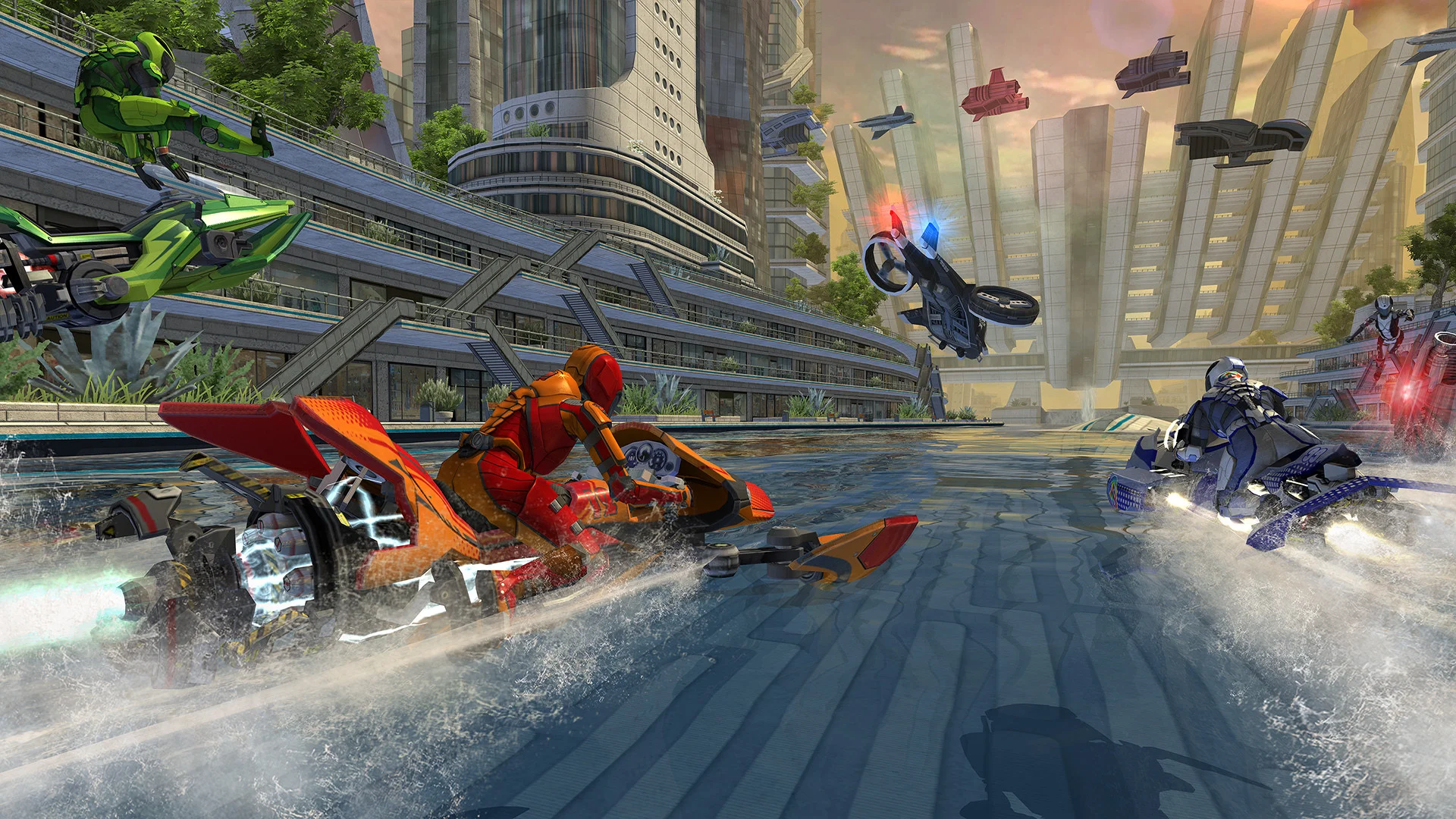
Riptide GP: Renegade drops you into the illicit underground world of hydrojet water racing through flooded futuristic cityscapes and industrial waterways. You launch off churning waves to execute mid-air stunts, recharging your boost tank while avoiding police watercraft. Beyond a deep single-player career mode, the game includes full offline local split-screen multiplayer for up to four racers when multiple controllers are connected, while online multiplayer and cloud saves require a connection.
- Offline Career and Split-Screen: Tackle the full single-player career or connect multiple gamepads for local split-screen matches without internet.
- Dynamic Water Wave Physics: Race across living aquatic tracks where wakes and tidal surges alter racing lines each lap.
- Stunt Boost Mechanics: Perform aerial bar-spins and cliffhanger stunts off water ramps to power your nitro thrusters.
#11
Pocket City 2
★ City Builder
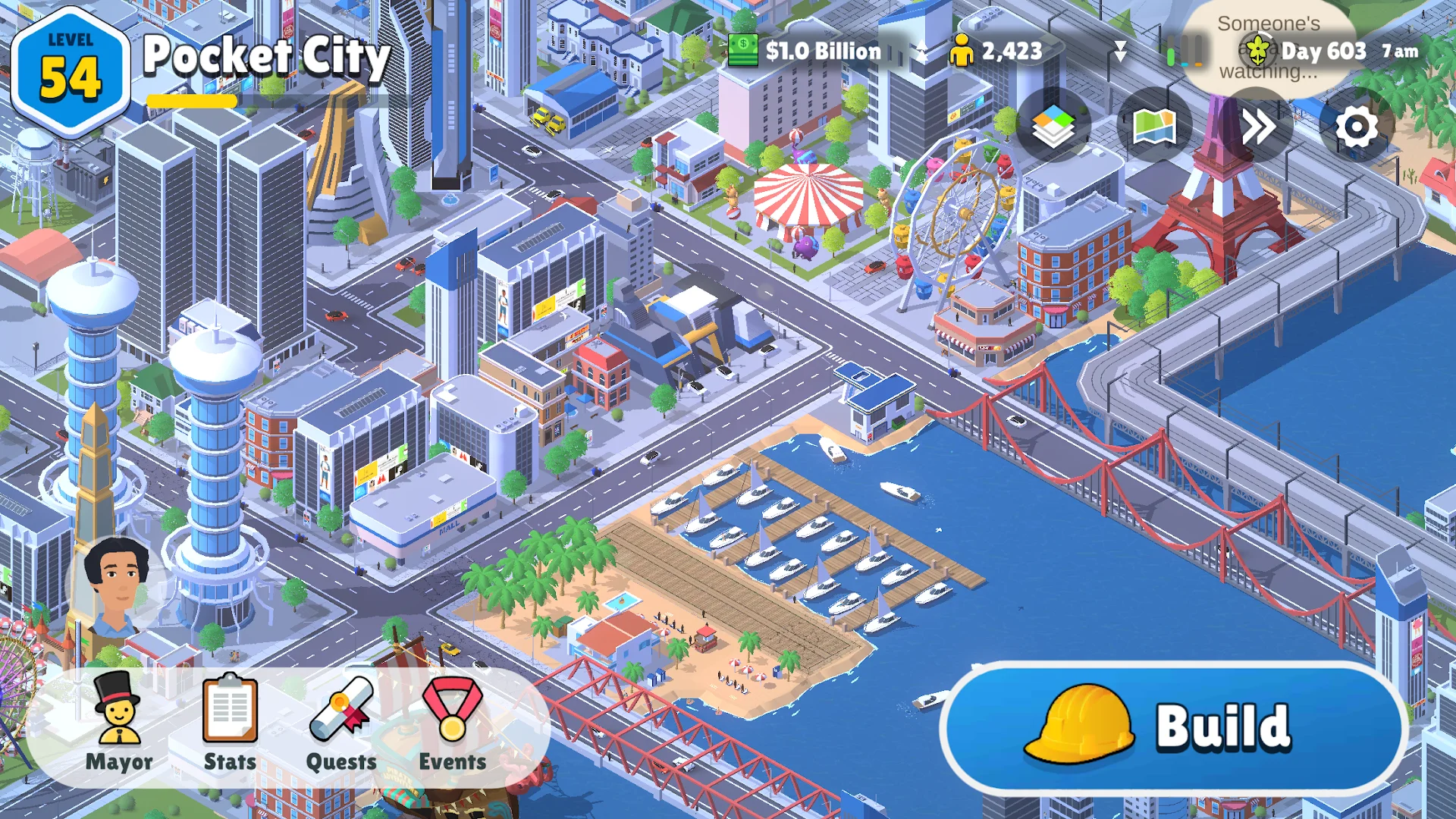
Pocket City 2 expands on traditional urban management by rendering your thriving metropolis in full 3D and letting you explore your streets on foot. You zone residential neighborhoods, establish commercial hubs, balance municipal water and power grids, and respond to dynamic city disasters like fires and tornadoes. It is a completely premium simulation without microtransactions or waiting timers, meaning every construction project and traffic optimization runs offline.
- Full Offline City Simulation: Zone neighborhoods, manage municipal budgets, and trigger natural disasters without an internet connection.
- Free Roam Avatar Mode: Switch to third-person ground level to drive vehicles, purchase houses, and interact with citizens on foot.
- Zero Microtransactions: Unlocks all buildings, vehicles, and recreation facilities purely through gameplay achievements and leveling.
#12
Mini Metro
★ Transit Strategy
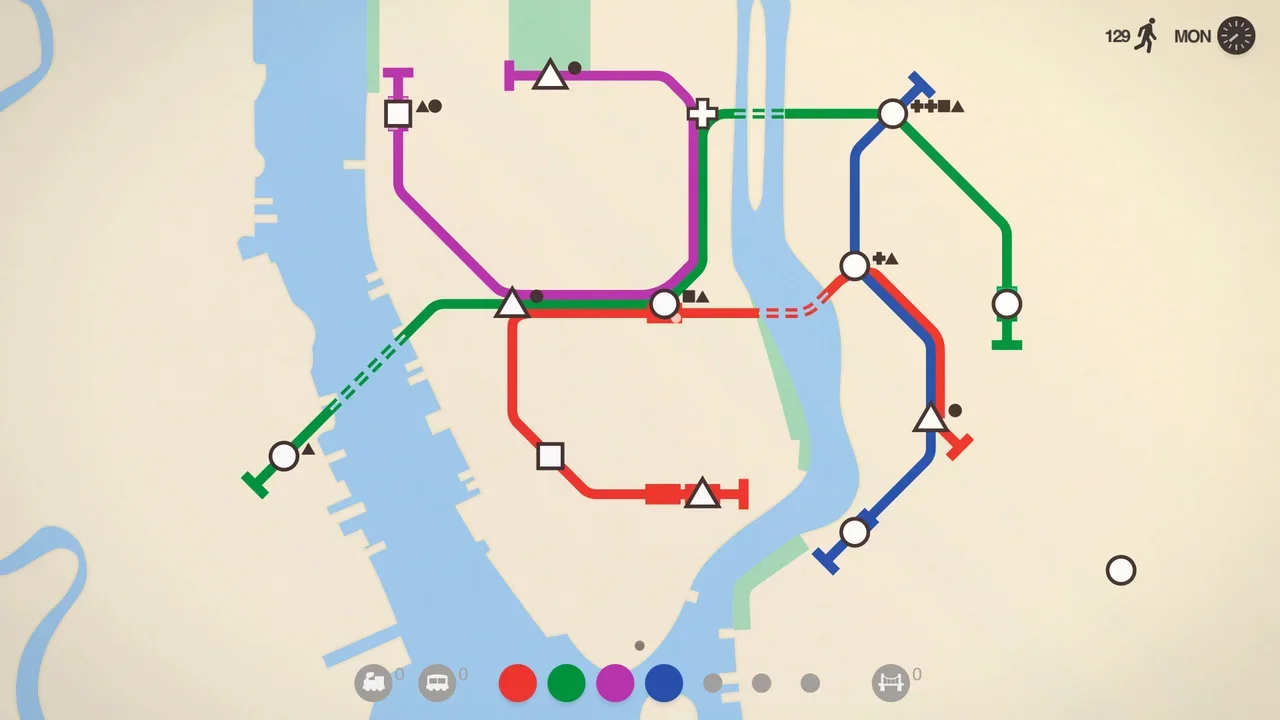
Mini Metro distills public transportation management into a clean, minimalist subway planning puzzle. You draw colorful transit lines between geometric station nodes, deploying trains, carriages, and tunnels to keep passengers moving across expanding global cities like London, Paris, and Tokyo. As passenger volume escalates, stations risk overcrowding, forcing you to redesign entire loop routes on the fly. All standard city maps and endless modes operate offline, with only Daily Challenges needing internet.
- Offline City Subway Maps: Design efficient metro networks across real-world city layouts in normal and endless modes without internet.
- Minimalist Tactile Controls: Click and drag to connect passenger nodes and assign new train cars using trackpad or touch input.
- Dynamic Audio Soundscape: Generates soothing procedural rhythms directly keyed to your subway schedule and passenger departures.
#13
Bloons TD 6
★ Tower Defense
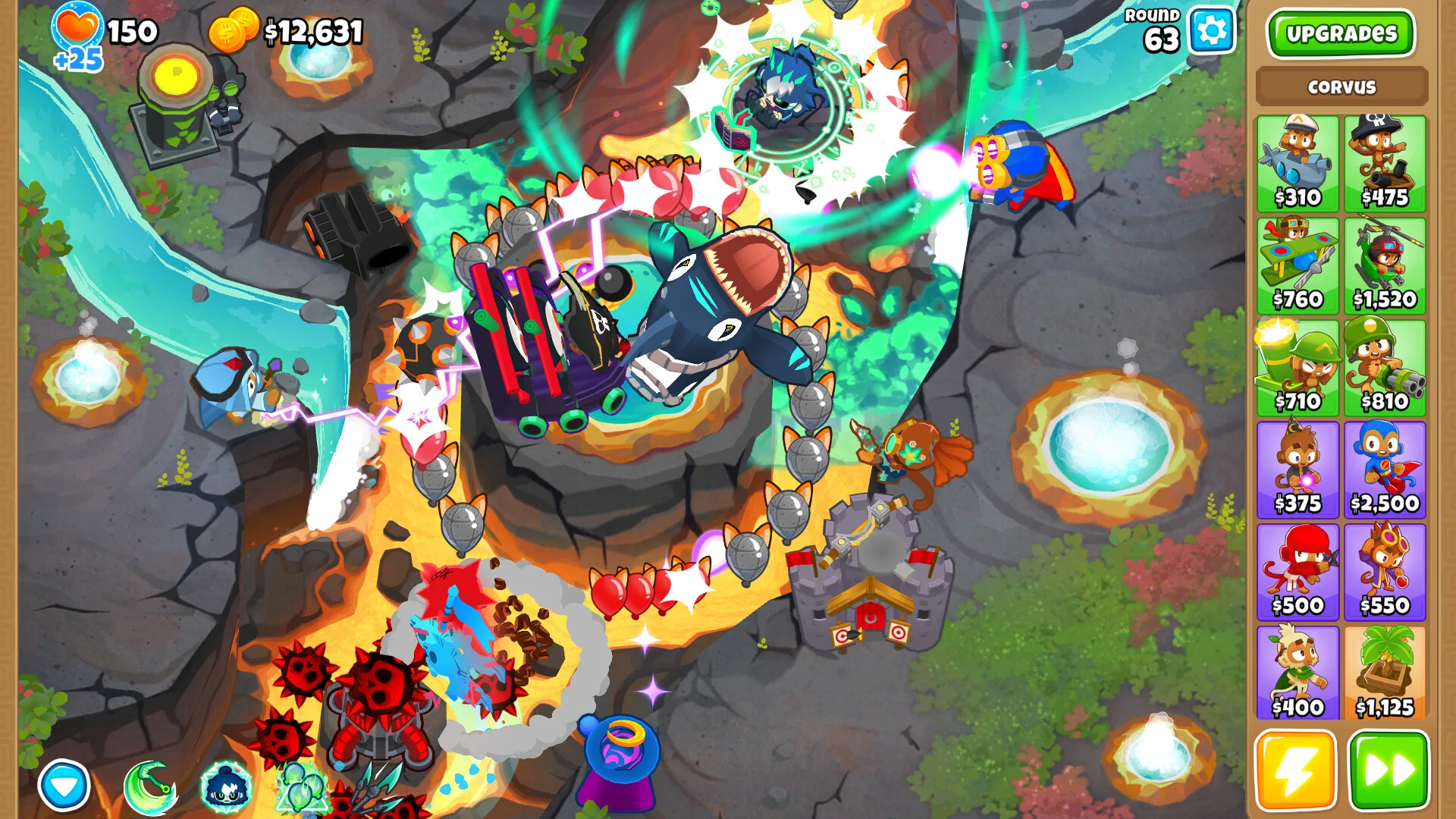
Bloons TD 6 is a colorful, content-stuffed tower defense strategy game where monkey towers pop incoming waves of multi-layered balloons. You position dart throwers, sniper monkeys, and specialized heroes across varied tracks, unlocking deep three-path upgrade branches that fundamentally alter tower abilities. The standard single-player maps, monkey knowledge progression, and medal challenges function completely offline, with connectivity reserved for co-op games and community boss events.
- Expansive Offline Maps: Clear dozens of single-player maps across multiple difficulty tiers and medal modes without an internet connection.
- Three-Path Tower Upgrades: Customize monkey defenses with 20 distinct towers, each boasting five tiers of specialized upgrade branches.
- Standard Android Store Build: Purchased directly from Google Play as a standalone release rather than a subscription-locked tier.
#14
Rebel Inc.
★ Geopolitical Strategy
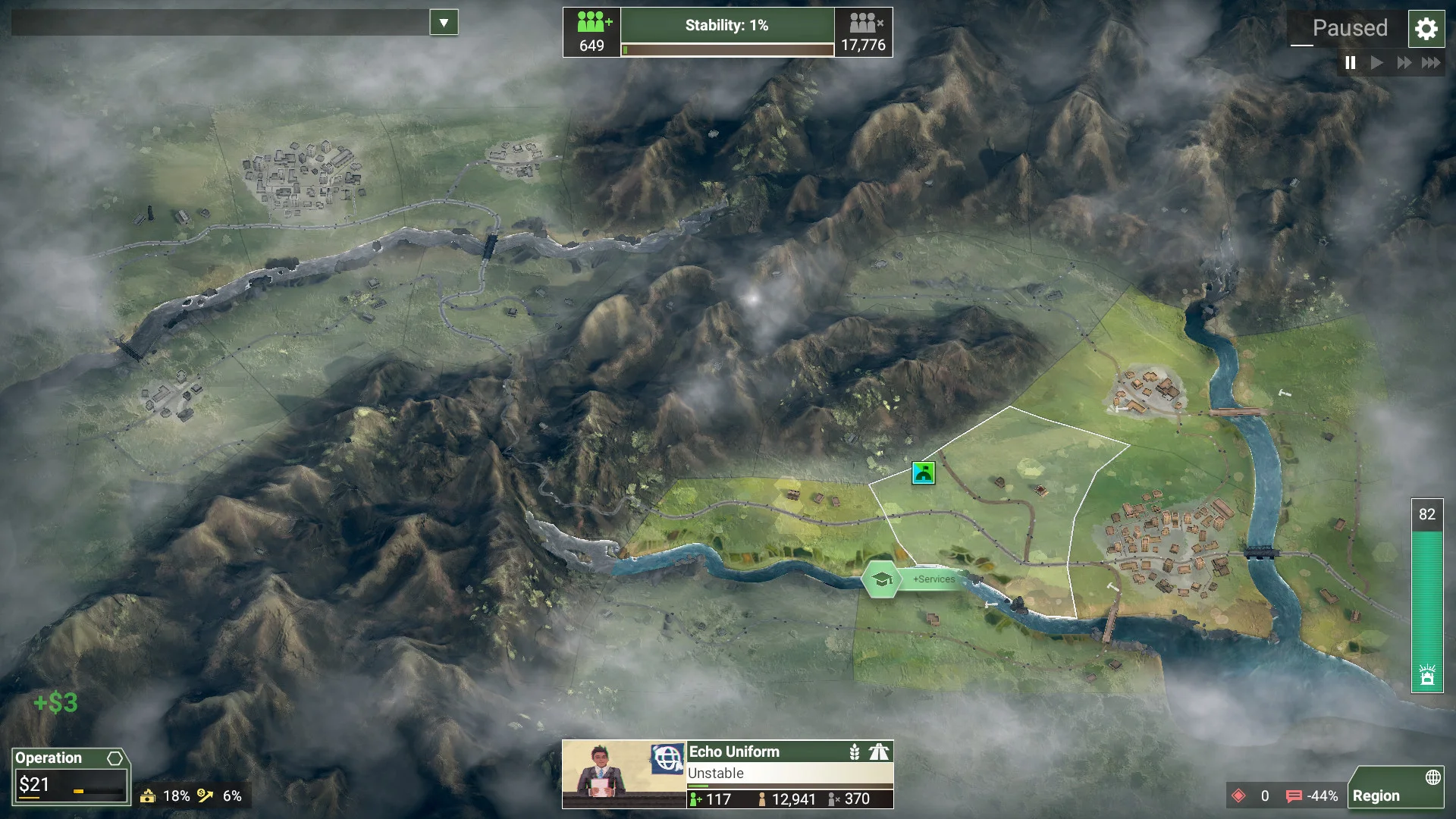
From the creator of Plague Inc., Rebel Inc. is a sophisticated geopolitical simulation about stabilizing a post-conflict region. Taking the role of provincial governor, you balance civilian initiatives like clean water and healthcare against military deployments to root out insurgent fighters. Winning requires winning the hearts and minds of local populations while preventing corruption from draining your budget. Core regional campaigns and scenarios operate completely offline once installed.
- Offline Strategic Campaigns: Stabilize complex provinces, negotiate peace treaties, and counter insurgent garrisons without network access.
- Civil and Military Balance: Fund local infrastructure, schools, and roads while managing security forces and inflation.
- Diverse Governor Roles: Tackle regions using distinct leaders like the Civil Servant, General, Banker, and Smuggler.
#15
The Room: Old Sins
★ 3D Mystery Puzzle
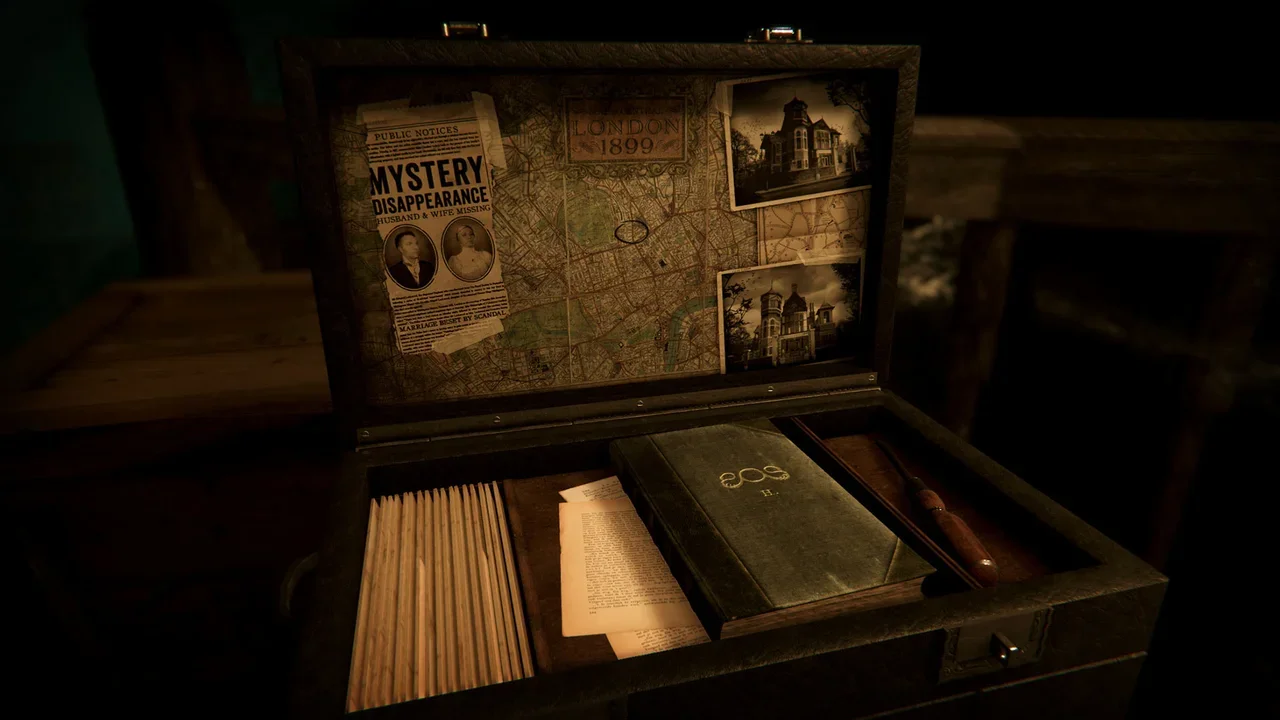
The Room: Old Sins drops you into the attic of Waldegrave Manor to investigate the mysterious disappearance of an ambitious engineer. You inspect a complex Victorian dollhouse, rotating intricate brass mechanisms, uncovering hidden compartments, and manipulating mechanical locks in full 3D. A special eyepiece allows you to see arcane runes and miniature interior rooms hidden from normal vision. Serving as the highlight of the series, the entire puzzle campaign operates completely offline.
- Self-Contained Investigation: Solve every dollhouse wing, mechanical riddle, and occult mystery without needing an internet connection.
- Tactile Mechanical Manipulation: Turn keys, pull hidden latches, and slide mechanical tumblers with responsive 3D physical interactions.
- Atmospheric Gothic Storytelling: Unravel a dark Victorian mystery through journal entries and shifting dollhouse environments.
#16
Dragon Quest V
★ Classic JRPG
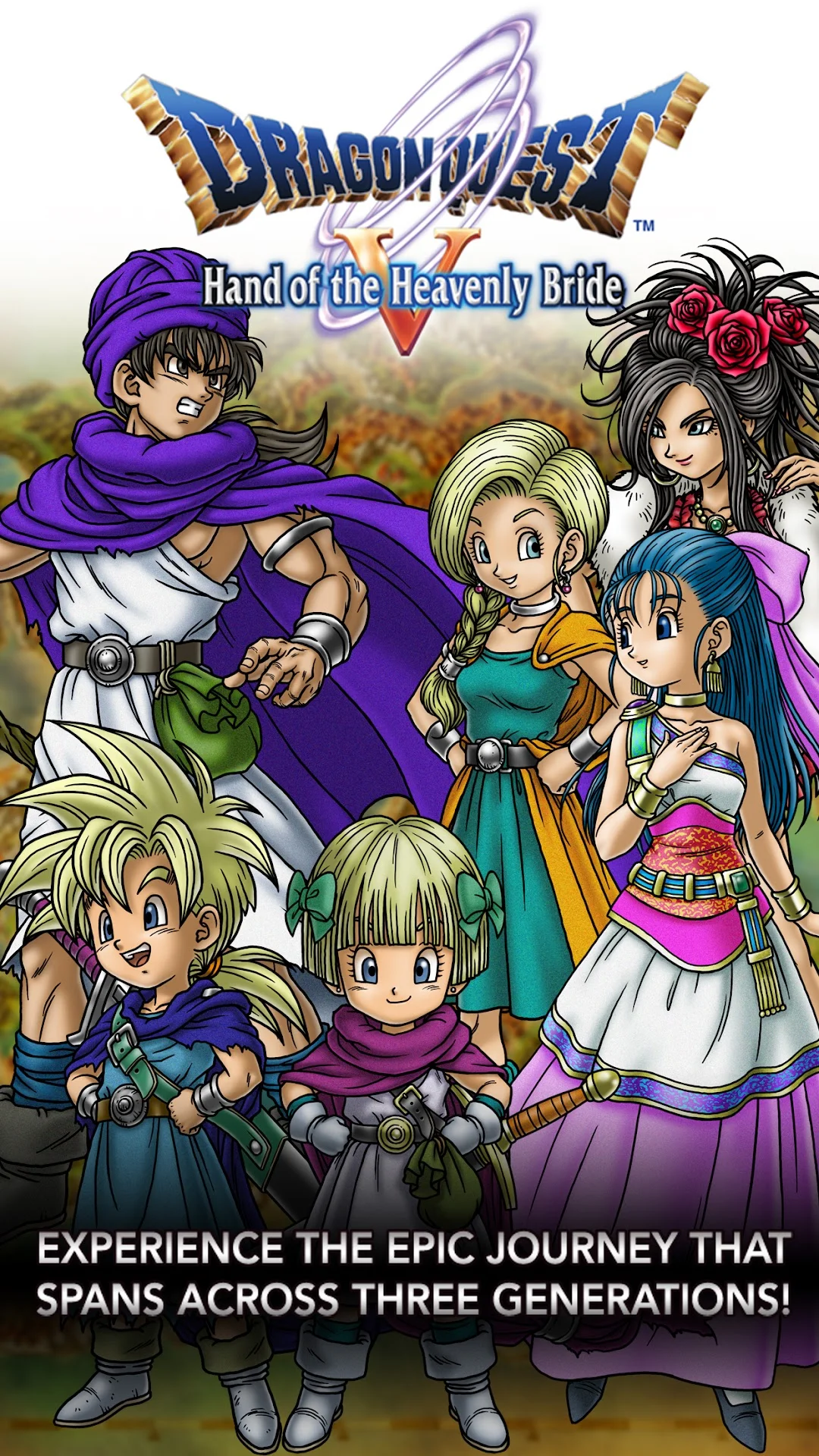

Dragon Quest V: Hand of the Heavenly Bride is one of the most celebrated Japanese role-playing games ever made, chronicling a hero’s life from childhood to fatherhood across three generations. You explore fantasy kingdoms, recruit over seventy wild monster species into your combat party, and make a famous marriage choice that shapes your family’s magical lineage. The Android port uses a vertical mobile-first interface designed around touch navigation, while the entire epic story campaign plays offline without connectivity.
- Epic Multi-Generational Tale: Journey across three narrative generations, raise a heroic family, and conquer ancient evils completely offline.
- Monster Party Recruitment: Befriend iconic Toriyama-designed monsters, level up their magical abilities, and field them in turn-based combat.
- Touch-Oriented Mobile Interface: Optimized for vertical screen orientation, making it ideal for Chromebook tablet mode and mouse dragging.
#17
GTA: San Andreas
★ Open-World Action


Grand Theft Auto: San Andreas brings CJ’s journey across Los Santos, San Fierro, and Las Venturas to ChromeOS in a mature-rated open-world action classic. You cruise neighborhood boulevards, complete story missions, territory wars, and side activities including gym training and taxi fares. When playing off-grid, the full campaign, driving mechanics, and radio stations operate without internet access, with connectivity needed only for initial store authentication and cloud saves.
- Massive Offline Open World: Explore three full cities and countryside territory, completing story missions and turf wars entirely without Wi-Fi.
- Gamepad Control Integration: Connect a standard Xbox or PlayStation controller for console-style analog driving and firearm targeting.
- Mature Rating Notice: Features mature crime drama themes, language, and action suitable for adult audiences.
#18
Streets of Rage 4
★ Side-Scrolling Beat-‘Em-Up
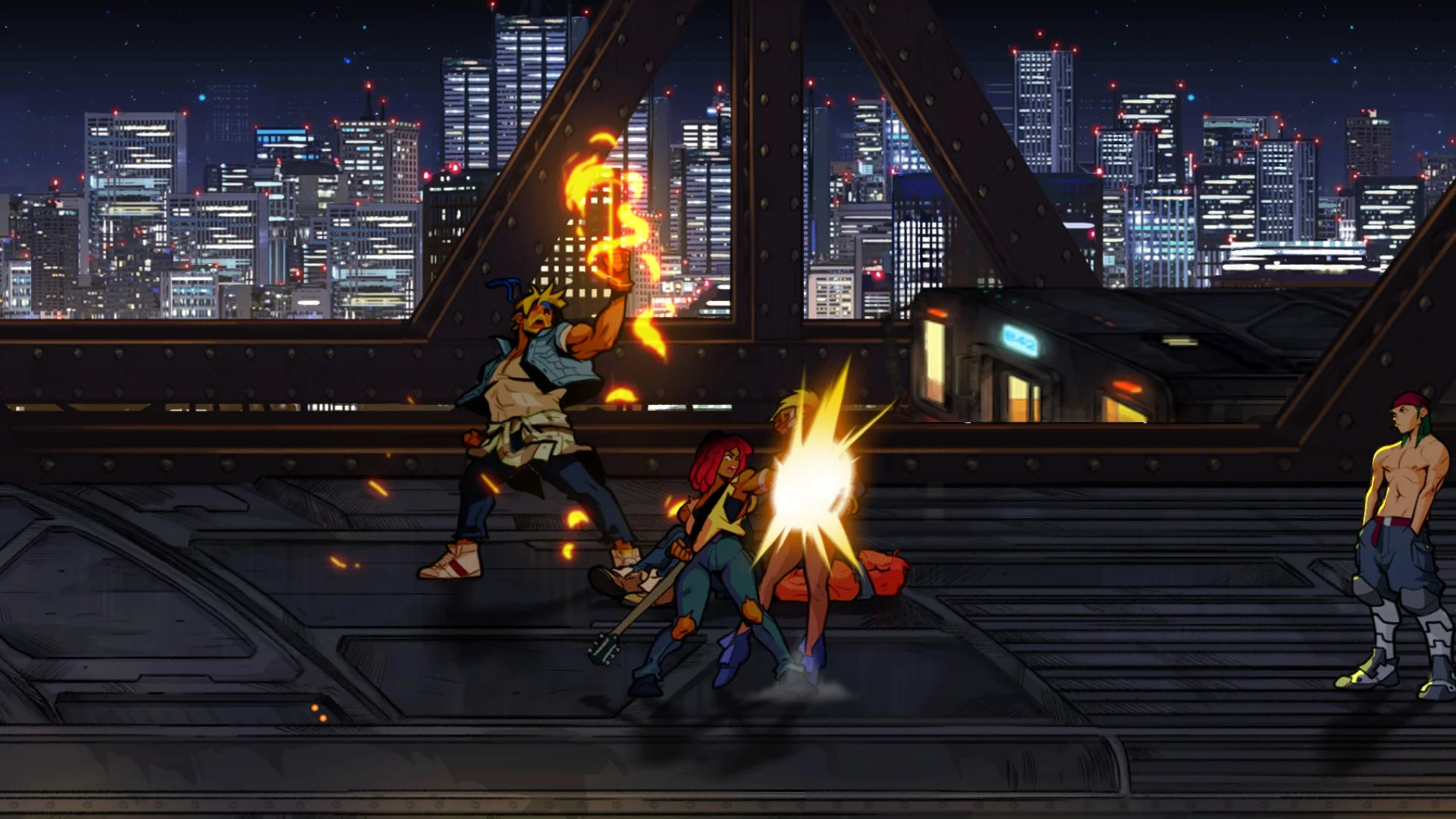
Streets of Rage 4 revives the legendary side-scrolling brawler with gorgeous hand-drawn animation and hard-hitting martial arts mechanics. As Axel, Blaze, or unlockable retro brawlers, you march down neon-lit city avenues pummeling crime syndicate thugs with flying kicks, pipe strikes, and special defensive blitz moves. Unlike 1v1 technical arena fighters, this is a cooperative-style street brawler where the full Story, Arcade, and Training modes work offline with gamepad support, while online multiplayer requires connectivity.
- Complete Offline Brawling Modes: Pummel through the full Story campaign, survival Arcade mode, and practice Training gym without internet.
- Side-Scrolling Beat-‘Em-Up Action: Features cooperative brawling mechanics rather than traditional one-on-one competitive arena fighting.
- Physical Controller Compatibility: Pair any standard Bluetooth controller for responsive special attack combos and dodge maneuvers.
#19
Geometry Dash
★ Rhythm Platformer
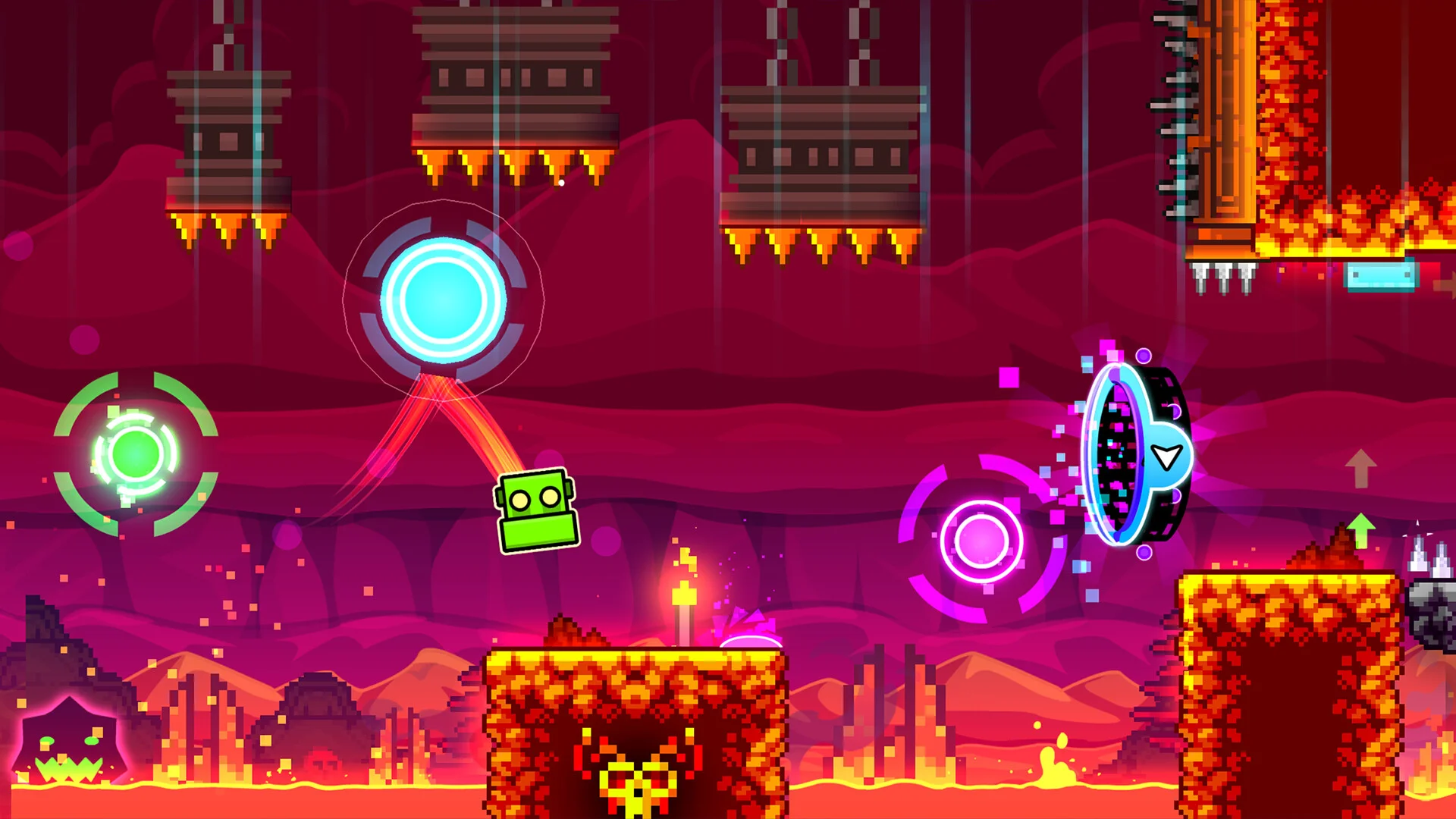
Geometry Dash is a fast-paced rhythm platformer where a geometric icon leaps, flies, and flips through treacherous obstacle courses in sync with pulsating electronic music tracks. A single misplaced leap sends you back to the start of the stage, testing your memorization and muscle memory. The full built-in level roster, local practice checkpoint modes, and previously downloaded custom levels are accessible offline, with connectivity required only to browse online community stages.
- Built-In Level Progression: Conquer dozens of soundtrack-synced official stages and practice checkpoint runs entirely offline.
- One-Touch Keyboard Timing: Tap the spacebar or laptop keyboard for lightning-quick response through demanding obstacle corridors.
- Selective Online Features: Browsing community level databases and uploading custom tracks require an active internet connection.
#20
Little Nightmares
★ Atmospheric Horror

Little Nightmares immerses you in a dark, whimsical suspense tale following Six, a small child in a bright yellow raincoat attempting to escape the Maw, a grotesque underwater vessel inhabited by corrupt, towering souls. You solve physical environmental puzzles, creep quietly beneath floorboards, and sprint past grotesque chefs to survive. Because of high-resolution visual assets, you must complete the initial installation and additional game-data download over Wi-Fi before the story campaign plays offline.
- Initial Data Download Required: Must download full initial game assets over Wi-Fi before launching the single-player campaign offline.
- Creepy Environmental Puzzles: Manipulate giant furniture, pull electrical switches, and sneak past terrifying monstrous caretakers.
- Atmospheric Cinematic Audio: Immersive creaking ship audio and ambient strings enhance tension best experienced with headphones.
#21
DYSMANTLE
★ Survival Action RPG
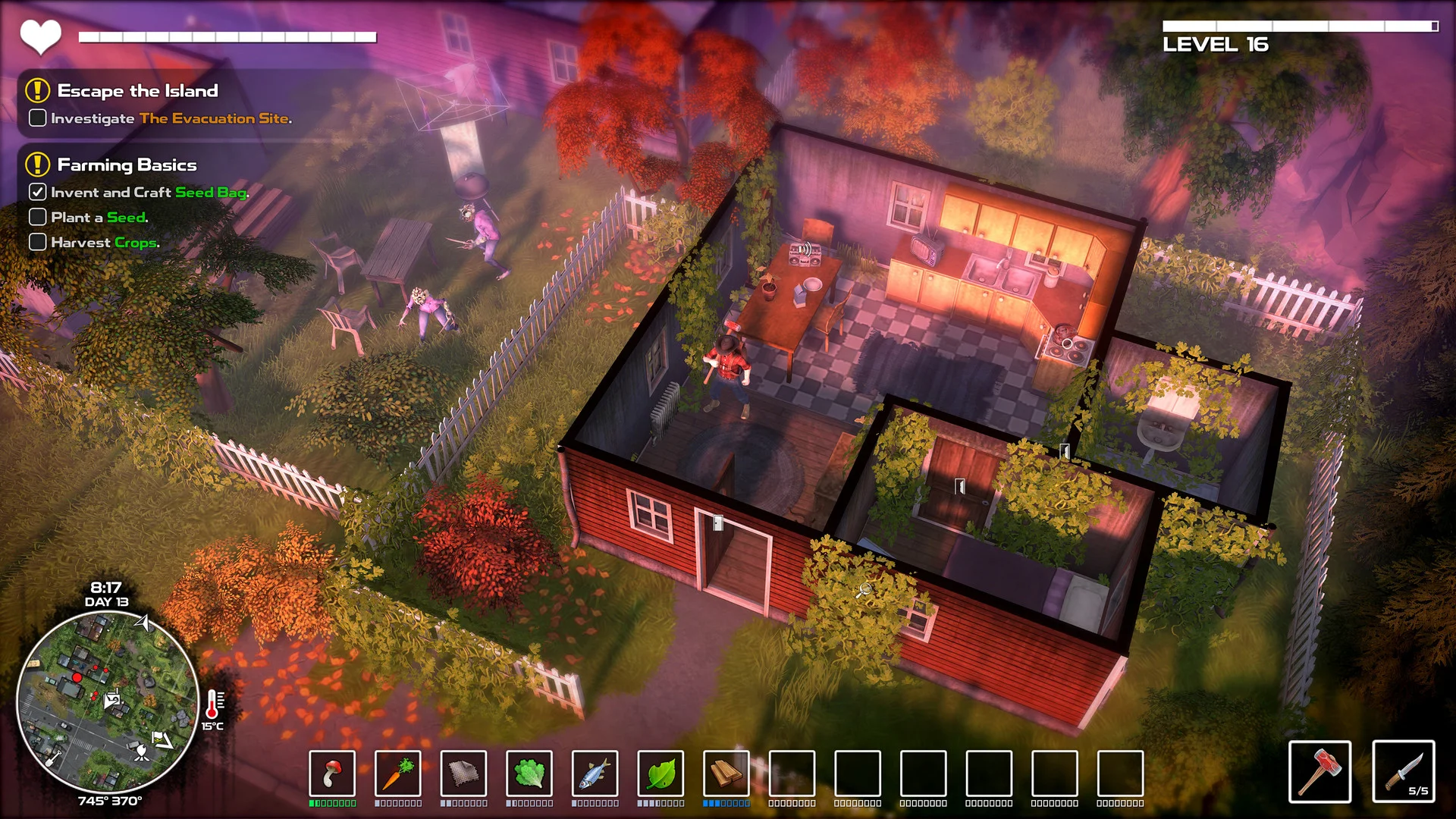
DYSMANTLE turns the post-apocalyptic survival loop into an immensely satisfying destruction playground where over ninety-nine percent of objects can be smashed for materials. Emerging from a protective shelter onto a desolate island overrun by undead creatures, you dismantle fences, bathtubs, and furniture to craft powerful weapons and tools. The expansive open-world island, combat encounters, fishing spots, and cooking progression are completely accessible offline without any network requirement.
- Total Offline Island Survival: Explore ruins, defeat mutated wildlife, and craft survival gear across a massive island without an internet connection.
- Destructive Crafting Loop: Break down virtually every piece of furniture, plumbing, and architecture into useful crafting materials.
- No Thirst or Starvation Frustration: Focus on exploration and weapon upgrades rather than managing punishing survival meters.
#22
Dream League Soccer 2026
★ Arcade Football
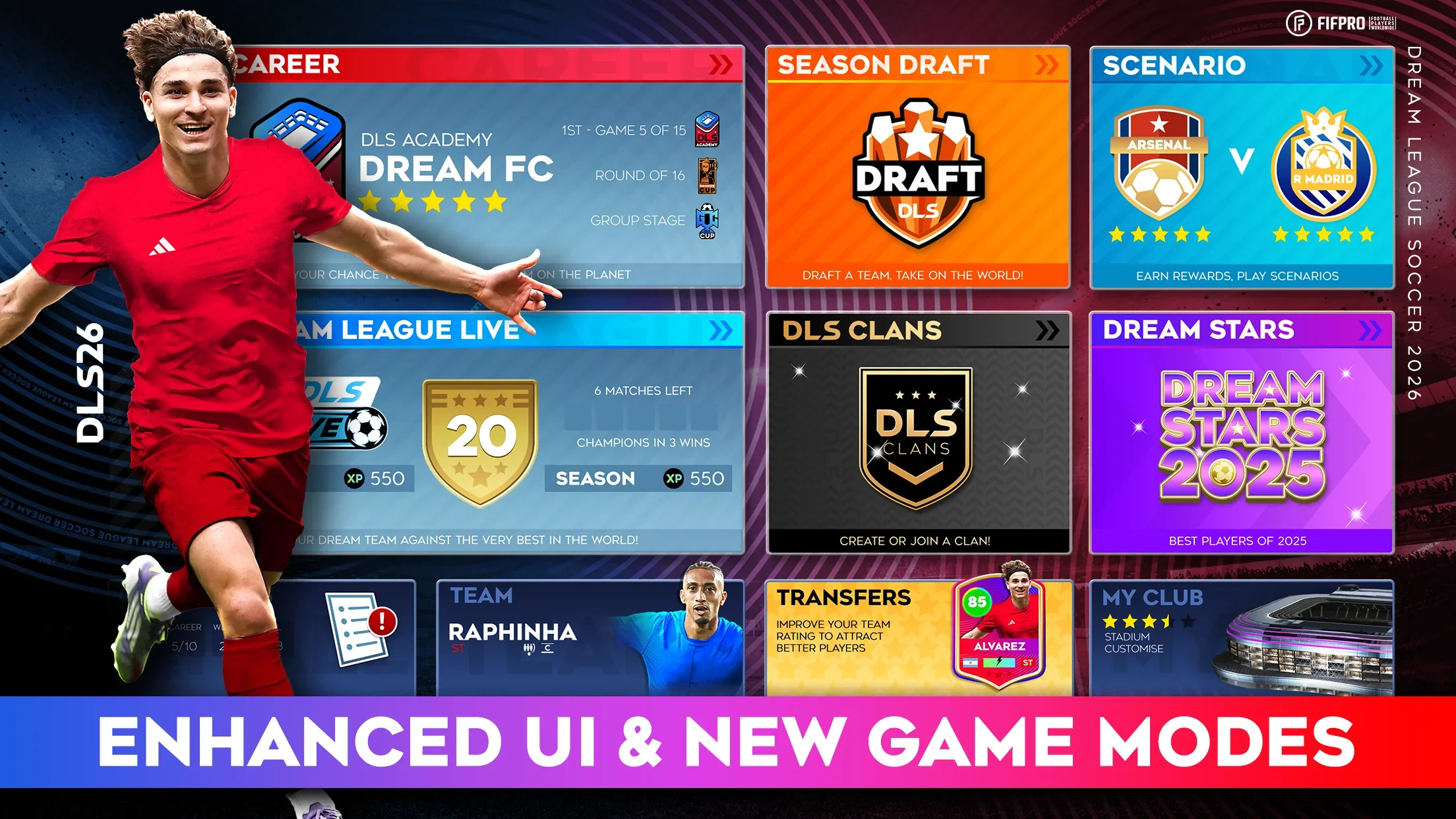
Dream League Soccer 2026 delivers fast-paced 3D football action on ChromeOS. It is critical to understand its specific connectivity model: the game is not fully offline, as dream team club building, player transfers, division ladders, and seasonal live events require active internet. However, it earns a spot on this list because full 90-minute Exhibition matches can be played completely offline against AI opponents, providing genuine, responsive soccer gameplay whenever Wi-Fi is unavailable.
- Offline Exhibition Match Mode: Play complete, full-pitch soccer matches against computer AI opponents without an internet connection.
- Connected Mode Limitations: Main Dream League squad transfers, division advancement, and live tournament events require active internet.
- Fluid On-Pitch Controls: Pass, shoot, and tackle using responsive virtual buttons, keyboard bindings, or connected Bluetooth controllers.
Optimizing Offline Gaming on Chromebook
Playing games smoothly without an active Wi-Fi connection requires a little preparation before you head off-grid, ensuring data downloads, offline licenses, and controls are configured.
1. Complete Initial Downloads
Always download your game, mandatory expansion assets, and initial account authentications over reliable home Wi-Fi before traveling. Some complex games like Little Nightmares require secondary asset packages that cannot be fetched once you are offline.
2. Google Play Local Storage
Android games from Google Play install directly to your Chromebook local internal storage. Saved game files, character builds, and unlocked progress are stored locally, letting you play and resume anytime without network pings.
3. Gamepad and Control Setup
ChromeOS natively recognizes standard Bluetooth controllers, laptop keyboards, and touchscreens completely offline. Pair and test your gamepad while online so button mappings are ready when you step away from Wi-Fi.
4. Cloud Save Synchronization
While your progression saves locally off-grid, remember to connect back to Wi-Fi periodically. This lets your achievements, high scores, and save files safely synchronize with Google Play Games cloud storage.
Frequently Asked Questions
Can you play Chromebook games without an internet connection?
Yes. Many Android games downloaded through Google Play run natively on Chromebook internal storage and offer complete single-player campaigns, sandbox worlds, and puzzle modes without requiring an active Wi-Fi connection.
How do Android games from Google Play work offline on Chromebook?
Android apps execute locally within the ChromeOS container. As long as the initial game installation and required asset downloads are finished, local game logic, rendering, and save files operate entirely on the device without network pings.
Does Minecraft work offline on a Chromebook?
Minecraft for Chromebook allows you to play local single-player survival and creative worlds offline once the initial license verification and game setup are complete. However, multiplayer servers, Realms, and Marketplace purchases require an internet connection.
Can Dream League Soccer 2026 be played without Wi-Fi?
Dream League Soccer 2026 provides offline support specifically for full 90-minute Exhibition matches against AI teams. However, the main Dream League career mode, player transfers, division progression, and live online events still require an internet connection.
Do offline Chromebook games still require internet for updates or saves?
Offline games do not need internet to run their core single-player content, but connectivity is still required for game updates, downloading new expansion data, and syncing local save files to cloud backup services.