

Readers like you help support this site. When you make a purchase using links on our site, we may earn an affiliate commission. All opinions remain our own.


Whether you’re tackling math or exploring history, Khan Academy brings expert lessons to ChromeOS via its Android app or web version.
It’s perfect for students, parents, or anyone craving knowledge without the cost. Think video tutorials, practice quizzes, and progress tracking, all at your fingertips.
We’ll show you how to set it up, highlight its best features, and explain why it’s a Chromebook must-have.
Ready to learn? Share your thoughts or contact us below.
How to Set Up Khan Academy on Chromebook
Khan Academy is available on Chromebook through its Android app or web platform. Here’s how to get started fast.
Method 1: Install Khan Academy Android App
- Open the Google Play Store on your Chromebook.
- Search for “Khan Academy.”
- Click “Install” to download.
- Launch from your app drawer.
- Sign up or log in to dive in.
Quick Tip: 💡 Pin it to your shelf for one-click access.
Method 2: Use Khan Academy Web Version
- Open Chrome on your Chromebook.
- Visit khanacademy.org.
- Sign up or log in to start.
- Browse courses in your browser.
Quick Tip: 💡 Save lessons offline via the app for no-Wi-Fi days.
App vs. Web: What’s the Difference?
- Android App: Offline mode, mobile-friendly, great for quick sessions.
- Web Version: No install, broader content, ideal for deep dives.
- Which to Choose? App for portability; web for full access.
What is Khan Academy About?
Khan Academy, launched in 2008 by Sal Khan, is a nonprofit education platform on Chromebook via its Android app or web version, rocking a 4.6-star rating.
It stands out with free, world-class lessons in math, science, history, and more, leaving pricey tutors and textbooks in the dust.
Key Features:
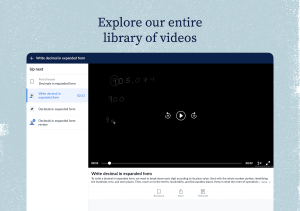
- Video lessons by experts
- Interactive practice exercises
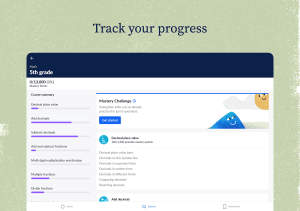
- Personalized progress tracking
- Offline learning option
Why You Might Like Khan Academy:
It’s perfect for mastering “algebra basics” or brushing up on “world history,” with a Chromebook setup that’s free and flexible. Parents love it for homework help, too!
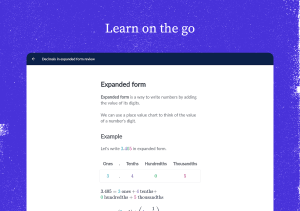
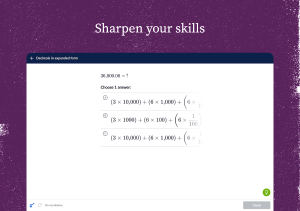
Khan Academy Screenshots
Khan Academy on Chromebook FAQ:
- Is it free? Yes, 100% free forever.
- Does it work offline? Yes with the app; web needs internet.
- Good for all ages? Yes, from kids to adults.
Khan Academy Chromebook Requirements:
- OS Version: ChromeOS with Android 9.0+ or Chrome 90+.
- Device Specs: 4GB+ RAM recommended.
- Storage Space: 500MB+ for app, minimal for web.
- Internet: Optional for app, required for web.
For more help:
Explore more Chromebook tools: Duolingo, Duolingo ABC, QuickBooks or Best Education Apps