How to Install and Use Khan Academy on Chromebook and Googlebook
 by
Gloria Brown
Post Updated: November 9, 2026
You can install and use Khan Academy on Chromebook and Googlebook through the official Android app from Google Play or directly via the web. As a nonprofit educational platform trusted by over 100 million learners, Khan Academy delivers thousands of expert video tutorials, interactive practice problems, and personalized mastery challenges spanning K-12 to college-level math, science, computing, and test preparation completely free of charge.
Googlebook runs Android applications natively through Google Play and introduces effortless phone-to-laptop app streaming via Phone Hub. This guide walks you through setting up the Play Store app, leveraging the full-featured web dashboard, downloading lessons for offline study, utilizing stylus scratchpads on convertible touchscreens, engaging Khanmigo AI tutoring, and syncing progress with school accounts.
Need assistance setting up your study plan? Contact us with your laptop model and any course or audio configuration questions.
How to install Khan Academy on Chromebook and Googlebook
Installing Khan Academy takes only a couple of clicks through Google Play:
The official Google Play listing lists Khan Academy as the verified developer under the package name org.khanacademy.android. Using the official Play Store app ensures automated updates, touch-optimized practice drills, and local video downloading capabilities.
If the Play Store is not present on your device, consult Google’s Android app setup guide for Chromebook or the official guide on installing apps on Googlebook. On school or enterprise-managed laptops, administrative policies may restrict Play Store installations. If app downloads are blocked, you can access the complete curriculum by navigating directly to khanacademy.org in Google Chrome without downloading any software.
Cast Khan Academy from your phone on Googlebook
If you already have your Khan Academy courses, bookmarks, and offline lessons saved on your Android smartphone, you can stream your mobile app session straight to your laptop display using Phone Hub. Click the Phone Hub icon in the bottom-right shelf of your Googlebook, select Cast My Apps, and choose Khan Academy. Your phone active study screen opens immediately in a responsive desktop window, allowing you to review video lectures, answer practice quizzes, and continue where you left off without logging in separately or downloading duplicate offline files to your laptop drive.
Mastering math, science, computing, and test preparation
Khan Academy provides an expansive, standards-aligned curriculum structured into clearly organized subject modules for self-paced mastery:
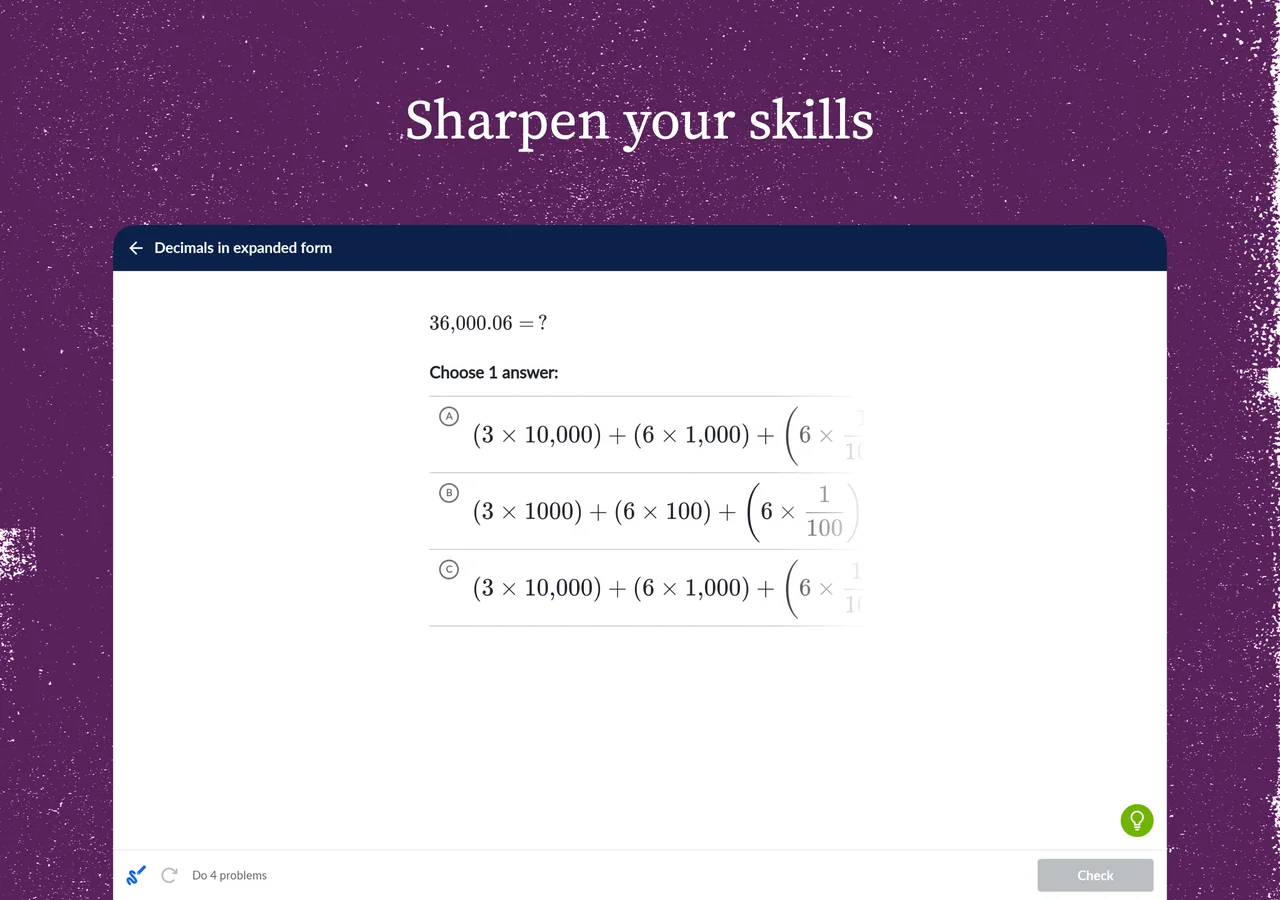
Khan Academy web vs. Android app: choosing the best Chromebook setup
On Chromebooks and Googlebooks, you can choose between the native Android app and the browser-based web platform. Both options connect to your personal profile, but each offers unique advantages:
- The Android app advantage: ideal for 2-in-1 convertible Chromebooks, tablets, and mobile study. The app allows you to download instructional videos directly to local storage for offline learning on flights, road trips, or areas without Wi-Fi.
- The khanacademy.org web advantage: opens instantly in any Chrome tab without using local disk storage. The web portal includes the interactive computer programming sandbox (where students write live JavaScript, HTML, and SQL), community discussion boards, and teacher/parent assignment management tools.
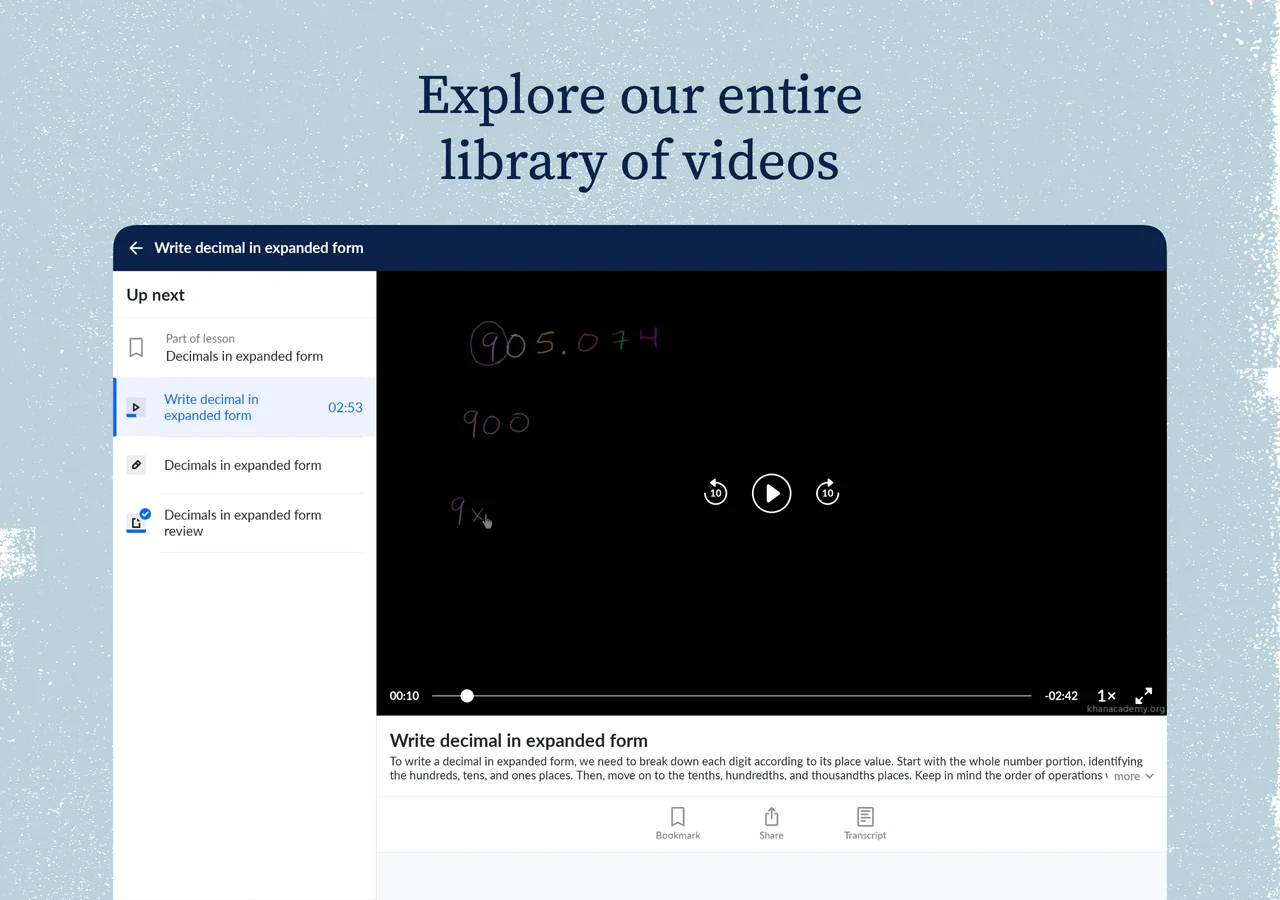
- Stylus and touchscreen handwriting: convertible Chromebooks and tablets with USI stylus support let students use the built-in scratchpad feature to work out math equations, sketch geometric shapes, and calculate fractions right beside problem prompts.
- Full keyboard and multi-window multitasking: on traditional laptop Chromebooks, studying on the web makes it effortless to keep Khan Academy side-by-side with Google Docs, Google Classroom, or a digital calculator for seamless homework sessions.

Supercharge your study and work workflow on Chromebook and Googlebook with Gemini AI integrated into Gmail, Docs, Drive, and Meet. Collaborate seamlessly with custom email addresses, expansive cloud storage, and enterprise-grade security.
Accelerating learning with Khanmigo AI and personalized mastery
Khan Academy’s mastery-based learning structure ensures you thoroughly understand concepts before advancing to harder material:
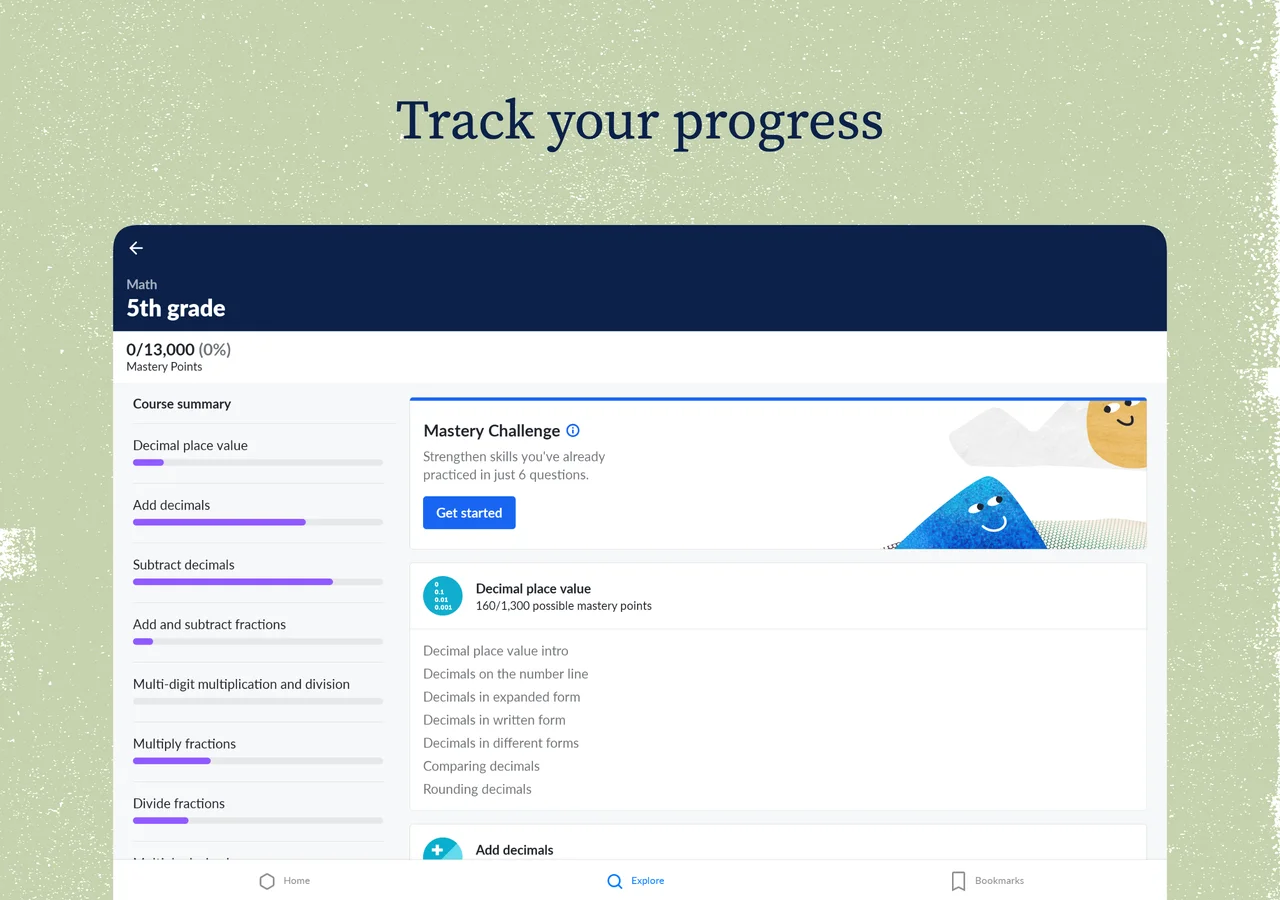
- Course Mastery Points: each course contains thousands of mastery points distributed across units, quizzes, and unit tests. Points reflect demonstrated competence across Attempted, Familiar, Proficient, and Mastered skill tiers.
- Personalized Mastery Challenges: once you have practiced foundational skills, the app presents 6-question Mastery Challenges that reinforce retention and elevate proficient skills into permanent mastery.
- Khanmigo AI tutor: powered by advanced artificial intelligence, Khanmigo acts as an interactive personal tutor. Instead of revealing answers, Khanmigo uses Socratic dialogue, asking clarifying questions, breaking down algebra steps, and coaching students through complex scientific phenomena.
- Educator and parent dashboards: teachers and homeschooling parents can assign specific unit goals, track individual student completion times, pinpoint struggle areas, and sync assignments with Google Classroom.
Tips for offline video downloads and classroom audio settings
To maximize your study sessions on ChromeOS, optimize your local downloads and audio configurations:
- Download lessons for offline study: in the Android app, tap the bookmark or download icon beside any unit or lesson video. Downloaded content appears in your Bookmarks tab, allowing seamless video playback without an active Wi-Fi connection.
- Adjust playback speed: click the video player settings icon to adjust speeds between 0.75x and 2.0x, enabling you to slow down intricate calculus breakdowns or speed through familiar concepts.
- Enable synchronized transcripts: click Transcript beneath video lectures on the web to follow along with real-time text highlighting, making note-taking faster and aiding ESL comprehension.
- Manage local storage: if you are using a 32GB or 64GB Chromebook, periodically review downloaded lessons in Khan Academy Settings > Offline content to clear completed video modules and free up internal drive space.
- Clear app cache for smooth playback: if video rendering stutters after a major ChromeOS update, navigate to ChromeOS Settings > Apps > Manage your apps > Khan Academy > Storage, and click Clear cache.
Frequently asked questions about Khan Academy on Chromebook and Googlebook
Is Khan Academy completely free on Chromebook and Googlebook?
Yes. Khan Academy is a nonprofit 501(c)(3) educational organization, and its entire core curriculum across math, science, computing, economics, and humanities is 100% free with no ads, subscriptions, or paywalls.
Can I use Khan Academy offline on my Chromebook?
Yes. The Khan Academy Android app from Google Play allows you to bookmark and download video lessons and study guides directly to your Chromebook local storage for offline viewing without an internet connection. The web browser version requires an active internet connection.
What is the difference between the Khan Academy Android app and khanacademy.org?
The Android app is optimized for touchscreen convertibles and supports offline video downloads for studying on the go. The web platform at khanacademy.org includes the complete desktop experience, including interactive computer programming sandboxes (JavaScript and SQL), teacher and coach management tools, community discussion threads, and Khanmigo AI tutoring.
What is Khanmigo and does it work on Chromebook?
Khanmigo is Khan Academy’s AI-powered learning guide built on advanced language models. Rather than giving students direct answers, Khanmigo acts as a Socratic tutor, prompting learners with guiding questions to help them think through math and science problems independently. Khanmigo is accessible on Chromebooks directly through the web platform at khanacademy.org.
How do I cast Khan Academy from an Android phone to a Googlebook?
Connect your Android phone to your Googlebook using the Phone Hub shelf icon. Click Phone Hub, select Cast My Apps, and tap Khan Academy. Your active phone study session, bookmarked lessons, and offline video queue stream directly to your laptop display without requiring separate credentials or duplicate downloads.
Explore more learning apps and guides on ChromeGeek
- Duolingo on Chromebook: Learn 40+ world languages, math drills, and music lessons with bite-sized daily exercises on ChromeOS.
- Duolingo ABC for Chromebook: Explore phonics, alphabet games, and foundational reading activities tailored for early childhood education.
- 10 Best Education Apps for Chromebook: Discover top classroom, study, and productivity tools designed for students and educators.
- Googlebook News and Guides Hub: Learn about Googlebook hardware, Gemini AI features, and phone-laptop casting capabilities.
Discover more from Chrome Geek
Subscribe to get the latest posts sent to your email.