Nano Banana Prompt Cheat Sheet: The Easy Guide (PDF)
 by
Gloria Brown
Post Updated: November 9, 2026
Nano Banana is Google’s name for Gemini’s built-in image generation and editing. In the Gemini app you pick Create images, type a prompt (or upload a photo), and Gemini draws or edits the picture for you. It runs in the browser on a Chromebook, so you do not need a separate graphics app.
This page is a practical Nano Banana prompt cheat sheet. You get a short model map for late 2026, a prompt formula, copy-ready prompts, editing tips and a free download. Prefer the page, or keep the PDF / EPUB / DOCX on your device.
Got a prompt that worked well? Share it with us or leave a comment.
Download the Nano Banana Prompt Cheat Sheet
Free file in PDF, EPUB, MOBI, AZW3 or DOCX.
What’s new in Nano Banana
Google still uses the Nano Banana nickname, but the lineup has grown past the original Gemini 2.5 Flash Image model:
- Nano Banana 2.1 (
gemini-nano-banana-2.1) – current high-efficiency workhorse in Google’s docs. Faster Flash-class generation with better quality, text rendering, multi-turn editing and Search grounding. Resolutions include 1K, 2K and 4K. - Nano Banana 2 Lite (
gemini-3.1-flash-lite-image) – fastest / cheapest option for high-volume drafts. Not aimed at heavy multi-reference or long multi-turn edits. - Nano Banana 2 (
gemini-3.1-flash-image) – previous Flash Image workhorse. Google recommends newer projects move to 2.1. - Nano Banana Pro (
gemini-3-pro-image) – premium Gemini 3 Pro Image model for complex instructions, brand-consistent assets and high-fidelity text. - Nano Banana (
gemini-2.5-flash-image) – legacy model. Google points developers toward Nano Banana 2 Lite as the migration path.
For a deeper Pro-focused write-up, see our earlier post on Nano Banana Pro for Chrome users.
| Model | Best for | Notes |
|---|---|---|
| Nano Banana 2.1 | Daily generation and conversational edits | Primary efficient model in current Google AI Studio docs |
| Nano Banana 2 Lite | Speed and scale | Drafts and high-volume pipelines |
| Nano Banana Pro | Complex briefs and polished text-in-image | Redo with Pro in the Gemini app on paid plans |
| Nano Banana (legacy) | Older flows still on 2.5 Flash Image | Prefer 2 Lite or 2.1 for new work |
Limits and exact quotas change by product and plan. Check the in-product model picker rather than assuming a fixed free allowance.
Where to use Nano Banana
- Open the Gemini app in Chrome on your Chromebook or phone.
- Choose Create images (banana tool) from the tools menu.
- Type a detailed prompt, or upload a photo to edit.
- If you are on a Google AI plan and want the stronger model, confirm Nano Banana 2.1 is active. For Pro quality, use the three-dot menu and Redo with Pro.
- Developers can also call the models from Google AI Studio / the Gemini API image docs.
Official overview: Nano Banana on Gemini.
The easy prompt formula
Give Nano Banana a clear plan. Stack these parts in one sentence or a short paragraph:
| Component | Example |
|---|---|
| Action | “Create”, “Generate”, “Design”, “Edit” |
| Main subject | “a futuristic smartphone”, “a wizard cat” |
| Details | “matte black finish, holographic display” |
| Scene | “on a clean desk beside a Chromebook” |
| Style | “photorealistic, soft studio light” |
| Camera / quality | “85mm lens, shallow depth of field, 2K” |
| Text (optional) | “title text reads EXACTLY: Nano Banana” |
Photorealistic images
Prompts for photos that look like a real camera shot.
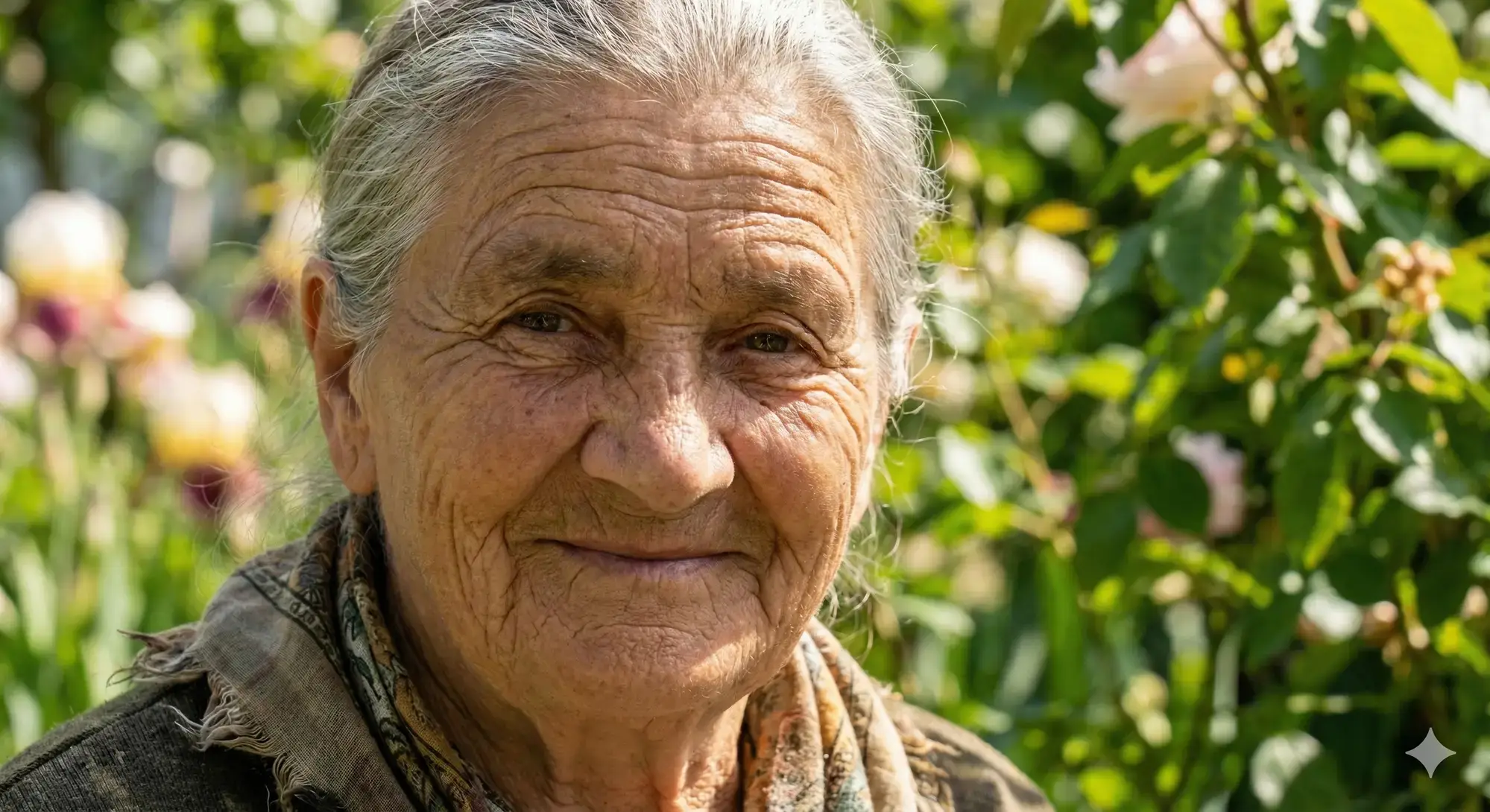
| Task | Nano Banana prompt |
|---|---|
| Hyper-realistic portrait | A photorealistic close-up portrait of an elderly woman with wise eyes and deep wrinkles, smiling softly, in a sunlit garden. Shot on a Canon EOS R5, 85mm lens, background is blurry (shallow depth of field), incredibly detailed skin texture. |
| Product photography | A professional product photo of a minimalist white coffee mug on a rustic wooden table, morning light streaming through a window, with soft shadows and a blurred background (bokeh). |
| Landscape scene | A photorealistic landscape of a misty mountain range at sunrise, captured with a telephoto lens, golden hour lighting, thick 3D fog, ultra-high detail. |
| Urban architecture | A realistic photo of modern glass skyscraper architecture reflecting a sunset sky, wide-angle lens, sharp focus, cinematic lighting. |
| Food photography | A photorealistic image of a slice of chocolate cake with a glossy glaze and fresh berries on a marble countertop, overhead shot, moody lighting. |
Anime and cartoon styles
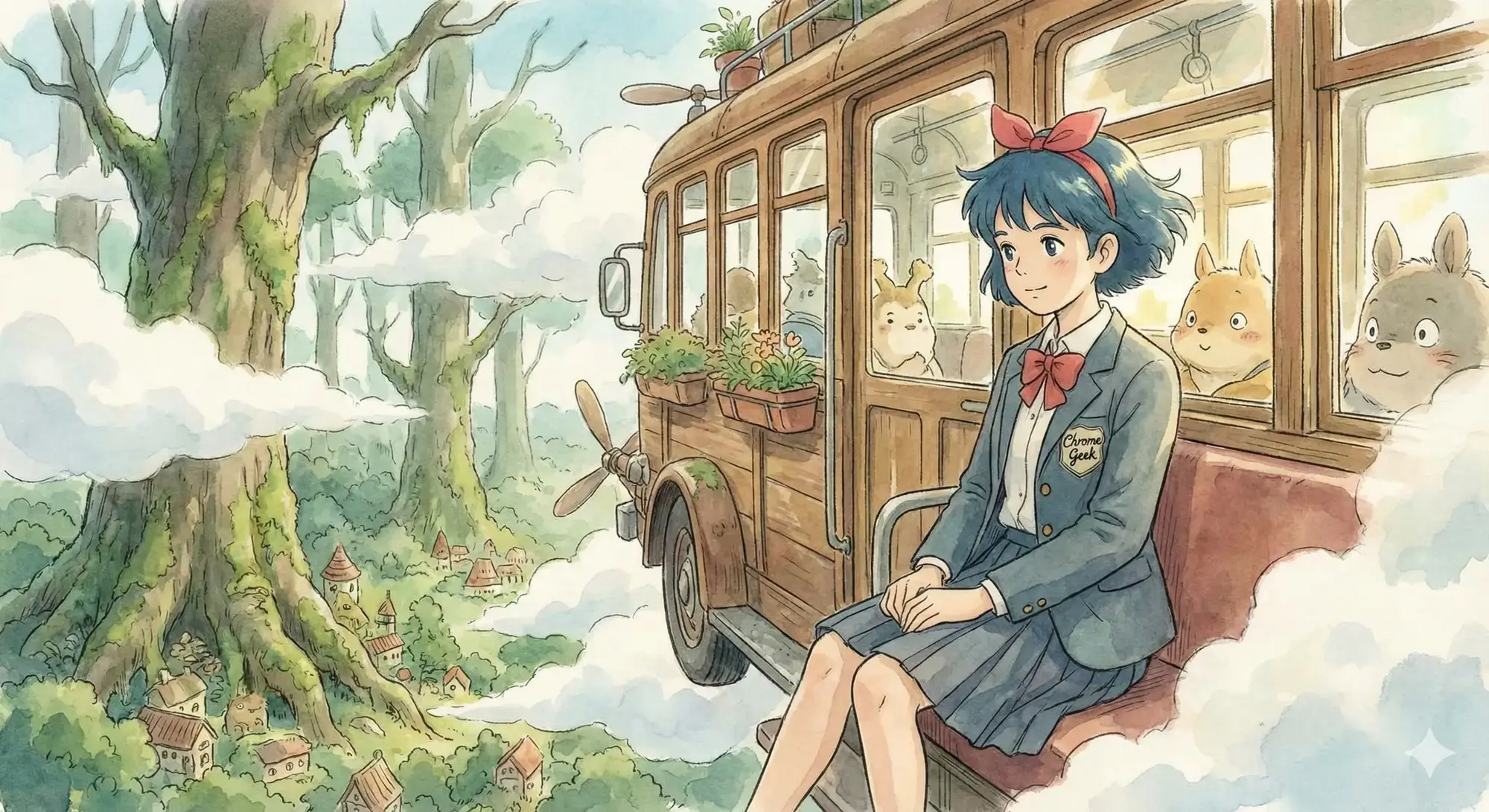
| Task | Nano Banana prompt |
|---|---|
| Studio Ghibli style | An anime girl with short blue hair and a red bow, wearing a school uniform, sitting on a flying bus, in the style of Studio Ghibli, lush backgrounds, soft watercolor textures, whimsical and heartwarming. |
| Shonen anime hero | A dynamic action shot of a shonen anime hero with spiky yellow hair, powering up with electric energy, determined expression, cel-shaded, vibrant colors, speed lines. |
| Cyberpunk anime | A character in a neon-soaked cyberpunk anime city, wearing a high-tech jacket and glowing implants, in the rain, reflecting lights, dark and vibrant style. |
| Vintage cartoon | A funny cartoon black and white rubber hose character from the 1920s, playing a saxophone, exaggerated movements, film grain effect. |
| Modern illustration | A cute cartoon owl wearing a tiny backpack, in a flat illustration style, pastel colors, clean lines, sticker design. |
Artistic and painting styles
| Task | Nano Banana prompt |
|---|---|
| Oil painting portrait | A portrait of a nobleman in the style of Rembrandt, oil painting, strong contrast between light and dark (chiaroscuro), rich textures, thick paint brushstrokes, dark background. |
| Impressionism | A landscape of a water lily pond in the style of Claude Monet, impressionistic, visible brush strokes, study of light and reflection, soft focus. |
| Starry Night style | A small town under a swirling, dramatic night sky with stars and galaxies, in the distinct style of Vincent van Gogh’s Starry Night. |
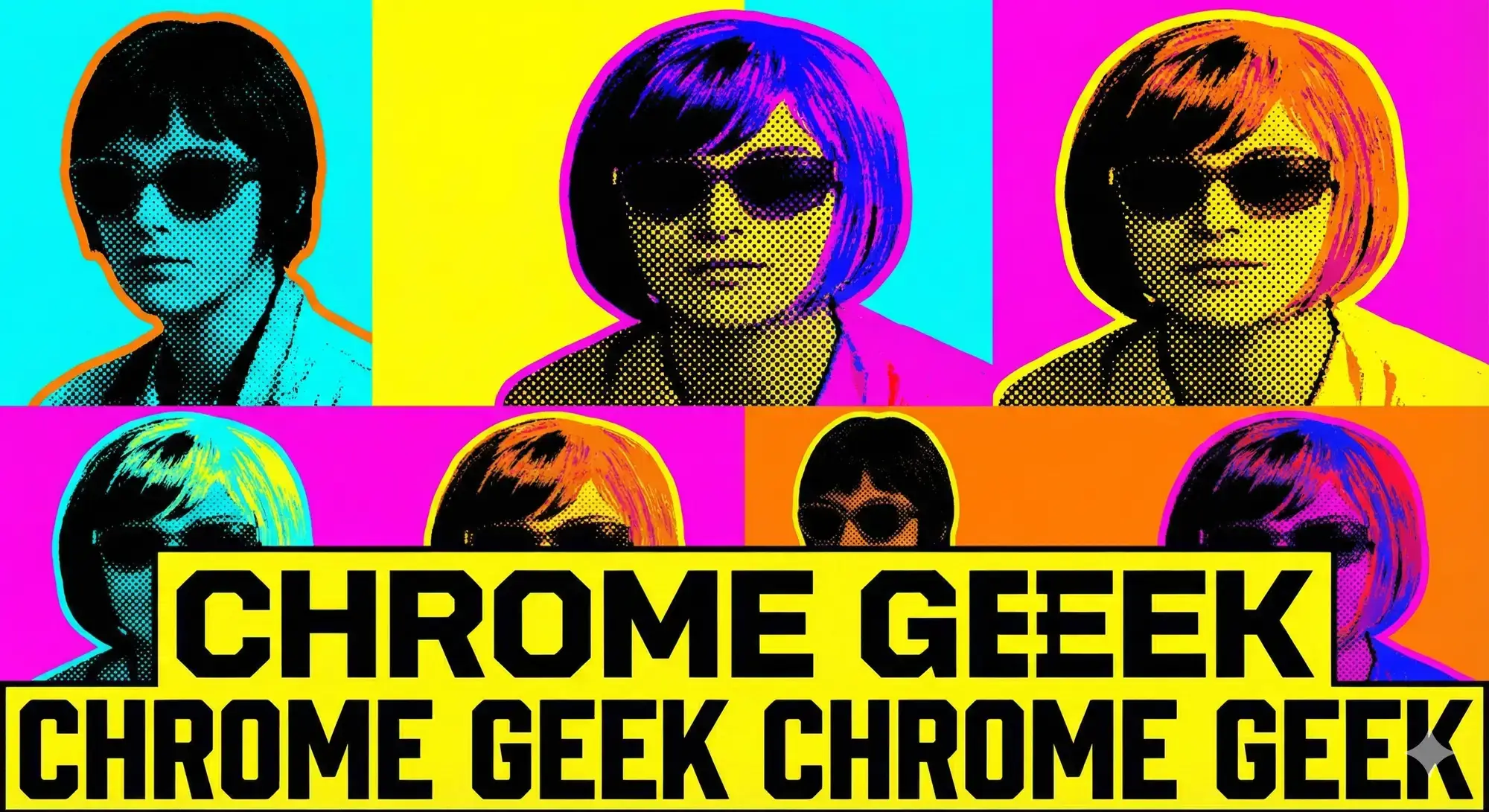
| Pop art | A pop art portrait of a woman, in the style of Andy Warhol, bright contrasting colors, dotted pattern, high contrast. |
| Digital painting | A fantasy digital painting of a mystical forest with glowing mushrooms and bright plants, concept art, epic lighting, highly detailed. |
Advanced editing and effects
Upload a photo first, then ask for the change. Say what must stay the same.
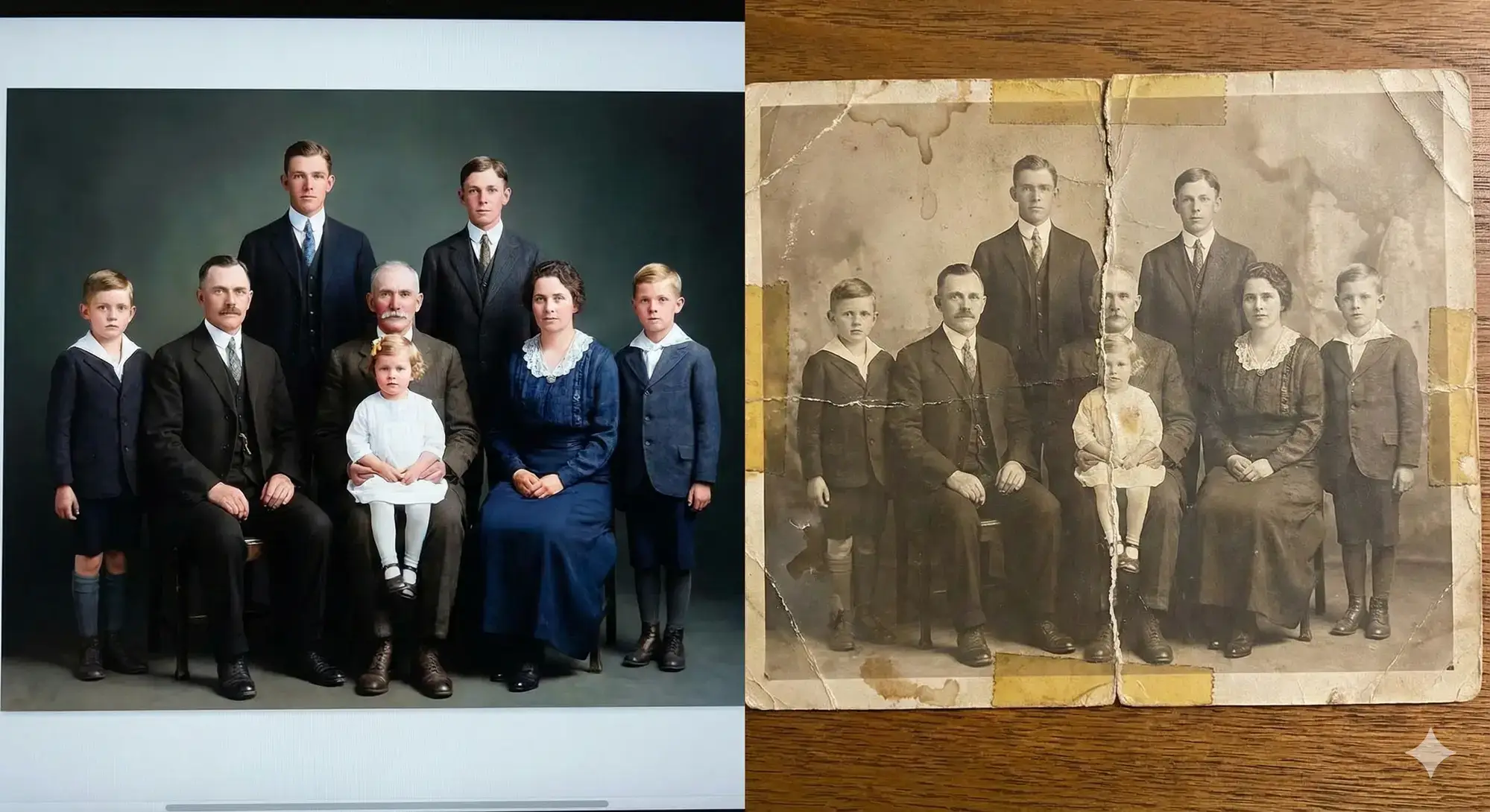
| Task | Nano Banana prompt |
|---|---|
| Change background | Take this person and place them on the surface of Mars, with a spacesuit on, looking at Earth in the sky. Keep the person’s face and identity exactly the same. |
| Swap outfits | Change this person’s casual t-shirt into a formal black tuxedo. Keep the same pose and background. |
| Create a 3D figurine | Transform this photo of my dog into a 3D cartoon figurine, Pixar style, sitting on a pedestal. |
| Apply a style | Take the pattern and colors from this image of a galaxy and apply it to this jacket. |
| Fix / enhance a photo | Make this old, faded photo look new. Increase the resolution, colorize it, and remove the scratches. |
Text, posters and infographics
Newer Nano Banana models are much better at readable text. Put the exact words in quotes and keep the layout simple.
| Task | Nano Banana prompt |
|---|---|
| Clean poster | Create a minimal poster on a soft cream background. Large centered title text reads EXACTLY: “Study Sprint”. Smaller subtitle reads EXACTLY: “50 minutes focus, 10 minutes break”. Modern sans-serif, lots of empty space, flat design. |
| Infographic | Create a simple 4-step infographic that explains how photosynthesis works for a middle-school science class. Numbered steps, short labels, bright flat colors, white background, 16:9. |
| Localized sign | Design a small wooden trail sign. Main text reads EXACTLY: “Native Wildlife”. Keep the layout, then make a second version with the same design and translate the text to Spanish. |
| Chromebook wallpaper card | Create a 16:9 desktop wallpaper of a calm desk with a Chromebook, plant and coffee mug. Soft daylight. Tiny corner label reads EXACTLY: “Focus Mode”. |
Concept art and design
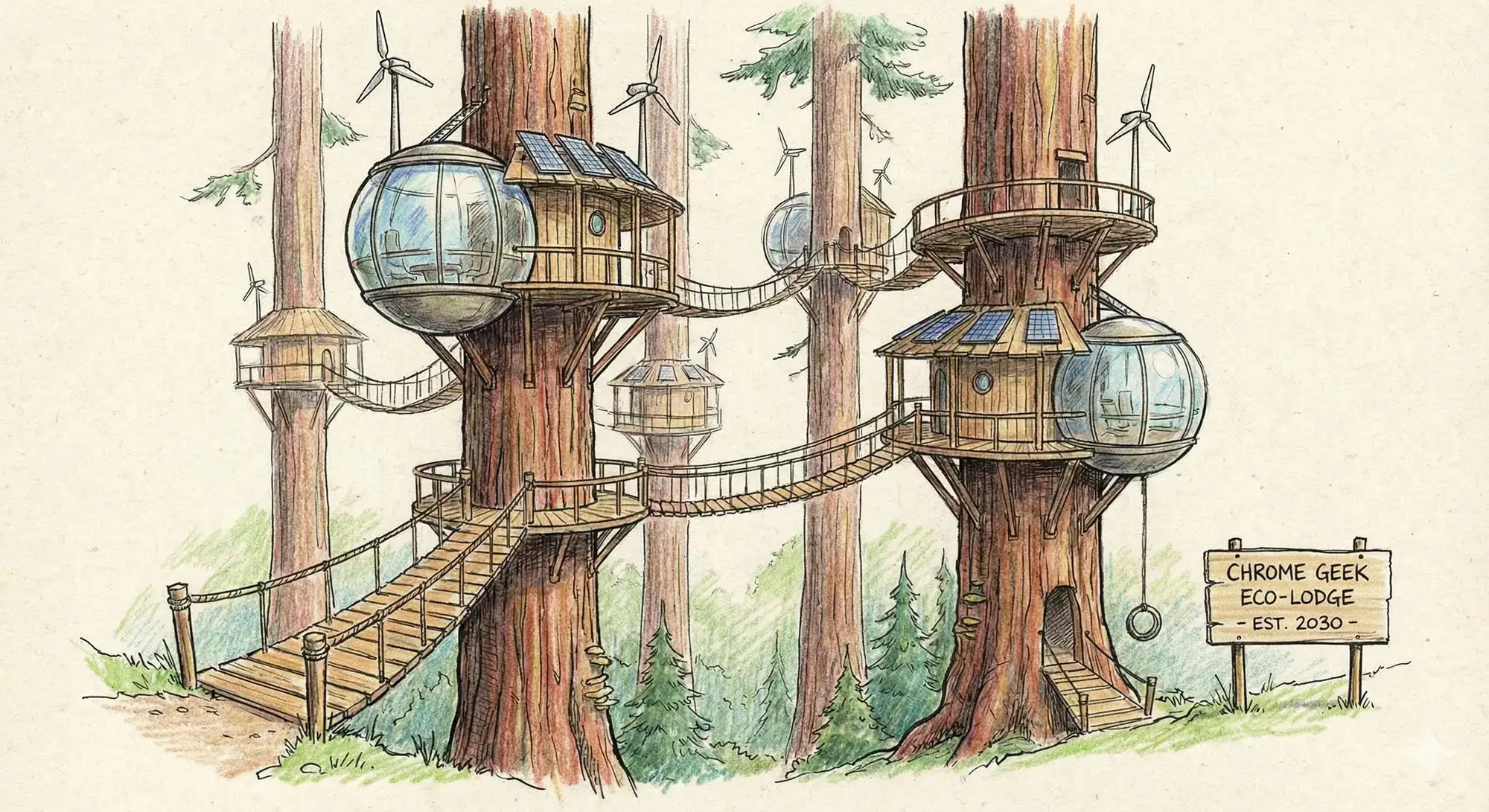
| Task | Nano Banana prompt |
|---|---|
| Fantasy creature | Concept art of a Forest Guardian creature, a hybrid of a deer and a wolf with antlers made of glowing crystal, mossy fur, peaceful expression. |
| Futuristic vehicle | Design a sleek, solar-powered flying car for a cyberpunk city, with neon lights under the car, retractable wings, and matte black finish. |
| Architectural concept | A concept drawing for a sustainable treehouse hotel nestled in a redwood forest, with hanging bridges and glass pods, eco-friendly design. |
| UI / UX interface | A futuristic holographic user interface for a spaceship control panel, glowing blue elements, transparent layers, sleek and modern. |
| Logo idea | A logo concept for Nova Coffee featuring a stylized rocket ship taking off from a coffee ring, simple flat design. |
Real-world example: the ChromeGeek mascot
One short prompt was enough for this sticker-style mascot:
Create a logo/sticker that represents ChromeGeek.com, include a mascot/anime girl to represent the site.

Pro tips
- The software: Get Google Workspace. It is a great way to use Gemini’s image tools directly inside your school essays and work presentations.
- Be specific: Name lighting, camera angle, mood and aspect ratio.
- Protect identity: For edits, say “keep this face / outfit / logo exactly the same”.
- Iterate in chat: Follow up with “same image, warmer light” or “remove the text in the corner”.
- Quote on-image text: Write the words EXACTLY in quotes so the model does not invent spelling.
- Use references: On current models you can mix multiple reference images for characters and objects.
- Grounded facts: For charts or “current” scenes, ask Gemini to use Google Search when the product offers it.
- Semantic negatives: Prefer “an empty street with no traffic” over a long list of “no cars, no buses…”.
Short FAQ
Is Nano Banana free?
Yes, image creation with Nano Banana is available in the Gemini app for free where Gemini is available. Google AI plans unlock Nano Banana 2.1, and paid tiers can redo images with Nano Banana Pro. Limits still apply.
How do I open it in Gemini?
Select Create images from the tools menu, then enter a prompt or upload a photo to edit.
Does it work on a Chromebook?
Yes. Use Gemini in Chrome on ChromeOS. Generation runs in the cloud, so you do not need a gaming GPU. If you need a stronger student machine for multitasking around AI tabs, see our best Chromebooks for students guide.
Can it put readable text in an image?
Current Nano Banana models are much better at posters, labels and infographics than the first release. Keep the wording short, put it in quotes, and retry with Pro if a free-tier result looks soft.
Are the images watermarked?
Google says generated images include SynthID. Treat outputs as AI-generated media and follow Google’s rules for people, brands and copyrighted characters.
More Gemini prompt guides
Discover more from Chrome Geek
Subscribe to get the latest posts sent to your email.