18 Best TikTok Chrome Extensions for Creators and Viewers
 by
Gloria Brown
Post Updated: October 14, 2026
The best TikTok Chrome extensions include myfaveTT for saving your favorite videos, ShortKit for better video controls, and ClearTok for removing unwanted reposts.
There are also useful extensions for translating TikTok videos, watching LIVE streams, checking creator statistics, and finding ideas for your next video. Here are 18 worth considering for TikTok on your computer.
Watching and saving TikTok videos
1. myfaveTT
Save Liked & Favorited Videos

myfaveTT helps you download TikTok videos you have previously liked or saved as favorites directly to a folder on your computer. It can also download videos from creators you follow so you can watch them offline.
Best for: Saving liked videos, favorites, and videos from people you follow.
👍 Why We Chose It: It handles backing up your saved videos smoothly and keeps your local downloads organized by creator username. If you want a quick way to keep copies of clips you care about, it saves you from having to download each post one by one.
Good to know: The extension only downloads videos that are visible to your account in your browser session. If an account is private, you must follow that creator on TikTok to see their content.
2. ShortKit – Toolkit for TikTok & Douyin
Video Controls & Playlists
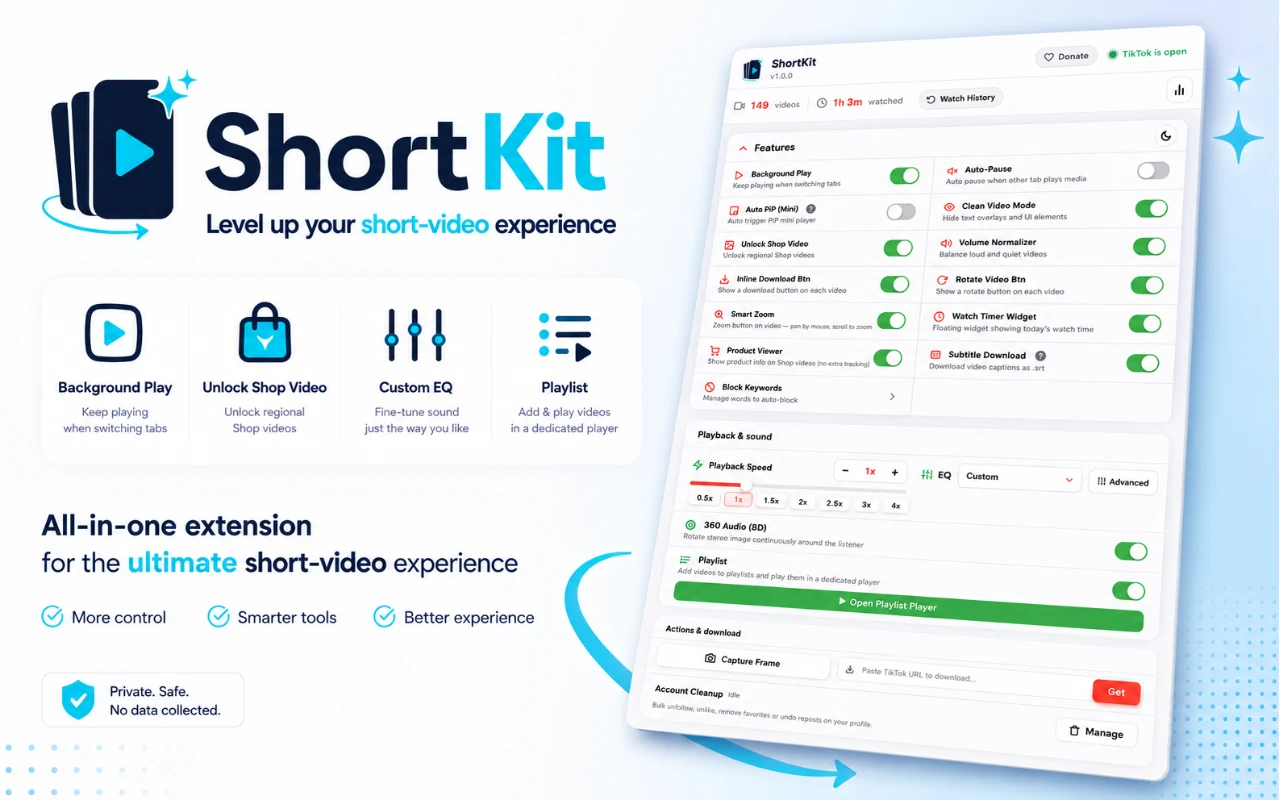
ShortKit adds desktop controls to the TikTok web player. You can change video playback speed, adjust volume, skip back or forward, build custom playlists, and hide distractions like floating gifts or chat comments during LIVE streams.
Best for: Extra video controls, playlists, playback speed, and a cleaner watching experience. It also has tools for saving videos and photos.
👍 Why We Chose It: TikTok’s web interface lacks basic video player controls. ShortKit fills that gap by letting you pause, fast-forward, and organize videos into viewing lists right from your keyboard.
Good to know: Some optional features, like third-party language translation, rely on outside web services that require their own setup.
3. ClearTok – TikTok Repost Remover
Bulk Repost Cleaner
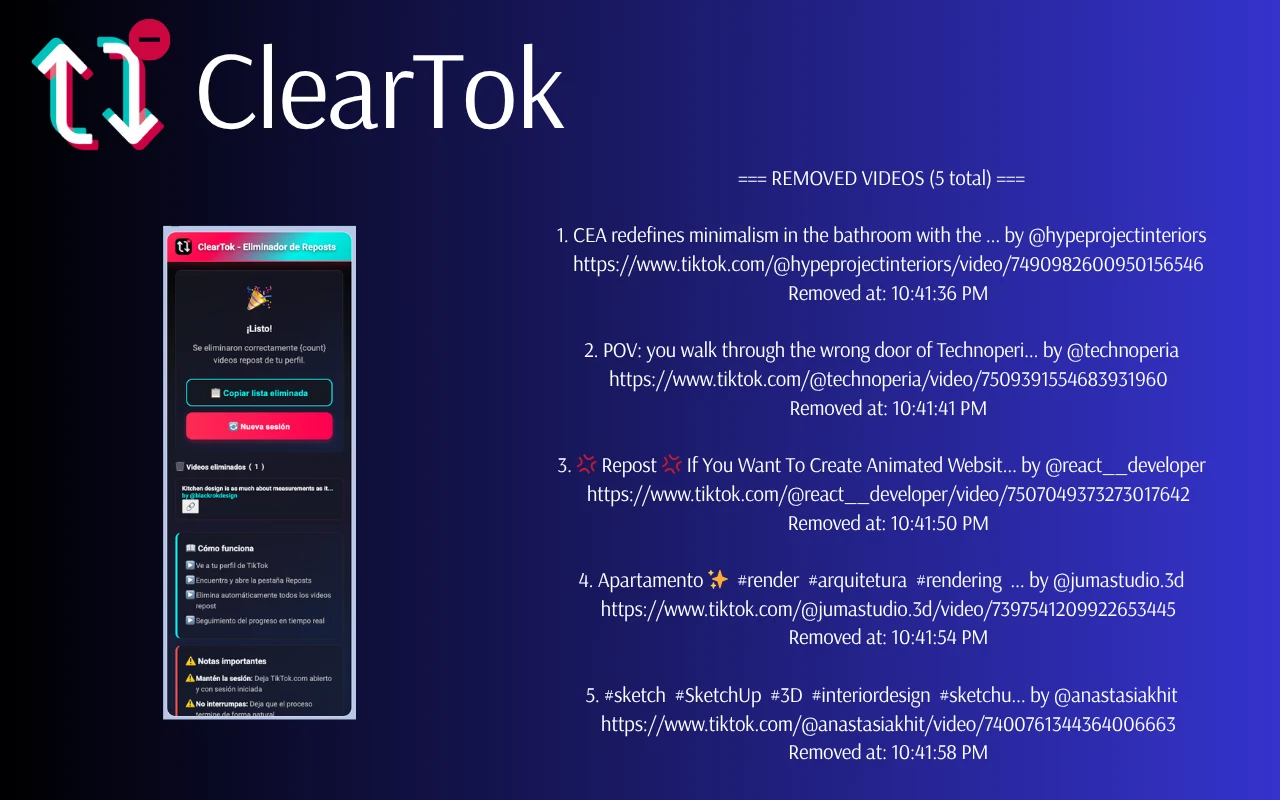
ClearTok scans your TikTok profile and undoes reposts for you. Instead of opening dozens of past reposts and clicking remove on each one, the extension works through your repost list automatically.
Best for: Removing reposted videos from your account without doing each one by hand.
👍 Why We Chose It: Removing old reposts by hand takes a long time on a computer. ClearTok runs directly in your active tab, shows you what it is removing, and provides a simple report when it finishes.
Good to know: Removing reposts changes your public account activity. You should always review your profile after running the cleanup. If TikTok pauses your account for making too many clicks, wait about an hour before resuming.
4. TikTok Transcript Generator & 1-Click Copy
Copy Words from Captions
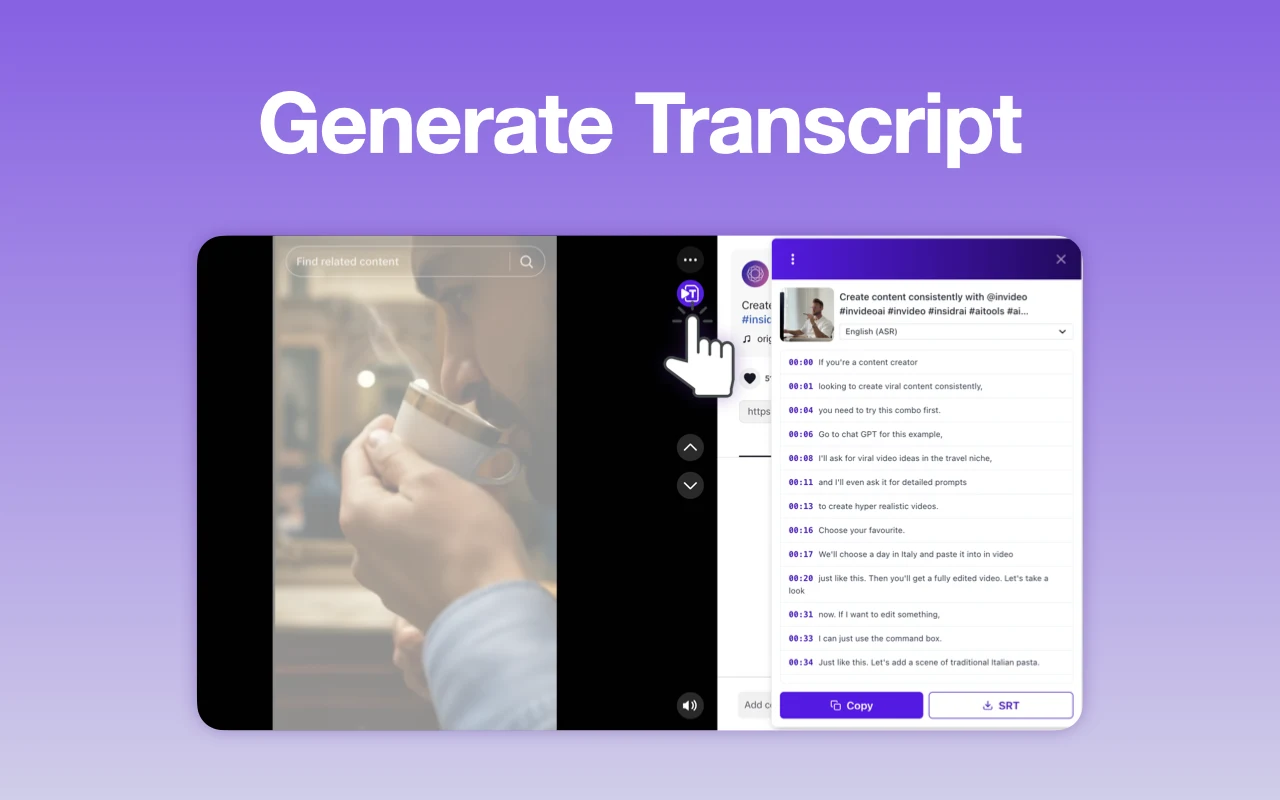
This extension reads the closed captions on a TikTok video and lets you copy the entire text with one click. You can paste the words into a document for notes, research, or study.
Best for: Copying text from TikTok videos with captions, especially when taking notes.
👍 Why We Chose It: It is fast, lightweight, and does not require an account or sign-up. If you need quotes or written notes from a video, you do not have to type everything out by hand.
Good to know: The video must have captions turned on. If a video does not have closed captions or subtitles, the extension cannot read or copy the words.
5. Tiktok Auto Scroll
Hands-Free Auto Scrolling
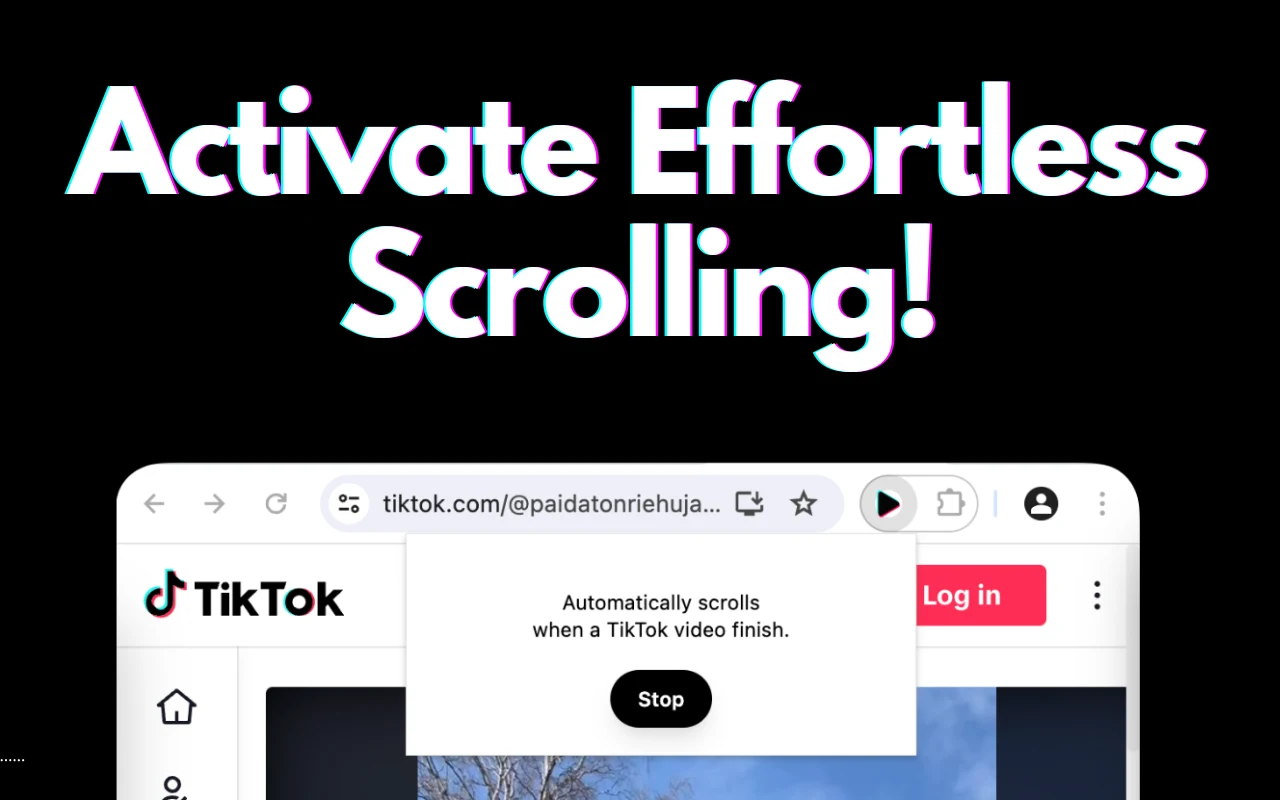
Tiktok Auto Scroll automatically moves to the next video as soon as the current one finishes playing. You can watch your feed continuously while working, cooking, or relaxing without touching your keyboard or mouse.
Best for: Watching TikTok videos without having to move to the next video manually.
👍 Why We Chose It: It gives you a completely hands-free viewing experience on desktop. You can turn the automatic scroll on or off with a simple click whenever you want.
Good to know: Because it moves to the next video right when a clip ends, you may need to pause the video or click back if you want to read comments or rewatch a favorite moment.
6. Affitok Assistant – TikTok Subtitle Translator & Analytics
Subtitle Translation & Stats
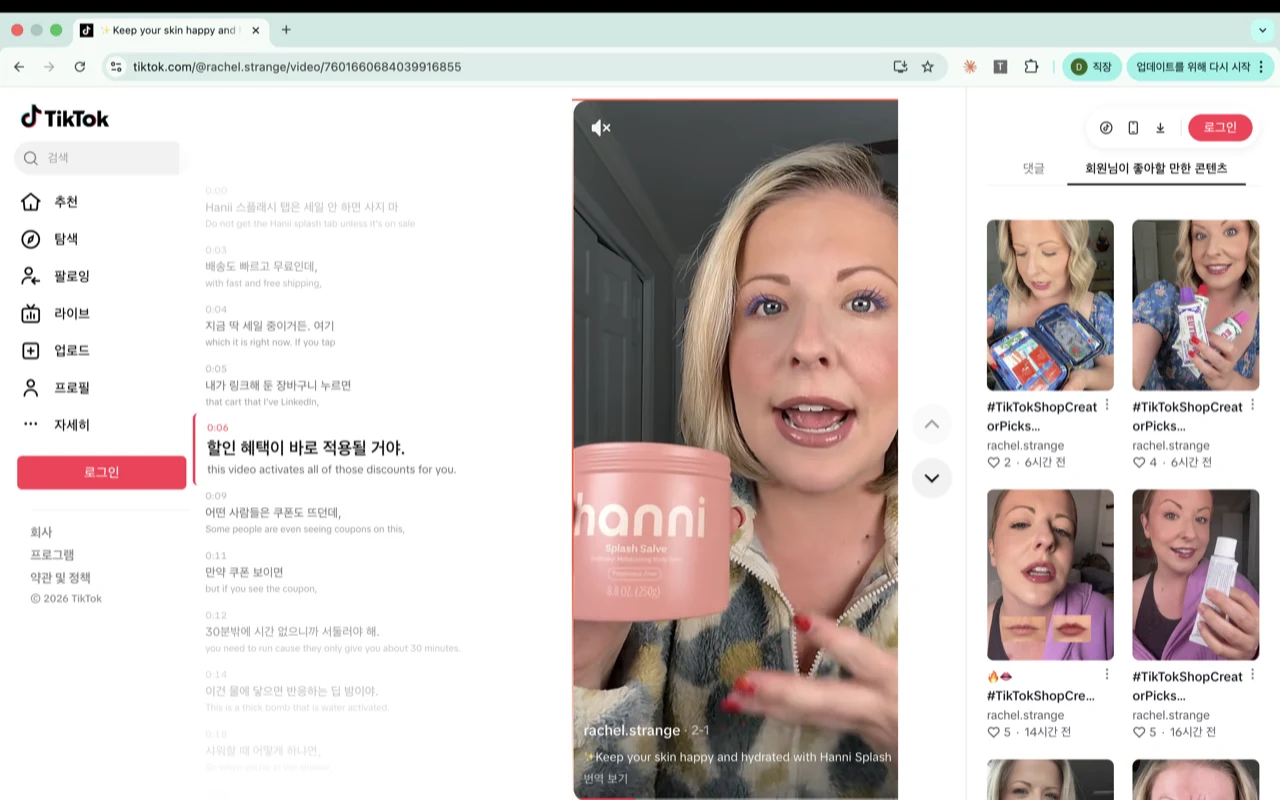
Affitok Assistant reads the captions embedded in TikTok videos and displays translated subtitles on the screen as the video plays. It also displays basic performance numbers like views and likes on creator profiles.
Best for: Watching TikTok videos with translated subtitles.
👍 Why We Chose It: It lets you follow videos made in other languages by showing both the original words and your preferred language on the screen side by side.
Good to know: You need to create an account to use the translation features. The extension sends caption text to translation servers to process the words, and it cannot translate videos that have no captions.
7. Live Chat & Captions Translator for TikTok
LIVE Stream & Chat Translation
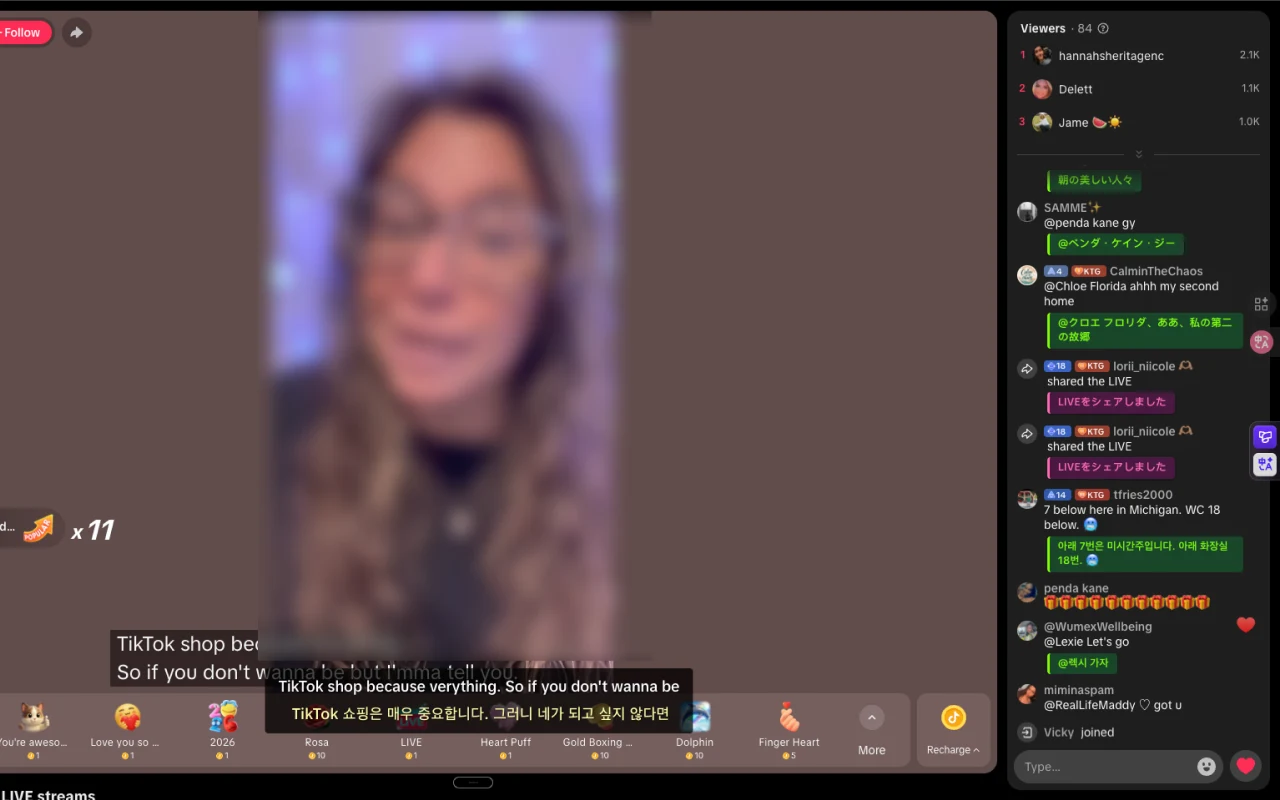
This extension translates live viewer comments and streamer speech in real time during TikTok LIVE broadcasts. The translated text appears directly in the chat window so you can follow the conversation as it happens.
Best for: Understanding TikTok LIVE streams and chats in different languages.
👍 Why We Chose It: Unlike tools built for ordinary recorded videos, this extension focuses on live broadcasts. It helps you interact with international streamers and understand what other viewers are saying during a live stream.
Good to know: Live speech translation depends on audio clarity and how fast the host speaks. Fast-moving chats with slang or emojis may occasionally produce imperfect translations.
8. Translator for TikTok Web
Direct Message Translation
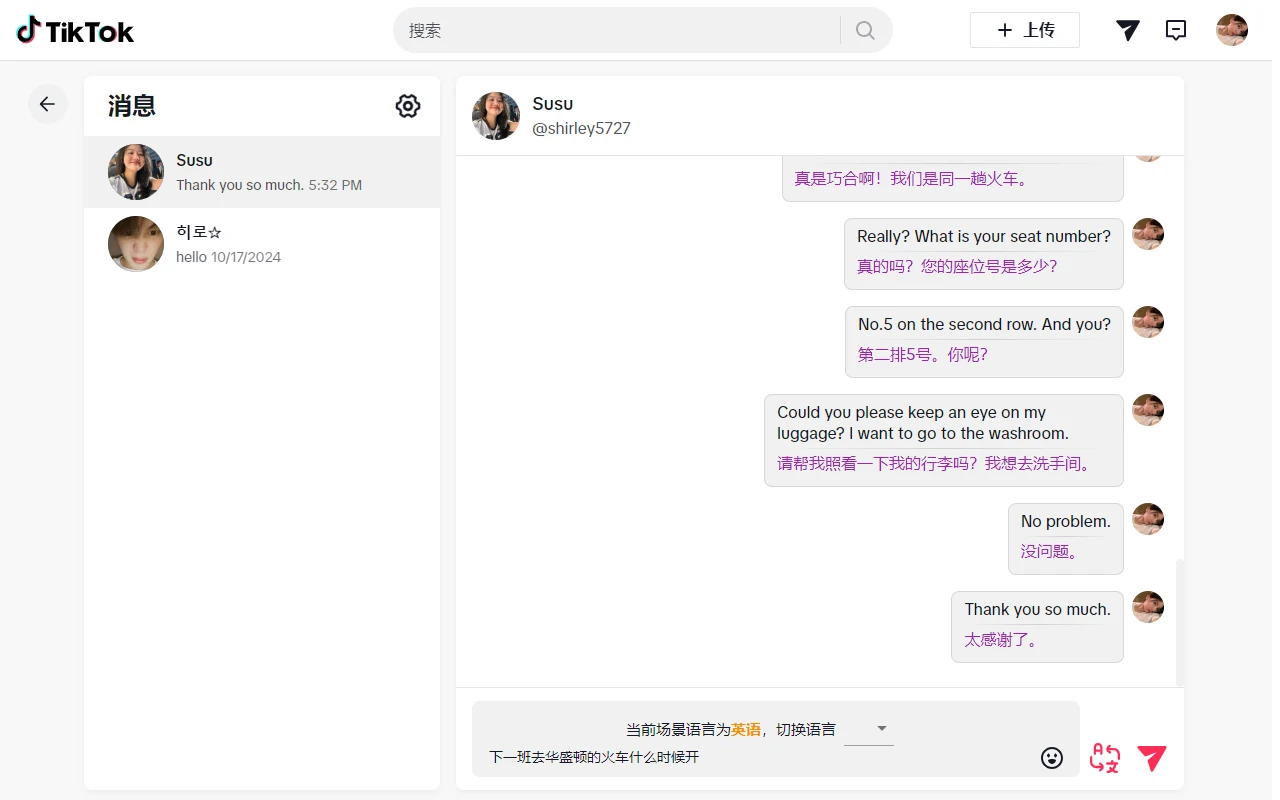
Translator for TikTok Web translates private direct messages and chat boxes on the TikTok desktop website. When you receive a message in another language, it converts the text into your language, and translates your replies before you send them.
Best for: Translating TikTok messages when chatting with people in different languages.
👍 Why We Chose It: It solves the problem of chatting with friends, creators, or international sellers without needing to copy and paste messages back and forth into Google Translate.
Good to know: This tool translates private chat messages, not video captions. Because message text passes through translation engines to be processed, avoid sending sensitive personal details. Advanced translation packages require paid upgrades.
TikTok creators and video research
9. KOLSprite – TikTok Downloader, Sort & Analytics
Video Sorting & Creator Research
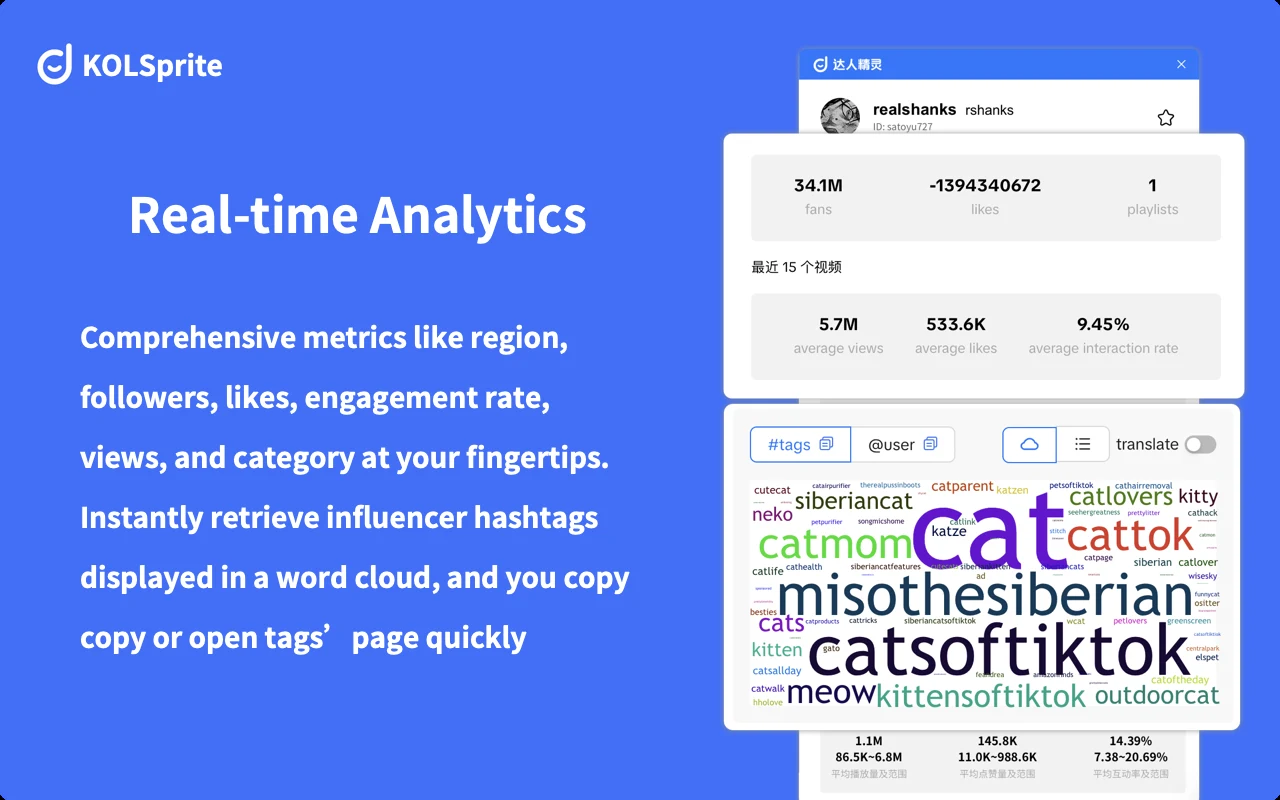
KOLSprite adds a research panel to TikTok profiles. It lets you sort any creator’s videos by view count, likes, comments, or release date, helping you quickly identify which topics caught the audience’s attention.
Best for: Sorting a creator’s videos by views, likes, comments, and dates, and learning which videos are popular.
👍 Why We Chose It: Instead of scrolling through hundreds of videos chronologically, you can see a creator’s most popular posts in seconds. It also lets you review comment themes and download reference clips for research.
Good to know: Basic video sorting and profile viewing are free. Deep script analysis and full data exports require paid credits or a subscription.
10. UpDog – TikTok & Instagram Analytics
Cross-Platform Stats Comparison
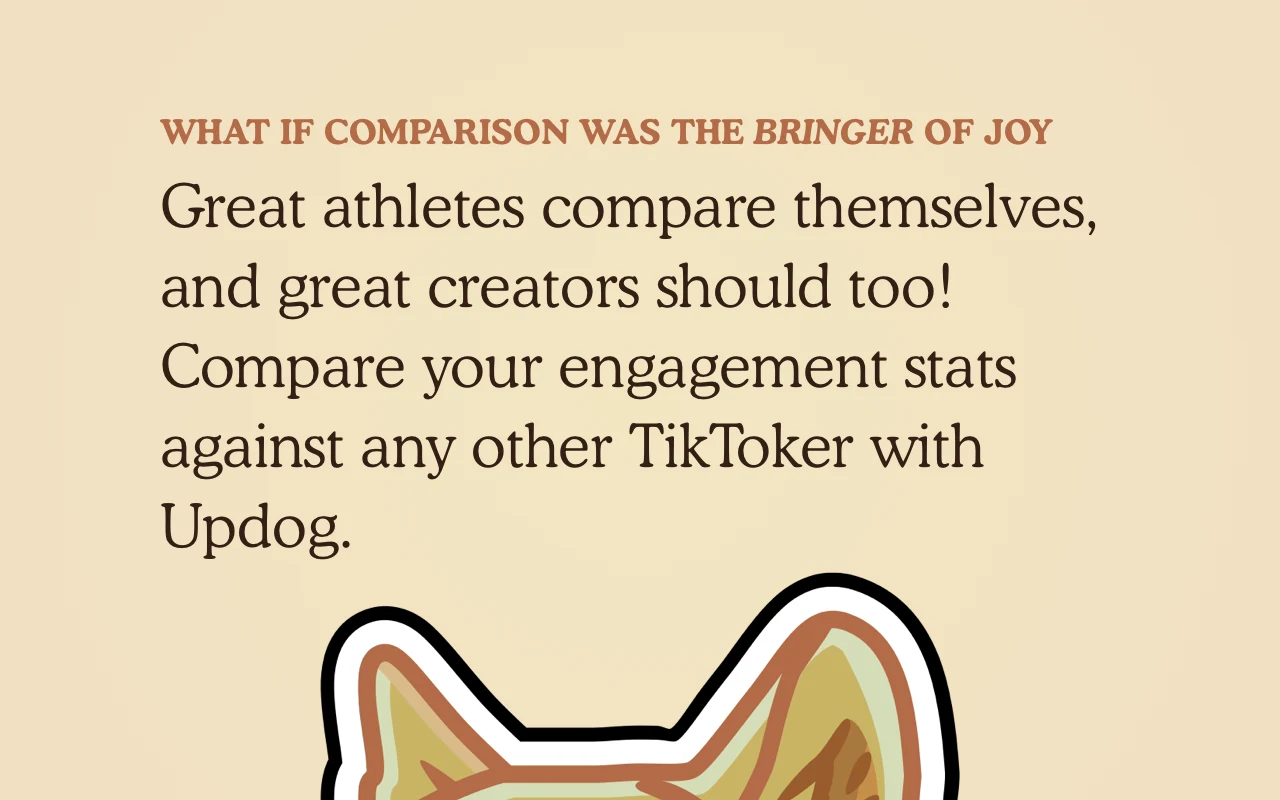
UpDog opens a sidebar on creator profiles that displays engagement rates, average views, likes, comments, and how often the creator posts. It works on both TikTok and Instagram.
Best for: Checking and comparing creator statistics across TikTok and Instagram.
👍 Why We Chose It: While KOLSprite focuses strictly on TikTok, UpDog helps you check how a creator performs across two major social networks. It also separates regular posts from sponsored posts so you can see how sponsored videos actually perform.
Good to know: UpDog calculates its numbers from the posts currently loaded in your browser window. For long-established accounts, scroll down to load more posts before checking the final averages.
11. TikTok Analytics by EchoTik
TikTok Shop & Product Research

Built by the EchoTik e-commerce platform, this extension overlays sales numbers, trending products, and shop creator stats onto TikTok. It helps online sellers and creators find out which products are selling well on TikTok Shop.
Best for: Looking at TikTok Shop products, creators, and sales-related information.
👍 Why We Chose It: It is one of the most comprehensive tools specifically designed for TikTok Shop research. You can check estimated sales volume, examine popular product categories, and study successful selling videos.
Good to know: Basic product and video checks are free. Full historical sales charts, advanced creator filters, and deep shop data require an EchoTik platform membership.
12. Influencer Analytics by Wednesday
Creator Vetting & Partnership Rates
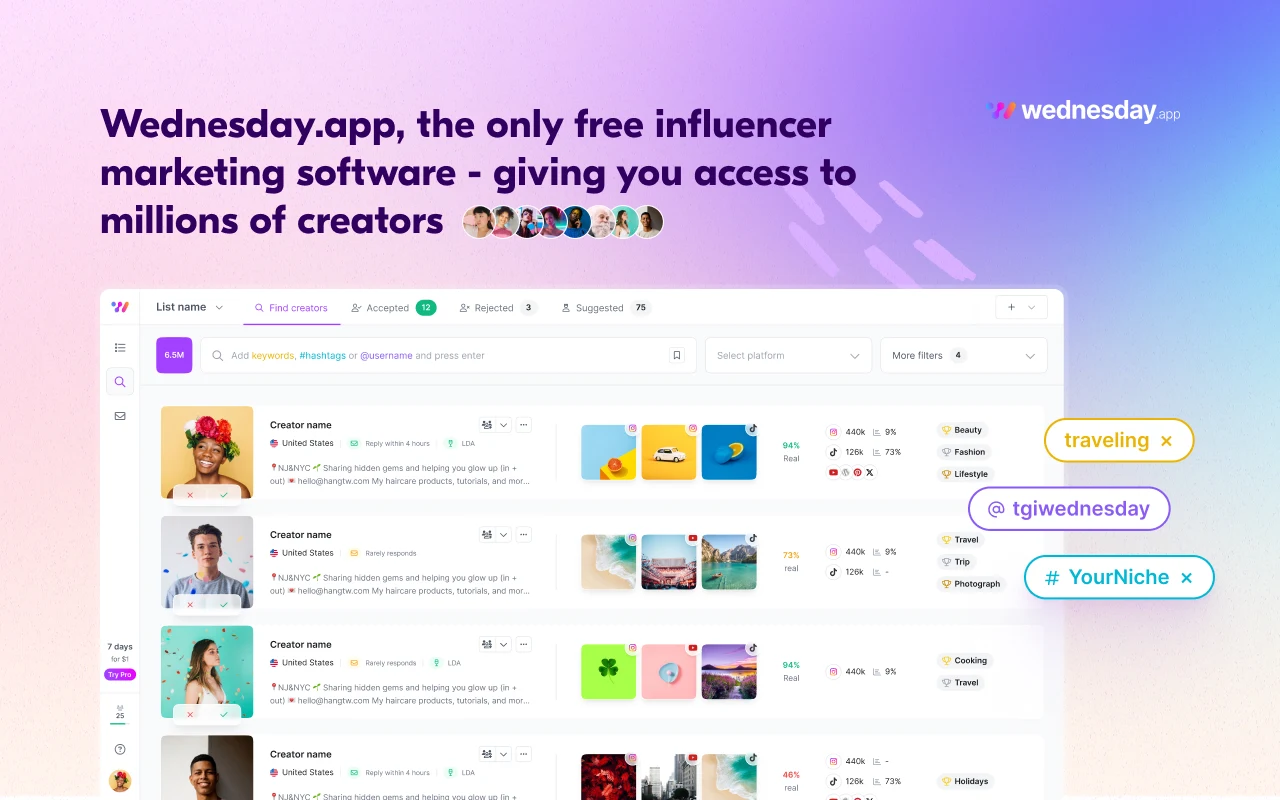
Wednesday overlays creator vetting details on TikTok and Instagram profiles. It shows estimated partnership prices, average views, engagement rates, and information about a creator’s viewers such as location and age groups.
Best for: Checking creators before paying them to promote a product.
👍 Why We Chose It: If you plan to sponsor a creator or pay for a promotion, Wednesday helps you judge whether the asking price makes sense before you contact them.
Good to know: The free plan includes unlimited basic views and unlocks up to 50 full creator profiles. Unlocking additional profiles and accessing advanced campaign tools requires a paid plan.
13. CreatOK – Free TikTok Transcript Generator & AI Video Prompt
AI Video Ideas & Scripting
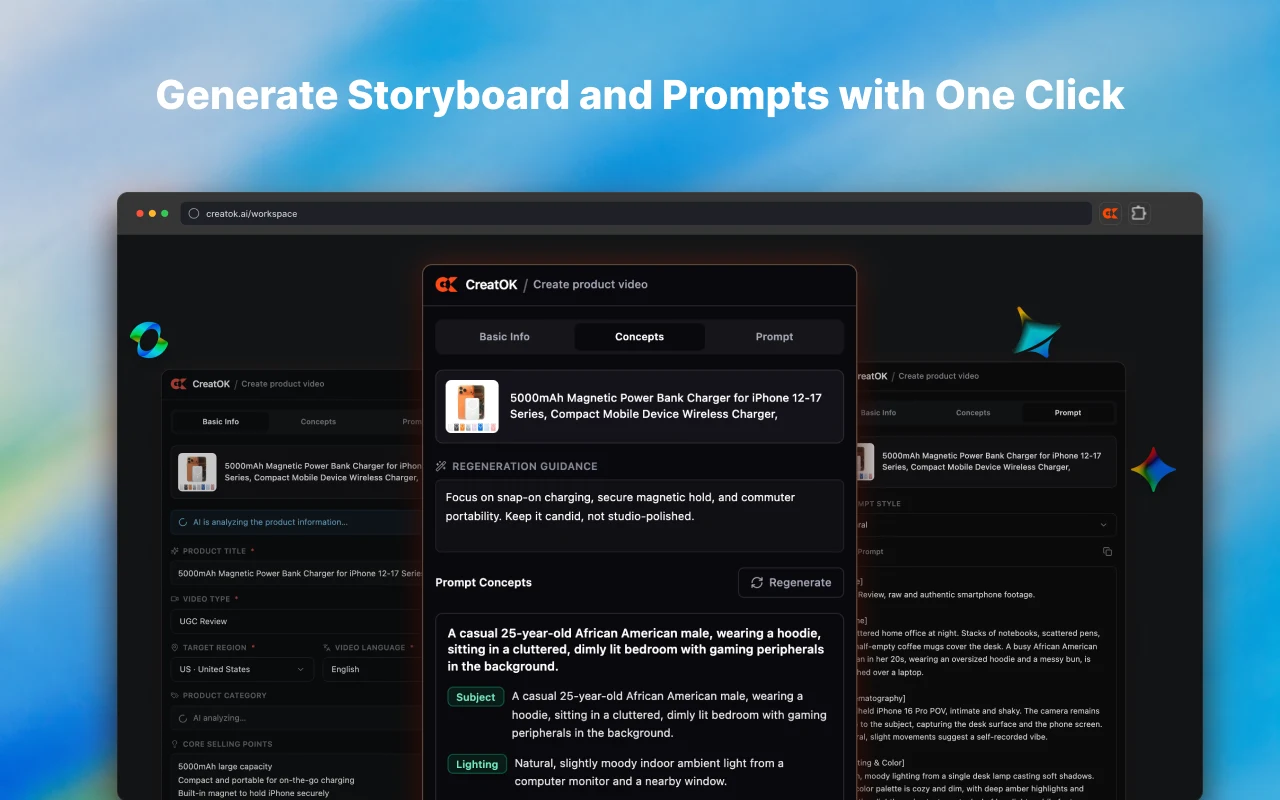
CreatOK collects product details and customer reviews from TikTok Shop pages and uses artificial intelligence to generate video ideas, script hooks, and promotional concepts.
Best for: TikTok Shop creators who want help developing video ideas and scripts for products.
👍 Why We Chose It: Unlike simple transcript copy tools, CreatOK focuses on helping you brainstorm. It analyzes what makes a product appealing and suggests creative ways to present it on camera.
Good to know: The extension is geared toward TikTok Shop sellers and affiliate creators. Generated scripts provide helpful outlines, but you should always adapt them to match your own voice and style.
14. Comment Export Tool
Spreadsheet Comment Downloader
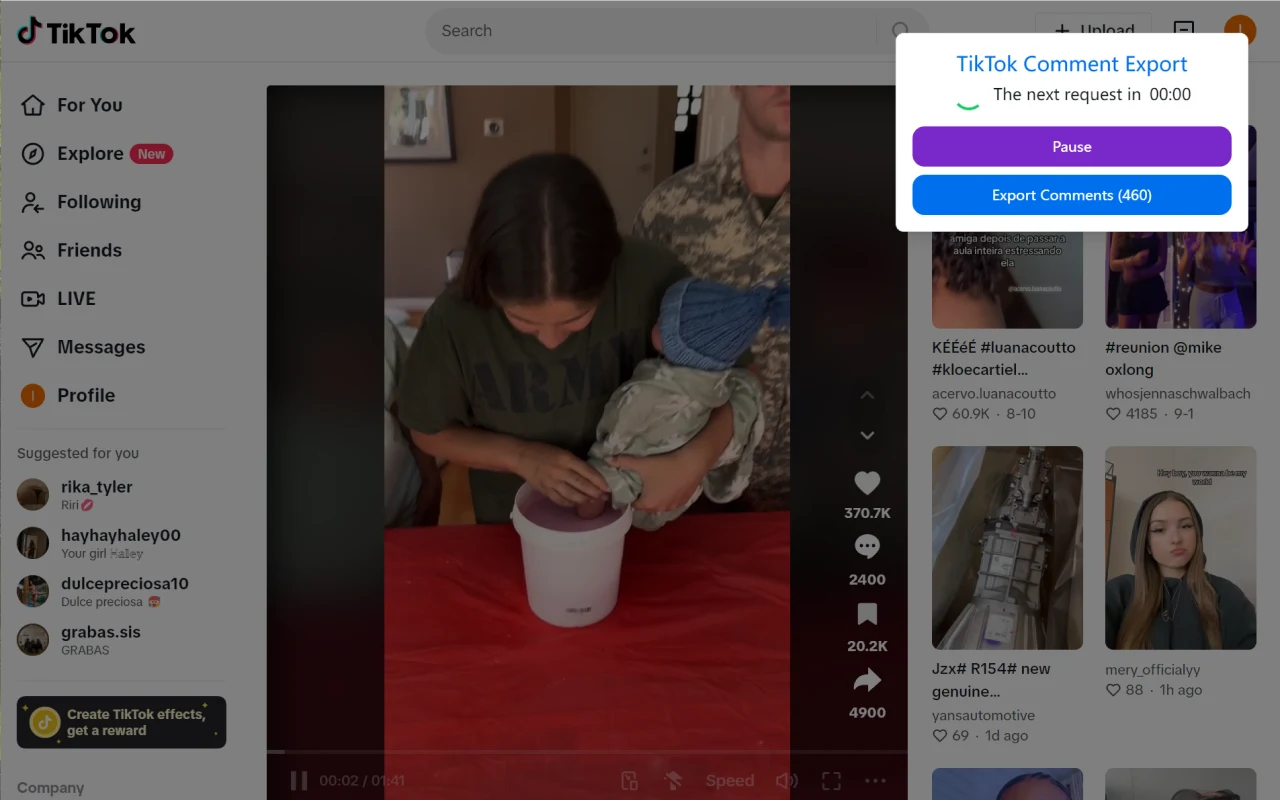
Comment Export Tool downloads comments and replies from any TikTok video into a CSV file (a simple spreadsheet file that opens in Excel or Google Sheets). Each row contains usernames, timestamps, comment text, and like counts.
Best for: Saving TikTok comments and replies to a spreadsheet so readers can review what people are saying.
👍 Why We Chose It: Reading hundreds of comments inside TikTok’s small web window is difficult. Exporting comments to a spreadsheet makes it easy to search for questions, gather feedback, or pick giveaway winners.
Good to know: All data processing happens locally in your browser. The free version lets you export a limited number of comments per video, while unlimited exports require an optional in-app purchase.
Business tools and account management
15. Ads Library Downloader & Ad Finder by Admaker.ai
Ad Discovery & Video Saving
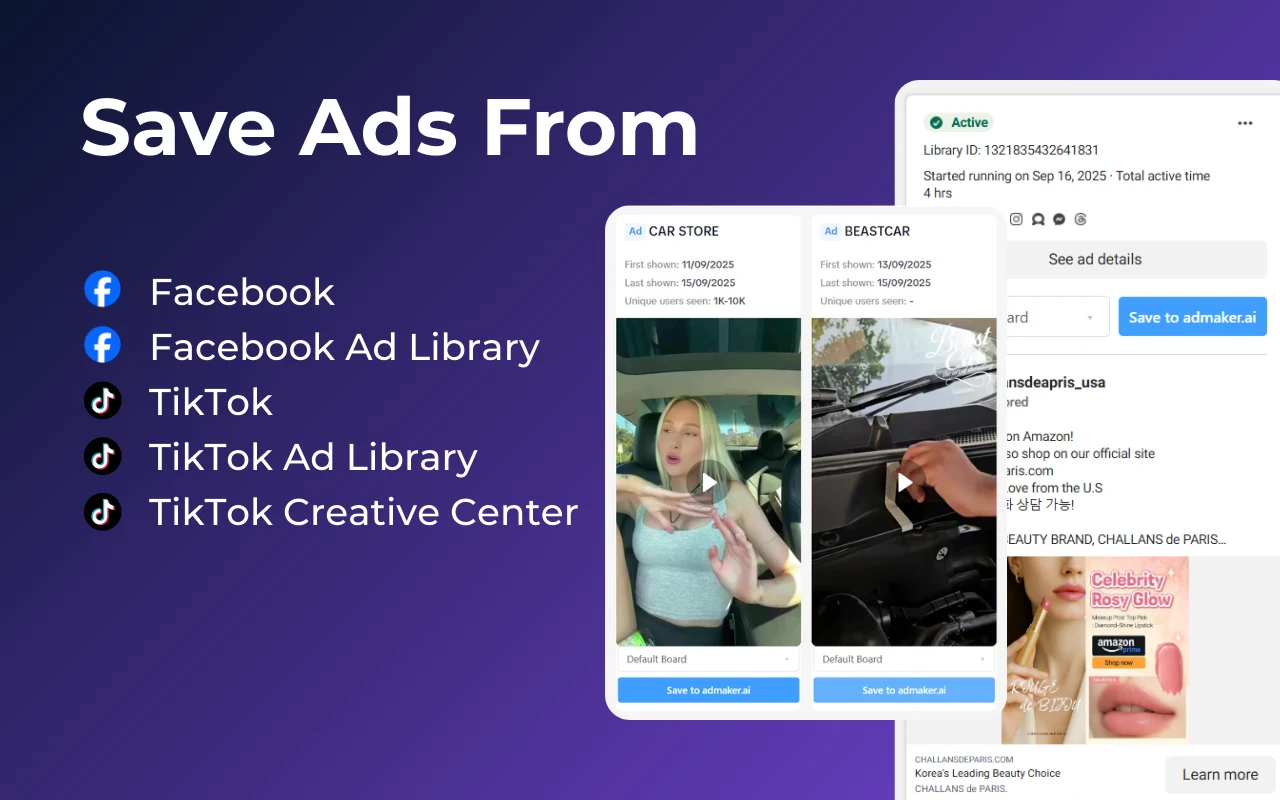
This extension lets you save, tag, and organize video ads from TikTok Creative Center and other advertising libraries like Facebook and LinkedIn into a personal inspiration board.
Best for: Finding and saving examples of TikTok ads, including from TikTok Creative Center.
👍 Why We Chose It: If you create or manage ads, keeping swipe files of effective videos is essential. The extension saves ad clips and sound without watermarks, making it easy to review what competitors are doing.
Good to know: It also works on other advertising platforms like Facebook and LinkedIn. Basic ad saving is free, while team sharing and cloud storage options require a paid account.
16. TikTok Pixel Helper
Ad Tracking & Pixel Diagnostic
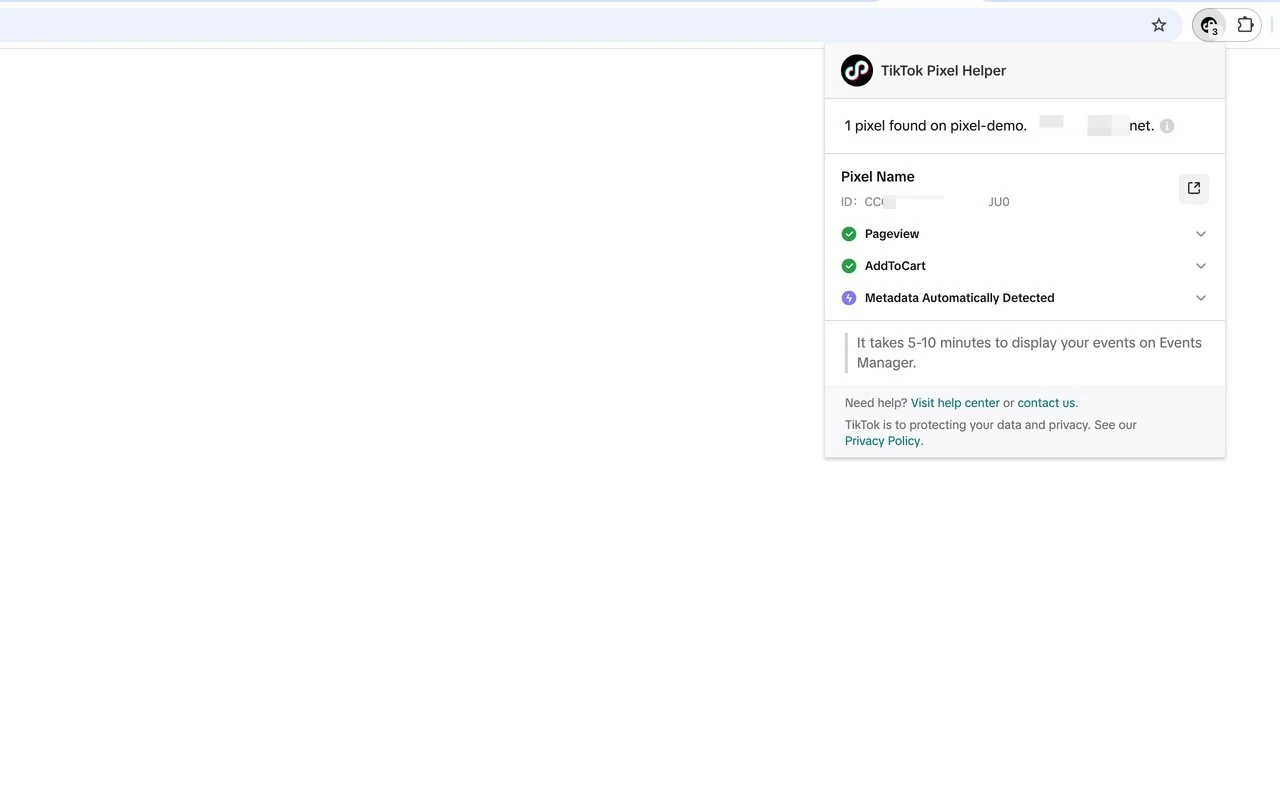
TikTok Pixel Helper is an official tool from TikTok For Business. It inspects your web pages to confirm whether your TikTok Pixel (a small piece of tracking code you add to your website to see how visitors interact with your pages after clicking your TikTok ads) is working properly.
Best for: Website owners and advertisers who want to check whether their TikTok ads can track visits and other actions correctly.
👍 Why We Chose It: It detects common tracking mistakes, missing event tags, and duplicate code so you do not waste money running ads that cannot track your sales or leads accurately.
Good to know: This extension is designed strictly for website owners and advertisers troubleshooting tracking tags. User reviews on the Chrome Web Store are mixed because setup requires correctly configured web code.
17. TikTok All Liked Videos Remover
Bulk Liked Videos Cleaner

This extension opens an in-page control panel on your TikTok profile and automatically removes your likes across past videos. It shows real-time progress, letting you see how many videos were unliked.
Best for: Removing several liked videos from a TikTok account.
👍 Why We Chose It: If your liked videos tab has accumulated thousands of old posts over the years, unliking them manually would take days. This tool automates the process and includes pause buttons and delay settings to keep your account safe.
Good to know: Removing likes modifies your account history. Always review your profile after running the tool. You can set a delay between unlikes to reduce the risk of temporary connection pauses from TikTok.
18. Video Screenshot (FrameX)
Clean Video Frame Capture
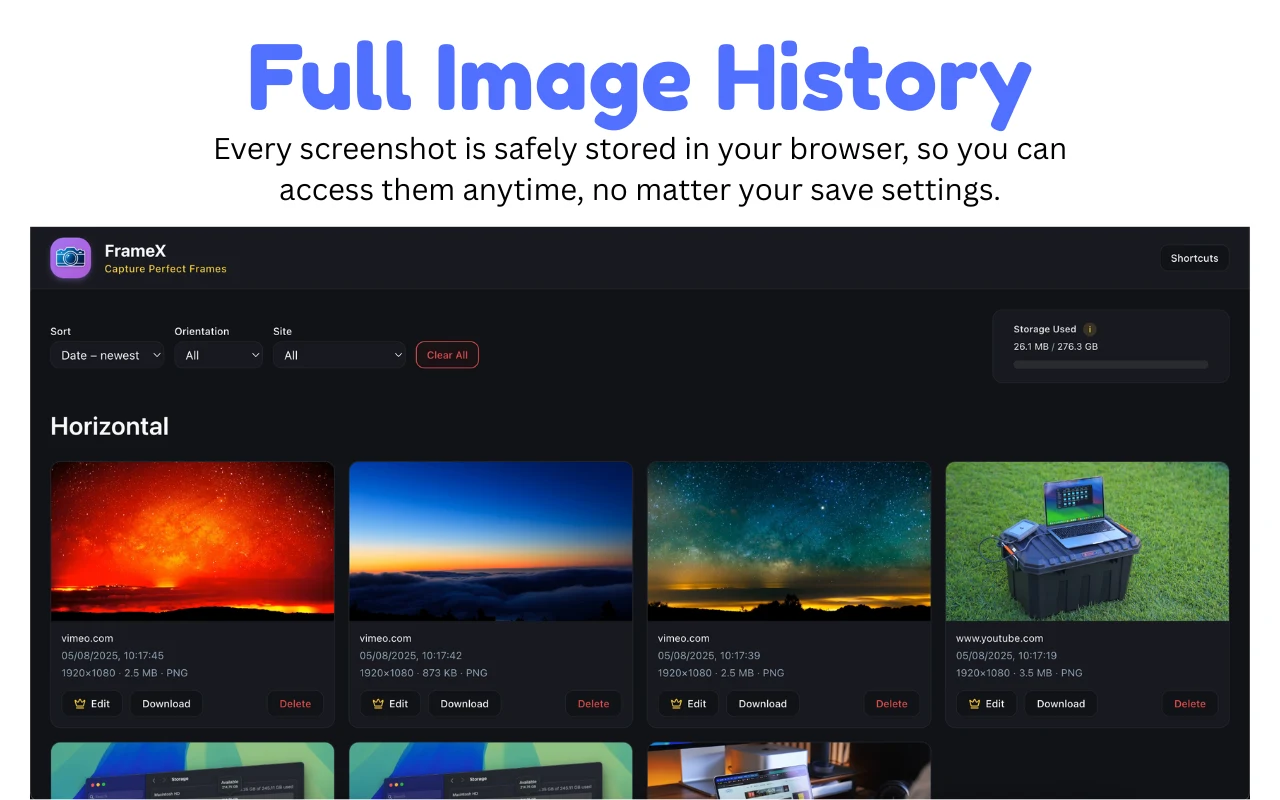
FrameX freezes any video frame and captures a clear still image without player buttons, progress bars, or watermarks in the way. It works on TikTok as well as other video sites like YouTube and Netflix.
Best for: Taking clear pictures from TikTok videos for notes, tutorials, or inspiration.
👍 Why We Chose It: Standard keyboard screenshot tools often capture player menus, volume sliders, or blurry paused video frames. FrameX grabs the exact frame cleanly at the video’s original resolution.
Good to know: Standard image capture is completely free with no registration. Advanced features like multiple file format options and specialized editing tools are part of the optional paid upgrade.
Compare all 18 TikTok Chrome extensions
| Extension | Best for | Price | Good to know |
|---|---|---|---|
| myfaveTT | Saving liked videos, favorites, and creator uploads | Free | Only downloads videos visible in your active browser session; private accounts require following |
| ShortKit – Toolkit for TikTok & Douyin | Desktop video controls, playback speed, and playlists | Free | Some optional features like translation connect to outside services |
| ClearTok – TikTok Repost Remover | Removing reposted videos in bulk | Free | Changes account activity directly; pauses automatically if TikTok rate limits actions |
| TikTok Transcript Generator & 1-Click Copy | Copying text from video captions for notes | Free | Only works on videos that already have closed captions or subtitles |
| Tiktok Auto Scroll | Hands-free continuous video watching | Free | Advances immediately when clips finish, so pause if you want to read comments |
| Affitok Assistant – TikTok Subtitle Translator & Analytics | Bilingual subtitle translation and profile stats | Freemium | Requires an account, sends caption text to translate, and needs existing captions |
| Live Chat & Captions Translator for TikTok | Real-time translation for TikTok LIVE streams and chats | Free | Focuses on live streams rather than regular videos; audio clarity affects translation |
| Translator for TikTok Web | Translating direct messages and chat conversations | Freemium | Translates chat messages, not video captions; paid upgrades for high-volume packages |
| KOLSprite – TikTok Downloader, Sort & Analytics | Sorting creator profiles by views, likes, and dates | Freemium | Free for basic profile sorting; full data exports and AI script tools require paid tiers |
| UpDog – TikTok & Instagram Analytics | Comparing creator statistics across TikTok and Instagram | Free | Calculates averages based on posts loaded in your active browser session |
| TikTok Analytics by EchoTik | Researching TikTok Shop products, sales, and creator earnings | Freemium | Focuses on TikTok Shop; full historical sales charts require an EchoTik subscription |
| Influencer Analytics by Wednesday | Checking creator viewer information and estimated promo costs | Freemium | Includes 50 full creator profile unlocks; ongoing high-volume vetting requires a plan |
| CreatOK – Free TikTok Transcript Generator & AI Video Prompt | Generating TikTok Shop video concepts and marketing scripts | Free | Tailored for TikTok Shop products and affiliate creators; scripts require personal editing |
| Comment Export Tool | Exporting comments and replies to Excel or CSV spreadsheets | Freemium | Runs locally in browser; free version has export caps with paid upgrades for bulk lists |
| Ads Library Downloader & Ad Finder by Admaker.ai | Saving ad inspiration from TikTok Creative Center and other sites | Freemium | Also supports Facebook and LinkedIn ad libraries; team boards require a paid plan |
| TikTok Pixel Helper | Testing and troubleshooting TikTok ad tracking code on websites | Free | Official TikTok tool; strictly for advertisers and webmasters; reviews are mixed |
| TikTok All Liked Videos Remover | Unliking multiple videos automatically with progress controls | Free | Includes pause and speed controls; changes account history so check results after |
| Video Screenshot (FrameX) | Capturing clean video frames without player buttons or overlays | Freemium | Works across multiple video platforms; basic captures are free, extra formats paid |
For more browser guides and social media tools, read our roundups of the best Instagram Chrome extensions and the best Chrome extensions for everyday browsing. If you prefer using mobile apps on a laptop, take a look at our walkthrough on running TikTok on Chromebook.
Choosing the right extension comes down to how you use TikTok, whether you want an easier way to save clips, cleaner playback controls, or deeper creator research on your computer.
Discover more from Chrome Geek
Subscribe to get the latest posts sent to your email.