12 Best Pinterest Chrome Extensions for Saving Pins, Scheduling and More
 by
Gloria Brown
Post Updated: October 14, 2026

The best Pinterest Chrome extensions include Save to Pinterest for saving images directly to your boards, Pin Kit for downloading pins and entire boards, and Tailwind for scheduling Pinterest posts. These three are good starting points depending on how you use Pinterest.
We also picked extensions that help you organize pins, research keywords, check engagement, block unwanted content, and customize Pinterest’s appearance. Below are 12 options with their features and limitations, so you can choose what works best for you.
1. Save to Pinterest

What it does: Puts a red Pinterest save button over web images so you can pin ideas straight to your boards without leaving the page you are on.
👍 Why we chose it: It is the official tool and works smoothly on almost any website. Hovering over an image lets you pick a board instantly or search Pinterest for visually similar ideas.
Good to know: Completely free to use. You just need to be signed in to your Pinterest account in Chrome so your personal boards show up.
2. Tailwind: Pinterest Marketing & Scheduling

What it does: Helps bloggers, creators, and business owners plan, schedule, and publish Pinterest pins ahead of time.
👍 Why we chose it: It takes the stress out of daily posting. You can schedule weeks of pins in one sitting, and Tailwind suggests the best times to post when your audience is most active.
Good to know: Requires creating a Tailwind account and connecting your Pinterest profile. The free plan has monthly pin limits, while heavy scheduling requires an upgraded plan.
3. Pin Kit – Pinterest Board Downloader
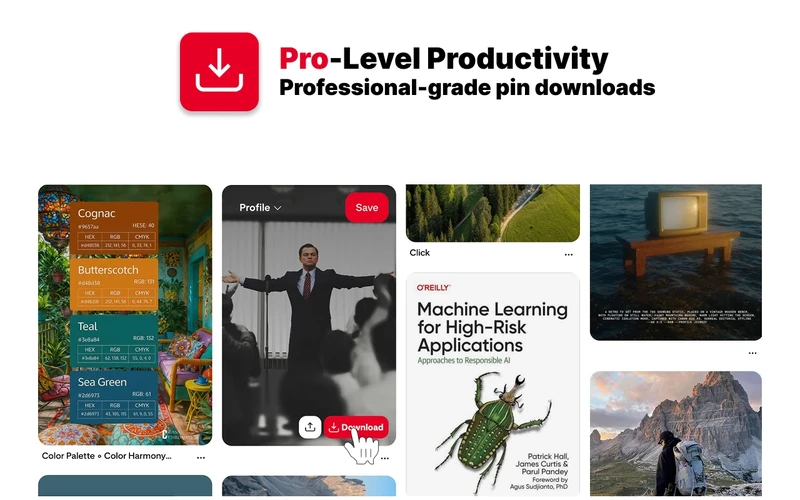
What it does: Lets you download single pins, high-quality photos, videos with sound, or full Pinterest boards straight to your computer.
👍 Why we chose it: Unlike older downloaders that break often, Pin Kit is fast and reliable. A quick hover button lets you grab any picture or video clip for offline mood boards and creative ideas.
Good to know: Saving individual pins and videos is free without signing up. Downloading full boards all at once or turning them into PDF collections offers optional paid upgrades.
4. Pinterest Love: Pinterest Screenshot Saver++

What it does: Lets you snap screenshots of webpages, crop them, add notes or arrows, and send them directly to your Pinterest boards.
👍 Why we chose it: Great for saving recipes, DIY guides, and design layouts that are not simple standalone image files. You can crop the exact part you want and mark it up before pinning.
Good to know: Free to use without any extra subscription. It only works on your active browser tab and cannot capture copy-protected video frames.
5. Pinterest Tag Helper

What it does: A testing tool made for website owners and advertisers to check whether their Pinterest tracking tags are set up right.
👍 Why we chose it: Built specifically for business users running Pinterest ads. It checks whether page views, sign-ups, and checkout sales are tracking accurately so you do not waste ad money.
Good to know: This is strictly an ad setup and tracking tool for website managers. It does not help you save pins or browse boards.
6. Pindodo

What it does: A search tool that helps creators and sellers find popular Pinterest search phrases, search volume estimates, and trending hashtags.
👍 Why we chose it: It digs up keyword ideas that Pinterest’s basic search bar does not show. You can easily copy keywords or export them to a spreadsheet to help your pins rank higher in searches.
Good to know: Comes with a free 7-day trial with no credit card required. You need to create an account, and full search volume data requires a paid plan after the trial ends.
7. SortPin

What it does: Sorts and filters the pins showing on your screen by likes, repins, and dates, while adding quick download buttons for photos and clips.
👍 Why we chose it: Makes it easy to spot popular pins without endless scrolling. It only rearranges the pins on your screen for quick viewing; it does not permanently change your boards on Pinterest.
Good to know: Basic sorting and single downloads are free. Batch downloading multi-slide carousel pins offers optional paid upgrades.
8. Pinterest Pin Stats – Sort Pins
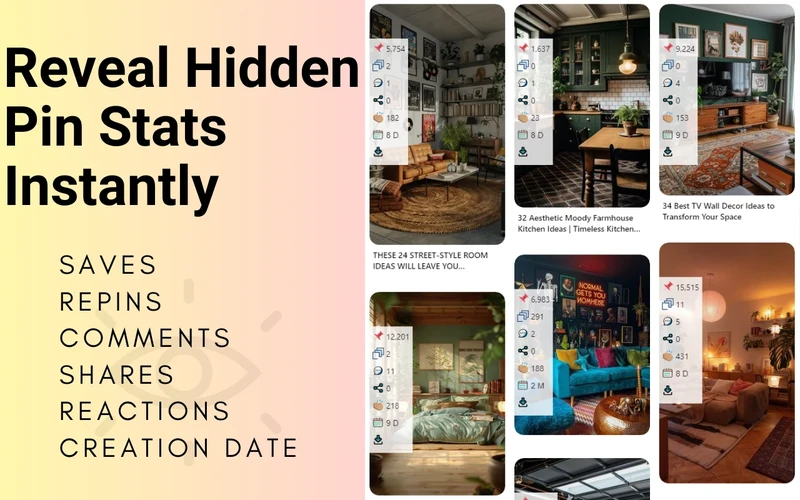
What it does: Shows hidden engagement numbers right on pin thumbnails, including exact saves, likes, repins, and comments.
👍 Why we chose it: Where SortPin is great for quick filtering, this tool focuses on stats. You can see at a glance which styles and topics get real attention before creating your next pin.
Good to know: Stats show up right over each pin as you scroll. A simple switch in the toolbar lets you hide the numbers when you want a clean view.
9. Pinterest Dark Mode
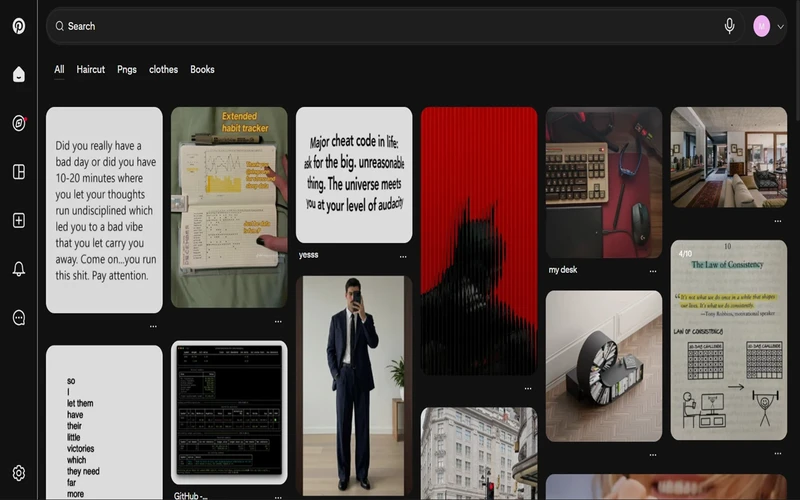
What it does: Turns Pinterest’s bright desktop site into an easy-on-the-eyes dark theme for comfortable evening browsing.
👍 Why we chose it: It darkens menus and backgrounds cleanly without washing out or distorting the actual photo and video colors you came to look at.
Good to know: Completely free with a quick toggle on the extension icon. It runs lightly in Chrome without slowing down your feed.
10. PinSight – Pinterest AI Control
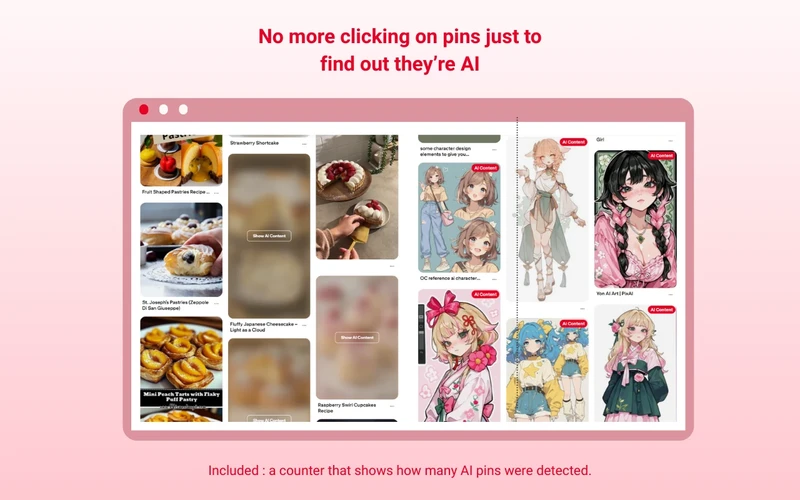
What it does: Spots AI-generated images on Pinterest and gives you the choice to label, blur, or hide them from your feed.
👍 Why we chose it: Helpful for artists, illustrators, and crafters who want to see real human art and ideas. It adds a clear tag and counts how many AI pins were spotted on the page.
Good to know: AI detection is never 100% accurate, which is why user ratings are mixed. Some AI images can slip by, and a few real artworks might get mistakenly flagged.
11. Feed Cleaner for Pinterest – Ad Blocker
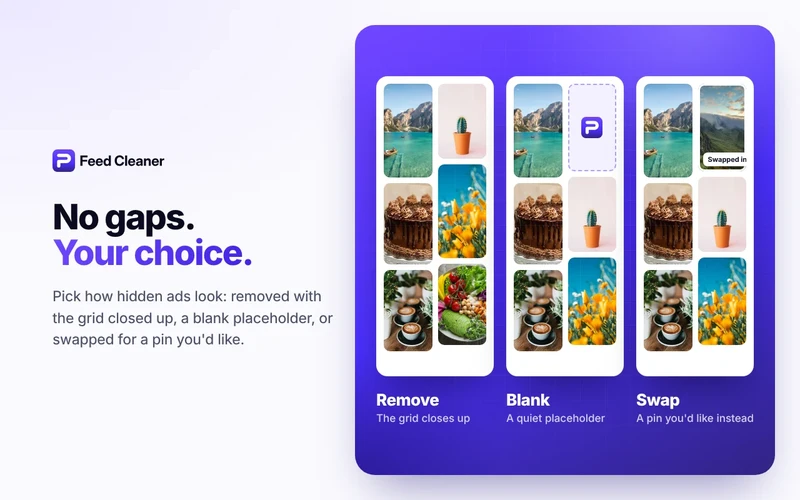
What it does: Removes sponsored ads, promoted pins, and shopping clutter so you can enjoy a cleaner Pinterest feed.
👍 Why we chose it: Unlike standard ad blockers that leave awkward blank spaces in your pin feed, Feed Cleaner closes up the gaps so your screen flows smoothly.
Good to know: Basic ad and promoted pin blocking is completely free. Extra perks like custom keyword blocks, shopping removal, and AI filters require a Pro upgrade.
12. Easy Pin Scheduler
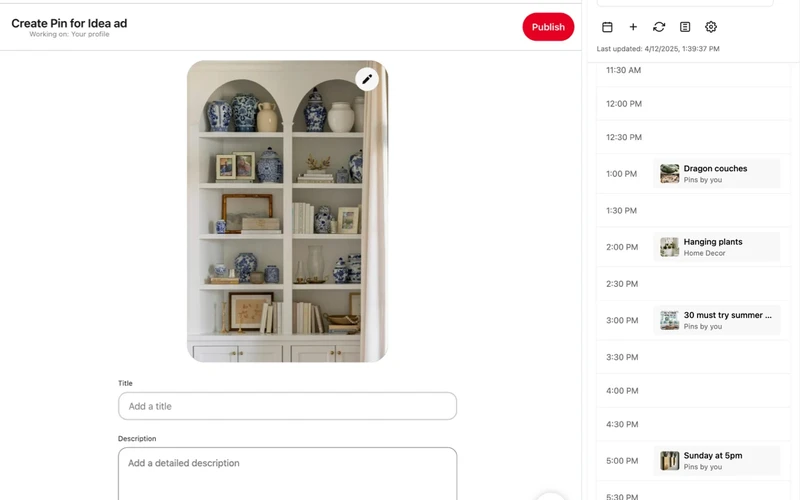
What it does: Adds a visual calendar sidebar right inside Pinterest’s pin creation screen, helping you see and balance your scheduled posts.
👍 Why we chose it: Important to know: this works with Pinterest’s built-in scheduler; it does not publish pins by itself. It gives you a clean calendar view so you never accidentally schedule two pins at the exact same minute.
Good to know: You need a free Pinterest Business account to use Pinterest’s built-in scheduler. The basic calendar is free, while longer date ranges offer paid upgrades.
Quick Comparison of the Best Pinterest Chrome Extensions
A quick reference comparing our representative picks by their primary strength and important limitations.
View extension comparison table
Click to expand
| Extension | Best for | Pricing | Key limitation or consideration |
|---|---|---|---|
| Save to Pinterest | Best Overall & Web Image Saver | Free | Needs a Pinterest login; only saves images visible on web pages |
| Tailwind: Pinterest Marketing & Scheduling | Marketing & Post Scheduling | Freemium | Requires a Tailwind account; free plan has monthly scheduling limits |
| Pin Kit – Pinterest Board Downloader | Board & Media Downloader | Freemium | Large board downloads take up disk space; batch export features offer paid upgrades |
| Pinterest Love: Pinterest Screenshot Saver++ | Screenshot & Annotation Tool | Free | Limited to active browser tabs; cannot capture copy-protected video frames |
| Pinterest Tag Helper | Conversion & Pixel Troubleshooting | Free | Made only for business tracking and ad setup; does not save pins |
| Pindodo | Keyword & Hashtag Research | Freemium (7-day free trial) | Requires account sign-up; full search numbers need a paid plan after the seven-day trial |
| SortPin | Feed Sorting & Pin Downloads | Freemium | Only re-sorts pins on your current screen; does not change your actual Pinterest boards |
| Pinterest Pin Stats – Sort Pins | Engagement Analytics & Sorting | Freemium | Relies on publicly visible Pinterest data; deep historical stats offer a paid tier |
| Pinterest Dark Mode | Desktop Dark Theme | Free | Inverts web styles locally; new Pinterest popups might occasionally need a quick refresh |
| PinSight – Pinterest AI Control | AI Pin Detection & Filter | Free | Detection is not perfect; some AI pins may slip through, leading to mixed reviews |
| Feed Cleaner for Pinterest – Ad Blocker | Ad & Shopping Pin Blocker | Freemium | Basic ad blocking is free; keyword filtering, shopping removal, and AI controls require Pro |
| Easy Pin Scheduler | Native Schedule Calendar View | Freemium | Enhances Pinterest’s built-in scheduler; does not publish pins on its own and requires a Business account |
Looking for more browser tools? Check out our guides to the best Instagram Chrome extensions, best TikTok Chrome extensions, best Gmail Chrome extensions, and best AI extensions for Chrome.
If you find this guide helpful, follow our Pinterest page or save this pin to your Pinterest blogging board for future reference.
Discover more from Chrome Geek
Subscribe to get the latest posts sent to your email.