How to Use Facebook Lite on Chromebook and Googlebook
 by
Juniya Sankara
Post Updated: October 25, 2026
by
Juniya Sankara
Post Updated: October 25, 2026
Use Facebook Lite on Chromebook or Googlebook by installing Meta’s official Android app from Google Play. Sign in with your usual Facebook account to catch up with friends, share photos, react to posts and read messages.
Lite is designed to use less data and storage than the full Facebook app. This guide covers the Play Store setup, Googlebook phone-app casting and the separate Facebook website option.
Choose Facebook Lite, full Facebook or the website
The official Facebook Lite listing identifies Meta Platforms, Inc. as the publisher. Installation choices depend on the device and account shown in Google Play. Use that listing instead of an unfamiliar APK download site.
How to install Facebook Lite on Chromebook
If the Play Store is missing, follow Google’s Android app setup guide. On a school or work Chromebook, the administrator may control app installation. If Lite has no Install option, open Facebook in Chrome to use your account.
How to use Facebook Lite on Googlebook
Googlebook is Android based and offers apps through Google Play. Open the store, search for Facebook Lite by Meta Platforms, Inc., select Install and sign in to your Facebook account. Google explains installing apps on Googlebook in its setup guide.
Already use Lite on an Android phone? Cast My Apps lets you interact with phone apps on your Googlebook. Connect your phone through Googlebook’s phone setup, open Cast My Apps and choose Lite. The app runs on the phone during casting; install it from Play when you want a copy on the laptop.
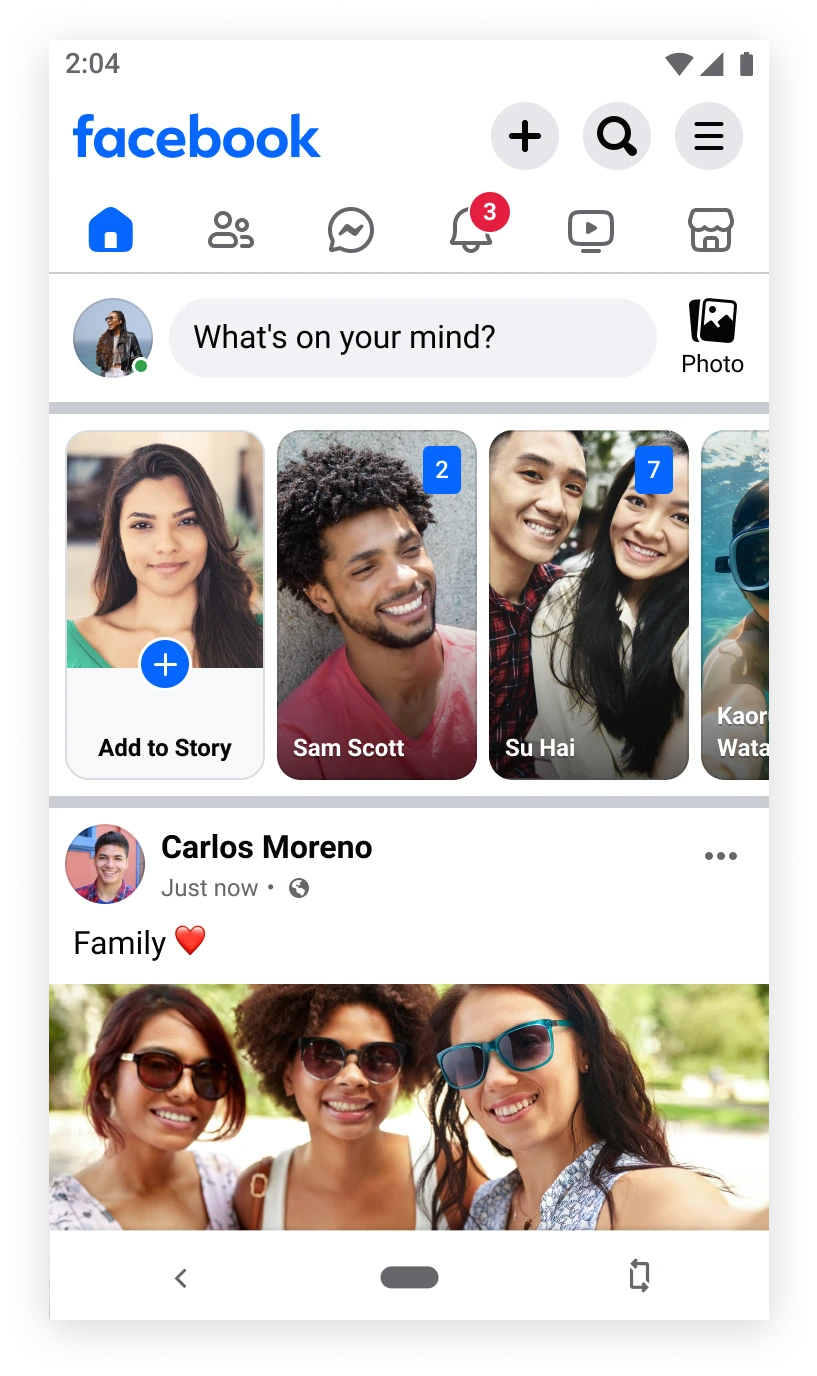
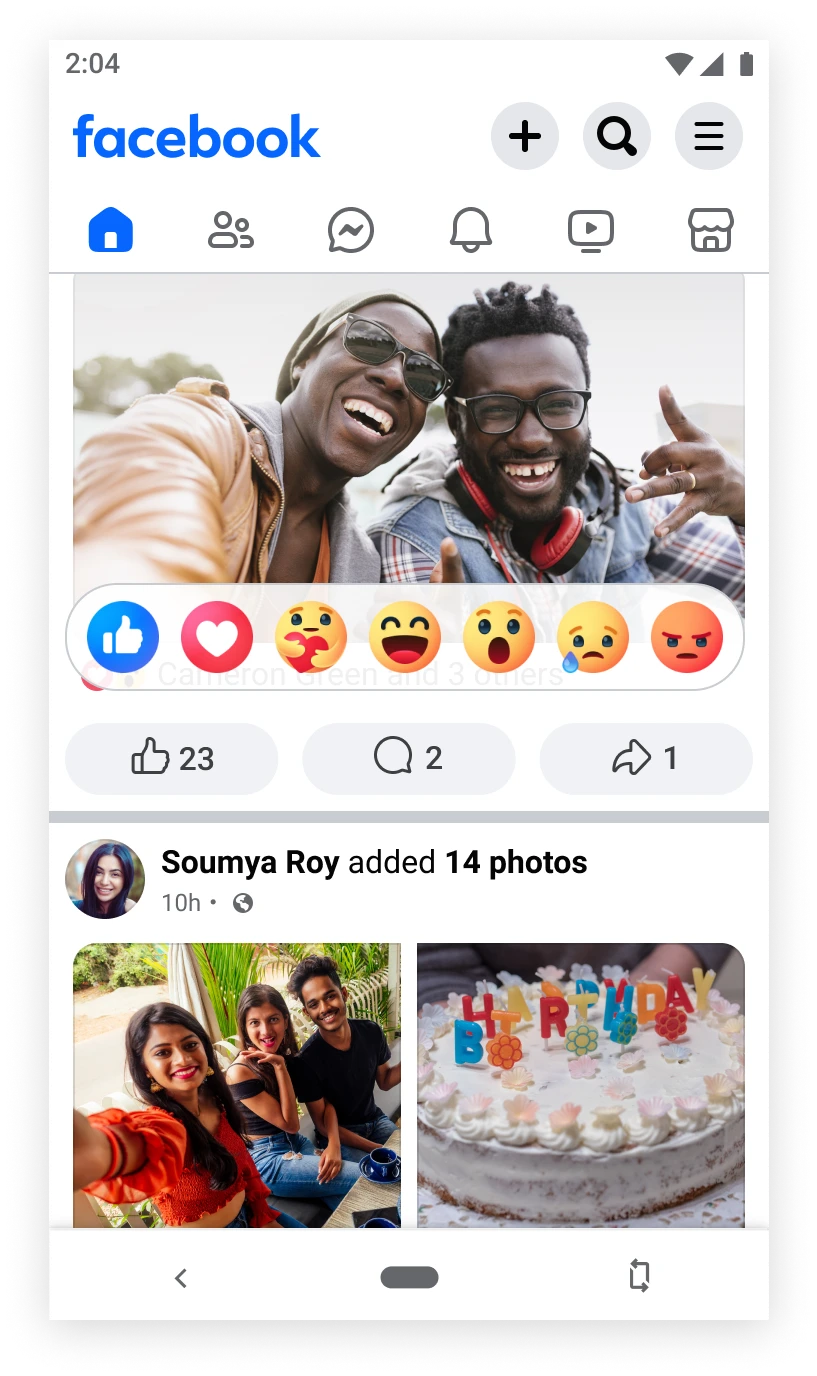
Post, react and manage your feed
Read and send messages
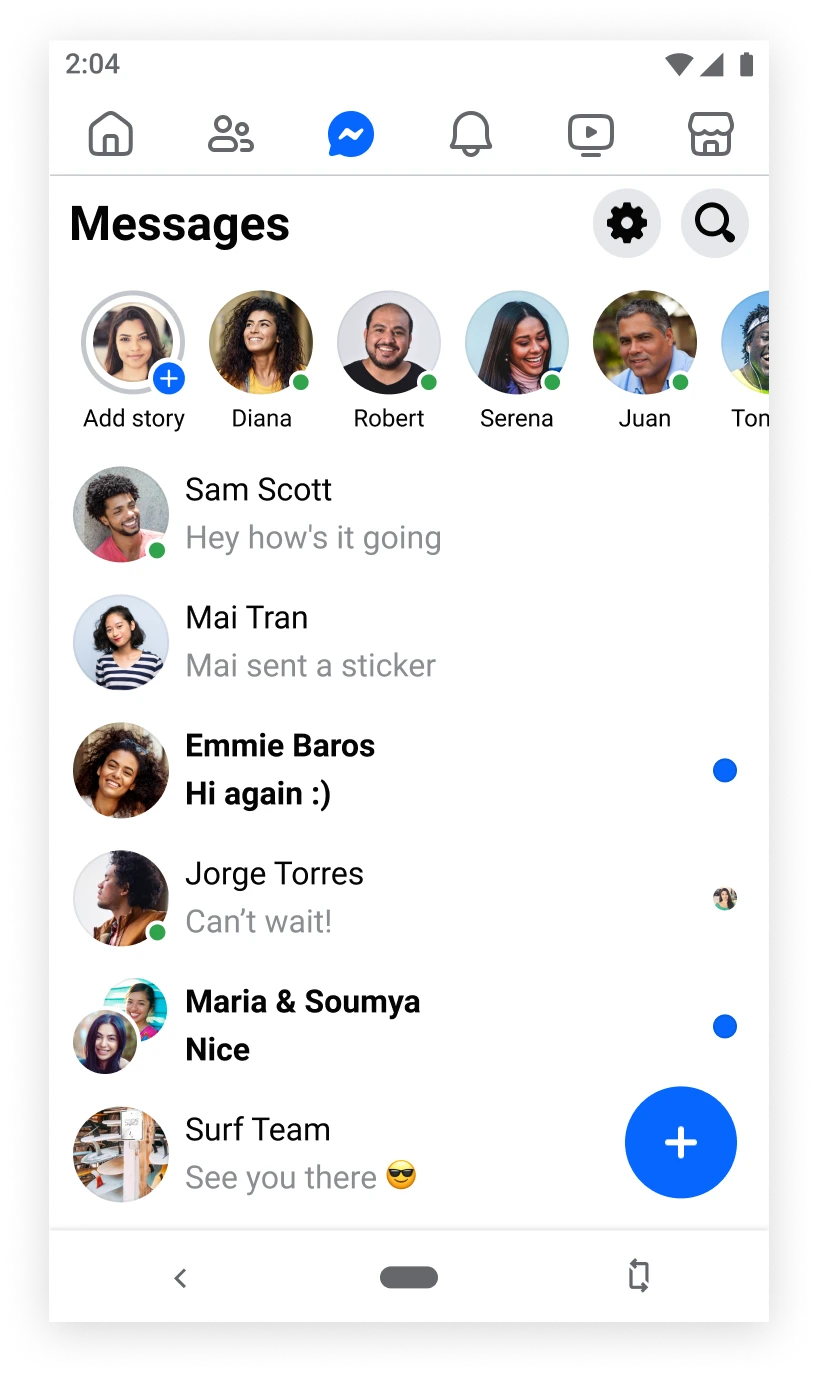
Open the messages tab to view conversations, select a chat to read it or use the new-message control to start one. Meta’s official screenshots show messaging inside Lite. If you prefer a dedicated messaging workspace, use Messenger on the web.
Use Facebook in Chrome
Open Facebook’s website and sign in with the same Facebook account. This is a practical option for browsing with a keyboard, sharing updates and managing your profile in a browser tab. Bookmark the page for quick access.
A browser shortcut still opens Facebook web. It does not install Facebook Lite or change the website into the Lite app. Your account is shared across these access routes.
Quick fixes and account care
Related social-app guides
- Messenger on Chromebook: Use a dedicated space for Facebook conversations.
- WhatsApp on Chromebook: Set up WhatsApp for chats with your phone contacts.
- Telegram on Chromebook: Explore Telegram for messaging and group conversations.
Frequently asked questions
Is Facebook Lite free?
Do I need a separate Facebook Lite account?
Can I use Facebook Lite on Googlebook?
Is Facebook in Chrome the same as Facebook Lite?
Can Facebook Lite send messages?
Discover more from Chrome Geek
Subscribe to get the latest posts sent to your email.