5 Cheapest Chromebooks to Buy (2026)
 by
Juniya Sankara
Post Updated: November 13, 2026
The cheapest Chromebooks worth buying are the Acer Gateway Chromebook 314 for its sharp Full HD screen, the ASUS Chromebook Flip CX1 for a low-cost 2-in-1, and the ASUS Chromebook CR11 for younger kids who are rough on laptops. Each one runs Google apps, Android apps and automatic security updates for a fraction of the cost of a regular laptop.
Cheap does not have to mean slow or short-lived. We skipped old models whose updates end soon and picked current budget Chromebooks with screens and keyboards that make sense for schoolwork, browsing and streaming.
Trying to stretch a small budget? Contact us with what you need the laptop for, and we will help you pick.
The cheapest Chromebooks to buy
Acer Gateway Chromebook 314
14″ Full HD
Budget
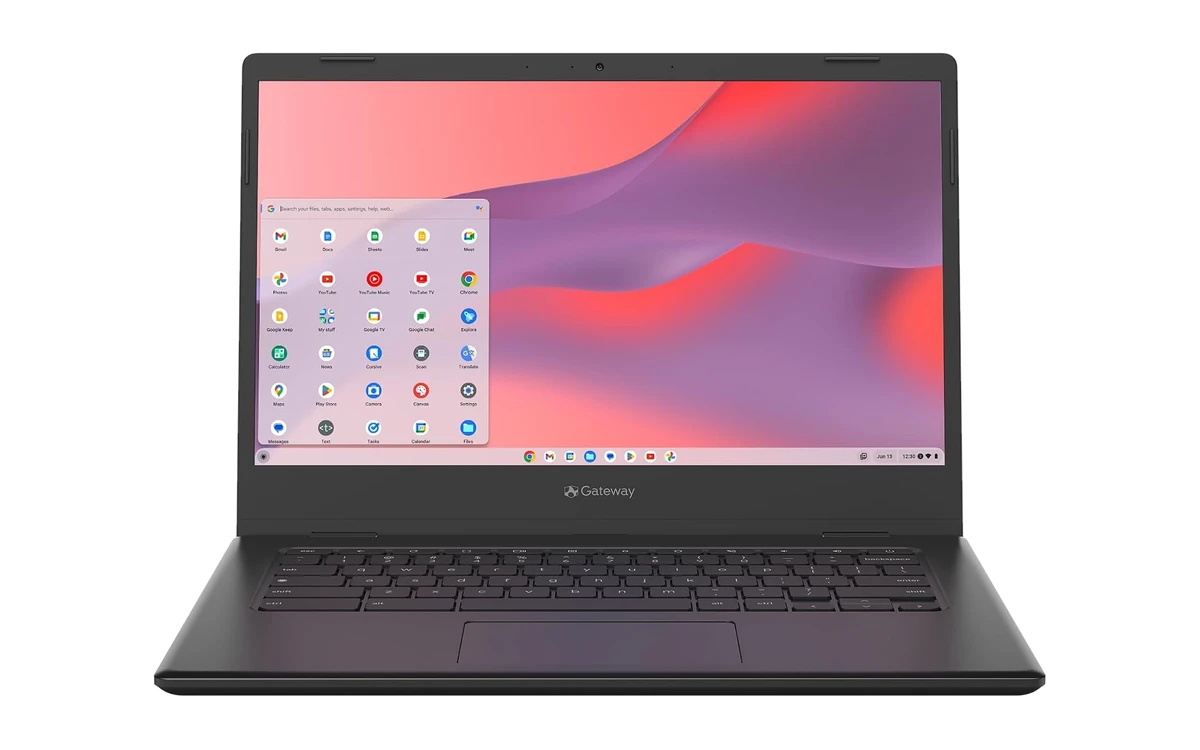
The Acer Gateway Chromebook 314 is the best low-cost Chromebook we found. It handles Google Docs, Classroom, YouTube, Netflix and everyday browsing, and it does it on a sharp 14-inch Full HD screen that most laptops at this price skip.
- Full HD at a starter price: The 1080p display makes text and video look noticeably sharper than the HD screens on most cheap laptops.
- Sold by Amazon: It ships and sells directly from Amazon, which keeps returns simple.
- Easy everyday laptop: It boots in seconds and keeps itself updated, so it is a good pick for kids, grandparents or a spare laptop.
Worth knowing: 4GB of memory slows down with lots of tabs, and 64GB of storage fills up if you install many Android apps.
Lenovo IdeaPad Slim 3 Chromebook
14″ HD
Budget
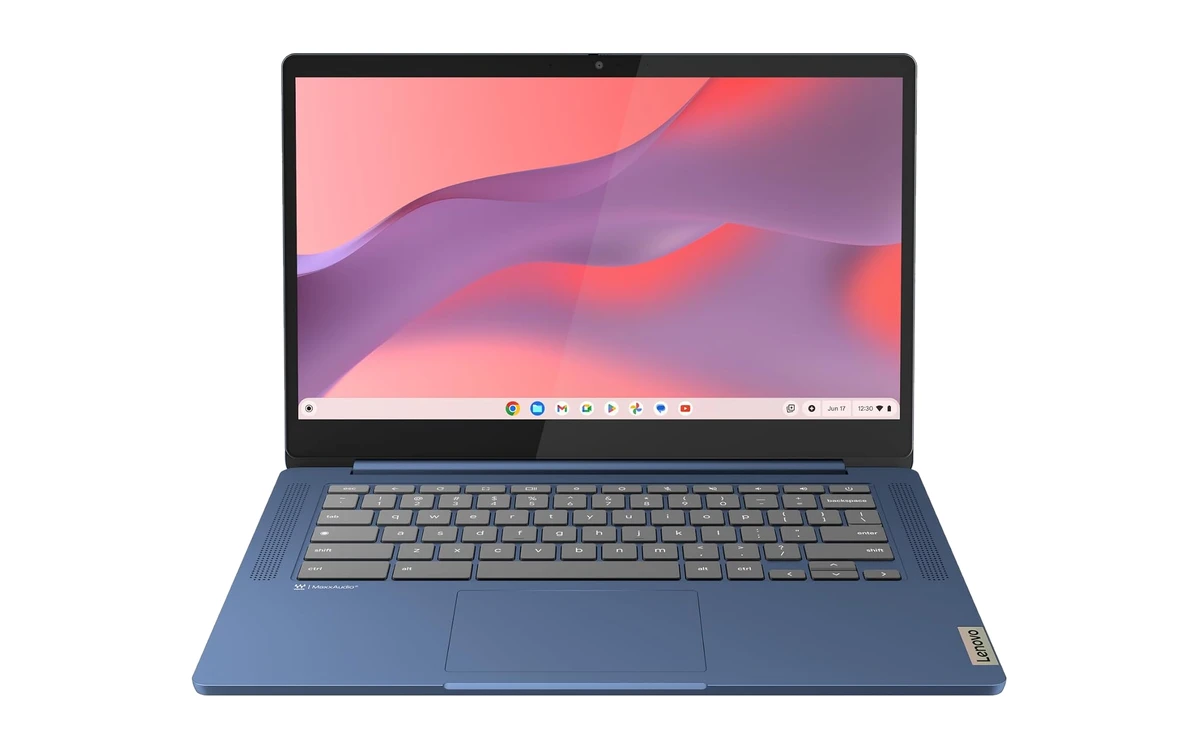
The Lenovo IdeaPad Slim 3 Chromebook is a thin, light 14-inch laptop with an efficient MediaTek processor. It is a good fit for anyone who carries a laptop all day and mostly browses, streams and writes.
- Efficient ARM chip: The Kompanio 520 sips power, which helps battery life on long days away from a charger.
- Slim and light: It slips easily into a backpack or tote and is comfortable to carry around.
- Better-than-average speakers: Waves MaxxAudio tuning makes videos and calls sound fuller than you would expect.
Worth knowing: The 14-inch screen is HD rather than Full HD, so text is not as crisp as the Acer Gateway.
ASUS Chromebook Flip CX1
14″ Full HD touch
360° Convertible
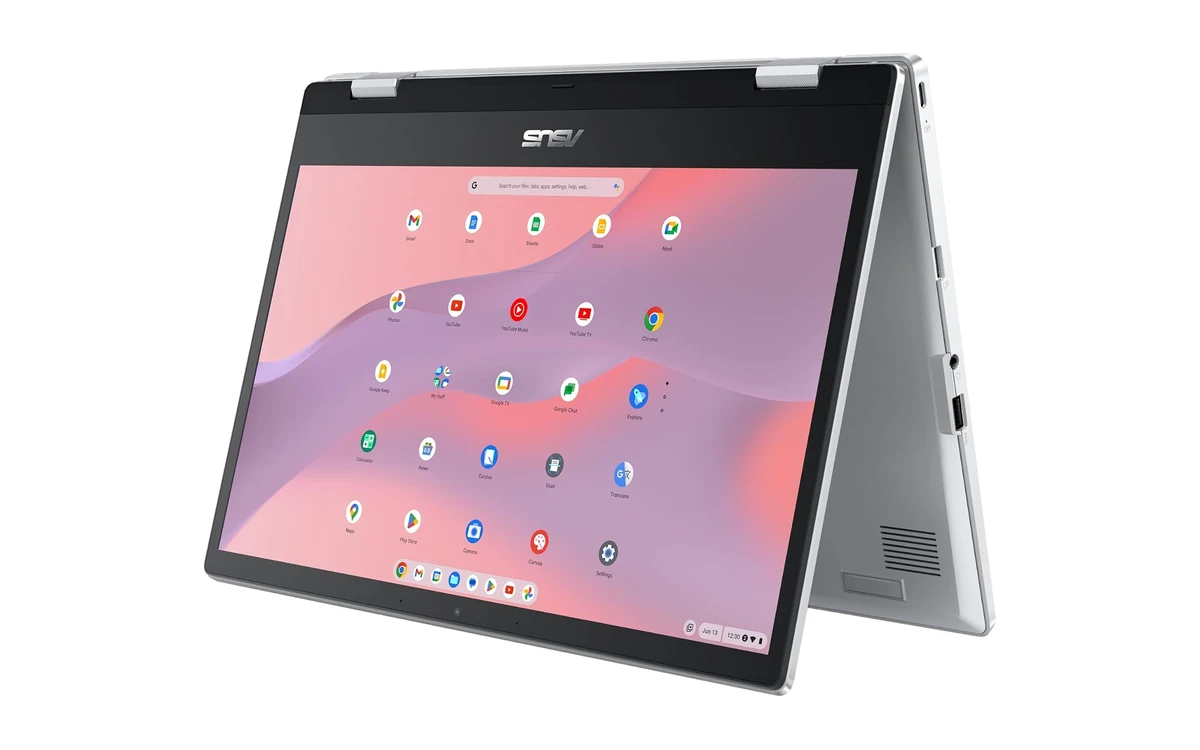
The ASUS Chromebook Flip CX1 folds all the way back into a tablet and has a 14-inch Full HD touchscreen. It also has double the memory and storage of most budget Chromebooks, which makes it feel quicker with several tabs open.
- Laptop, tent and tablet: Flip the touchscreen around to watch videos, read or play Android games in tablet mode.
- 8GB of memory: More room for tabs and apps than any other pick on this list.
- 128GB of storage: Plenty of space for offline files, photos and Android apps.
Worth knowing: It costs a bit more than the other picks, and the Celeron chip is built for everyday tasks rather than heavy work.
ASUS Chromebook CM15
15.6″ Full HD
Budget
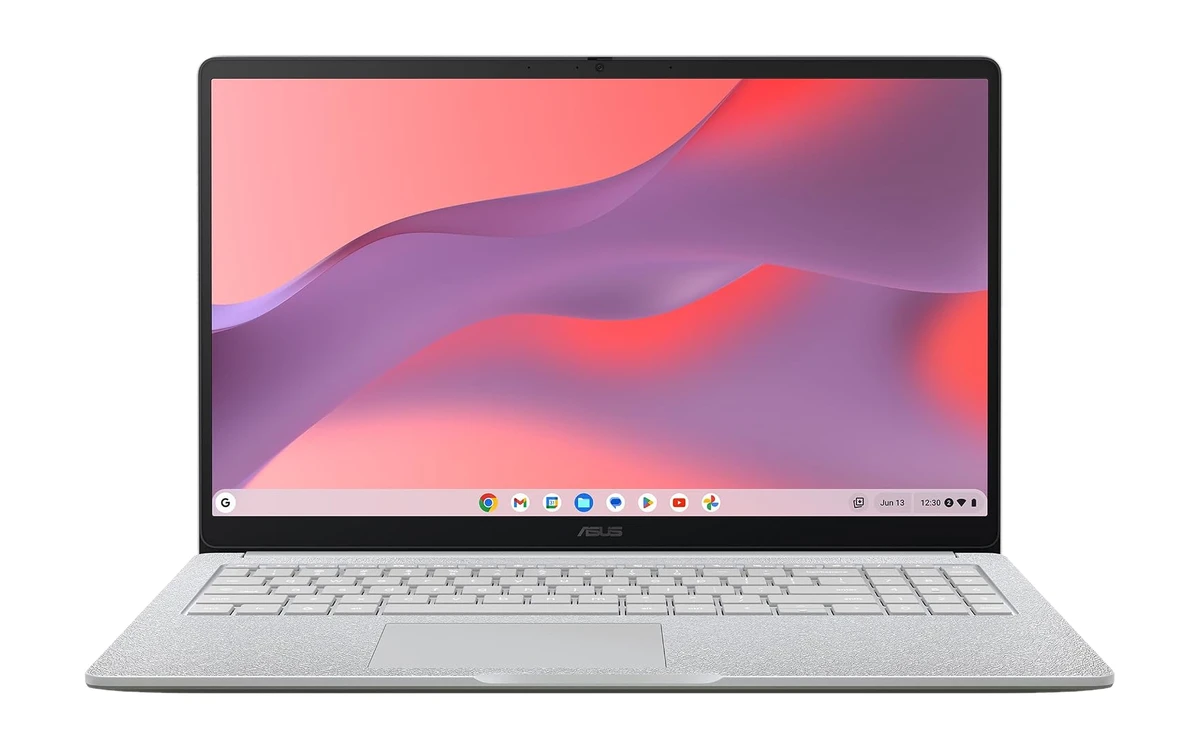
The ASUS Chromebook CM15 is the cheapest way to get a big 15.6-inch Full HD screen. It is great for movies, recipes on the kitchen counter, video calls with family and side-by-side browsing.
- Big Full HD display: The 15.6-inch 1080p screen is the largest on this list and sharp enough for streaming.
- Efficient MediaTek chip: The Kompanio 540 runs cool and is easy on the battery.
- Built tough: The CM15 range is built to US MIL-STD 810H durability standards.
Worth knowing: This 4GB model is for light use. If you can stretch, the 8GB version of the CM15 handles more tabs.
ASUS Chromebook CR11 Ruggedized
11.6″ HD anti-glare
Rugged
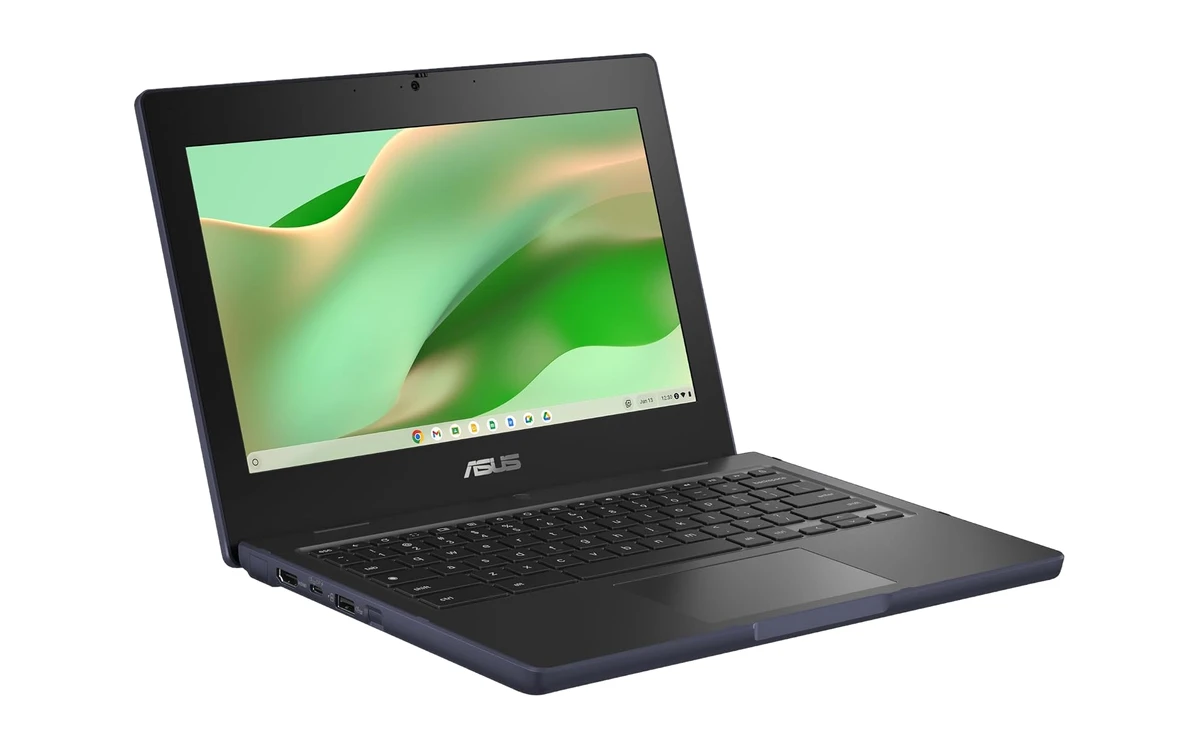
The ASUS Chromebook CR11 is built for classrooms and young kids. Rubber edges, a spill-resistant keyboard and a military-grade body help it survive drops, bumps and juice spills, and the small 11.6-inch size is easy for little hands.
- Made to take a beating: The ruggedized body and rubber bumpers protect it from everyday drops.
- Spill-resistant keyboard: Small spills are far less likely to end in a dead laptop.
- Newer Intel N100 chip: It is quicker than older Celeron models and should receive updates for longer.
Worth knowing: The 11.6-inch HD screen is small for adults, and on Amazon it ships from a third-party seller.
What to know before buying a cheap Chromebook
What budget Chromebooks do well
Web browsing, Google Docs, Classroom, email, video calls, YouTube and Netflix all run well. They are not built for heavy video editing or big PC games.
Avoid old models
Older Chromebooks are often heavily discounted because their updates are ending. Check the model’s Auto Update Expiration date in Google’s Auto Update policy list before you buy.
4GB or 8GB of memory?
4GB is fine for a few tabs, streaming and schoolwork. If the laptop will be used all day with many tabs open, 8GB, like on the Flip CX1, feels much smoother.
HD or Full HD screen?
A Full HD (1920 x 1080) screen makes text and video much sharper than HD (1366 x 768). It is the upgrade we notice most on budget laptops.
Frequently asked questions
Are cheap Chromebooks worth it?
Yes, for everyday tasks. A budget Chromebook handles browsing, email, Google Docs, video calls and streaming well, starts in seconds and updates itself. It is not the right choice for heavy video editing or PC gaming.
How long will a cheap Chromebook last?
Newer Chromebooks get around ten years of automatic updates from release, so a current budget model can last many years. Check the Auto Update Expiration date in Google’s list, because older discounted models may stop getting updates sooner.
Is 4GB of RAM enough on a Chromebook?
4GB is enough for light use such as a few tabs, schoolwork, email and streaming. If you keep many tabs open or switch between lots of apps, choose an 8GB model for smoother performance.
Can a cheap Chromebook run Android apps?
Yes. All the Chromebooks on this list run Android apps from Google Play, including Netflix, Spotify, Zoom and many games. Lighter apps run best on budget processors.
Should I buy a refurbished Chromebook?
A refurbished Chromebook can save money, but check its Auto Update Expiration date first and buy from a seller that offers a warranty and easy returns. A new budget model often costs only a little more and gets updates for longer.
More Chromebook guides
- Buying for school? See our best Chromebooks for students.
- Need more power for the office? Check the best Chromebooks for work.
- Want something that can play games? Browse the best Chromebooks for gaming.
- New to ChromeOS? Our explainer on what Chrome OS is covers the basics.
- Can stretch your budget a little? The best Chromebook Plus laptops are much faster for everyday use.
Discover more from Chrome Geek
Subscribe to get the latest posts sent to your email.