5 Gemini 4 Argon Builds Google Is Showing Off, From 3D Globes to Games
 by
Sophie Sullivan
October 24, 2026
by
Sophie Sullivan
October 24, 2026
Google has picked five favorite things people have built with Gemini 4 Argon, and they are a good look at what its newest model can actually do. In a post on The Keyword on October 23, Google showed off a seaplane simulation, a live globe of wildfires and earthquakes, an interactive jet engine, a 3D carriage made from one photo and a multiplayer browser game. All of them came from the community in the days after Google rolled Argon out broadly last week.
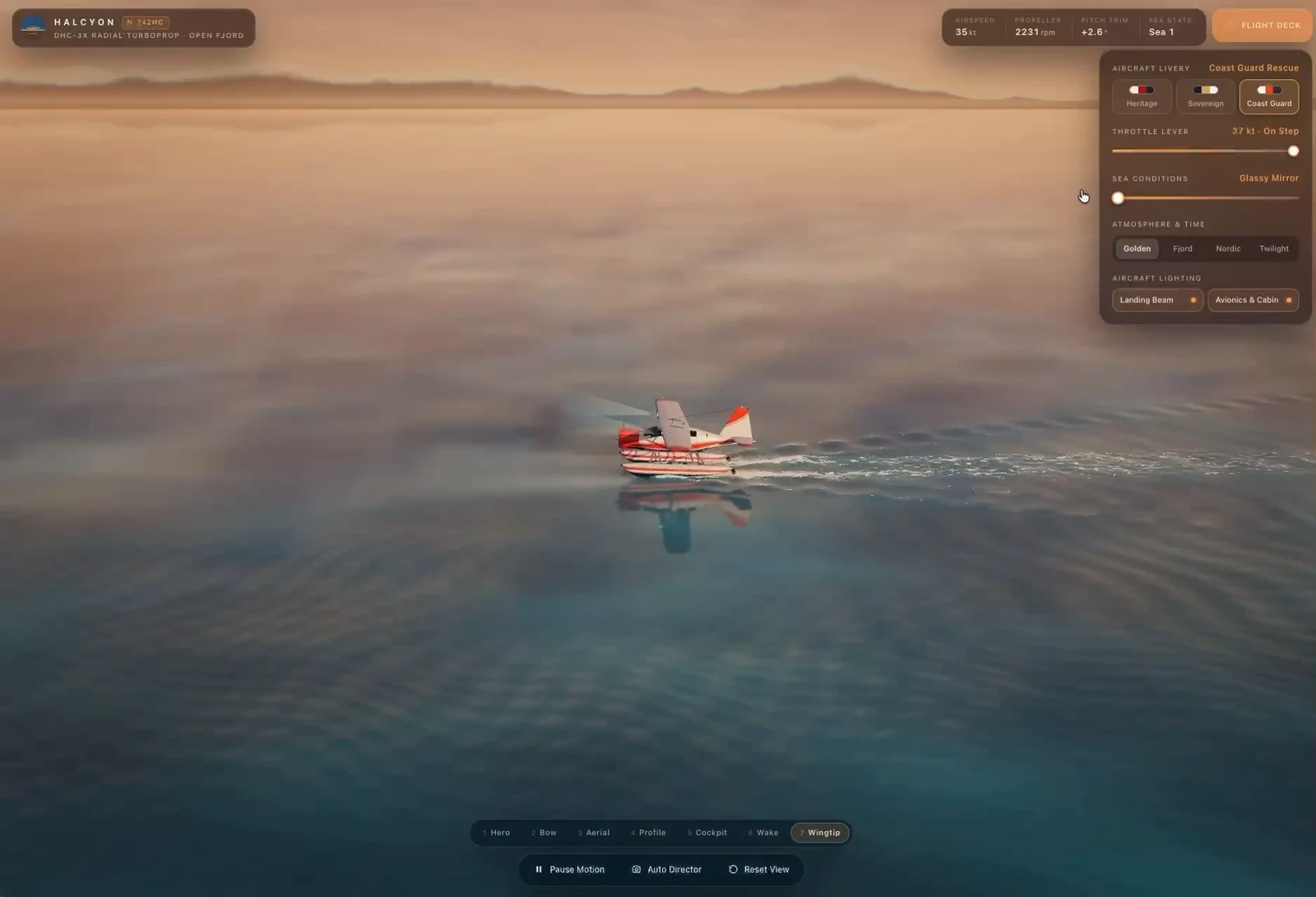
1. A seaplane landing on water
The build: a benchmark tester called Lumina (@LuminaBench on X) asked Argon for a 3D simulation of a seaplane. The result has realistic lighting, reflections and moving water.
Why it matters: Google says Argon kept the plane, the water and the light moving together at the same time, which is the kind of multi-step coordination older models tended to fumble.
2. A live globe of wildfires and earthquakes
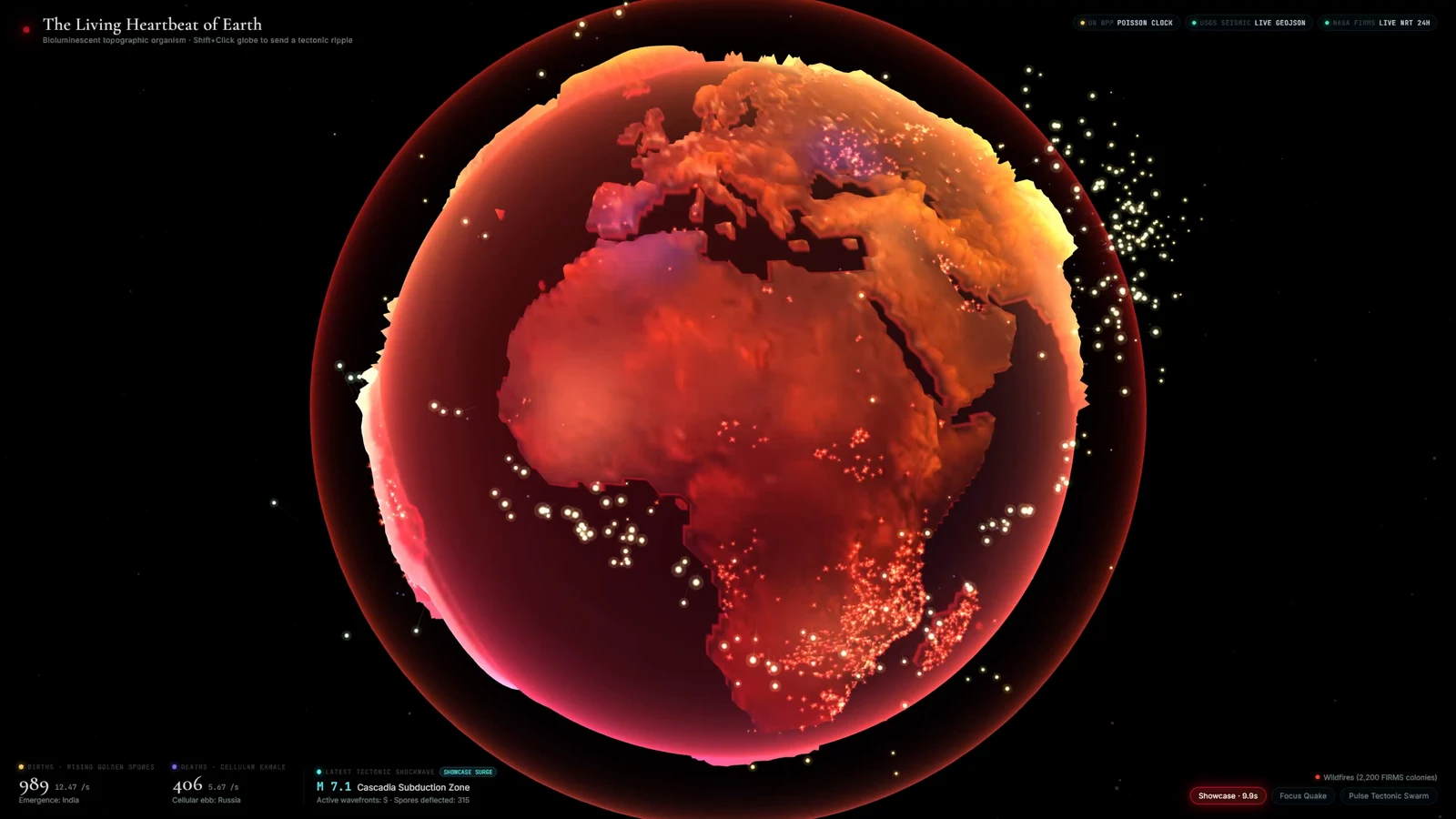
The build: Alex Patrascu (@maxescu) used Argon inside Google Antigravity to combine NASA’s live feed of global wildfires with seismic data from the U.S. Geological Survey. The result is an interactive 3D globe that maps fire hotspots and animated shockwaves.
Why it matters: this is Argon turning messy raw data into a clear picture. It had to read the feeds, map the coordinates and render the animations on its own. Antigravity is also available on Googlebook, so this kind of project is not limited to a Mac or Windows PC.
3. A jet engine you can explore
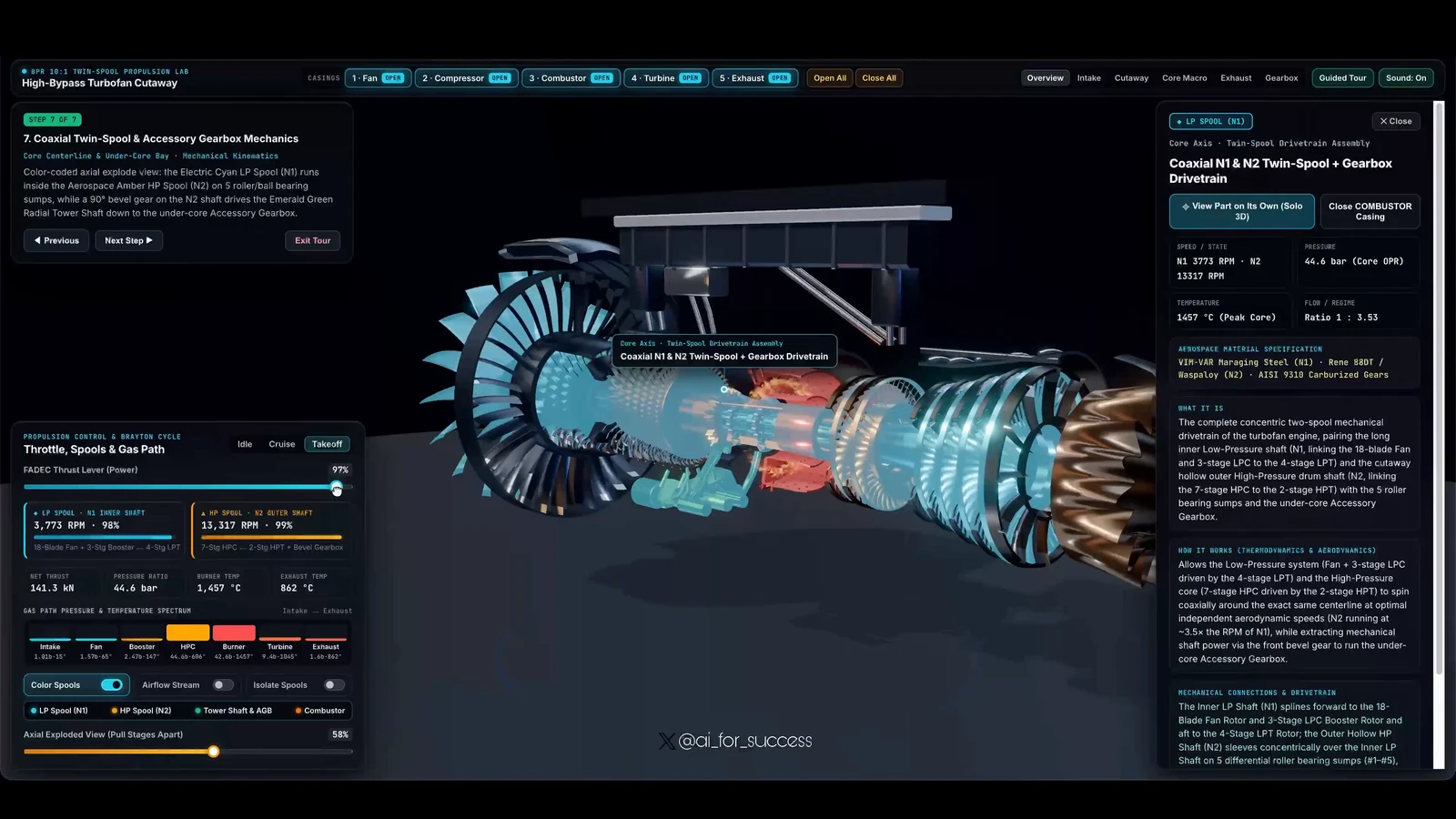
The build: Ashutosh Shrivastava (@ai_for_success) used Argon with Blender and Three.js to create a detailed high-bypass turbofan jet engine, complete with live measurements and part-by-part specs.
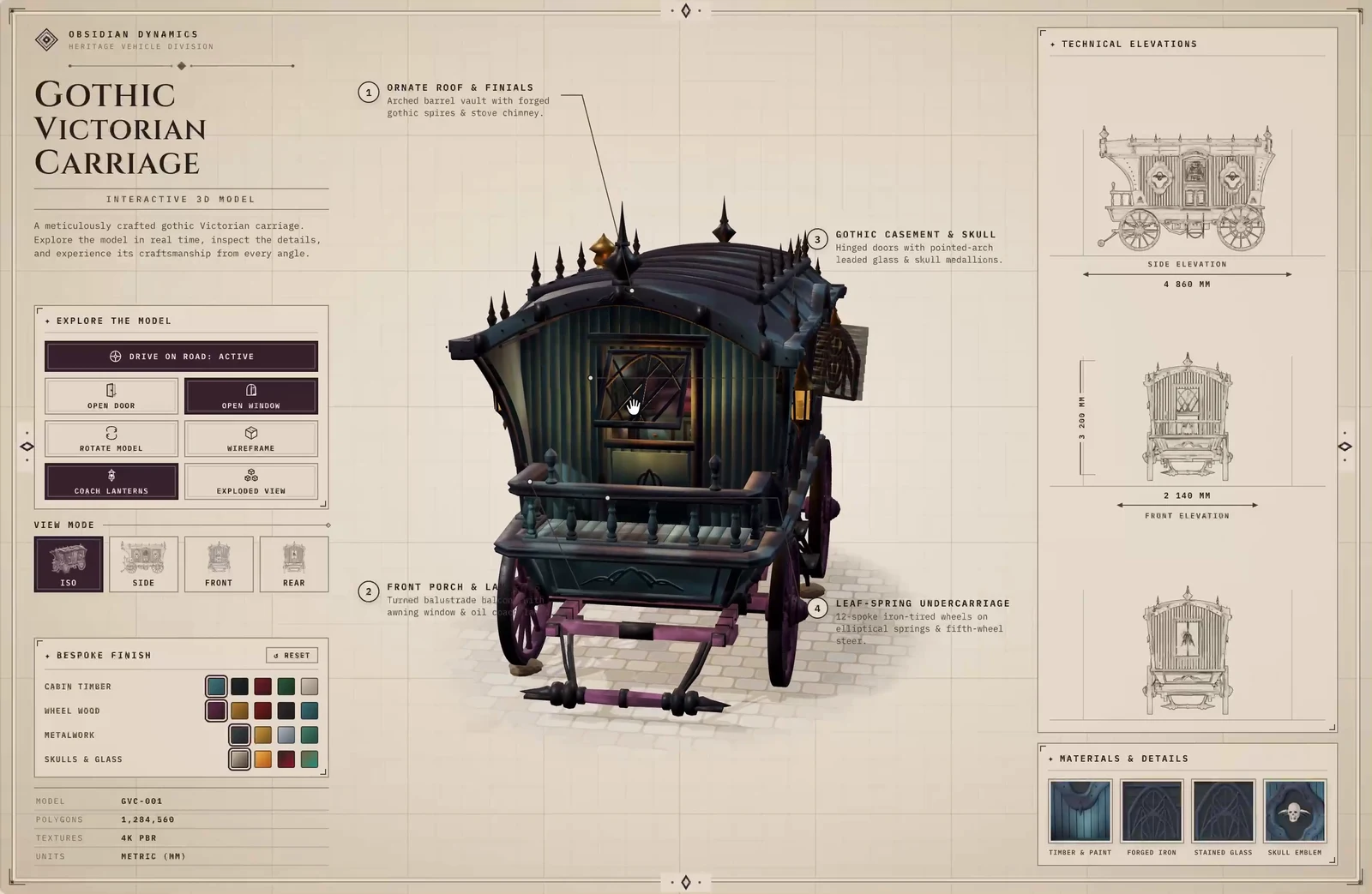
4. A Gothic carriage from a single picture
The build: The Bugged Dev (@thebuggeddev) gave Argon one image of a Gothic Victorian carriage and asked for the whole thing as an interactive 3D experience. Argon delivered working doors and windows, flickering oil lamps and an undercarriage that reacts to bumps in the road.
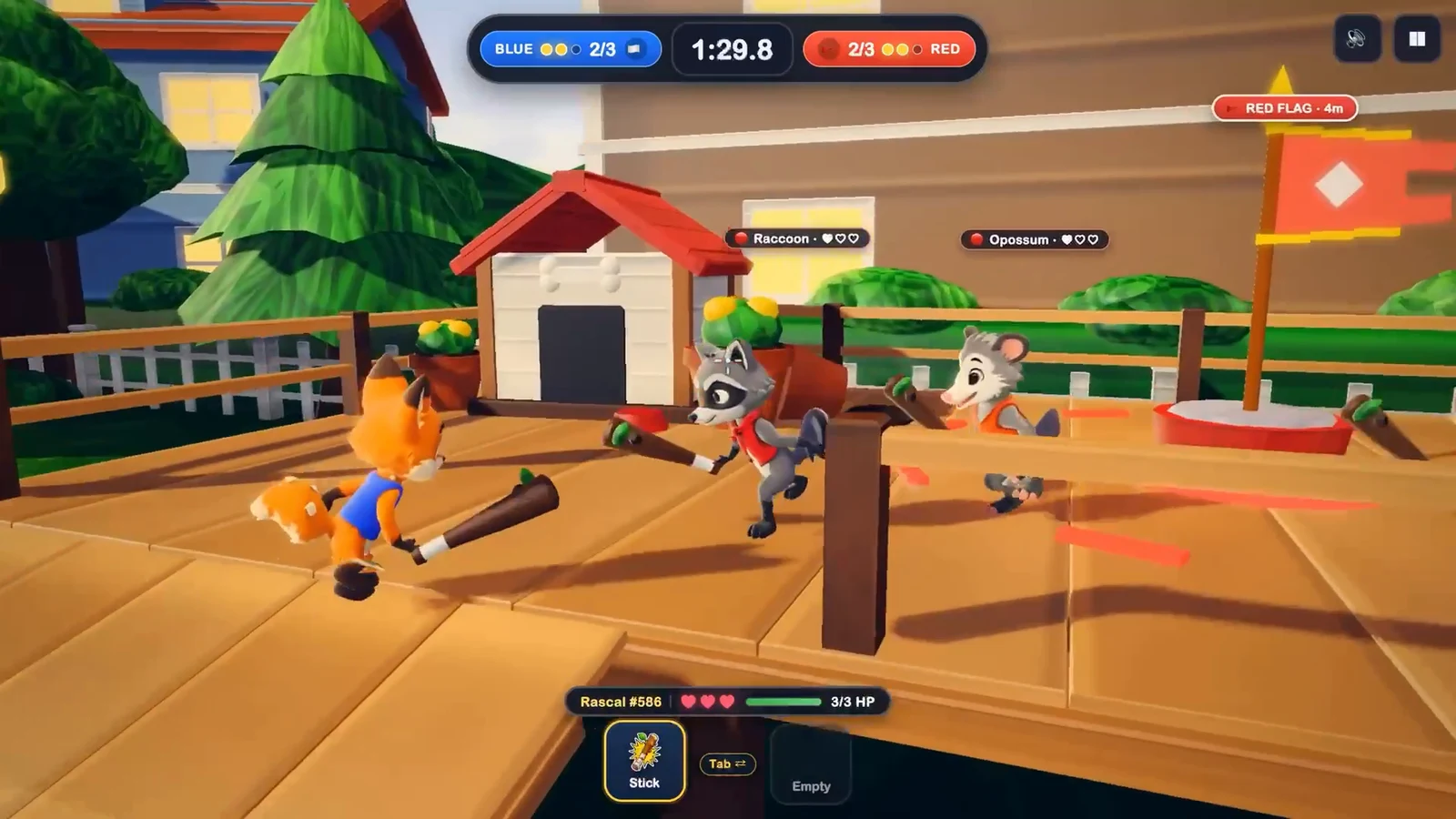
5. A multiplayer capture-the-flag game
The build: Chong-U (@chongdashu) made “Backyard Rascals,” a multiplayer browser game where cartoon animals race to grab the other team’s flag. Characters run, collide, whack each other and cheer while several players play in real time.
Who can use Gemini 4 Argon right now
A note on trials: Google’s wording for Antigravity says “paid” Pro subscribers for a reason. As we covered, Google AI Pro free trials skip Argon, so you need a paid plan to try builds like these.
Our take
These are hand-picked showcase demos, so they show Argon at its best rather than on an average day. Still, they are a useful signal: Argon’s real strength is long, visual, multi-step projects like 3D scenes, data maps and games, not quick chat answers. If you pay for Google AI Pro, you can try this kind of thing straight from Chrome on a Chromebook or Googlebook, with nothing to install.
Want to try Argon yourself? Our guide walks you through it step by step.
Discover more from Chrome Geek
Subscribe to get the latest posts sent to your email.