Google Can Now Use Your Gmail and Photos to Personalize Ads, If You Connect Them
 by
Sophie Sullivan
Post Updated: October 23, 2026
by
Sophie Sullivan
Post Updated: October 23, 2026
Google’s ads can now be shaped by your Gmail and Google Photos, but only if you connect those apps to Google services yourself. The change sits in Google’s updated privacy policy, which took effect on October 16, 2026, and it ties directly into Personal Intelligence, the feature that lets AI Mode and other Search tools read your connected apps. Here is what changed, what did not, and how to switch it off.
1. What the privacy policy says now
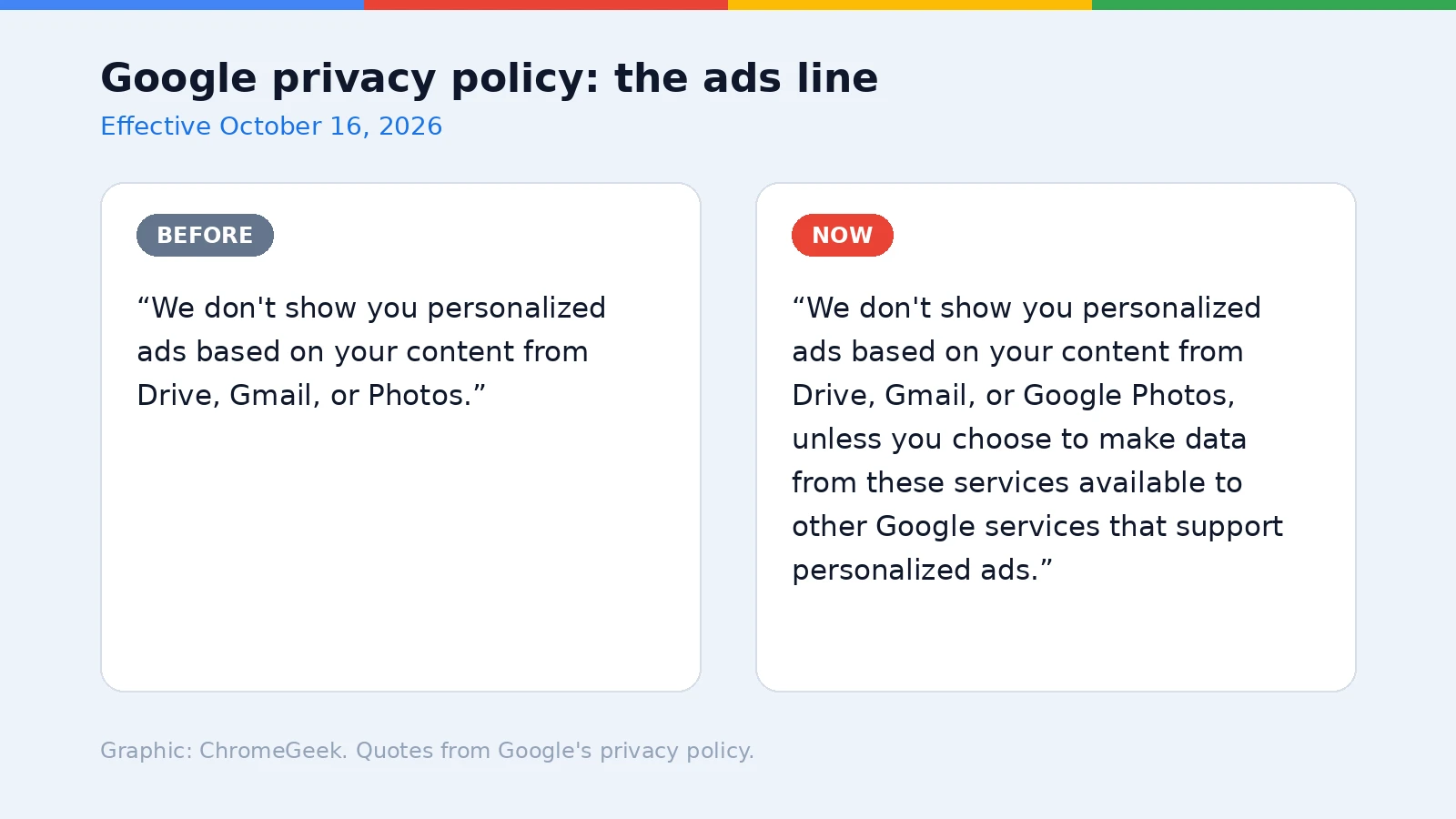
Before: Google’s privacy policy had a short, simple promise: “We don’t show you personalized ads based on your content from Drive, Gmail, or Photos.”
Now: the same line ends with an exception for people who make that data available to other Google services that support personalized ads. A new passage also says you can let services like Search or Gemini Apps access data from Gmail, Drive and Photos, and that “Search may process some of the data that you allow Search to access to personalize content, including ads.”
Google’s own example: the policy now defines “personalize content” and names Personal Intelligence. If you ask Search about a recent hotel booking, it may use the booking details from an email to suggest things to do near your hotel.
2. Ads are coming to AI Mode with Personal Intelligence
The test: according to Search Engine Land, Google has confirmed it is beginning to test ads in AI Mode for users who connect their apps through Personal Intelligence. When Personal Intelligence first arrived in AI Mode, that experience had no ads.
Google’s promises: it says connecting apps stays opt-in, ads will not be based directly on what is in your Gmail inbox or Photos library, advertisers cannot see your connected apps, and sensitive information is not used for ads. What can feed in are insights drawn from those apps.
3. How to stop Search using your Gmail and Photos
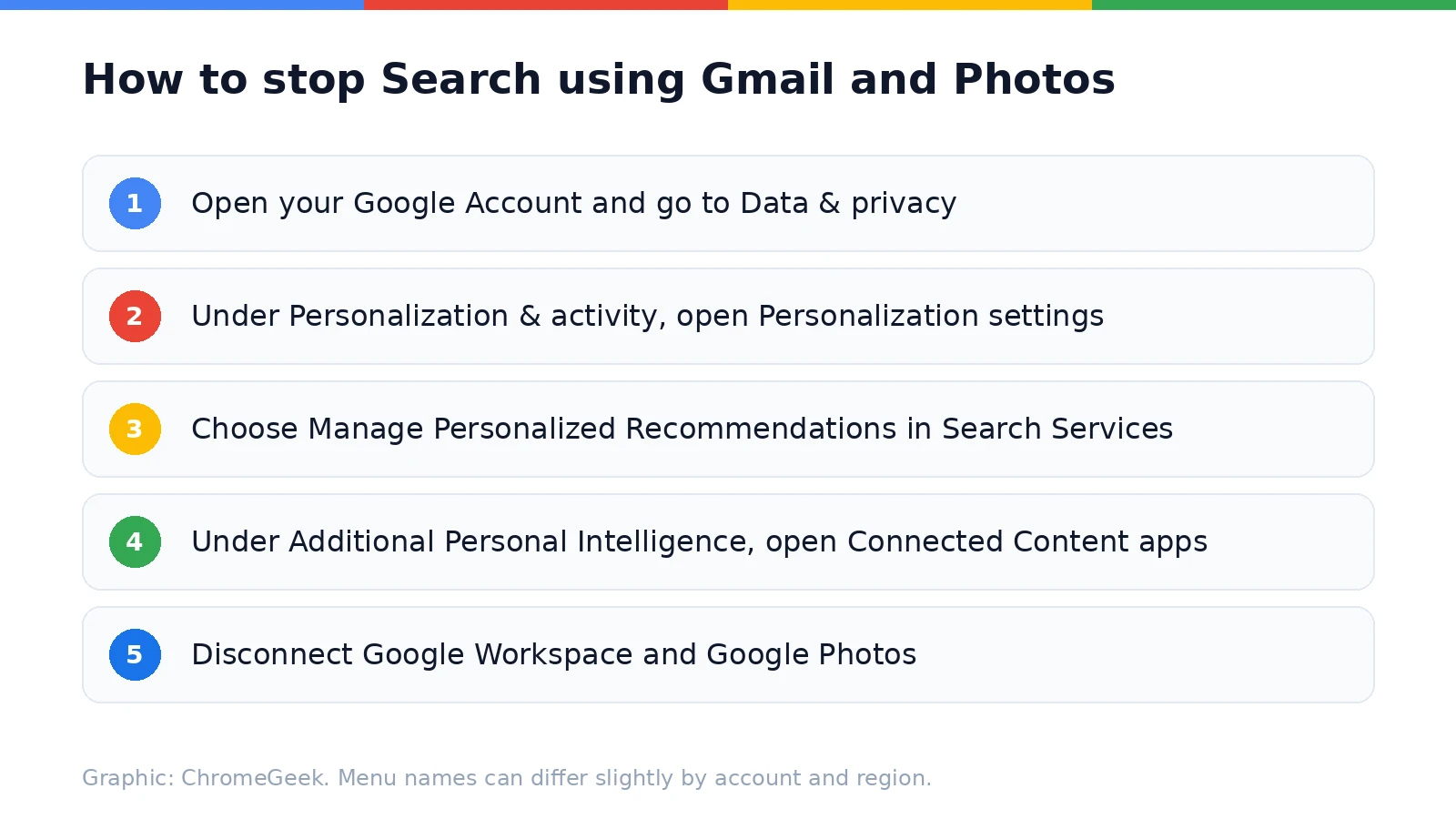
The setting: Personal Intelligence reached free users earlier this year, so plenty of people have it on. If you connected your apps and would rather keep your inbox and photos out of Search, this is the place to look:
- Open your Google Account in Chrome and go to Data & privacy.
- Under Personalization & activity, open Personalization settings.
- Choose Manage Personalized Recommendations in Search Services.
- Under Additional Personal Intelligence, open Connected Content apps.
- Disconnect Google Workspace and Google Photos.
Two more things: you can also turn off Personalized Recommendations entirely on the same page, and My Ad Center still controls personalized ads in general. As Android Authority points out, disconnecting an app does not erase what Search already saved, so delete old activity in Search Services History too if that matters to you.
Gemini is separate: these steps cover Search. If you connected Gmail or Photos to Gemini on Android Auto or the Gemini app, check the Gemini app’s own Personal Intelligence settings as well.
Our take
Personal Intelligence is genuinely useful, and Google is being upfront in its policy. But there is a real difference between using your email to answer a question and using it to pick which ads you see. The good news is that it is all opt-in. If you use Personal Intelligence on your Chromebook, take two minutes to check which apps you connected and decide whether the trade is worth it for you.
Personal Intelligence also reaches into Google Maps now. Here is what Gemini can do with your saved places.
Discover more from Chrome Geek
Subscribe to get the latest posts sent to your email.