Google Meet Now Lets Free Users Send 1080p Video on the Web
 by
Sophie Sullivan
Post Updated: November 26, 2026
Google Meet on the web now lets everyone send 1080p video, including people on free personal Google accounts. Until now, anyone could receive Full HD video in Meet, but sending your own camera feed at 1080p needed a paid Google Workspace plan or a Google One plan with 2TB or more. In a Google Workspace Updates post on November 23, Google said 1080p sending is now on by default for all users on computers that can handle it.
1. What changed in Google Meet
Before: Meet has let free users watch other people in 1080p for a while, which was already more than some rivals offer for free. But the picture you sent out from your own camera was capped unless you paid. Google’s own Meet help page lists only paid plans for sending 1080p, such as Business Standard, Business Plus, Enterprise plans, Workspace Individual and Google One with 2TB or more.
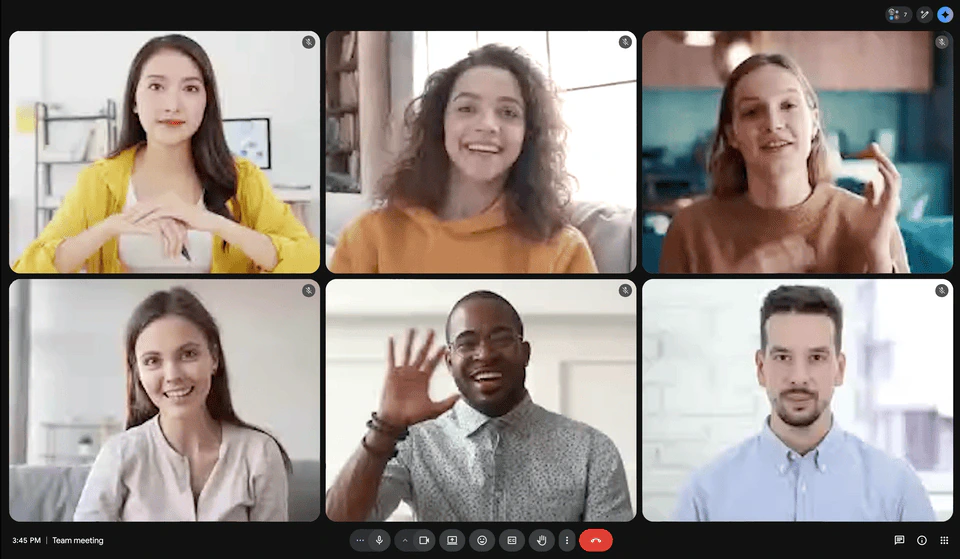
Now: Google says it is expanding 1080p Full HD video sending in Meet on the web to all users, and it is turned on by default. That covers all Google Workspace customers, Workspace Individual subscribers and anyone with a personal Google account.
2. Who can send 1080p video now
Help page lag: at the time of writing, Google’s Meet help page still shows the old list of paid plans for sending 1080p. Google’s announcement is newer, so we expect that page to catch up.
3. What you need for 1080p
The catches: 1080p being switched on does not mean every call will be in Full HD. Google lists a few conditions:
- A 1080p camera. If your built-in webcam is 720p, Meet can’t send 1080p from it. A 1080p USB webcam is the easy fix.
- Enough power and bandwidth. Meet automatically lowers the resolution when your CPU or internet connection is under strain.
- A big enough tile. Meet only sends 1080p when the other person shows your video in a tile large enough to display it. Small gallery tiles get a lower resolution.
- A supported browser. Google says 1080p isn’t supported in Firefox and Safari, so use Chrome or another Chromium-based browser such as Microsoft Edge.
4. How to check your Meet video setting
For regular users: 1080p is on by default under Auto, but you can check or change it at any time.
- Open meet.google.com in Chrome.
- Click Settings, then choose Video.
- Pick your camera, then look at Send resolution. Leave it on Auto or choose Full High Definition (1080p) if your camera supports it.
- Click Done.
Don’t see 1080p? the option only shows on computers with a 1080p camera and enough processing power. The rollout can also take more than 15 days, so it may not have reached your account yet. If you are on slow or capped internet, you can pick 720p or 360p here to use less data.
For admins: Workspace admins can set the default video quality for an organizational unit or group in the Admin console, and existing bandwidth limits still apply. As Android Police points out, if your admin has set a lower default, you won’t get 1080p until they change it.
5. What it means for Chromebooks and Googlebooks
Chromebooks: Meet on a Chromebook runs in Chrome, so this update applies directly. The catch is the webcam: many Chromebooks, especially budget models, still ship with 720p cameras. Those users will need an external 1080p webcam to send Full HD.
Googlebooks: open Meet in Chrome on your Googlebook rather than using an Android app, since Google’s change covers the web version. Whether you get 1080p will still depend on the camera built into your model. We have not tested it on a Googlebook yet.
Our take
This is a nice free upgrade, and it puts Meet ahead of rivals like Zoom, which keep 1080p video for paid accounts. It won’t make a 720p laptop camera look any sharper, though. If you take a lot of calls on a Chromebook, a cheap 1080p webcam and a good connection will now pay off on a free account, not just a paid one.
More for video calls: Best headsets for Chromebook and Googlebook, Best Chromebook Plus laptops and Google’s new MCP servers for Workspace.
Discover more from Chrome Geek
Subscribe to get the latest posts sent to your email.