7 Best Headsets for Chromebook and Googlebook (2026)
 by
Joseph Vance
Post Updated: November 14, 2026
The best headsets for Chromebook and Googlebook are the Logitech H391 for simple USB-C video calls, the Logitech Zone Vibe 100 for lightweight wireless calls, and the Google Pixel Buds Pro 2 if you prefer earbuds. Each one works with Google Meet, Zoom and ChromeOS sound settings as soon as it connects.
We picked headsets for every need, from wired office headsets and noise-canceling headphones to budget Bluetooth headphones and a pair made for kids at school. Each card shows how it connects, its microphone and how long the battery lasts.
Microphone not working on your laptop? Contact us with your laptop and headset model, and we will help you fix it.
Best headsets for Chromebook and Googlebook
Logitech H391 USB-C Headset
$ Budget
Works with Chromebook
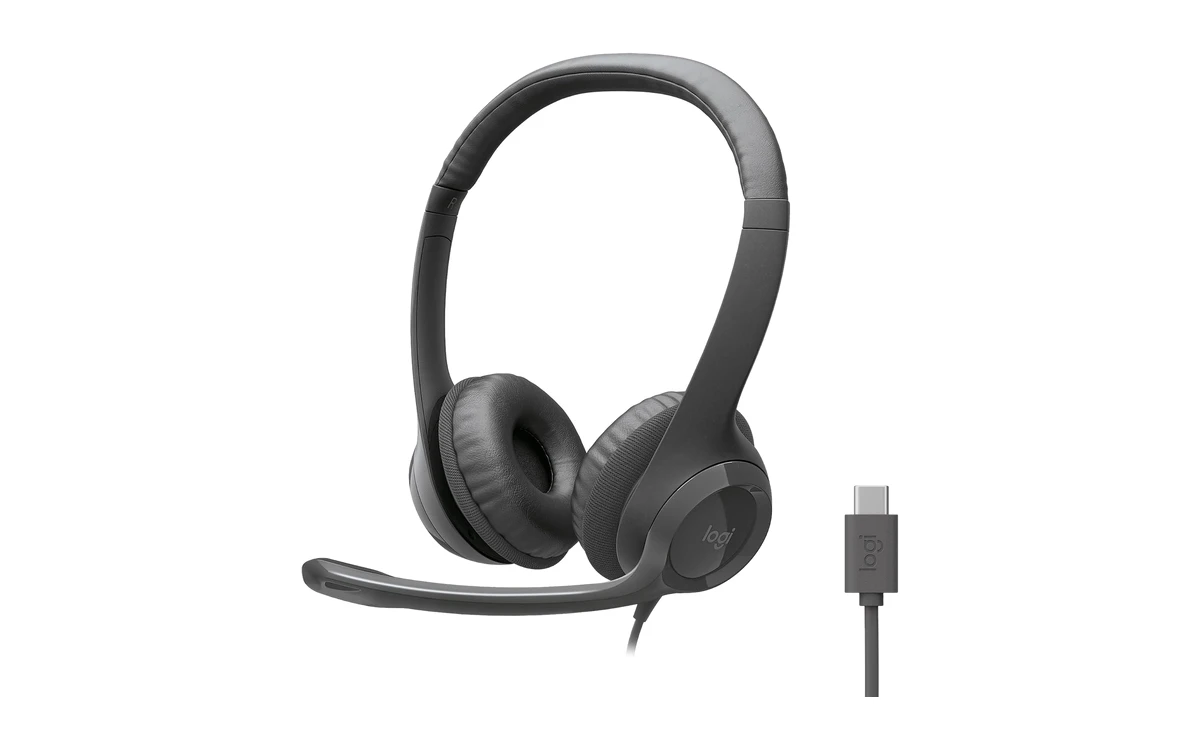
The Logitech H391 is the headset we would recommend to most Chromebook and Googlebook owners. It is the USB-C version of Logitech’s hugely popular H390, so it plugs straight into a USB-C port, and its listing says it works with Chromebook.
- Plugs straight into USB-C: No adapter needed on Googlebooks and Chromebooks with only USB-C ports.
- Clear boom microphone: The noise-canceling mic sits near your mouth and swings up out of the way.
- Inline controls: Change the volume or mute yourself from the cable without hunting for the app.
Worth knowing: The cable ties you to your laptop, and the on-ear cushions get warm on very long days. If your laptop has USB-A, the H390 is the same headset with a USB-A plug.
Logitech Zone Vibe 100
$$ Mid-range
Bluetooth
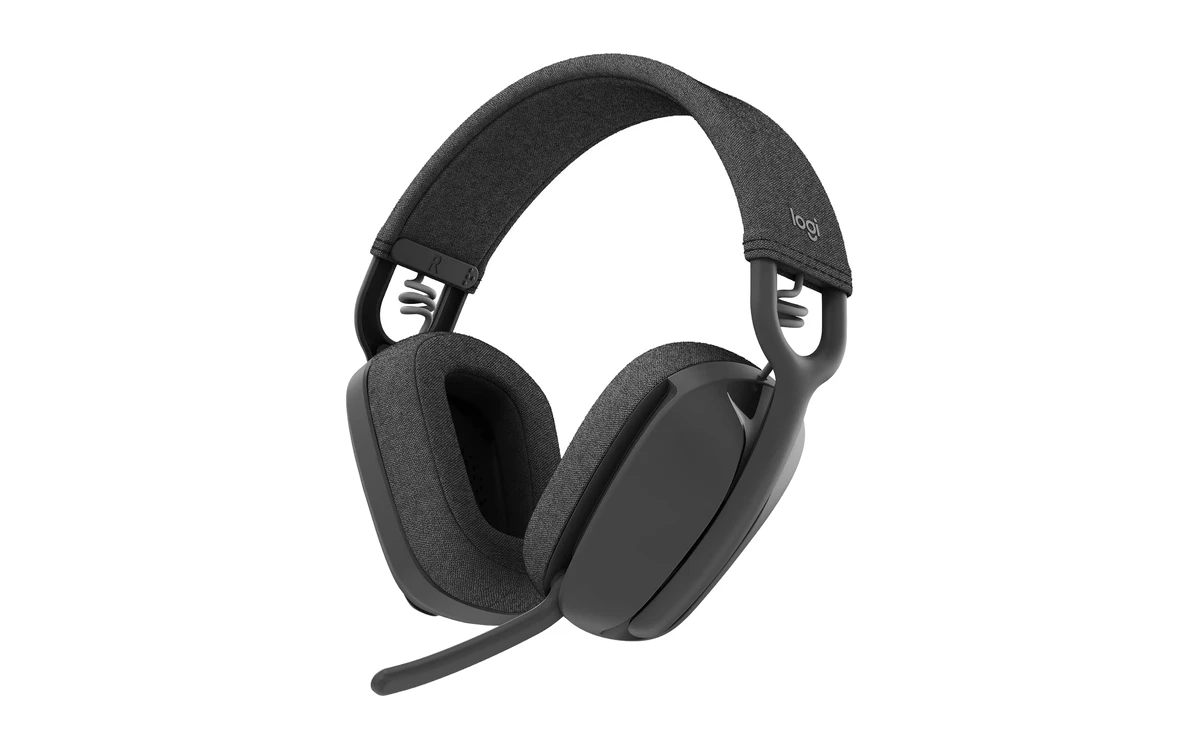
The Logitech Zone Vibe 100 is a light, comfortable wireless headset that looks like a pair of headphones but has a proper boom microphone for calls. It connects over Bluetooth, so it needs no port, and it can stay connected to your laptop and phone at the same time.
- No port needed: Bluetooth pairing works on every Chromebook and Googlebook.
- Laptop and phone at once: Multipoint Bluetooth switches to whichever device needs you.
- All-day battery: Up to 18 hours of use on a charge.
Worth knowing: It has no active noise cancellation for your ears, and the boom mic does not detach, so it looks like a headset when you wear it outside.
Jabra Evolve2 30 SE
$$ Mid-range
USB-C + USB-A
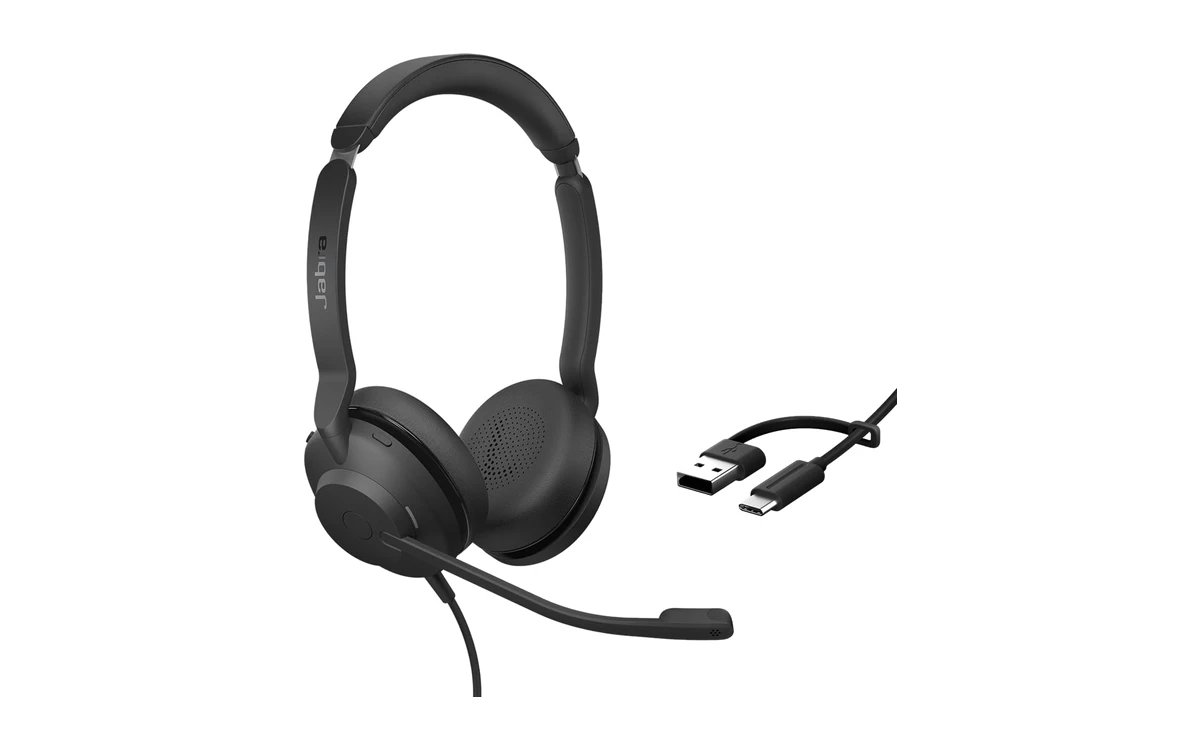
The Jabra Evolve2 30 SE is a business headset built for clear calls. Its two-microphone system keeps your voice sharp, the on-ear design blocks out office noise, and its cable has both USB-C and USB-A ends, so it works with any laptop.
- One cable for every laptop: The all-in-one cable plugs into USB-C or USB-A.
- Two microphones: Jabra’s call technology helps keep your voice clear on busy calls.
- Office-ready: A professional headset that works with the usual meeting apps.
Worth knowing: It costs more than the Logitech H391, and Jabra does not list ChromeOS by name, though it works as a standard USB headset.
Google Pixel Buds Pro 2
$$$ Premium
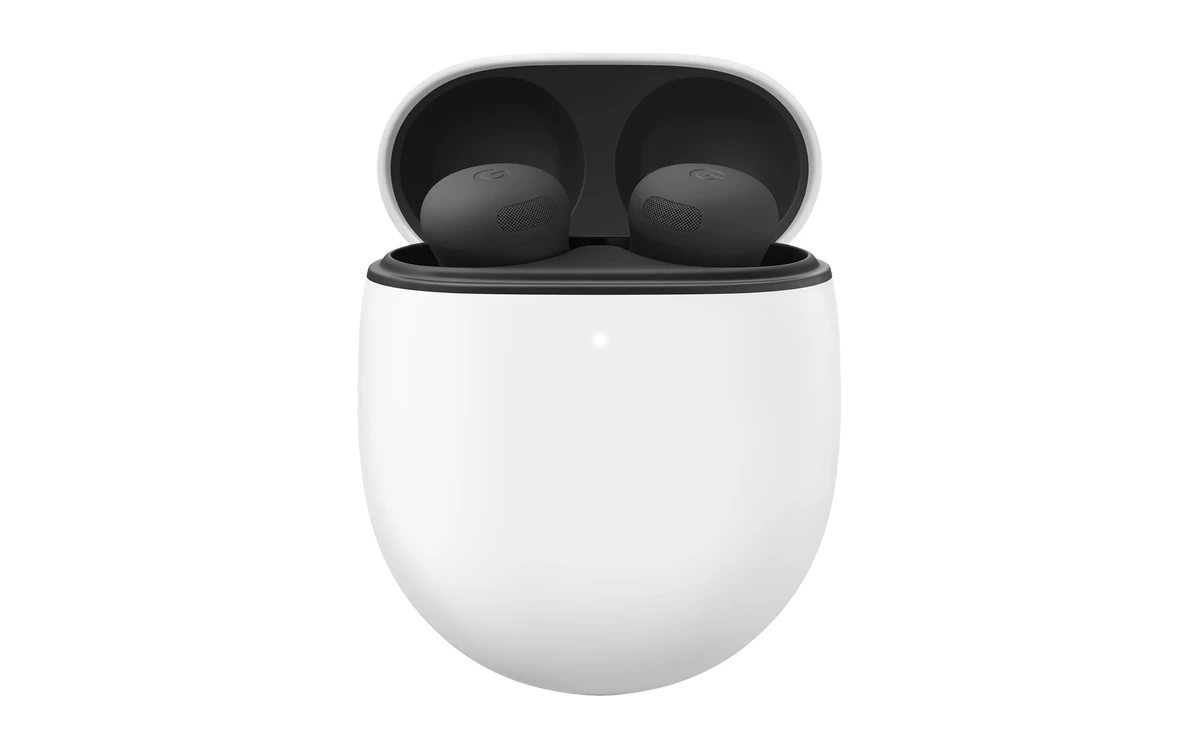
The Google Pixel Buds Pro 2 are Google’s best earbuds, and a natural match for a Chromebook or Googlebook. They are small, comfortable and block out noise well, so they are great for calls and music when you do not want a headset on your head.
- Strong noise canceling: Silent Seal 2.0 cancels up to twice as much noise as the previous model, according to Google.
- Comfortable all day: A twist-to-adjust fit keeps them secure and comfortable.
- Long battery life: Up to 30 hours of listening with the charging case.
Worth knowing: They are pricey for a call headset. Earbud microphones pick up your voice less clearly than a boom mic in noisy rooms.
Sony WH-1000XM6
$$$ Premium
Best ANC
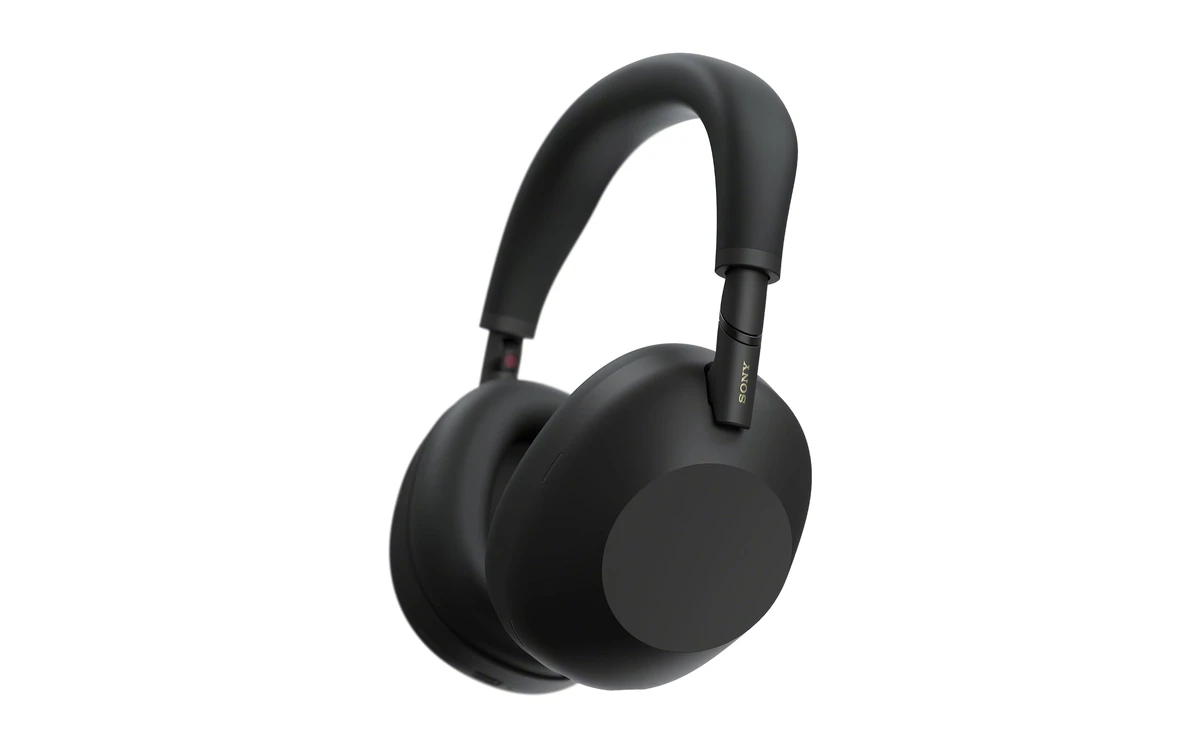
The Sony WH-1000XM6 are the headphones to get if you want silence. Sony’s latest noise-canceling processor blocks out planes, trains and noisy homes, and a six-microphone system keeps your voice clear on calls from your Chromebook or Googlebook.
- Top-class noise canceling: The QN3 processor and 12 microphones cut out a huge amount of noise.
- Clear calls anywhere: A six-microphone AI system focuses on your voice.
- Up to 30 hours: Enough battery for several days of work or a long trip.
Worth knowing: They are the most expensive pick and much more than you need for occasional calls. A boom-mic headset still sounds clearer in very noisy rooms.
Soundcore by Anker Q20i
$ Budget
40-Hour Battery
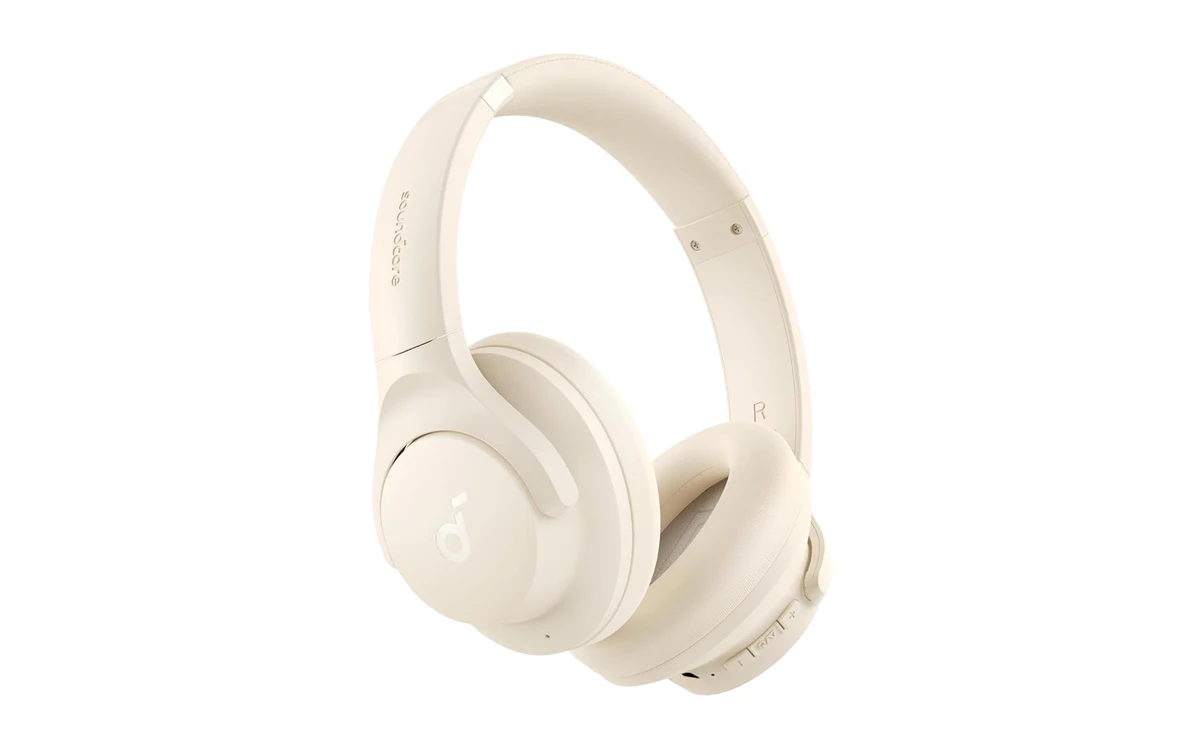
The Soundcore Q20i gives you noise-canceling headphones and a call-ready microphone for a budget price. The battery lasts for days, it can stay connected to your laptop and phone at once, and an AUX cable is included for wired listening.
- Huge battery life: Up to 40 hours with noise canceling on, and 5 minutes of charging gives 4 hours.
- Two devices at once: Stay connected to your laptop and phone, and audio follows whichever needs you.
- Noise canceling on a budget: Four mics help block background noise for less than most rivals.
Worth knowing: Its microphones are fine for casual calls but not as clear as a boom-mic headset. The Soundcore app for custom sound is a phone app.
AILIHEN C8 Kids Headphones
$ Budget
Kids
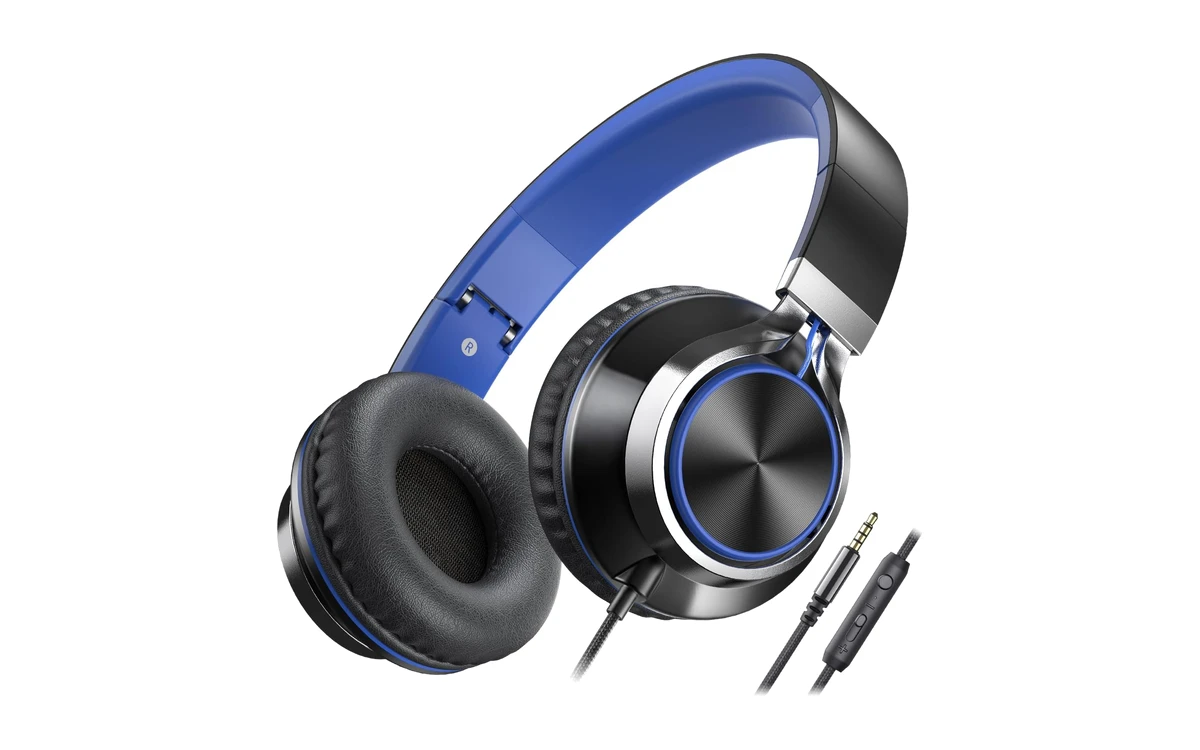
The AILIHEN C8 are simple, sturdy wired headphones made for kids and teens doing schoolwork on a Chromebook. They plug into the headphone jack, have a built-in microphone for online classes, and fold up to fit in a backpack.
- Made for school Chromebooks: Plug into the 3.5mm headphone jack that most Chromebooks have.
- Mic for online classes: The inline mic and volume control are easy for kids to use.
- Built to survive backpacks: A braided, tangle-resistant cable and foldable design.
Worth knowing: Some Googlebooks and newer laptops have no headphone jack, so you would need a USB-C to 3.5mm adapter. The listing does not mention a volume limit, so check the volume for young children.
How to choose a headset for Chromebook and Googlebook
USB-C, Bluetooth or headphone jack?
USB-C headsets plug straight into Googlebooks and newer Chromebooks. Bluetooth needs no port at all. 3.5mm headsets work with the headphone jack most Chromebooks have, but some Googlebooks need an adapter.
Boom mic or earbuds?
A boom microphone near your mouth gives the clearest voice on calls. Earbuds and headphones with built-in mics are more stylish and portable, but pick up more room noise.
Noise canceling
Active noise canceling blocks out noise for your ears, which helps you focus. A noise-canceling microphone is different: it cleans up background noise for the people you are talking to.
Comfort and battery
Over-ear cushions are comfortable for long days. For wireless headsets, look for at least 15 to 20 hours of battery so you only charge every few days.
Frequently asked questions
Do headsets work with Chromebooks?
Yes. USB, USB-C, Bluetooth and 3.5mm headsets all work with Chromebooks and Googlebooks with no drivers needed. Plug in or pair the headset, and it shows up as an audio device straight away.
How do I switch to my headset’s microphone on a Chromebook?
Open Quick Settings, select the arrow next to the volume slider, and choose your headset under both Output and Input. You can also pick the microphone in the audio settings of Google Meet or Zoom.
How do I pair Bluetooth headphones with a Chromebook?
Put the headphones in pairing mode, then open Quick Settings, select Bluetooth and choose Pair new device. Select your headphones from the list, and they connect in a few seconds.
Do headsets work with Googlebook?
Yes. Googlebooks work with USB-C, Bluetooth and wired headsets the same way Chromebooks do. Because some Googlebooks have no headphone jack, a USB-C or Bluetooth headset is the easiest choice.
Why can others not hear me on my Chromebook?
Check that your headset is selected as the input in Quick Settings and in your meeting app, and that it is not muted on the cable or the earcup. Also make sure the site is allowed to use the microphone in Chrome’s site settings.
More Chromebook guides
- Upgrading your video too? See our best webcams for Chromebook and Googlebook.
- Laptop has no USB-A port? Our best USB-C hubs and docks for Chromebook and Googlebook guide has adapters and hubs.
- Building a home office? Check the best monitors for Chromebook and Googlebook.
- Buying for school? See the best Chromebooks for students.
Discover more from Chrome Geek
Subscribe to get the latest posts sent to your email.