AI Mode in Search Is Getting Wallet, Drive and Gemini App Links
 by
Sophie Sullivan
Post Updated: November 24, 2026
AI Mode in Google Search is about to know a lot more about you, if you let it. In a Keyword blog post on November 23, Google said it is starting to roll out a way to connect Google Wallet to Personal Intelligence in AI Mode, with Google Drive and the Gemini app following in the coming weeks. They join Gmail, Calendar and Photos, which you could already connect.
1. Google Wallet: help with spending and cards
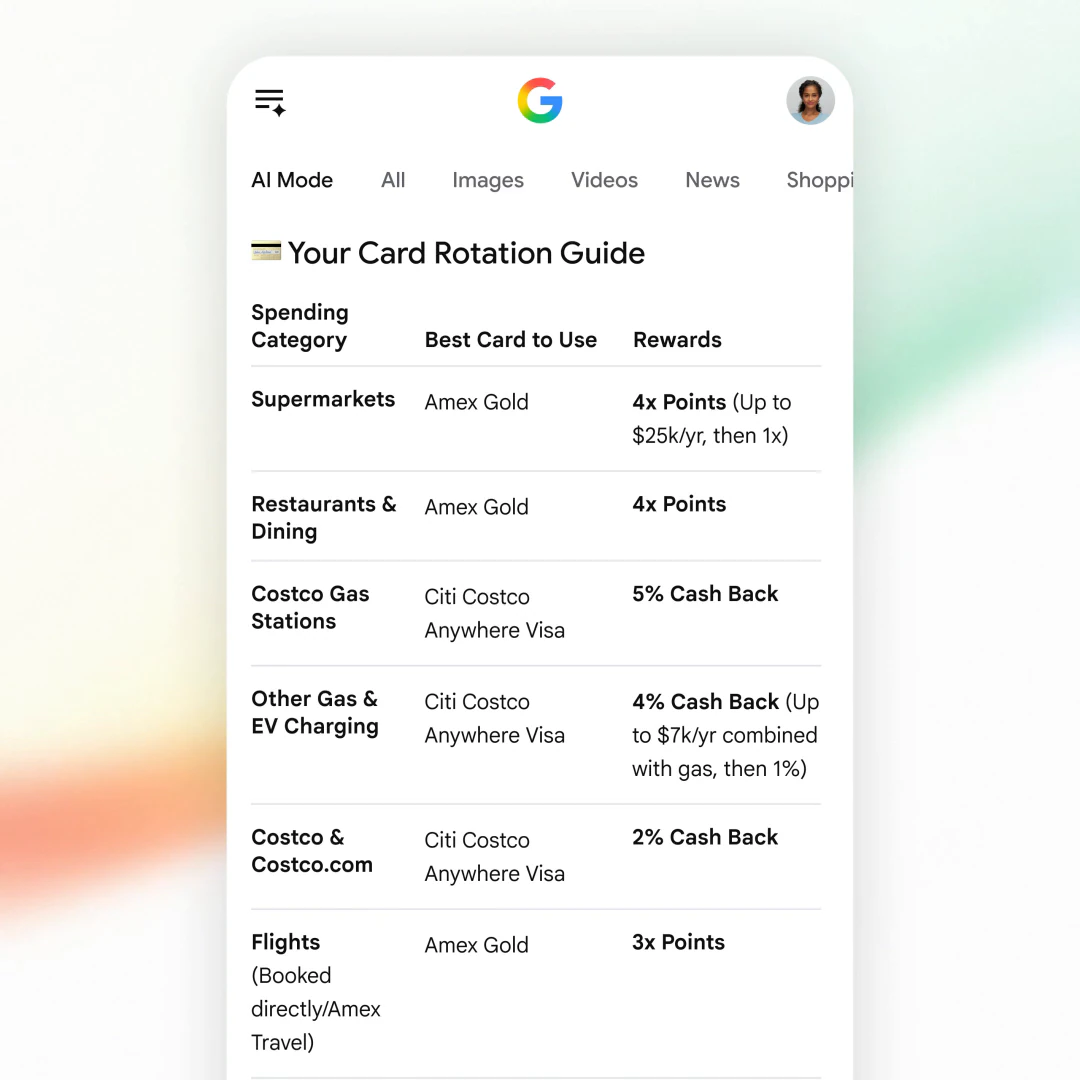
What it does: with Wallet connected, Google says AI Mode can help you map out money goals, find ways to trim everyday spending and get more from the cards you have linked in Wallet, such as cash-back categories, travel perks and reward points.
Read only: Google is clear that AI Mode can only read information from your accounts. It cannot move, manage or invest your money.
Already in Gemini: the same Wallet connection already works in the Gemini app, which we covered in our look at Gemini’s Wallet budget help. AI Mode now gets it too.
2. Google Drive: your files as context
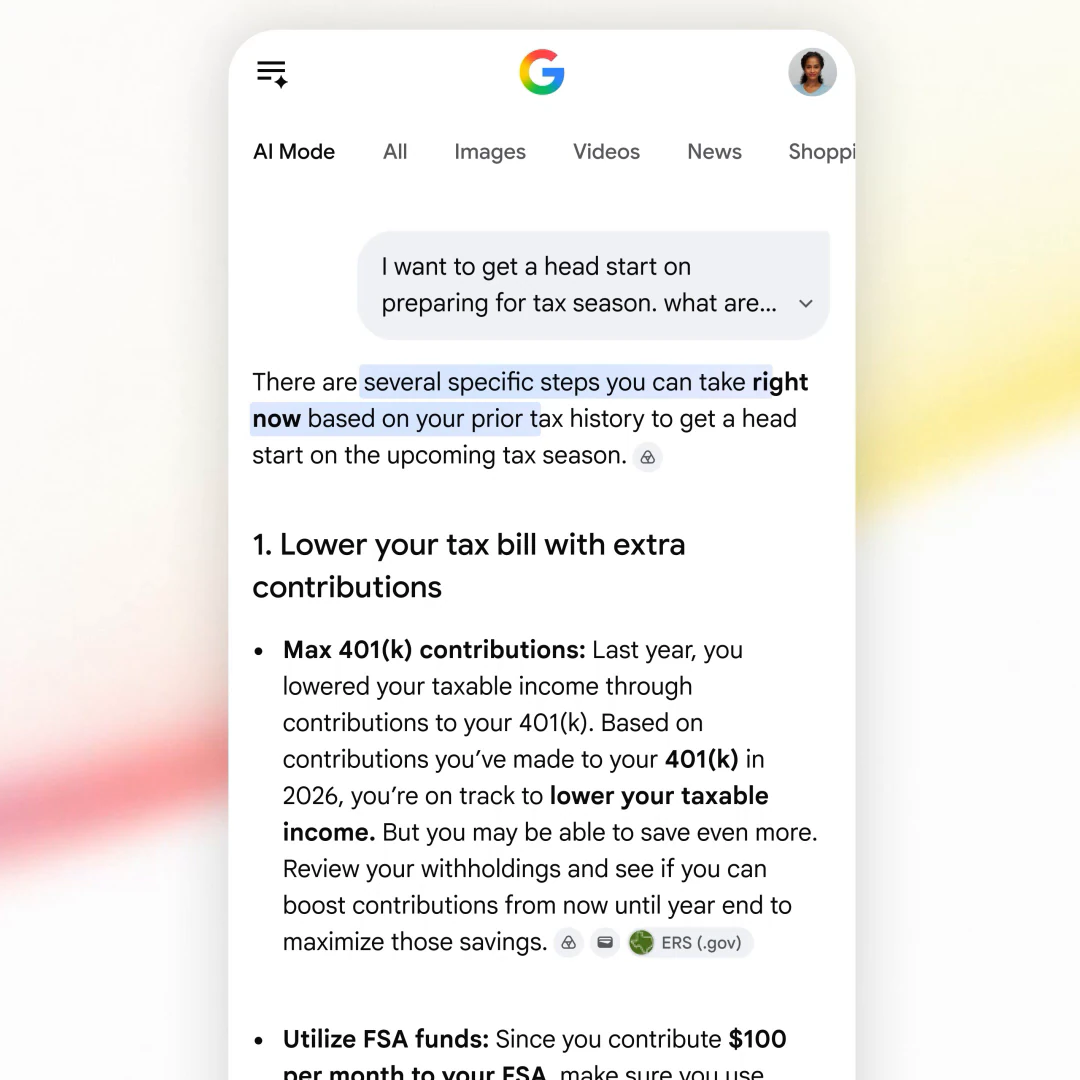
What it does: important details are often spread across docs, spreadsheets and PDFs. With Drive connected, AI Mode can take that context into account. Google’s example is a personal plan for getting ready for tax season.
When: Google says Drive support follows in the coming weeks, so you may not see it in Connected Apps yet.
3. The Gemini app and Search, connected
Both ways: the Gemini app could already use your Search history through Personal Intelligence. Soon you can also connect the Gemini app to AI Mode, so if you explore an idea in Gemini, AI Mode has that to build on, and the other way round.
What it can see: 9to5Google reports that this covers your Gemini chats, what you have shared with Gemini (photos, files, audio and video, and screens you ask about) and related insights and locations. It says you can make the connection now, but the feature itself goes live in the coming weeks.
4. Every Personal Intelligence app in AI Mode
5. How to turn it on and stay in control
Connect an app: in Search, open Search Personalization, select Connected Apps and choose the apps you want. Nothing is connected unless you opt in.
See and fix what it knows: Google says a Personalization icon will soon appear under tailored answers so you can see which context AI Mode used. To correct something, just tell it in the thread, for example “I’m no longer a vegetarian.” For the Gemini side, its memory summary shows what Gemini remembers about you.
Who can use it: Google did not list countries in this post. Personal Intelligence in AI Mode has been a U.S. feature for personal Google accounts, not Workspace work or school accounts, so expect the same here.
Not the same as store apps: these are Google’s own apps. They are separate from the shopping Connected Apps such as Target and Safeway that arrived last week.
Our take
Drive is the one we are most excited about. Pulling answers from your own Docs and PDFs inside a normal search is handy, and on a Chromebook, where most of your files already live in Drive, it fits right in. Wallet will be useful for some people and a step too far for others, so it is good that every connection is opt in. Check Connected Apps over the next few weeks to see which ones have reached your account.
Want more from Google’s AI search? See the new AI sidebar on the Google homepage.
Discover more from Chrome Geek
Subscribe to get the latest posts sent to your email.