Gemini Can Now Read Your Google Wallet to Help You Budget
 by
Sophie Sullivan
Post Updated: November 14, 2026
Gemini can now connect to Google Wallet and answer questions about your own spending. Google announced on November 13 that the connection is rolling out to all Gemini app users in the US, so you can tag @Google Wallet in a chat and ask for budgets, charts and a list of the subscriptions you forgot about. Google shared the details in a Keyword blog post.
1. What Gemini can do with your Wallet
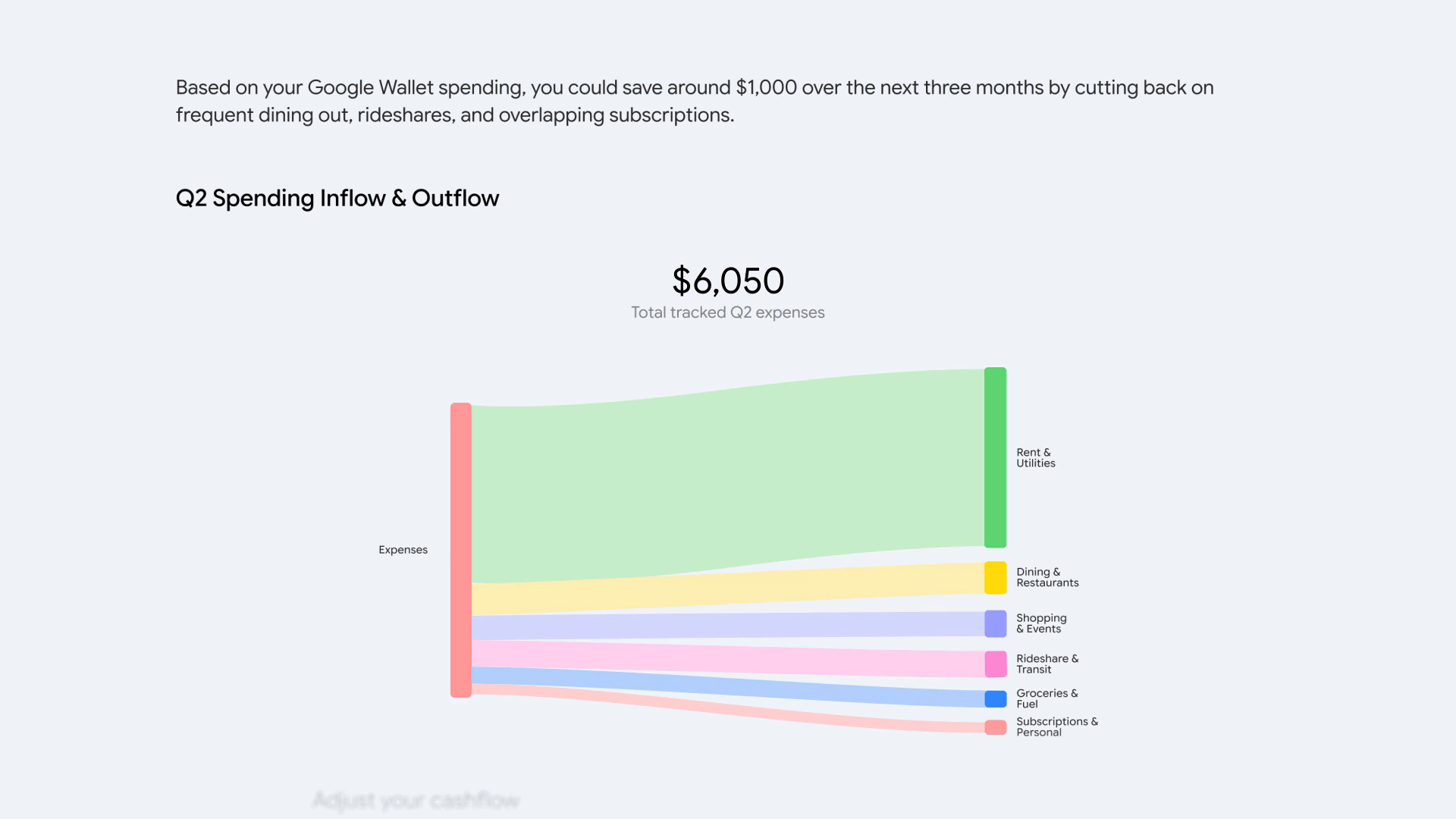
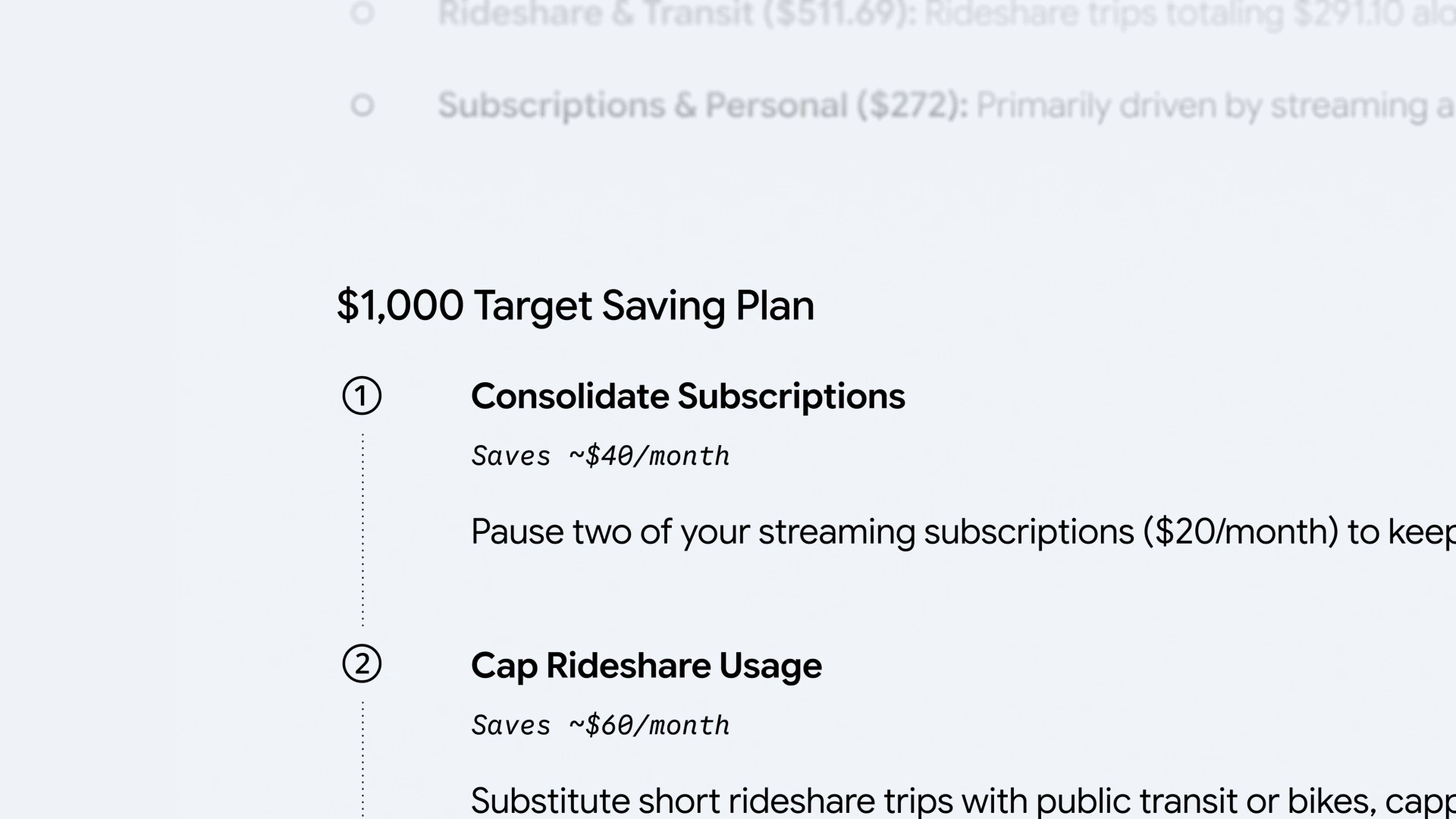
Visualize spending: ask something like “can we review my spending from last quarter so I can save $1,000 over the next three months?” and Gemini builds interactive charts of your cash flow and budget right in the chat.
Find forgotten subscriptions: ask which subscriptions you still pay for and whether any went up this year. Gemini looks for recurring charges across your linked accounts and points out price increases.
Plan a holiday budget: ask how much you spent on gifts and travel last year, and Gemini uses those transactions to suggest a budget for this season.
2. Where it works
How to read this: Google says the feature is rolling out to all US Gemini app users, so it may take a few days to appear on your account.
3. How to turn it on
Step 1: open Gemini and go to the connected apps area. 9to5Google points to Customize, then Connectors, which you can also reach at gemini.google.com/customize/connectors. Google’s post calls it Connected Apps under Personal Intelligence settings.
Step 2: switch on Google Wallet. If you want deeper answers, link your bank accounts and credit cards to Wallet through Plaid.
Step 3: start a chat, type @Google Wallet and ask your money question. You can switch the connection off at any time.
4. Privacy and control
Read-only access: Google says Gemini can only read information from your accounts. It cannot move, manage or invest your money.
Opt in only: nothing is connected unless you turn it on, and you can disconnect whenever you want. Google also pointed to Memory Summary, which shows what Gemini remembers about you, as another way to stay in control. We covered it in our Gemini Memory Summary guide.
Our take
This is one of the more useful Personal Intelligence add-ons so far, because subscription creep is a real problem and Gemini can spot it faster than scrolling through statements. The catch is trust: you are giving an AI a full view of your spending, so it is worth starting with Wallet alone before linking every bank account. On a Chromebook, the web version means you can try it in a browser tab without installing anything. We have not tested it yet, since it is US only.
Read more: how Universal Cart brings shopping into Gemini.
Discover more from Chrome Geek
Subscribe to get the latest posts sent to your email.