
Google AI Pro and Ultra Now Get Free Cloud Credits in AI Studio
 by
Sophie Sullivan
Post Updated: November 14, 2026
If you pay for Google AI Pro or Ultra, you can now claim your monthly Google Cloud credits without leaving Google AI Studio. Google announced on November 13 that profile setup, billing and credit tracking all happen in one place now, instead of across three websites. The details are in Google’s Keyword blog post.
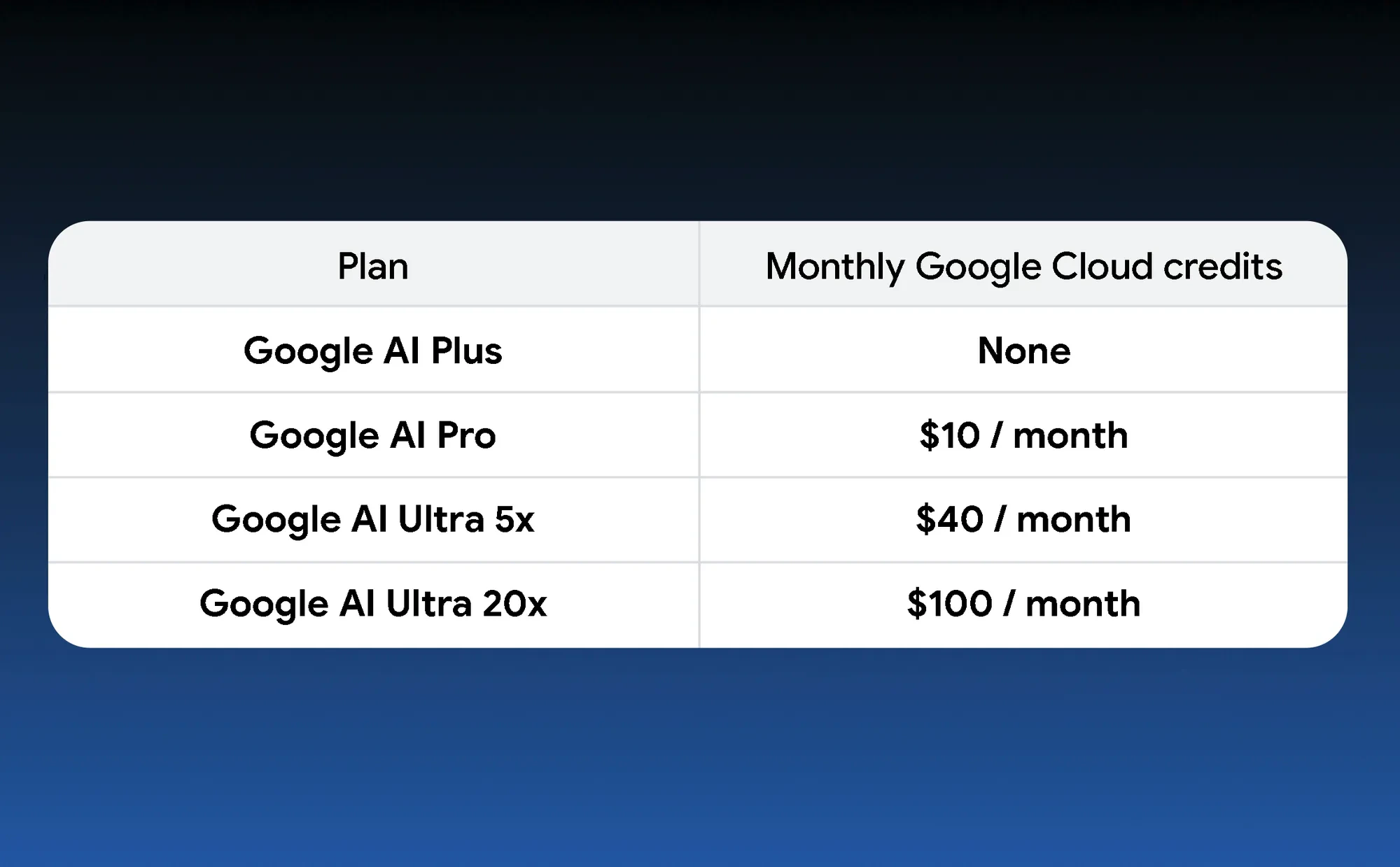
1. How much does your plan get?
How to read this: the amounts come from Google’s own plan chart. Upgrading your plan raises your monthly grant automatically.
2. What is new in AI Studio
Credit alerts: when you sign in, the left menu now shows unclaimed credits and your current balance.
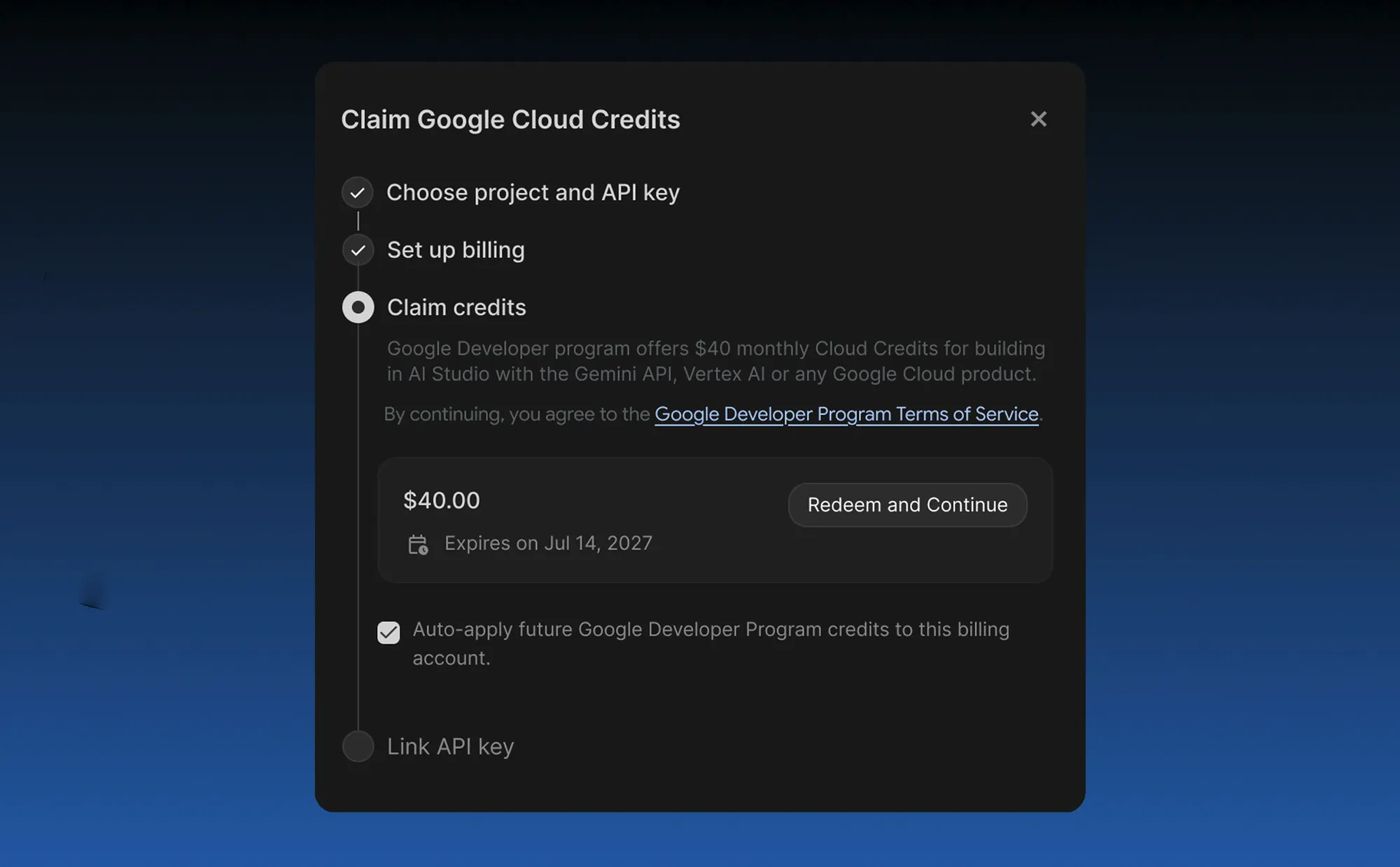
One-dialog claim: you can create a Google Developer Program profile and redeem your credits in a single window. If you never set up a profile, AI Studio makes one for you when you redeem.
Billing in the same flow: you can create a Cloud billing account without leaving the page. Credits that expire soonest are spent first, and future monthly grants can be applied automatically.
Paid API keys and tracking: when you redeem, you can attach paid-tier API keys and watch your balance and usage on the AI Studio billing page.
3. What you can spend them on
Gemini API usage: the credits go toward the Gemini API for prompting, building and deploying apps from AI Studio. Google says they help once your subscription quota runs out, for things like generating media or building with models such as Gemini 4 Carbon.
Other perks: an active Developer Program profile also unlocks higher Google Antigravity quotas and Google Skills credits for Pro and Ultra subscribers. The program itself is free to join.
What it means on a Chromebook or Googlebook
All in the browser: AI Studio runs in Chrome, so the whole flow, from claiming credits to testing prompts, works on a Chromebook or Googlebook. Nothing needs to run on your laptop, since the models run on Google’s servers.
Check your balance first: if you have paid for Pro or Ultra for a few months and already have a Developer Program profile, Google says you probably have credits waiting. Just remember the $5 prepayment rule before you start building.
Our take
This is a small change with a real payoff. Plenty of Pro subscribers never touched their Cloud credits because claiming them meant a trip through the Google Cloud console. Putting it all inside AI Studio, next to tools like Google Maps prototyping, makes those credits much easier to actually use. The $5 prepayment is the only friction left.
Discover more from Chrome Geek
Subscribe to get the latest posts sent to your email.