Google’s Homepage Now Has a Sidebar for Your Recent AI Searches
 by
Sophie Sullivan
Post Updated: November 20, 2026
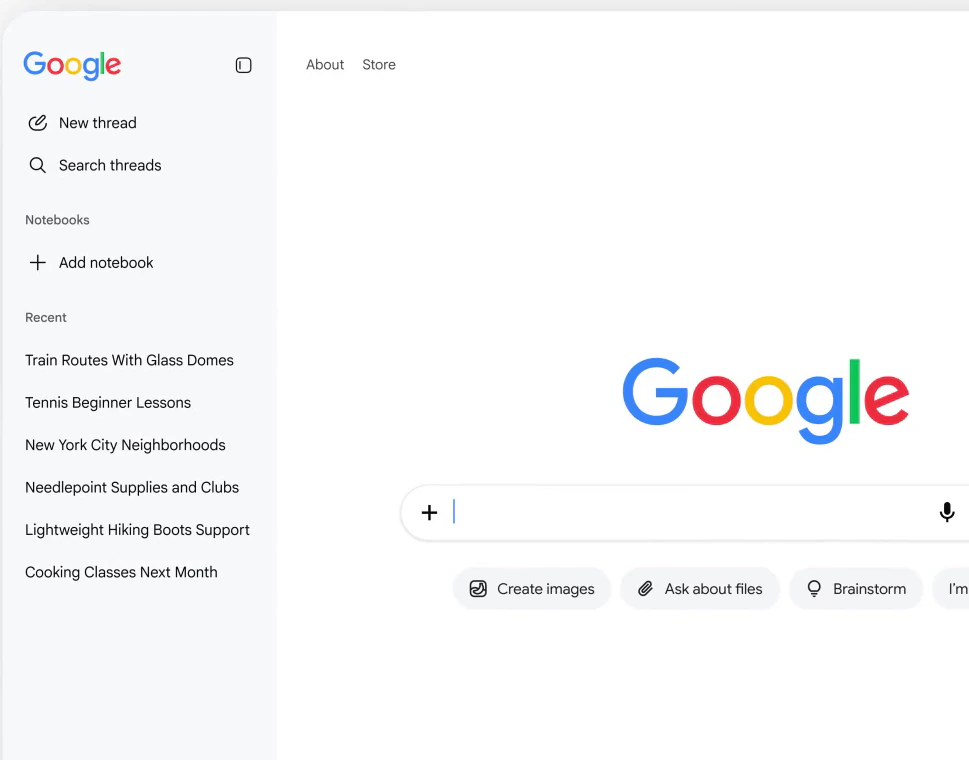
Google is adding a collapsible sidebar to its desktop homepage that lists your recent AI searches. Robby Stein, vice president of product for Google Search, announced the change in a post on X on November 19 and said it is rolling out globally. It is one of the biggest changes to the simple Google homepage in years, and it puts AI Mode one click away for anyone who opens Google in Chrome on a Chromebook, Mac or Windows PC.
1. What the new sidebar does
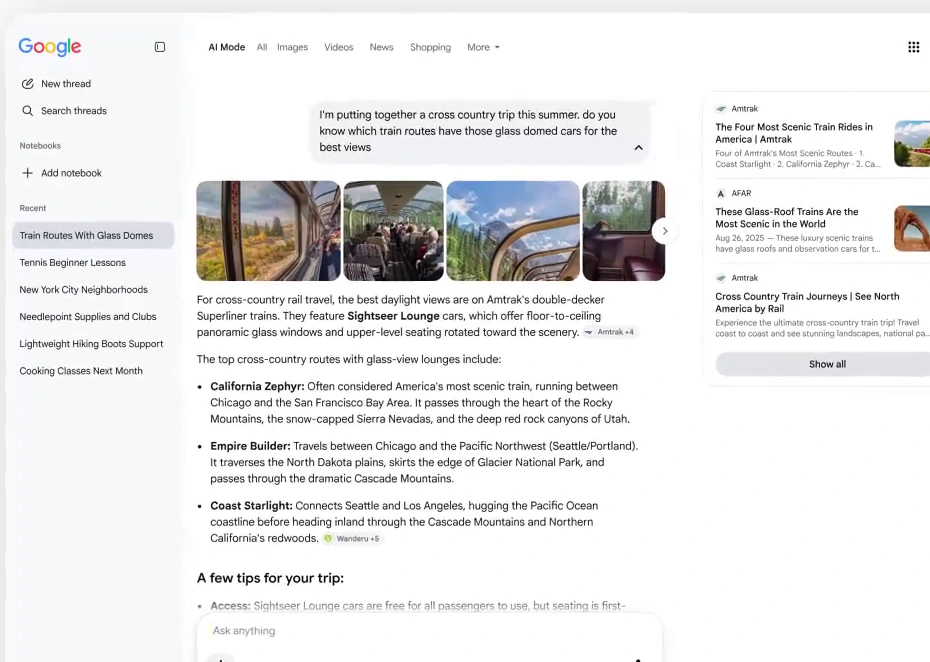
Your AI searches, saved: the sidebar holds the threads you started in AI Mode, the chat-style part of Google Search. Click one and it opens again with the full answer and sources, so you can keep asking follow-up questions. You can also start a new thread or search through older ones.
It stays out of the way: the panel is collapsible. According to The Verge, you open it by clicking a gray bar on the left side of the page, so the classic logo and search box still sit in the middle.
2. Notebooks and new shortcuts
Notebooks show up too: the sidebar has a Notebooks section with an Add notebook button, which ties your searches to Gemini Notebook. We covered what notebooks can now do in our look at Gemini Notebook interactive sites.
New buttons under the search box: in Google’s demo, Create images, Ask about files and Brainstorm sit next to I’m Feeling Lucky, and the old Google Search button is gone. A normal search still works the same way: type and press Enter.
3. Why Google is doing this
Searches are getting longer: “People are coming to Search with more questions that aren’t just one and done,” Stein wrote, adding that “in testing, this sidebar made a big difference for making progress & continuing to explore the web.”
We saw it coming: in October we spotted Google testing an AI Mode sidebar on some results pages. Now it has reached the homepage itself, which most people see every day.
4. What it means for Chromebook users
Nothing to install: this is a change to google.com, not to Chrome or ChromeOS. If you use Google on a Chromebook, a Mac or a Windows PC, the sidebar should appear once the rollout reaches your account. If you do not see it yet, give it a few days.
A quick tip: if you prefer the clean old look, just leave the sidebar collapsed. The search box works exactly as before.
Not everyone is a fan of AI in Search: big school districts are already pushing back on Google’s AI-first Search, and a homepage built around AI threads will not change their minds.
Our take
This is a smart change for people who already use AI Mode, because finding an old AI thread used to mean digging through history. It also shows where Google is heading: the homepage is turning into a place to start conversations, not only searches. As long as the sidebar stays collapsible, regular searchers lose nothing.
Discover more from Chrome Geek
Subscribe to get the latest posts sent to your email.