Gemini App Is Now on Apple CarPlay With Hands-Free Gemini Live
 by
Sophie Sullivan
Post Updated: November 12, 2026
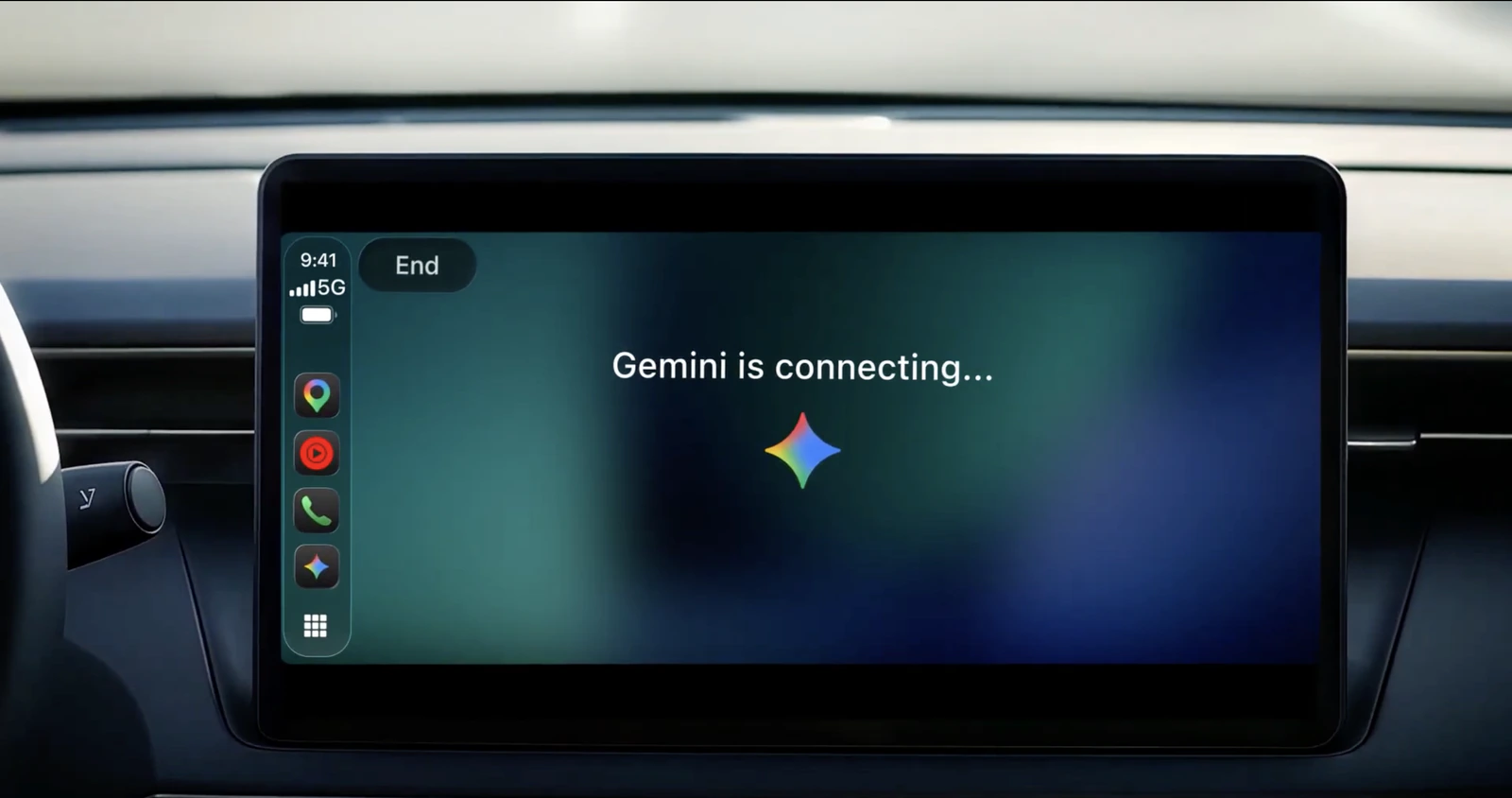
The Gemini app is now rolling out on Apple CarPlay, so iPhone users can talk to Gemini Live from their car’s screen. Google announced it on November 11. It is rolling out globally to all Gemini users on iOS, in every language Gemini Live supports. Android drivers already had it on Android Auto and in cars with Google built-in.
1. How Gemini works on CarPlay
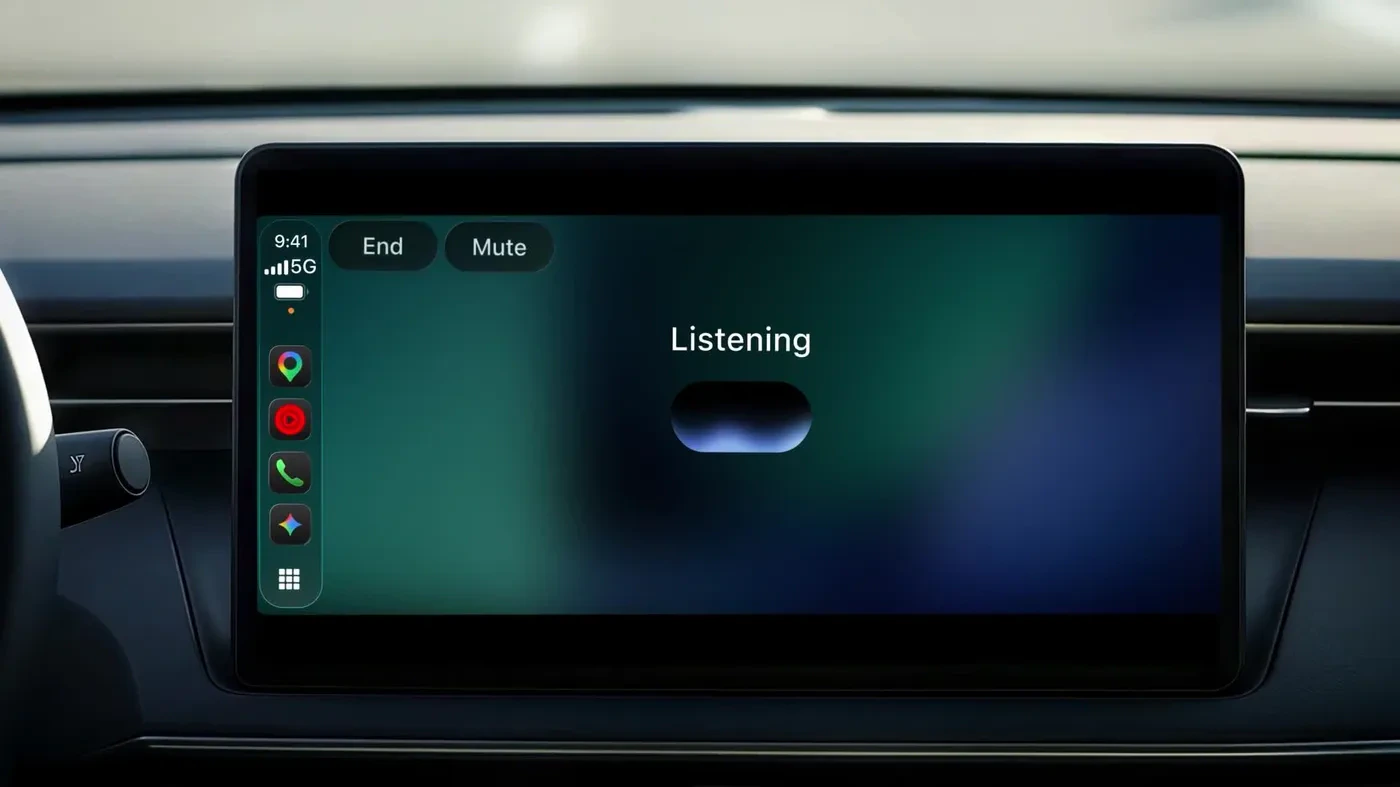
Starting a chat: tap the Gemini icon on your CarPlay screen or in the side rail. You can pick up a recent chat or start a new one.
Talking naturally: you can interrupt Gemini to add a detail, change the subject, or pause when you need to focus on an exit. The screen keeps it simple, with a waveform that shows when Gemini is listening, thinking or answering, plus End and Mute buttons.
2. What you can ask it
Your day: ask for your daily brief, check what is on your calendar, or find out when your next appointment starts. Gemini pulls this from Google apps like Gmail and Google Calendar.
Your inbox: hear a catch-up on unread emails, get a summary of a long email thread and talk through a reply by voice.
On the road: Google’s examples include asking for a quick lunch spot that is easy to get in and out of, or the history of a landmark you are driving past.
Thinking out loud: brainstorm ideas or practise a presentation before you arrive. Everything syncs to your chat history, so your notes are waiting on your phone when you park.
3. Who gets it and what you need
Setup checklist: update to the latest Gemini app on your iPhone, turn on microphone permission for it, and use Gemini Live on your phone at least once. Daily Brief also has to be switched on before you can ask for it in the car. Next time you connect to your car, the Gemini icon should be there.
4. How this fits with Gemini in Google Maps
Two ways in: last month Google put Gemini inside Google Maps on CarPlay for questions while you navigate. The new app is separate and built for longer, open-ended conversations.
Late to the party: as MacRumors points out, CarPlay has supported voice AI apps since iOS 26.4, and ChatGPT, Claude, Grok, Copilot and Perplexity already got there first.
Why it matters for Chromebook and Googlebook users
One Gemini history: Gemini keeps your chats in your Google account, so a brainstorm you start in the car should also be there when you open Gemini on your Chromebook or Googlebook later. That makes the commute a decent place to rough out ideas you finish at your desk. You can also check what Gemini knows about you with its memory summary.
Our take
This is a useful addition, especially for people who already lean on Gemini for email and calendar. It is not first to CarPlay, but its tie-in with Gmail and Google Calendar is something the rivals cannot match as easily. Just keep the chats to hands-free use, and expect Daily Brief to be missing if you are in Europe or Nigeria.
Read more: Gemini 4 Carbon is rolling out.
Discover more from Chrome Geek
Subscribe to get the latest posts sent to your email.