Gemini Comes to Google Maps on Apple CarPlay While You Navigate
 by
Sophie Sullivan
October 21, 2026
by
Sophie Sullivan
October 21, 2026
iPhone drivers can now talk to Gemini inside Google Maps on their car screen. Google is rolling out Gemini in navigation for Google Maps on Apple CarPlay, so you can ask questions, change your route and report traffic by voice while you drive. It is live in the US today, and Google says a global rollout is underway.
1. What changes on CarPlay
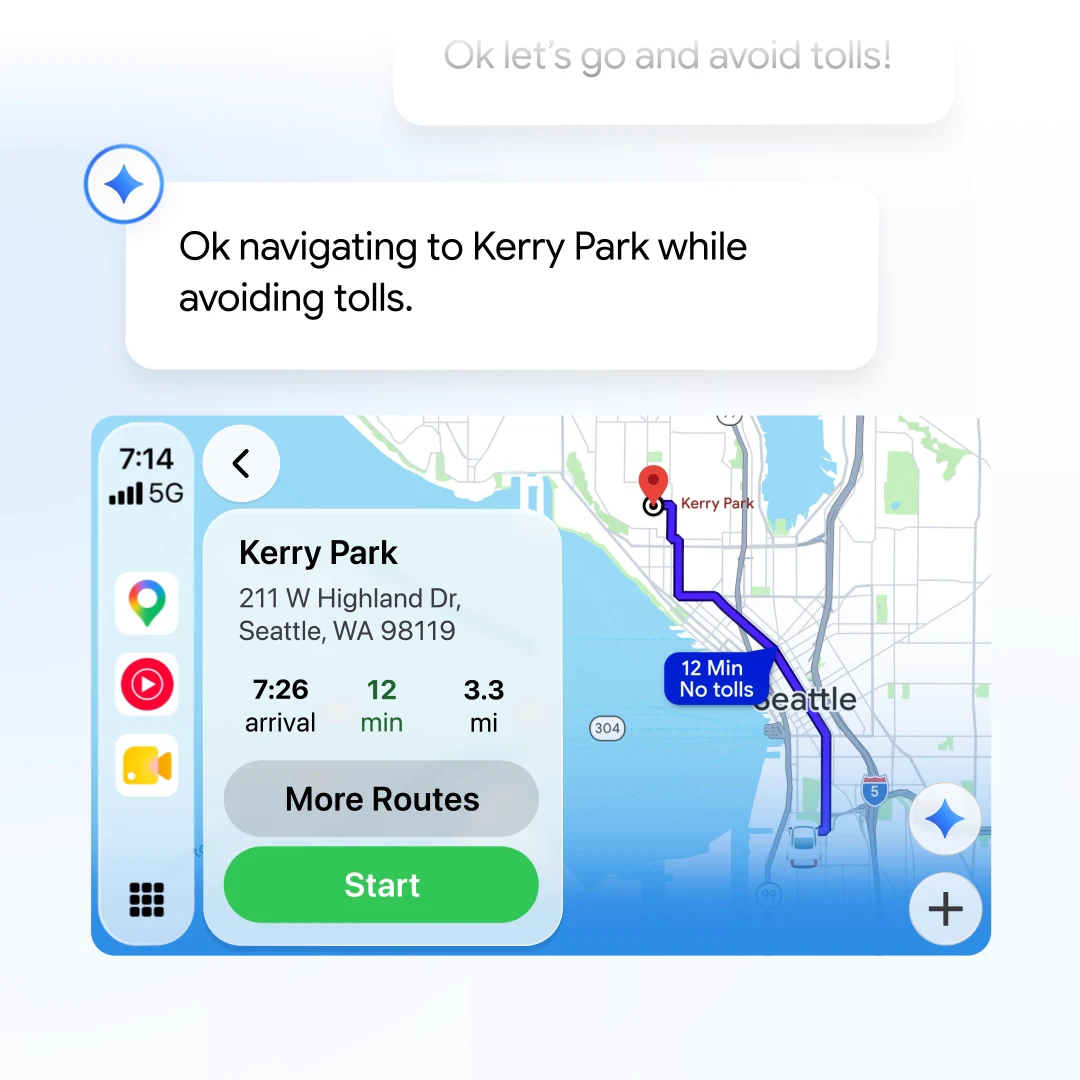
The short version: as 9to5Google reports, once you start navigating in Google Maps on CarPlay, a Gemini icon now sits on the right edge of the map. Tap it and you can have a normal back-and-forth conversation about your trip instead of using fixed voice commands.
Why it matters: until now, Google Maps had no voice assistant on the CarPlay screen. Google Assistant only worked when you used Google Maps navigation directly on your iPhone. Android Auto has had Gemini since last year, so CarPlay users are catching up.
2. What you can ask
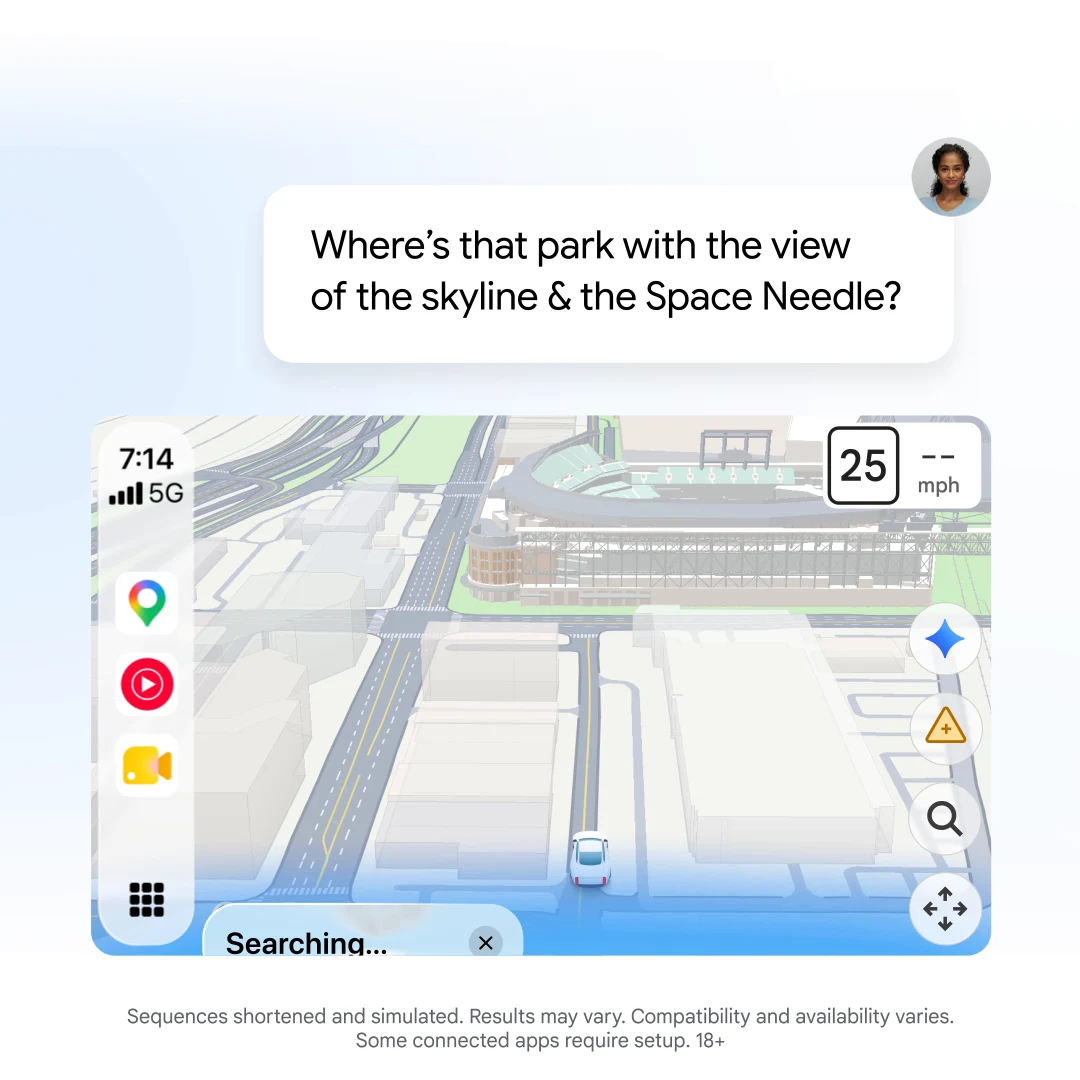
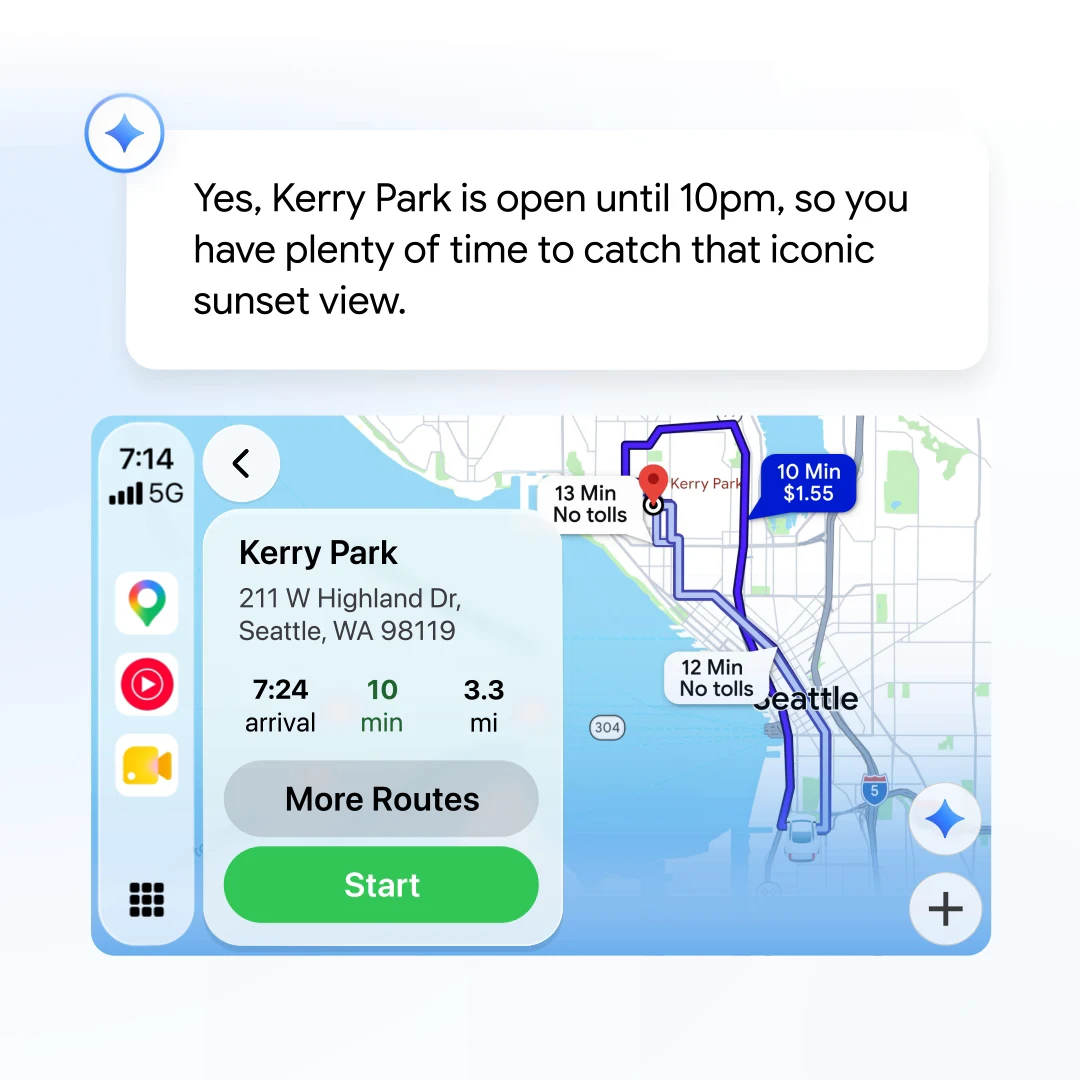
Multi-step questions: Google’s examples start with “What park is famous for gorgeous views overlooking the city?” and follow up with “I want to go at a time when it’s not too busy and the weather will stay nice. Is now a good time?”
Route changes: “Start navigating me there but make sure to avoid toll roads” sets up the trip in one sentence.
Stops along the way: you can ask for somewhere to eat or refuel on your route, and Gemini adds it to the trip.
Traffic reports: tell Gemini about a crash, slowdown or road hazard with your voice. This matches what Google Maps already offers on Android and iOS phones and on Android Auto.
3. CarPlay vs Android Auto
The big gap: yesterday Google started rolling out Personal Intelligence for Gemini on Android Auto, which lets Gemini answer questions like “What’s my flight gate?” from your own Google apps. The Verge notes that today’s CarPlay news makes no mention of it, and it has asked Google whether CarPlay will get it.
4. How to try it
Step 1: update the Google Maps app on your iPhone and connect it to CarPlay.
Step 2: start navigating somewhere in Google Maps on the car screen.
Step 3: tap the Gemini icon on the right edge of the map, just above the report button, and start talking.
Not seeing it? the rollout is gradual, so it may take a few days to reach you, especially outside the US. When we checked this evening, Google’s own help page still said Gemini was not available for CarPlay, so the support docs have not caught up yet.
Our take
This is a welcome fix for anyone who prefers Google Maps on an iPhone. Asking for a quiet park with a no-toll route is far safer than poking at a car screen. But the smartest part of Gemini in the car right now is Personal Intelligence, and for now that is limited to Android Auto, with cars with Google built-in next. Gemini is moving fast, from new models like Gemini Argon to new tricks every week, so we would not be surprised to see CarPlay catch up later.
Want more from Gemini outside the car? Read: why Gemini Gems are becoming skills.
Discover more from Chrome Geek
Subscribe to get the latest posts sent to your email.