Chrome 156 Is Here: Talk to Type, CSS random() and What Else Is New
 by
Sophie Sullivan
Post Updated: October 21, 2026
by
Sophie Sullivan
Post Updated: October 21, 2026
Chrome 156 is now on the Stable channel for Windows, Mac, Linux, Android and iOS, and ChromeOS 156 reached Chromebooks on the same day, October 20. The big user-facing feature is talk to type, Gemini-powered voice typing for the web. Developers get CSS random() and a handful of new scroll and loading tools, and IT admins have a few policy changes to check.
Which versions are shipping
Desktop: Google’s Stable Channel Update for Desktop promotes Chrome 156 to Stable as 156.0.8078.47 on Linux and 156.0.8078.47/.48 on Windows and Mac. As usual, it rolls out over the coming days and weeks, so you may not see it right away.
Mobile: Chrome 156.0.8078.47 for Android arrives on Google Play over the next few days, and Chrome 156.0.8078.46 for iOS is rolling out on the App Store.
353 security fixes
A big batch: the desktop release includes 353 security fixes. By our count of Google’s list, 6 are rated Critical, 61 High, 197 Medium and 89 Low. Several were reported by AI-assisted security research, including work credited to Anthropic and OpenAI Codex Security.
No zero-day warning: Google’s post does not say any of these bugs are being exploited in the wild. Still, with this many fixes, it is worth relaunching Chrome as soon as the update shows up.
Talk to type comes to the web
Speak instead of typing: talk to type lets you dictate into any text box on the web, or into Gemini in Chrome, and Chrome turns your words into cleaned-up, punctuated text. You can also highlight text and give instructions like “make this more formal” or “turn this into a bulleted list”.
How to start it: right-click in a text box and choose Talk to Type. After the first time, you can use Ctrl + Space on ChromeOS and Windows, or Option + Space on macOS. Click Done in the action bar when you are finished.
What you need: a desktop device (macOS, Windows, Linux or ChromeOS), a signed-in Chrome profile, microphone access and a normal (not Incognito) window. Google says text changes do not work in Google Workspace apps yet.
Do not panic if you cannot see it: Google’s enterprise notes say talk to type has been rolling out gradually since Chrome 153, starting in the US, and that availability varies by country and language. Updating to Chrome 156 does not guarantee you get it today.
Privacy: you have to opt in the first time. Google says Chrome then collects your voice recording, typed words and page details to rewrite and polish your text. Admins can control the feature with the VoiceTypingSettings policy.
Gemini Spark, quizzes and other changes
Gemini Spark can sign in for you: according to the Chrome 156 enterprise release notes, you can temporarily share saved Google Password Manager logins with Gemini Spark so it can finish tasks on third-party sites. Each task needs your explicit consent plus a fingerprint, face or device unlock. It is rolling out gradually on desktop, ChromeOS and Android.
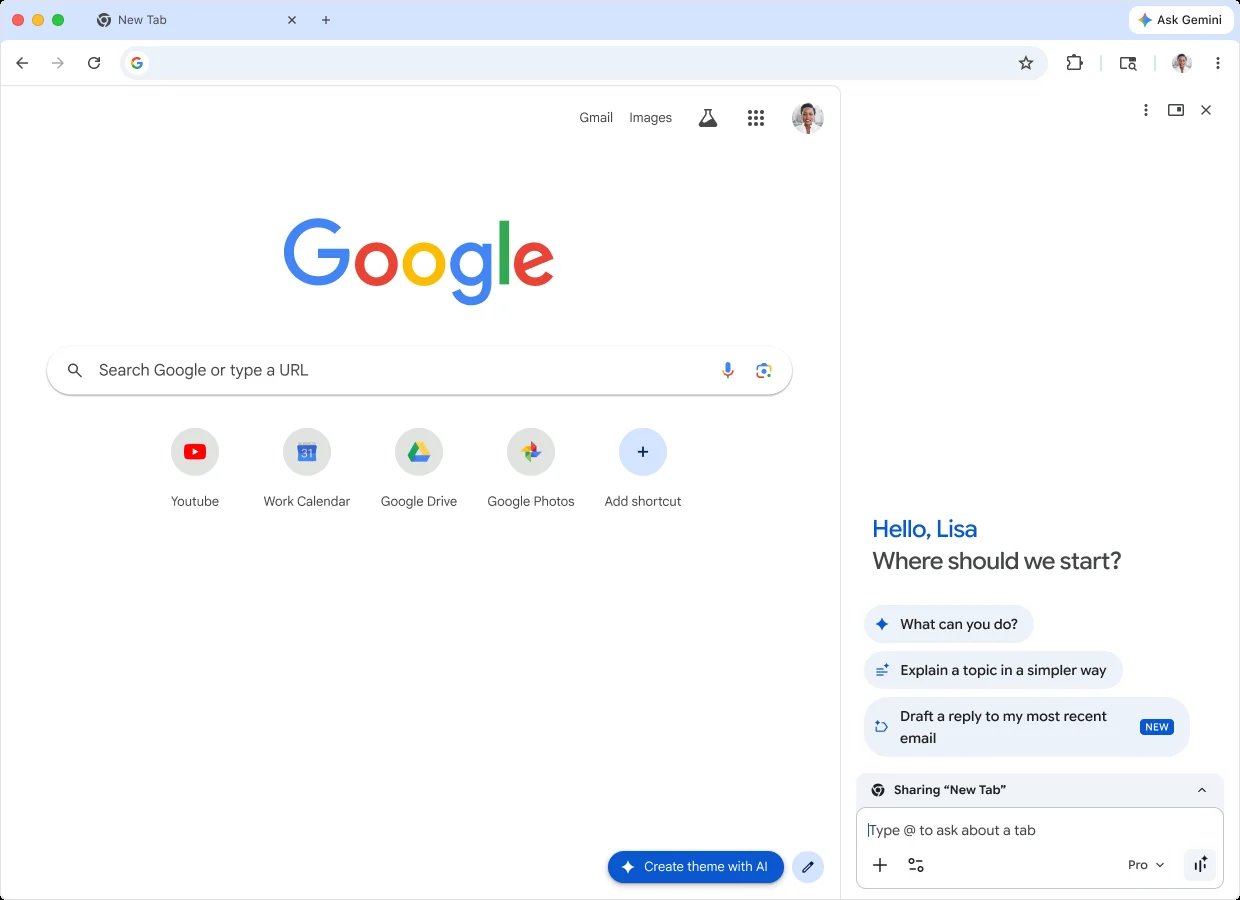
Quizzes and live notifications: on desktop, Gemini in Chrome can now turn a web page, PDF, slide deck or YouTube video into an interactive quiz, at first only in some countries and languages. On Android, a background auto browse task now shows its progress in a live notification instead of a picture-in-picture window.
Chrome starts with Windows: from Chrome 156, Chrome on Windows will launch automatically when you sign in to Windows. Google says this rolls out gradually, and admins can manage it with a new policy.
What is new for web developers
Straight from the release notes: the Chrome 156 release notes on Chrome Platform Status list ten new web platform features and one removal. Here are the highlights:
WebGPU: Google’s WebGPU update for Chrome 155 and 156 covers unaligned compressed textures, srgb-linear and display-p3-linear canvas color spaces and a new snorm10-10-10-2 vertex format. The new WGSL fragment depth extension is in the Chrome 156 release notes, but Google says it is temporarily disabled on all platforms because of shader compilation errors on Windows.
On the way out: the fencedframe element and window.fence APIs are turned into stubs in Chrome 156, so they no longer do anything. Google plans to start removing the element itself in Chrome 157.
For IT admins
Local network access: Chrome has gated requests from websites to your local network behind a permission prompt since Chrome 142. In Chrome 156, the LocalNetworkAccessRestrictionsTemporaryOptOut policy is removed, so any setups that relied on that opt-out need a proper fix.
Policies to review: VoiceTypingSettings controls talk to type, GeminiSparkSettings controls Gemini Spark, LaunchOnStartupEnabled controls Chrome starting with Windows, and WebRtcDiagnosticLogCollectionAllowedForOrigins enables WebRTC diagnostic logs. The old AutofillAddressEnabled and AutofillCreditCardEnabled policies are now deprecated in favor of AutofillSettings.
Chromebooks and Googlebooks
ChromeOS 156 is on Stable: Google’s Stable Channel Update for ChromeOS says ChromeOS 16836.19.0, with browser version 156.0.8078.42, rolled out to ChromeOS and ChromeOS Flex devices on the Stable channel on October 20. Talk to type and the Gemini Spark changes are listed for ChromeOS too, with the same gradual rollout.
Googlebooks: for the web app changes Chrome brought to Googlebooks last time, see our Chrome 155 for Googlebook guide.
How to update
On desktop: open Chrome, go to Settings, then About Chrome. Chrome checks for the update and asks you to relaunch when it is ready.
On Android or iPhone: open the Google Play Store or the App Store, search for Chrome and tap Update if it shows up.
On a Chromebook: go to Settings, then About ChromeOS, and select Check for updates. Restart when ChromeOS 156 has downloaded.
Our take: Chrome 156 is a solid release with a very large security batch, so update soon even if you never use the new features. Talk to type is the one most people will try, if it has reached your account. Chrome 157 is already in Beta, with Language Detector coming to Android, and if you are stuck on 155 for now, make sure you have the latest Chrome 155 security fix.
Discover more from Chrome Geek
Subscribe to get the latest posts sent to your email.