Gemini Gems Are Becoming Skills: What Changes and What to Do Now
 by
Sophie Sullivan
October 19, 2026
by
Sophie Sullivan
October 19, 2026
Google is retiring Gems, the custom versions of Gemini you could set up for a specific job. In their place come skills, which Google introduced in a September 30 blog post and is now rolling out in Gemini chat. If you built Gems for writing, study or work, here is what is changing and what you can do before the switch.
What are skills in Gemini?
Saved instructions you can reuse: a skill is a set of custom instructions that tells Gemini how to handle a specific task, like prepping for a presentation or matching your writing style. You save it once and run it whenever you need it.
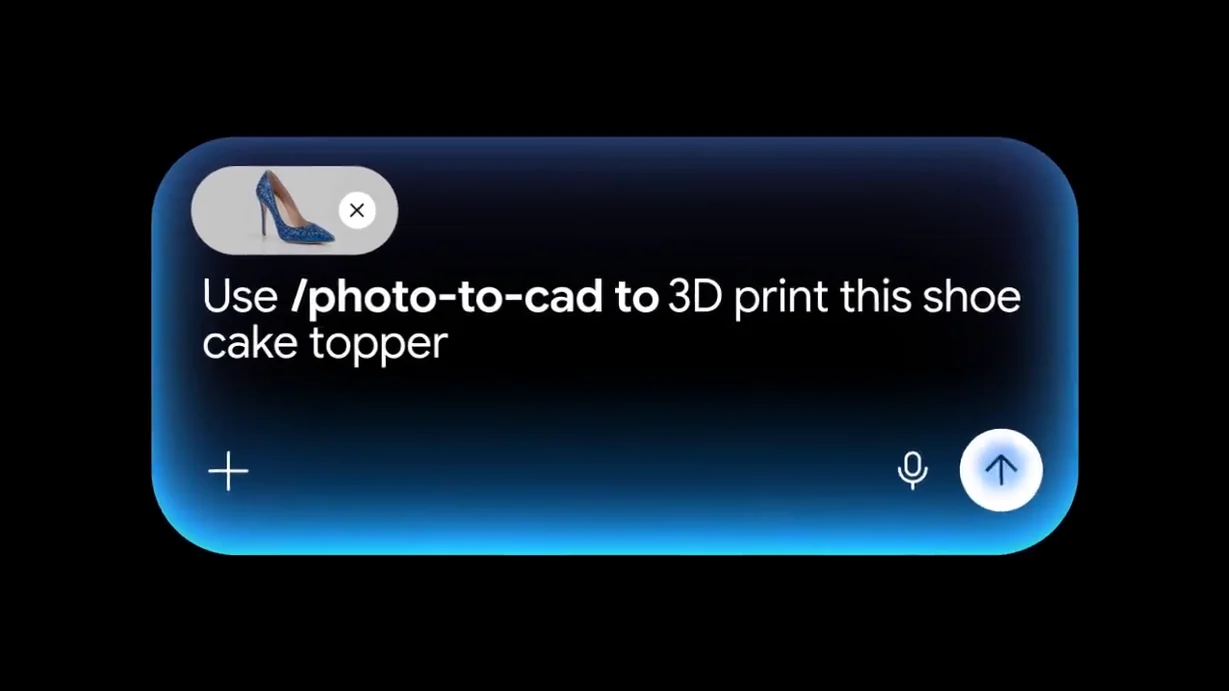
Use them right in your chat: instead of opening a Gem in its own window, you type a forward slash (/) and the skill’s name in the prompt bar. Google says the slash will soon change to @.
Gemini can pick one for you: Gemini can recognize when a skill fits your prompt and apply it on its own.
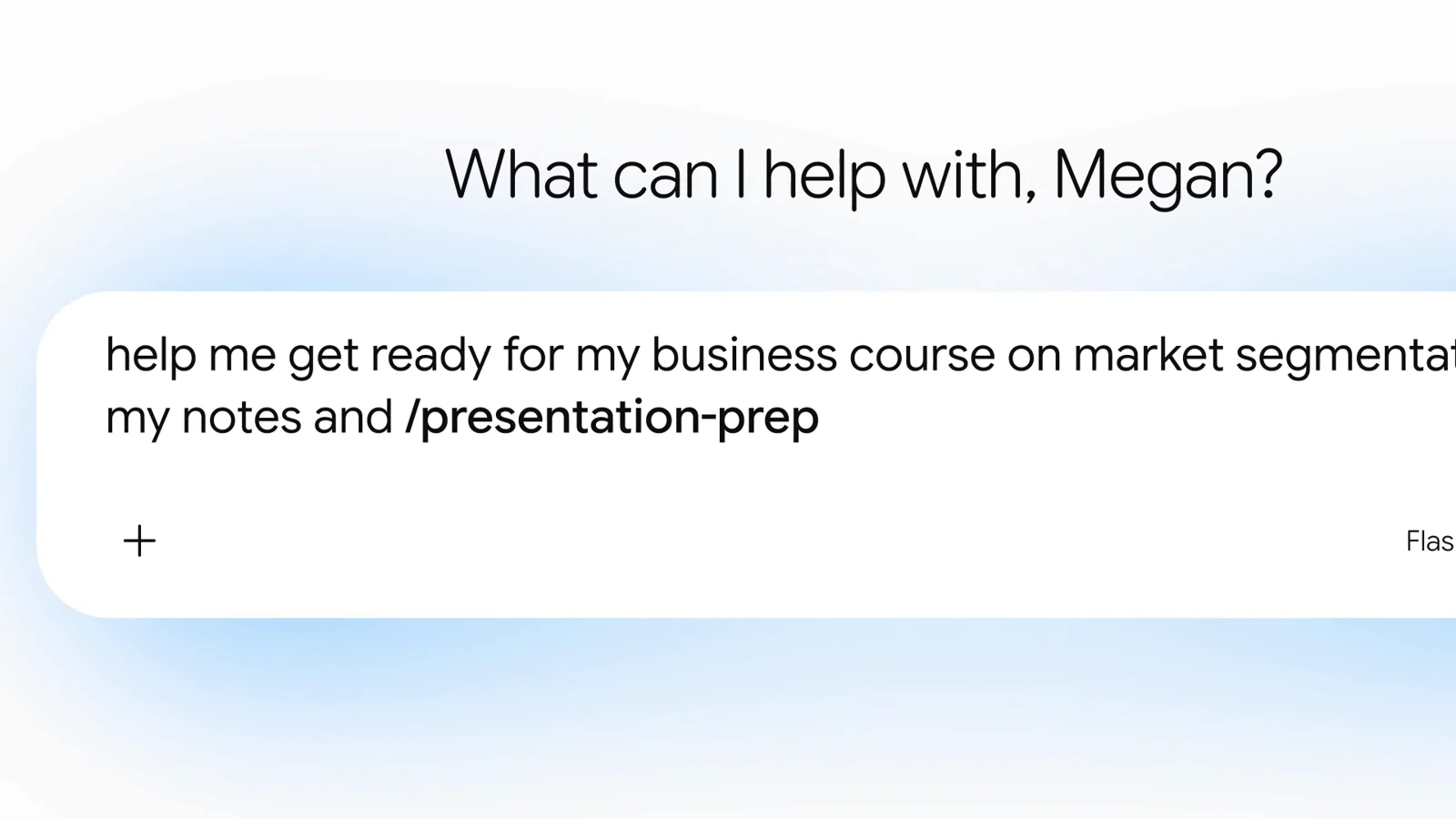
Stack more than one: you can combine several skills in a single chat, for example a writing style skill plus a brand guidelines skill, to get results in your own voice.
Add reference files: skills can include plain text files, PDFs and images. You can have as many skills as you like, but only 100 can be active at a time.
Gems vs skills: what you get today
What is coming: Google says skills will get the Gem features people liked in the coming weeks, including sharing, adding files from Google Drive and adding notebooks from Gemini Notebook.
What is missing: for now, most of the built-in tools you could switch on in a Gem do not work with skills. That includes Canvas, Deep Research, Guided Learning, and creating video or music. Google has not given a date for those.
When do Gems go away?
Personal Google accounts: November 2026.
Workspace business, enterprise and nonprofit: March 2027.
Workspace education: June 2027.
Opal and Labs Gems too: Opal, Google’s experiment for building mini apps, and Gems by Google Labs will also go away in November. Google says Gems by Google Labs will not move over to skills.
What to do with your Gems now
Do nothing and wait: according to Google’s help page on the transition, your Gems, along with their supported files, will be turned into skills automatically when Gems go away.
Or move them early: on a computer, open gemini.google.com, open a Gem’s edit page and download any Knowledge files. Then go to Settings, Skills, choose Create manually and paste in the Gem’s name, description and instructions. To add the files, download the skill as a .zip, put its SKILL.md file in a folder with your files, then use Replace skill to upload the folder.
Watch the folder name: skill names use lowercase words joined by hyphens, like sample-skill-name, and the folder you upload must have the same name as the skill.
Test your important Gems: if a Gem depends on Canvas, Deep Research or another built-in tool, try it as a skill before November so you know what still works. GitHub files are not supported in skills yet.
Who can use skills?
Personal accounts first: skills are available in Gemini chat to people over 18 signed in with a personal Google account, and Google says they work across all Google AI subscription tiers. Under 18 access and work and school accounts are coming soon.
Bring your own: you can import skills made on other platforms by uploading their SKILL.md files. For now, uploading works only in the Gemini web app and the Gemini app on Mac, so on a Chromebook you can do it at gemini.google.com in Chrome. Checking your plan? See what the Google AI Pro free trial includes.
Our take: skills are a real upgrade, mostly because you no longer have to jump between separate Gem windows. The catch is that some Gem tools do not work with skills yet, so check your most important Gems before November.
Curious about Google’s newest model? Read our guide to Gemini 4 Argon.
Discover more from Chrome Geek
Subscribe to get the latest posts sent to your email.