Google AI Mode Adds More Links, News Carousels and Clickable Creator Profiles
 by
Sophie Sullivan
Post Updated: October 18, 2026
by
Sophie Sullivan
Post Updated: October 18, 2026
Google is making it easier to leave its AI answers and visit the actual websites behind them. In an October 15 Google blog post, the company announced five updates to AI Mode and AI Overviews that put links, news and creators in front of you more often.
Why now: Google says the number of people using its Preferred Sources feature has grown by more than 7x since the start of the year, a sign that people want more say in where their answers come from.
1. More inline links
Links inside the answer: inline links are links on words or phrases in an AI response. Google says it has made continued and substantial increases to how often they appear, and is now showing them higher up in responses more frequently.
2. A spotlight for official pages
The right site, fast: sometimes only one or two official sites can complete a task or give the exact info you need. Google is testing a dedicated section at the top of some AI responses for those links, with context about why each one is useful.
3. More news carousels
Timely articles: the carousels you see for timely articles in AI Search are starting to roll out to more locations and languages. They also highlight your Preferred Sources, so coverage from sites you picked is easier to find.
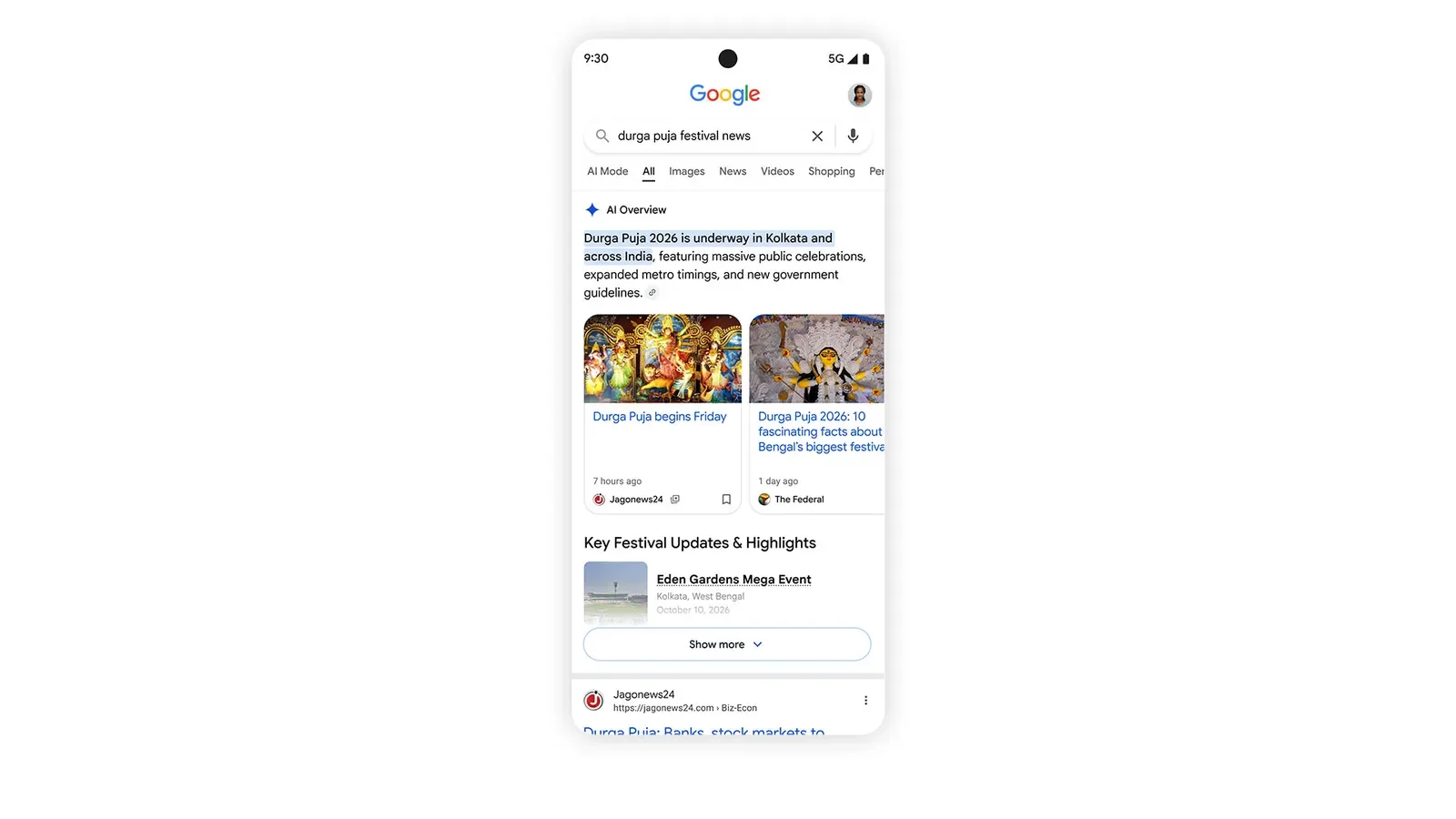
4. Bigger related article links
Dive deeper: the links at the end of some AI responses are getting image thumbnails and a more clickable design.
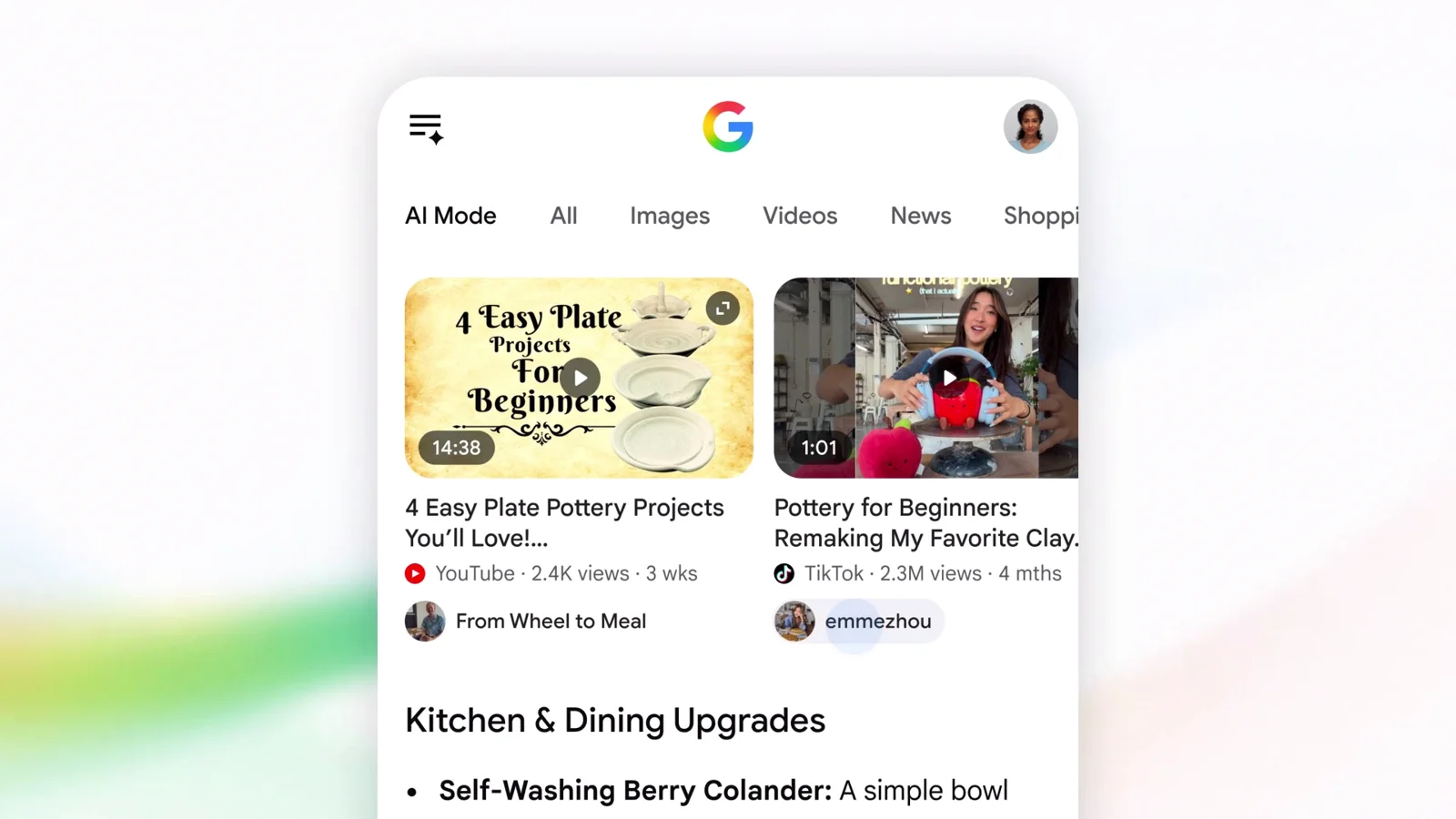
5. Clickable creator names
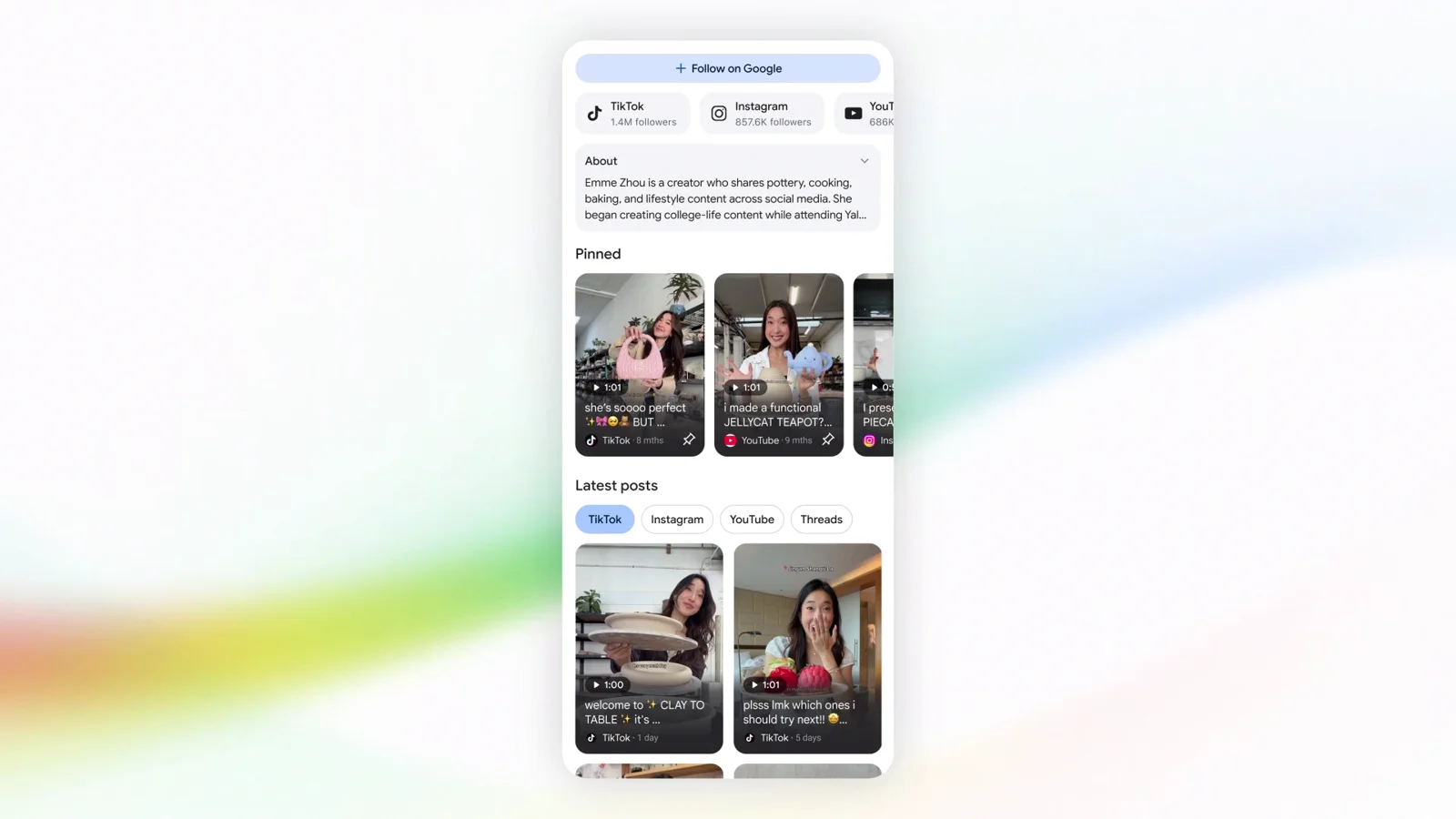
Meet the people behind the video: this week Google started testing clickable creator and publisher names on video results in AI Mode. Tapping a name opens that creator’s Search profile, so you can learn more about them and their other work.
Our take: these are welcome changes for anyone who uses Google Search in Chrome on a Chromebook or Googlebook. The more links AI answers show, the easier it is to check the facts and support the sites doing the reporting.
See how inline links and Dive Deeper look in our first look at the AI Mode link changes.
Discover more from Chrome Geek
Subscribe to get the latest posts sent to your email.