Google AI Mode and AI Overviews Put Links Front and Center
 by
Sophie Sullivan
Post Updated: October 16, 2026
by
Sophie Sullivan
Post Updated: October 16, 2026
Google is updating how links show up inside AI Mode and AI Overviews. The goal is simple: when Search answers with AI, it should still be easy to open the underlying web pages. Details are on the Google Keyword blog, with a useful summary from 9to5Google.
What is changing
Higher inline links: Inline links sit inside the AI answer on specific words or phrases. Google says it has already increased how often they appear, and it is now showing them higher in the response more frequently so key sources are clickable sooner.
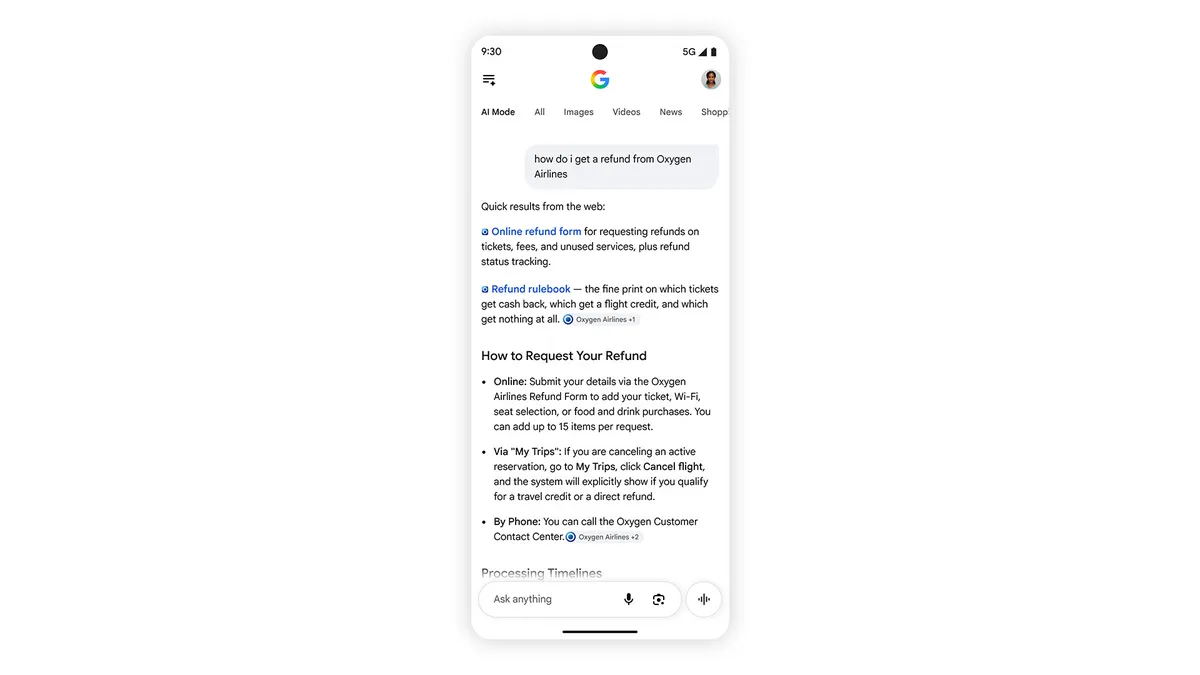
Official-task links: Sometimes only one or two sites can finish a job or give the exact page you need. Google is testing a dedicated block near the top of AI answers for those pages, plus short context explaining why each link is useful.
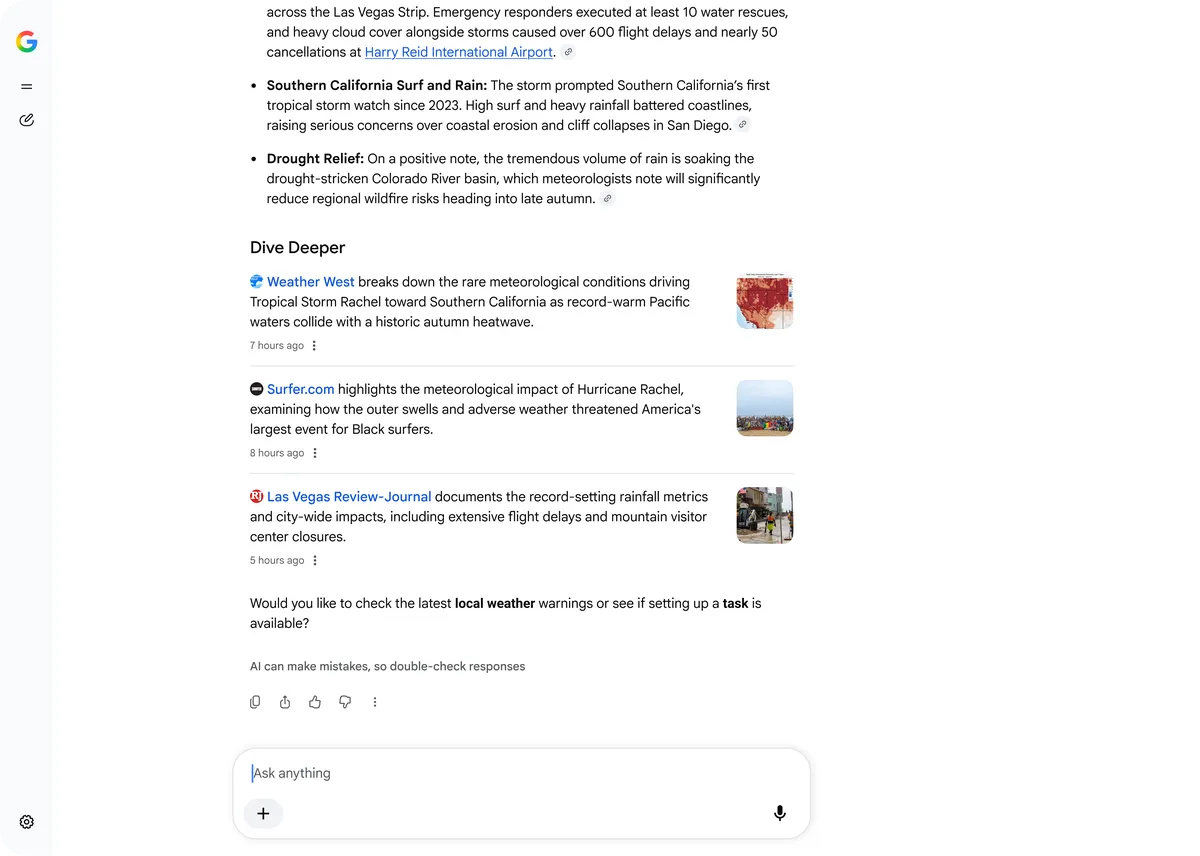
Dive Deeper redesign: Links that appear at the end of some AI answers are getting a more engaging layout, including image thumbnails and a design that is easier to tap or click.
Timely news carousels: The prominent carousels for timely articles are expanding to more locations and languages. They also highlight Preferred Sources. Google says use of Preferred Sources has grown more than 7x since the start of the year.
Creator names on video results: AI Mode is testing clickable creator and publisher names on video results. Those names open Search profiles so you can learn more about the person or outlet behind a video.
What this means in Chrome
On a Chromebook or Googlebook: open Google Search in Chrome as usual. If AI Mode or an AI Overview appears, look for links earlier in the answer, the Dive Deeper strip, and any official-site block at the top. Availability can vary by country, language and query.
Our take: This is a quiet but important shift for anyone who browses in Chrome. AI answers that hide sources are less useful. Putting official pages and news closer to the top should make it easier to leave the AI box and read the real page.
Also new in Search and Gemini: Google Universal Cart launches in the US.
Discover more from Chrome Geek
Subscribe to get the latest posts sent to your email.