

Readers like you help support this site. When you make a purchase using links on our site, we may earn an affiliate commission. All opinions remain our own.


Whether you’re drafting emails or generating ideas, Copilot integrates with ChromeOS seamlessly.
Most Chromebooks since 2017 support Android apps, and the web version works on any device with a browser.
This guide walks you through how to use Microsoft Copilot on your Chromebook and highlights its latest features.
Ready to work smarter? Share your thoughts or contact us below.
How to Access Microsoft Copilot on Chromebook
Microsoft Copilot is available on Chromebooks through the Android app from the Google Play Store or the web platform at copilot.microsoft.com.
Not sure if your device supports Android apps? Check our list of compatible Chromebooks.
Method 1: Install Microsoft Copilot Android App
- Open the Google Play Store on your Chromebook.
- Search for “Microsoft Copilot” in the search bar.
- Click “Install” to download the app.
- Launch Copilot from your app drawer.
- Sign in with a Microsoft account to start using it.
Download Microsoft Copilot (Google Play Store)
Quick Tip: 💡 Try voice input for hands-free assistance.
Why we prefer this method: The Android app offers offline access and a mobile-optimized experience.
Note: If the Play Store isn’t enabled, see our guide to activate it. No touchscreen required.
Method 2: Use Microsoft Copilot Web Platform
- Open your Chrome browser on your Chromebook.
- Visit copilot.microsoft.com.
- Sign in with your Microsoft account or use it without signing in (limited features).
- Type a query or upload a file to get started.
Quick Tip: 💡 Bookmark the site for instant AI access.
Why we like this method: No installation needed, works on any Chromebook instantly.
What is Microsoft Copilot About?
Microsoft Copilot is an AI assistant launched in 2023 (initially Bing Chat). On Chromebooks, it’s available via Android app or web.
Powered by GPT-4o (as of May 2024), it assists with tasks and integrates with Microsoft 365, competing with ChatGPT and Google Gemini.
Key Features:
- Generate text for emails, documents, or social posts
- Answer questions with web-sourced info
- Create images via Microsoft Designer integration
- Voice input for conversational queries
- Free tier with Pro option for priority access
Microsoft Copilot Screenshots
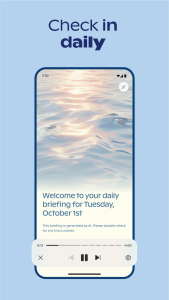

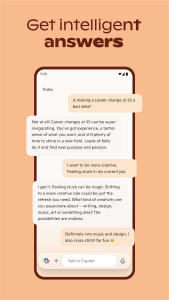
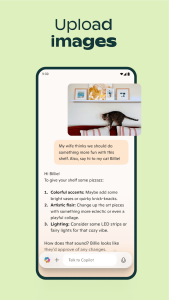
Microsoft Copilot on Chromebook FAQ:
- Is it free? Yes, basic features are free; Copilot Pro ($20/month) adds priority and extras.
- Why won’t the app install? Ensure Android 9+ and 4GB+ RAM.
- Can I use it offline? App supports limited offline use; web requires internet.
- How’s it different from ChatGPT? Copilot cites sources, integrates with Microsoft tools.
Microsoft Copilot Chromebook Requirements:
- OS Version: ChromeOS with Android 9 or newer (app); any ChromeOS (web).
- Device Specs: 4GB of RAM or higher.
- Storage Space: 1GB or more (app).
- Internet: Required for web and most app features.
For more help:
Explore AI tools: DeepSeek, Grammarly, ChatGPT for Chromebook or our list of the best Ai Extensions for Chrome