


Readers like you help support this site. When you make a purchase using links on our site, we may earn an affiliate commission. All opinions remain our own.

Whether you’re managing Echo devices or setting reminders, Alexa integrates smoothly with ChromeOS.
Most Chromebooks since 2017 support Android apps, and the web version works in any browser.
This guide walks you through both ways to use Alexa on your Chromebook and highlights its key features.
Ready to talk to Alexa? Share your thoughts or contact us below.
How to Access Alexa on Chromebook
Alexa is available on Chromebooks through the Android app from the Google Play Store or the web platform at alexa.amazon.com.
Not sure if your device supports Android apps? Check our list of compatible Chromebooks.
Method 1: Install Alexa Android App
- Open the Google Play Store on your Chromebook.
- Search for “Amazon Alexa” in the search bar.
- Click “Install” to download the app.
- Launch Alexa from your app drawer.
- Sign in with your Amazon account to start using it.
Download Alexa (Google Play Store)
Quick Tip: 💡 Pair Echo devices directly in the app.
Why we prefer this method: The Android app offers full functionality and device setup.
Note: If the Play Store isn’t enabled, see our guide to activate it.
Method 2: Use Alexa Web Platform
- Open your Chrome browser on your Chromebook.
- Visit alexa.amazon.com.
- Sign in with your Amazon account.
- Manage devices, routines, or play music.
Quick Tip: 💡 Bookmark the page for quick access.
Why we like this method: The web platform requires no install and syncs your settings.
What is Alexa About?
Alexa is Amazon’s voice assistant, launched in 2014 with the Echo. On Chromebooks, it’s available via Android app or web.
From controlling smart homes to streaming music, Alexa brings hands-free convenience to ChromeOS, perfect for Echo owners or standalone use.
Key Features:
- Voice-controlled smart home
- Music and podcast streaming
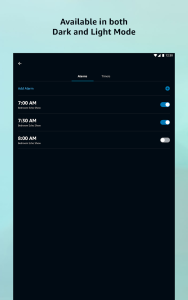
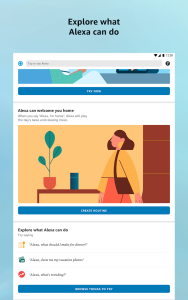
- Routines and reminders
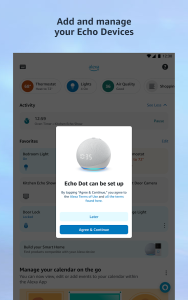
- Echo device management
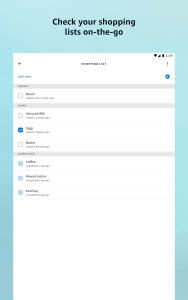
- Shopping list creation
Alexa Screenshots
Alexa on Chromebook FAQ:
- Is Alexa free? Yes, the app and web are free; some features need subscriptions (e.g., Amazon Music).
- Why won’t the app install? Ensure Android 10+ and 4GB+ RAM.
- Can I use it without an Echo? Yes, for music, lists, and more via app or web.
- How’s it different from Google Assistant? Alexa ties into Amazon’s ecosystem, not Google’s.
Alexa Chromebook Requirements:
- OS Version: ChromeOS with Android 10 or newer (app); any ChromeOS (web).
- Device Specs: 4GB of RAM or higher.
- Storage Space: 1GB or more (app).
- Internet: Required for streaming and initial setup.
For more help:
Try more media apps: Top 10 Media Players or Tidal