

Readers like you help support this site. When you make a purchase using links on our site, we may earn an affiliate commission. All opinions remain our own.

Whether you’re a Prime member or Unlimited subscriber, Amazon Music delivers on ChromeOS.
Most Chromebooks since 2017 support Android apps, and the web version works in any browser.
This guide walks you through both ways to use Amazon Music on your Chromebook and highlights its key features.
Ready to stream? Share your thoughts or contact us below.
How to Access Amazon Music on Chromebook
Amazon Music is available on Chromebooks through the Android app from the Google Play Store or the web platform at music.amazon.com.
Not sure if your device supports Android apps? Check our list of compatible Chromebooks.
Method 1: Install Amazon Music Android App
- Open the Google Play Store on your Chromebook.
- Search for “Amazon Music” in the search bar.
- Click “Install” to download the app.
- Launch Amazon Music from your app drawer.
- Sign in with your Amazon account to start streaming.
Download Amazon Music (Google Play Store)
Quick Tip: 💡 Download tracks for offline play with Unlimited or Prime.
Why we prefer this method: The Android app offers offline playback and a tailored interface.
Note: If the Play Store isn’t enabled, see our guide to activate it.
Method 2: Use Amazon Music Web Platform
- Open your Chrome browser on your Chromebook.
- Visit music.amazon.com.
- Sign in with your Amazon account.
- Start streaming or explore playlists.
Quick Tip: 💡 Link with Alexa for voice control on supported devices.
Why we like this method: The web platform requires no install and streams instantly.
What is Amazon Music About?
Amazon Music is a streaming service launched by Amazon in 2007. On Chromebooks, it’s available via Android app or web.
Offering millions of songs, podcasts, and exclusive content, Amazon Music caters to Prime members (2 million songs) and Unlimited subscribers (100 million songs), a top choice for ChromeOS audio.
Key Features:
- Millions of songs and podcasts
- Personalized playlists
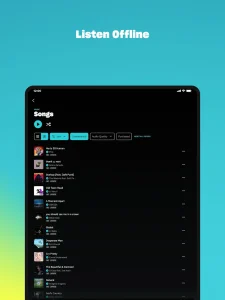
- Offline playback (app, subscription)
- Prime and Unlimited tiers
- Alexa integration
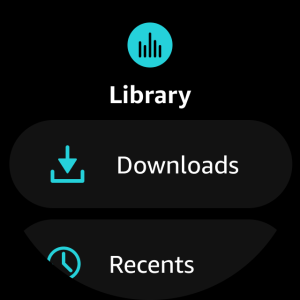
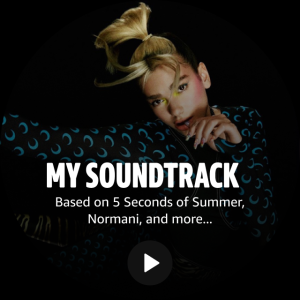
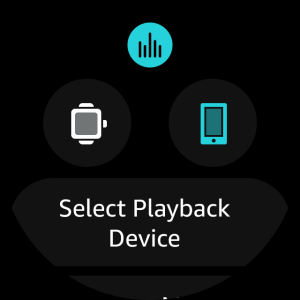
Amazon Music Screenshots
Amazon Music on Chromebook FAQ:
- Is Amazon Music free? Prime includes 2 million songs; Unlimited (100 million) requires a subscription.
- Why won’t the app install? Ensure Android 10+ and 4GB+ RAM.
- Can I use it offline? Yes, with app downloads and a subscription; web needs a connection.
- How’s it different from Spotify? Amazon Music ties into Prime benefits and Alexa.
Amazon Music Chromebook Requirements:
- OS Version: ChromeOS with Android 10 or newer (app); any ChromeOS (web).
- Device Specs: 4GB of RAM or higher.
- Storage Space: 1GB or more (app).
- Internet: Required for streaming and initial app setup.
For more help:
Try more media apps: Top 10 Media Players or try YouTube Music, Apple Music, Google Home App on Chromebook