



Readers like you help support this site. When you make a purchase using links on our site, we may earn an affiliate commission. All opinions remain our own.
Paramount+ is a leading streaming service offering a wide range of movies, TV shows, live sports, and exclusive content from networks like CBS, Nickelodeon, MTV, and more.
If you’re a Chromebook user looking to stream your favorite shows or explore Paramount+’s extensive library, you’re in luck, there are multiple ways to access Paramount+ on your device.
Whether you prefer using the Google Play Store app or streaming directly through a web browser, this guide will walk you through both methods.
Let’s get started and bring Paramount+ to your Chromebook and remember you can also contact us or leave a comment below if you need any help.
How to Access Paramount+ on Chromebook
To access Paramount+ on a Chromebook, you can use the Paramount+ app or the Paramount+ website in Google Chrome.
Method 1: Install Paramount+ via Google Play Store
- 📱 Open the Google Play Store on your Chromebook.
- 🔍 Search for “Paramount+” in the search bar.
- ⬇️ Click the “Install” button to download and install the app.
- 🚀 Once installed, launch Paramount+ from your app drawer.
- 🔑 Sign In using your Paramount+ account credentials.
- 🎬 Start Watching by selecting a movie or show from the library.
👉 Download Paramount+ from the Google Play Store: Paramount+ on Google Play
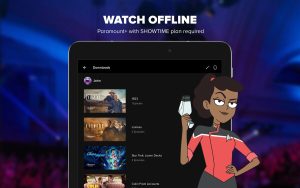
Why do we recommend using the Paramount+ App? It allows you to download select movies and shows for offline viewing, which is great for travel or limited Wi-Fi situations.
Note: Ensure your Chromebook supports Android apps. If not, you may need to enable the Google Play Store in your Chromebook settings.
Method 2: Use Paramount+ in Your Browser
If you prefer not to download the app, you can stream Paramount+ directly in your browser:
- 🌐 Visit the Paramount+ Website: Go to ParamountPlus.com.
- 🔑 Sign Up or Log In:
- If you’re new, click Sign Up, choose a subscription plan, and enter your payment information.
- If you already have an account, click Sign In and enter your credentials.
- 🎬 Start Watching: Browse the library and click Play to stream your favorite movies and shows.
What is Paramount+ About?
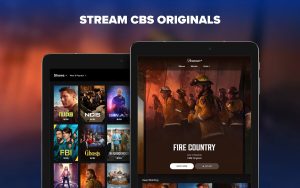
Paramount+ is a streaming service that offers movies, TV shows, and exclusive originals from CBS, Nickelodeon, MTV, and Paramount Pictures.
It features live sports, breaking news, and a vast content library spanning multiple genres. With flexible plans, users can stream in high quality across multiple devices.
Key Features:
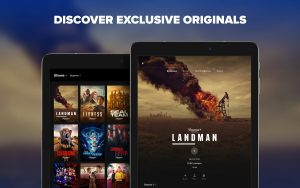
- Paramount+ Originals – Exclusive series like Halo and 1923.
- Live Sports & News – Stream NFL games, UEFA Champions League, and CBS News.
- 4K UHD & HDR – Watch select content in ultra-high definition.
- Offline Viewing – Download shows and movies for offline access.
- Kids & Family Content – Includes Nickelodeon favorites and family-friendly shows.
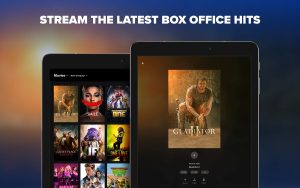
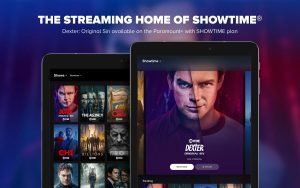
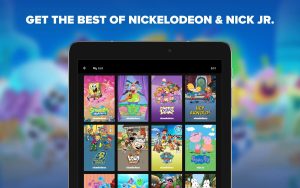
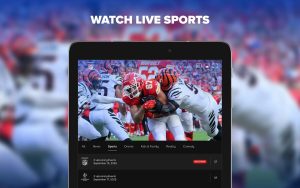
Paramount+ Screenshots
Paramount Plus on ChromeOS FAQ:
- Why does Paramount+ keep logging me out on Chrome?
This can happen due to corrupted cookies, try clearing your browser cookies and cache. - Does Paramount+ work in incognito mode on Chrome?
Yes, but you may need to enable third-party cookies for the site to function properly. - Why is the Paramount+ video quality blurry or pixelated?
Your internet speed may be too low, try switching to a wired connection or reducing other network usage. - How do I fix the Paramount+ “Error Code 6040” on Chromebook?
This is often a DRM issue, restart your device, update Chrome, and ensure Widevine DRM is enabled. - Why does Paramount+ keep freezing or crashing in my browser?
Disable extensions like ad blockers, update Chrome OS, and try using a different profile or guest mode.
For more help:
You can check our list of the best apps to watch movies and tv shows on your Chromebook which includes alternatives like Hulu on Chromebook.