15 Best Arcade Games for Chromebook and Googlebook
 by
Joseph Vance
September 14, 2026
by
Joseph Vance
September 14, 2026
Readers like you help support this site. When you make a purchase using links on our site, we may earn an affiliate commission. All opinions remain our own.

The best arcade games for Chromebook and Googlebook include Geometry Dash for rhythm-fueled precision platforming and rapid restarts, MARVEL Cosmic Invasion for modern cooperative beat ’em up arcade action, Sonic Mania Plus for high-speed retro momentum and time trials, Cuphead for demanding run-and-gun boss encounters, and Rocket League for physics-based vehicular arcade soccer.
Have a favorite arcade game we missed? Tell us about it, including which device and platform you use to play.
Top Arcade Games for Chromebook & Googlebook
#1
Geometry Dash
★ Rhythm Platformer
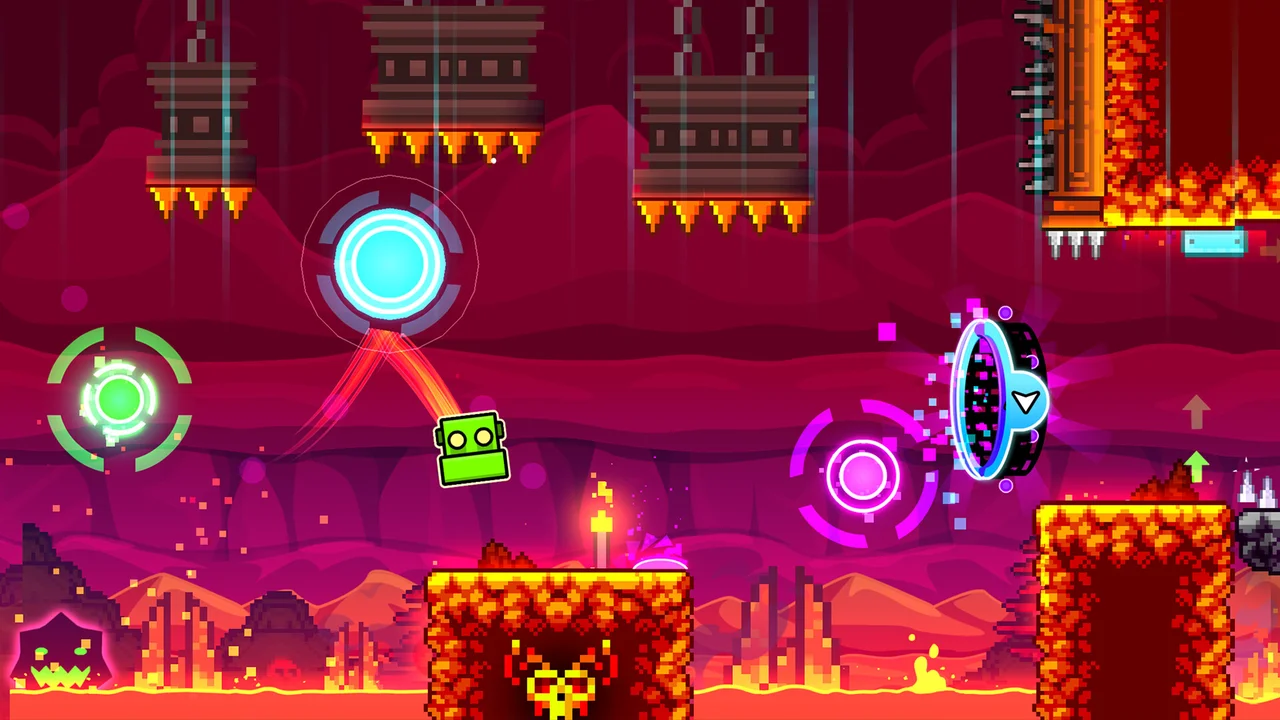
Geometry Dash stands as one of the purest tests of timing and muscle memory on ChromeOS. You guide a small geometric icon through relentless obstacle courses synchronized to pulsating electronic soundtracks. Every jump, rocket flight, and gravity flip must be timed to the beat of the music, and a single collision resets the stage instantly. Its quick retries and escalating difficulty create an addictive loop that fits short breaks or extended practice sessions.
- One-Touch Timing: Control all jumps, rocket thrusts, and gravity reversals with a single keyboard tap or touchscreen press.
- Instant Restarts: Respawn at the starting line within milliseconds of hitting a hazard to maintain rhythmic flow.
- Offline Progression: Access all built-in official stages and practice checkpoint runs without requiring an internet connection.
 Get on Google Play
#2
MARVEL Cosmic Invasion
★ Arcade Beat ’em Up
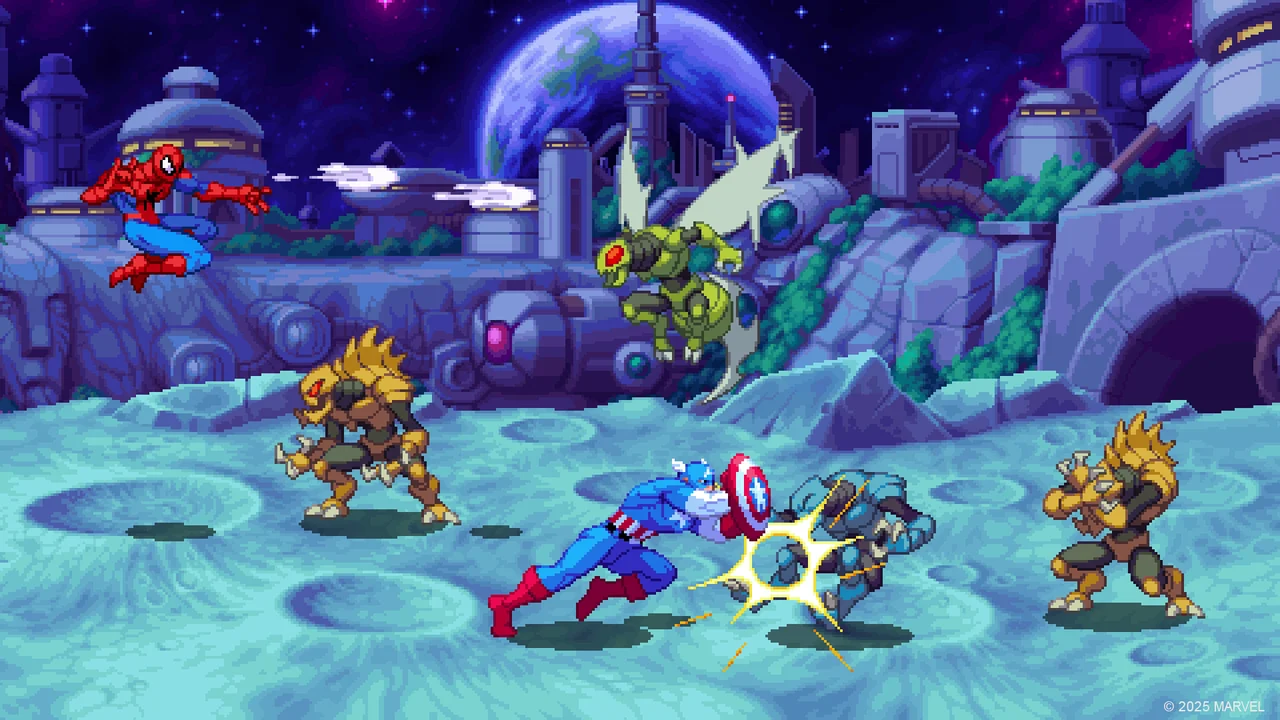
MARVEL Cosmic Invasion delivers classic side-scrolling arcade beat ’em up action updated for modern hardware. Players select iconic Marvel heroes to battle alien syndicate invaders across short, action-packed city stages and galactic flagships. The combat focuses on chaining ground strikes, launching juggles, and coordinating screen-clearing super moves with a co-op partner. Short stage structures and high-score ranking tables make every run rewarding and repeatable.
- Cooperative Brawling: Team up with a partner locally or online to execute synchronized tag-team attacks.
- Bite-Sized Stages: Advance through short combat encounters tailored for quick gaming sessions and score chasing.
- Hero Ability Trees: Unleash signature superpowers, defensive counters, and cinematic screen-clearing special attacks.
 Check Boosteroid
 Check GeForce NOW
 Check Xbox Cloud
 Check Luna
 View on Steam
#3
Sonic Mania Plus
★ 2D Action Platformer
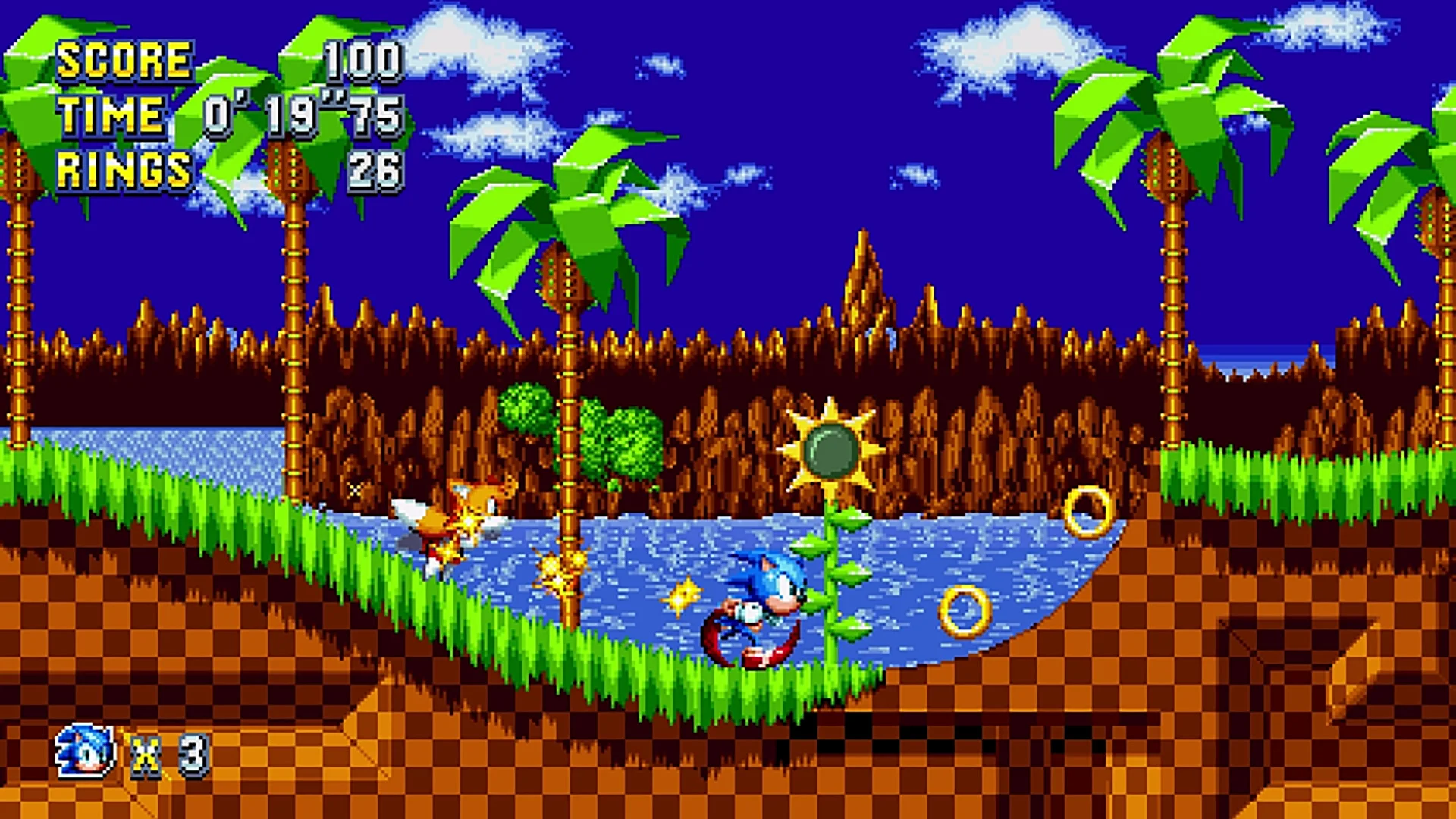
Sonic Mania Plus celebrates the golden era of 16-bit arcade platforming with blisteringly fast momentum and pristine pixel art. You sprint through redesigned classic zones and brand-new acts filled with multiple branching pathways, secret giant rings, and tricky boss encounters. The Encore mode introduces dynamic character swapping between Sonic, Tails, Knuckles, Mighty, and Ray, giving replay hunters fresh ways to shave seconds off their route times.
- Momentum Physics: Master classic rolling, spin dashes, and drop dashes across multi-tiered zone routes.
- Encore Roster Mode: Swap dynamically between five playable characters with distinct traversal abilities.
- Competition Time Attack: Compete against leaderboard ghosts or challenge a friend in split-screen versus races.
#4
Fruit Ninja
★ High-Score Arcade
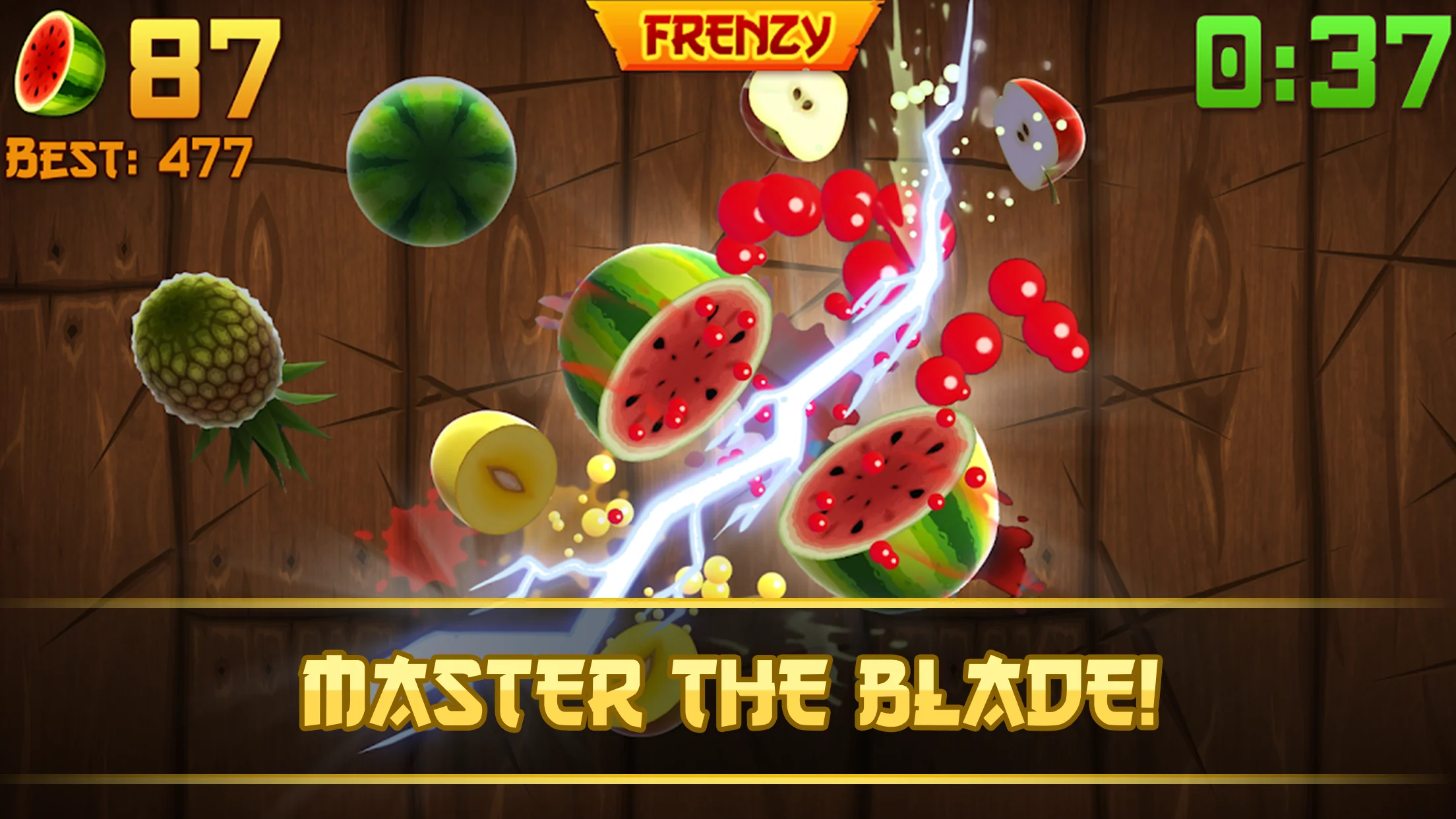
Fruit Ninja is an enduring touch arcade staple where players slice airborne watermelons, pineapples, and berries while avoiding explosive bombs. The action relies entirely on hand-eye coordination and rapid reflex swipes across the display. Chaining multiple fruits with a single precise stroke yields combo point multipliers, while special bonus bananas unleash freeze effects and frantic fruit frenzies that boost your final score.
- Swipe Mechanics: Slice flying fruit and trigger multi-fruit combo streaks with quick touchscreen swipes.
- Arcade Mode Modifiers: Trigger frenzy waves, freeze time, and double score multipliers during sixty-second rounds.
- Blade and Dojo Customization: Earn customized blade effects and dojo backgrounds by completing gameplay challenges.
#5
Trackmania
★ Arcade Time Attack
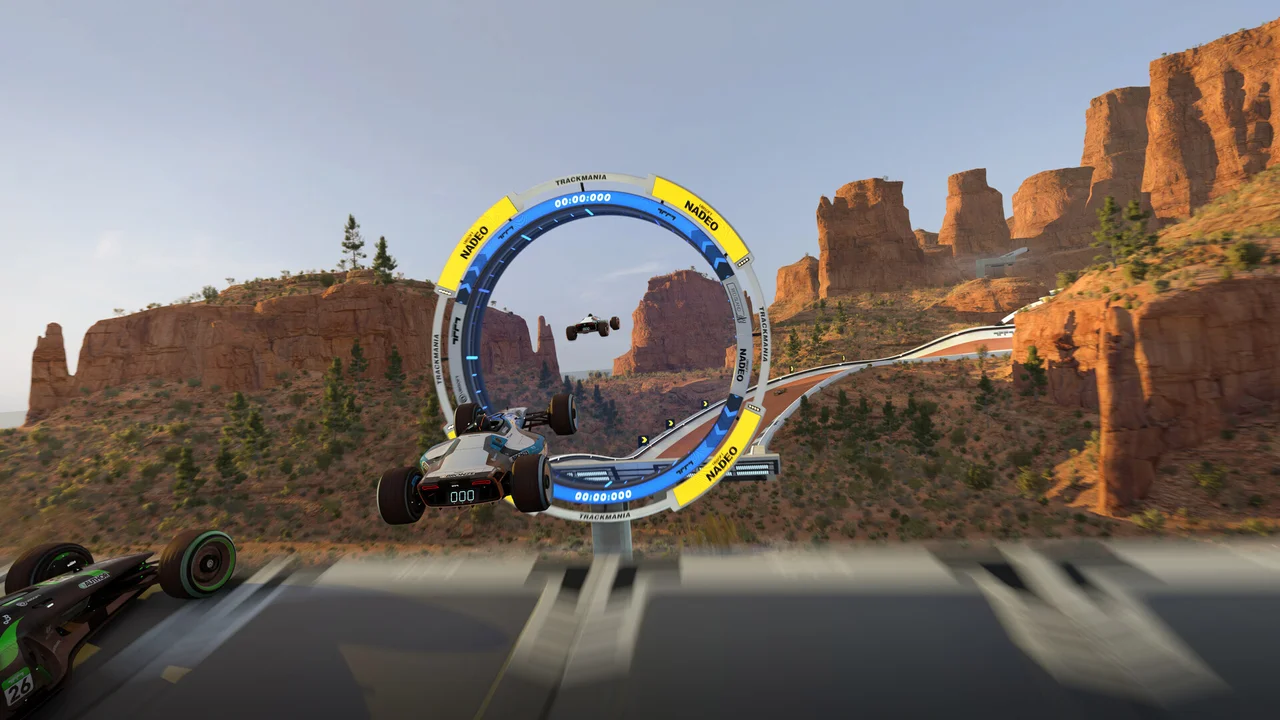
Trackmania strips racing down to pure arcade precision and leaderboard time attack competition. Driving identical lightweight formula cars, players launch down roller-coaster tracks featuring vertical loops, wall rides, ice jumps, and magnetic road surfaces. There are no opponent collisions or draft mechanics; every millisecond comes down to steering angles and throttle management. Instant respawns let you reset failed runs immediately.
- Precision Handling: Tackle banked wall-rides, ice chicanes, and supersonic loop-de-loops with tight steering response.
- Instant Respawn System: Tap a single button to reset to the track start or last checkpoint without loading delays.
- Global Leaderboards: Compete directly against community ghost recordings to shave hundredths of a second off your time.
Check BoosteroidCheck GeForce NOWCheck Xbox CloudCheck LunaView on Steam
#6
Subway Surfers
★ Endless Runner
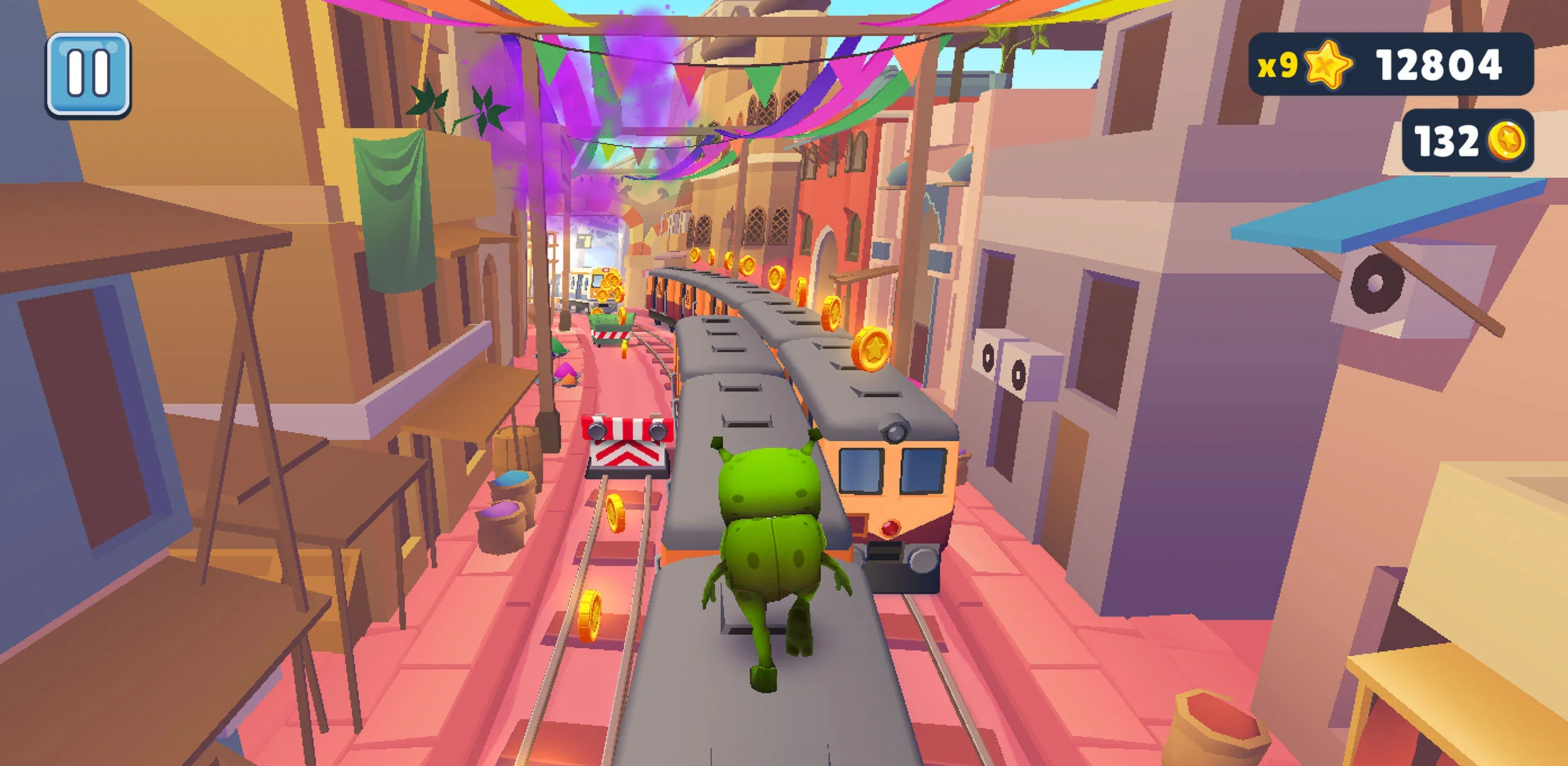
Subway Surfers is the archetypal three-lane endless runner, challenging you to sprint away from a grumpy inspector along crowded railway tracks. You dodge incoming passenger trains, hop over barricades, and surf on overhead cables while scooping up shiny gold coins. The game tests rapid decision-making as speed increases, rewarding quick lane transitions and timely activations of power-ups like super sneakers and jetpacks.
- Three-Lane Reflexes: Switch lanes, roll under signals, and jump over trains with immediate directional inputs.
- Hoverboard Protection: Double-tap to summon temporary hoverboards that absorb a single crash to save your run.
- World Tour Updates: Explore rotating international city tracks, unique seasonal outfits, and fresh weekly goals.
#7
Cuphead
★ Run and Gun
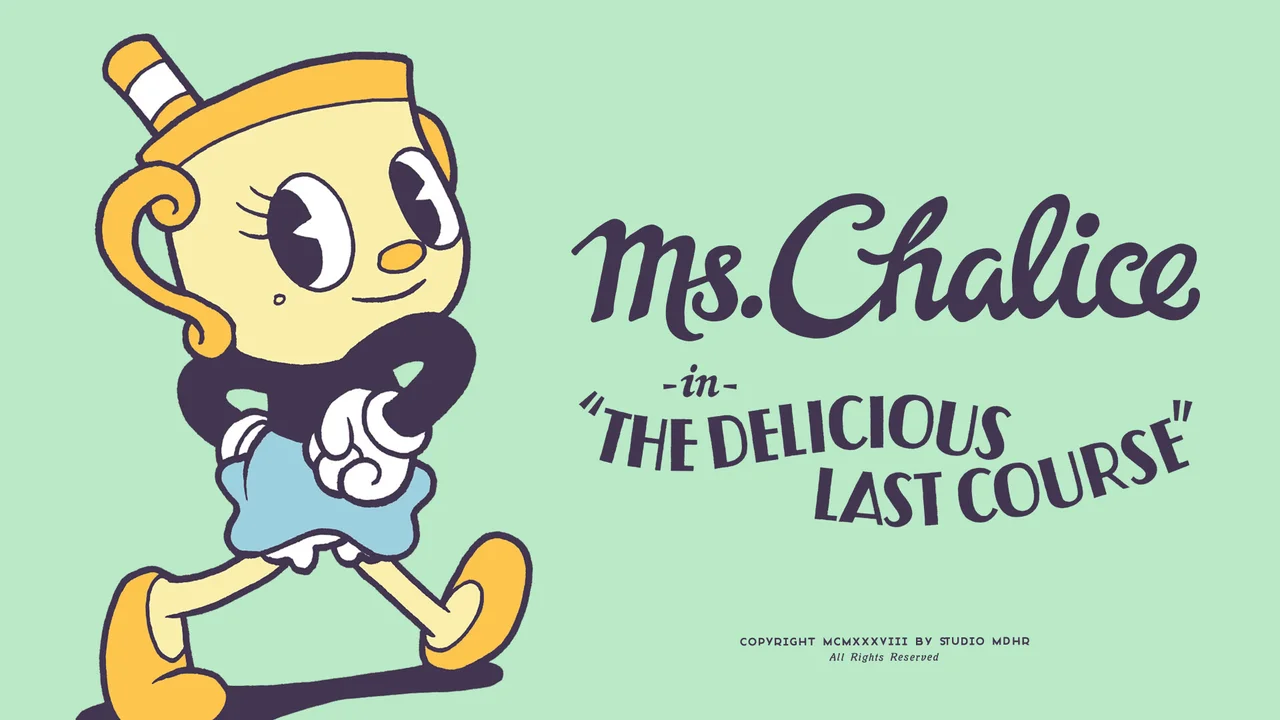
Cuphead combines the punishing difficulty of classic run-and-gun arcade shooters with astonishing 1930s hand-drawn cel animation. Players face off against multi-phase boss encounters that fill the screen with projectiles, requiring rapid dodging, precise jumping, and relentless counter-fire. The parry mechanic lets you swat pink hazards to build up super meter cards, while customizable weapon charms let you tailor attack patterns to each foe.
- Hand-Drawn Animation: Features traditional hand-drawn cel animation and original jazz big-band audio recordings.
- Pink Parry System: Slap pink projectiles mid-air to deflect damage and charge powerful EX super attacks.
- Two-Player Couch Co-op: Connect two gamepads to tackle every boss encounter alongside Mugman in cooperative mode.
Check BoosteroidCheck GeForce NOWCheck Xbox CloudCheck LunaView on Steam
#8
Crossy Road
★ Endless Score Chaser
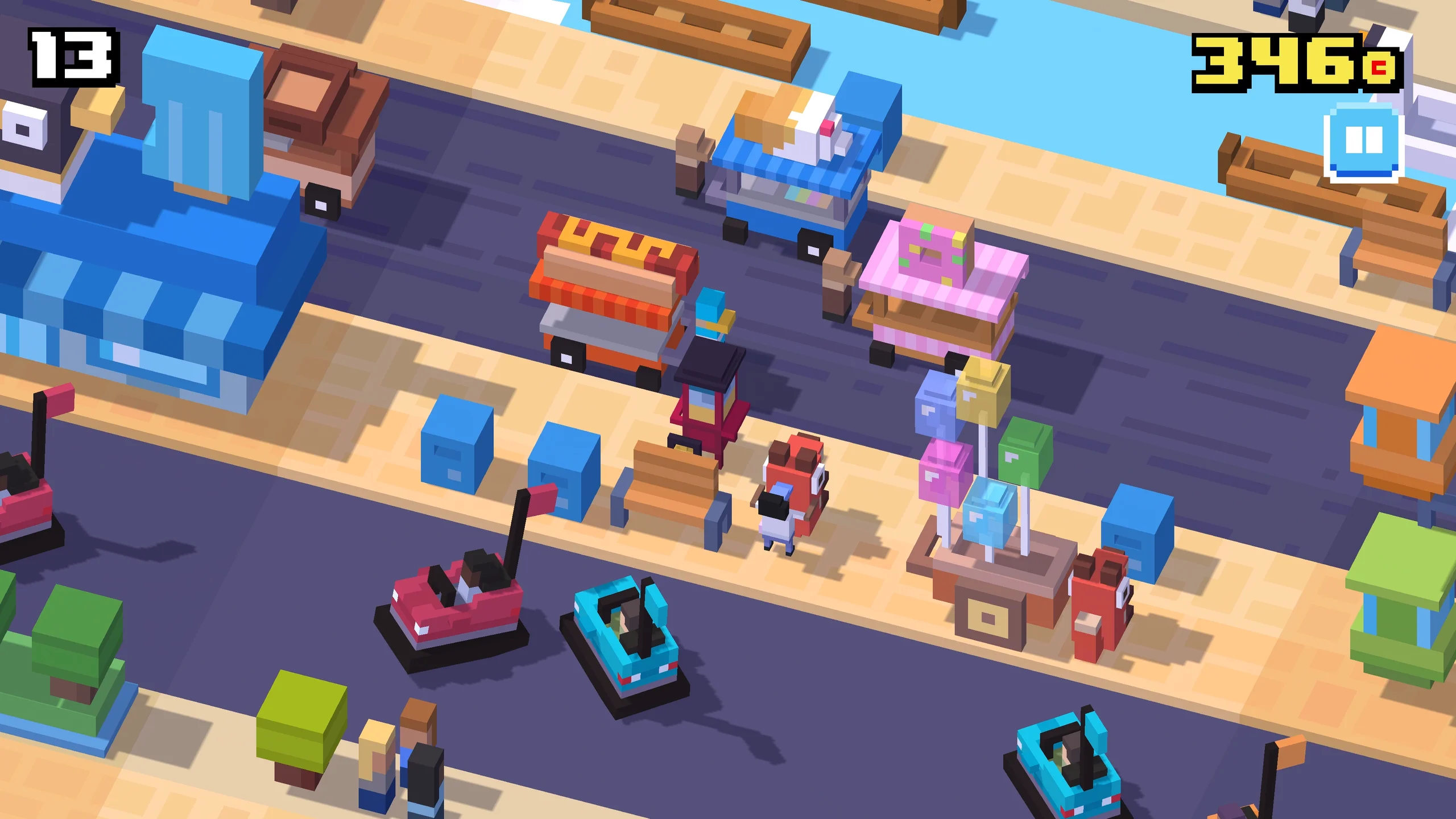
Crossy Road revitalizes classic Frogger arcade gameplay into an endlessly charming voxel obstacle course. You tap to hop forward across busy highways, rushing rivers, and speeding train tracks while dodging speeding trucks and floating crocodiles. Hesitating too long invites a swift eagle swoop from above, ensuring you always keep moving. Its clean visual style, unlockable pop-culture figurines, and same-device multiplayer modes make it a crowd favorite.
- One-Tap Hopping: Navigate lanes of traffic and rushing rivers using intuitive forward hops and side adjustments.
- Dynamic Voxel Hazards: Avoid speeding semitrucks, high-velocity freight trains, and shifting floating river logs.
- Same-Device Multiplayer: Compete alongside friends on the same screen using keyboard controls or paired controllers.
#9
Rocket League
★ Vehicular Sports Arcade
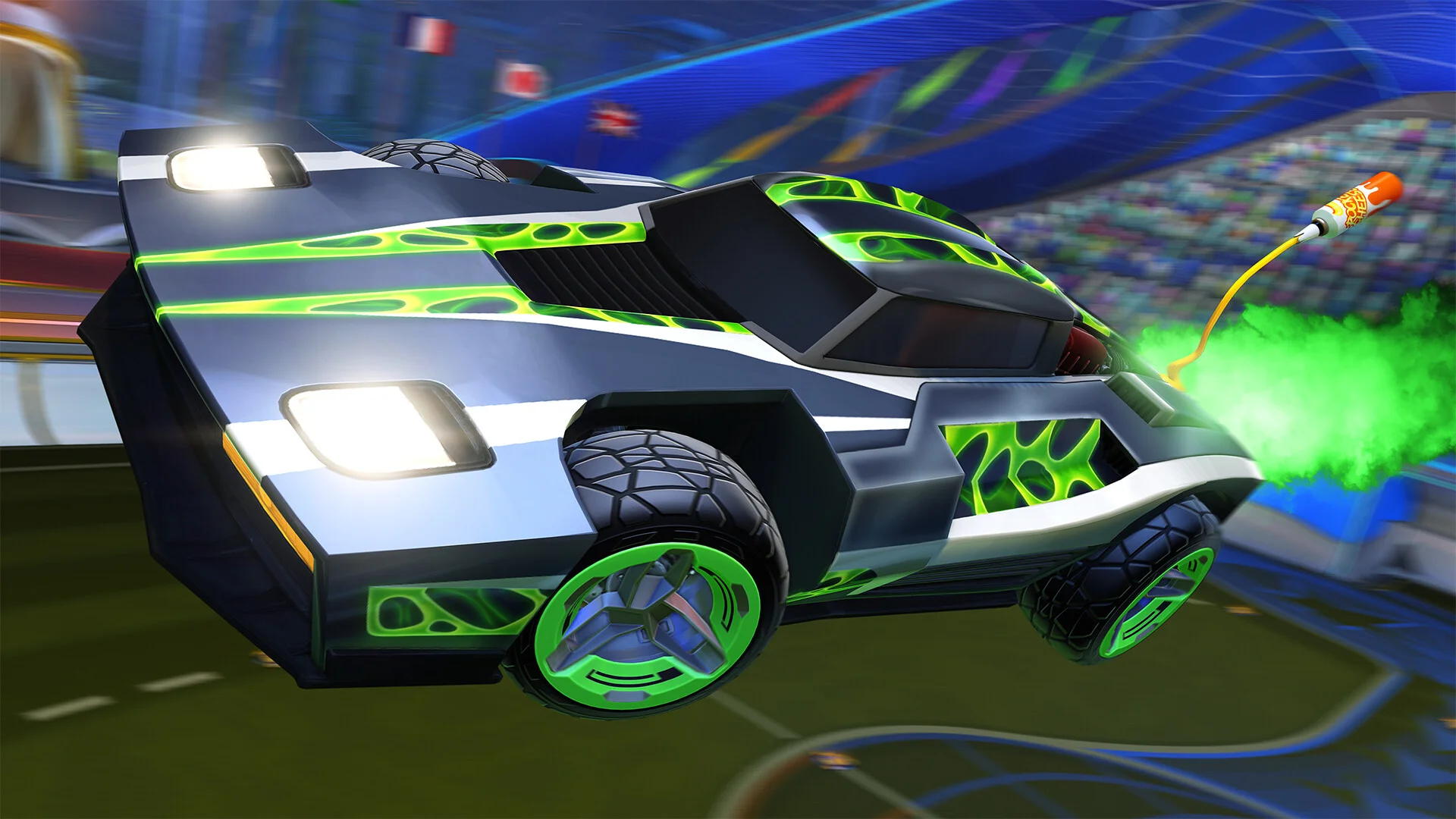
Rocket League fuses high-speed demolition derby with arcade soccer inside an enclosed futuristic dome. Players pilot rocket-powered battle-cars capable of jumping, front-flipping, and boosting up walls to redirect an oversized metal ball toward the opposing goal. Matches last five intense minutes, creating a fast competitive rhythm where momentum and spatial awareness decide every point. Because it runs on pure physics, the learning curve is infinitely rewarding.
- Physics-Based Soccer: Execute aerial strikes, wall jumps, and supersonic headers governed by deterministic vehicle physics.
- Five-Minute Matches: Enjoy concise competitive rounds that fit short gaming sessions without drawn-out match times.
- Cross-Platform Matchmaking: Queue online with players across PC, consoles, and cloud streaming platforms seamlessly.
#10
Tomb of the Mask
★ Retro Reflex Maze
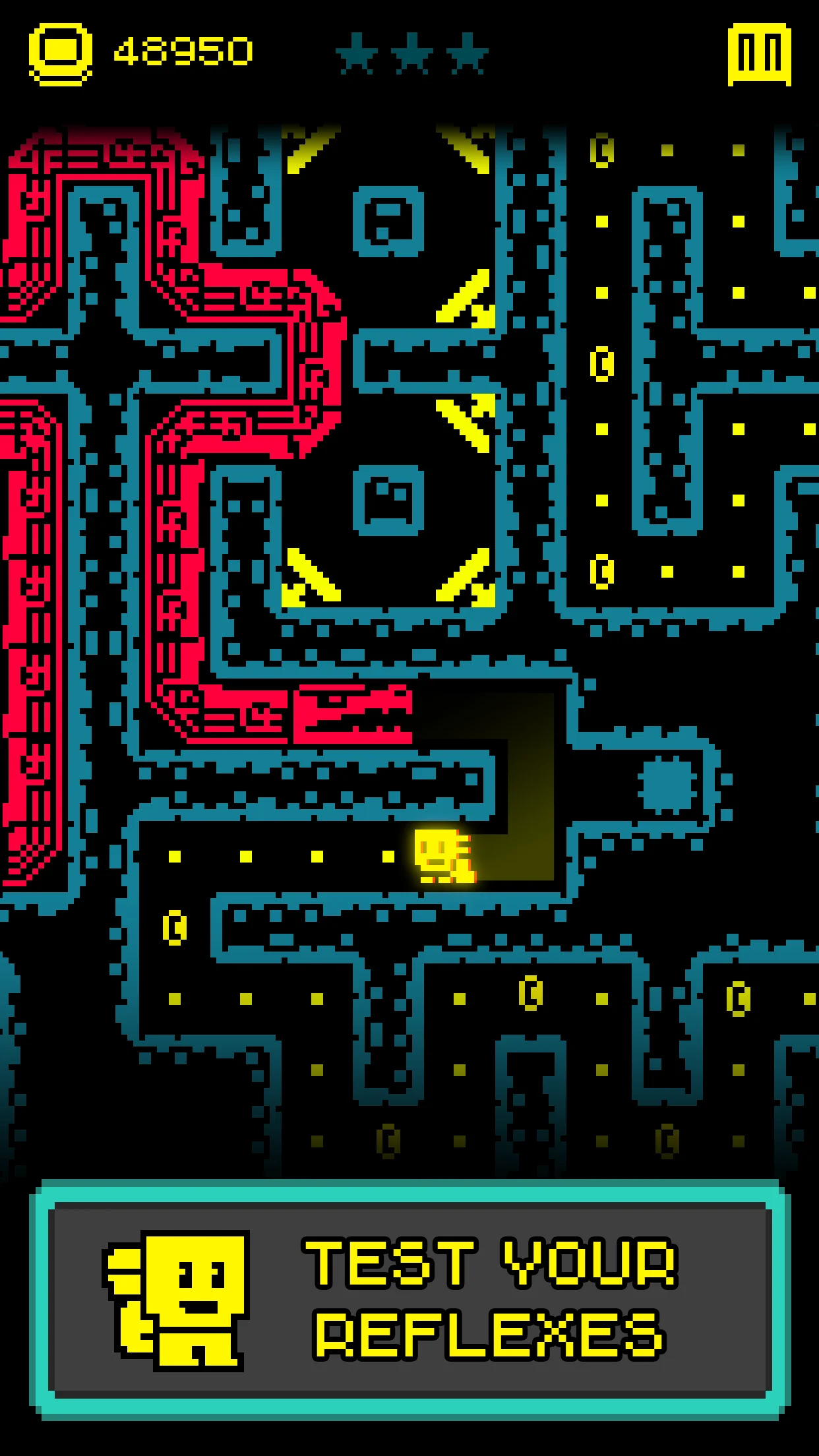
Tomb of the Mask captures the frantic speed of classic coin-op arcade games in a vertical procedural maze. Equipping a magical mask that lets you stick to walls, you swipe in any direction to fling your character along corridor surfaces until hitting an obstacle. Rising hazard fluids from below prevent dawdling, while darting bats, spinning blades, and spike traps demand razor-sharp reaction times. It features both a level-based campaign and an endless arcade sprint.
- Wall-to-Wall Dashing: Fling your explorer across corridors with instant swipe inputs that stop only when hitting a wall.
- Rising Lava Threat: Stay ahead of a rising hazard line that forces decisive, continuous upward movement.
- Endless Arcade Challenge: Test your stamina in an infinite procedural labyrinth to chase global leaderboard records.
#11
PAC-MAN 256
★ Endless Classic Arcade
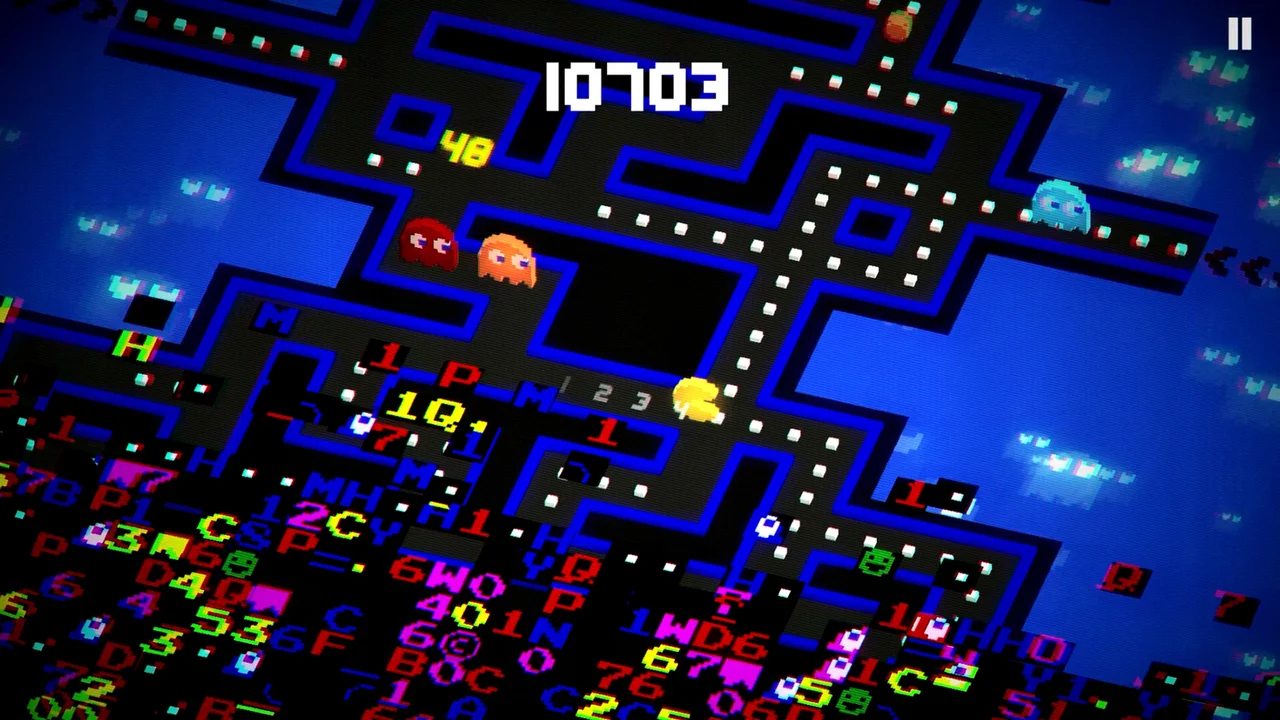
PAC-MAN 256 re-engineers the legendary 1980 arcade classic into an isometric endless maze inspired by the infamous level 256 screen glitch. You guide Pac-Man through never-ending corridors of pellets, fruit, and ghost patrols while an encroaching wave of glitched code rises from the bottom of the screen. New power-ups like lasers, tornadoes, and giant growth add explosive arcade variety to the classic dot-chomping formula.
- Endless Glitch Chase: Outrun the bottom glitch wave while navigating infinitely scrolling maze intersections.
- Destructive Power-Ups: Equip laser beams, freeze blasts, and giant forms to wipe out ghost trains across the board.
- Controller Compatibility: Play comfortably using external Bluetooth gamepads, laptop keyboards, or touchscreen inputs.
#12
Jetpack Joyride
★ Endless Action Arcade
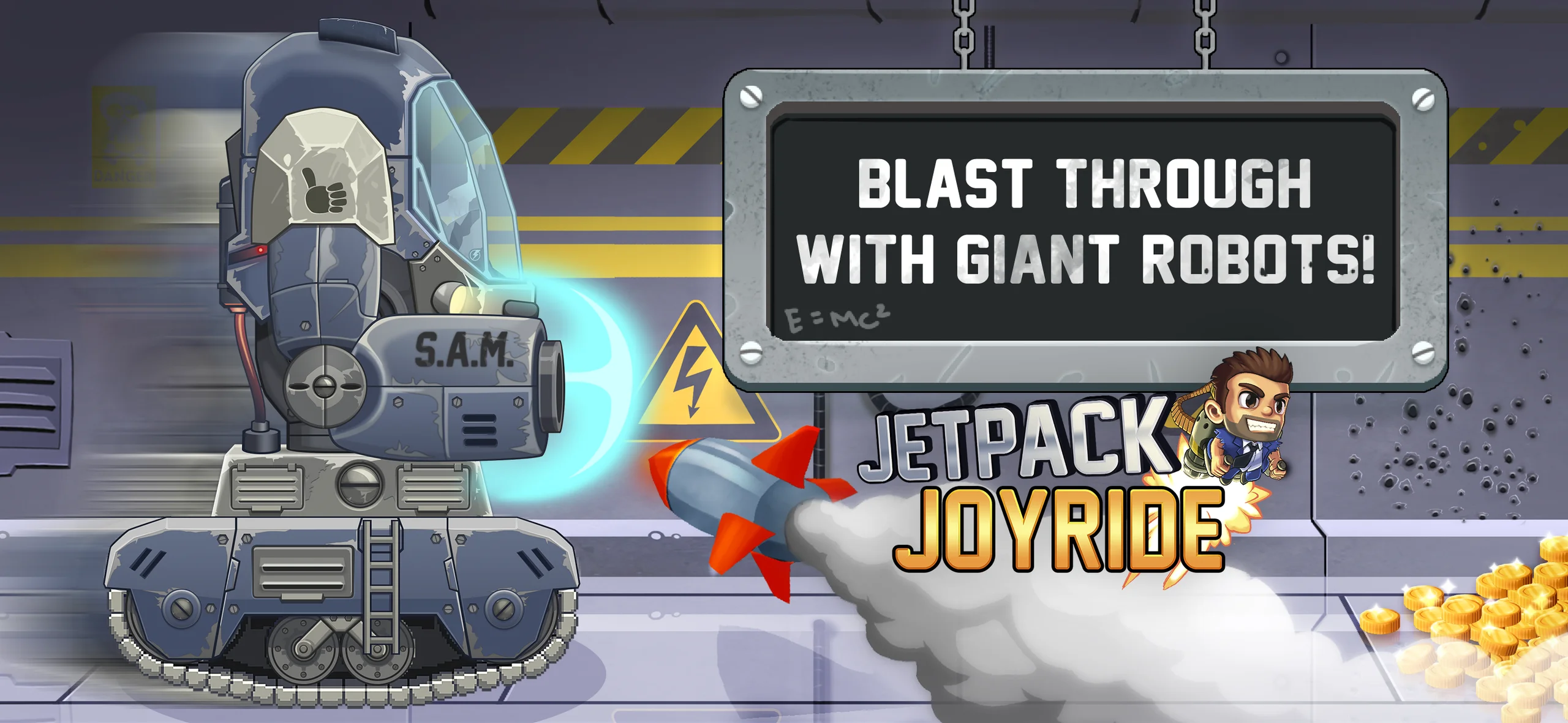
Jetpack Joyride strap players to a bullet-powered propulsion backpack on a frantic escape through an experimental scientific laboratory. One-finger tapping fires the thrusters to lift hero Barry Steakfries into the air, while releasing drops him down to avoid laser grids, electric zappers, and guided missiles. Fun vehicular power-ups like the Profit Bird, Bad As Hog motorcycle, and giant Lil’ Stomper mech keep each run fresh.
- One-Button Flight: Press to fire machine-gun jetpacks and release to descend through hazardous laboratory corridors.
- Wacky Vehicle Spawns: Pilot mechanical dragons, stomping walker suits, and antigravity suits for temporary invulnerability.
- Mission Progression: Complete three rotating active mission goals on every run to level up rank badges and earn coins.
#13
Paper.io 2
★ Territory Capture Arcade
Paper.io 2 is a fast-paced territory control arcade game that distills arena expansion into high-stakes ninety-second rounds. Moving continuously across a blank circular canvas, your paper avatar paints a colored ribbon behind it. Returning to your safe zone claims the encircled territory, expanding your home base and score. However, leaving your border exposes your vulnerable trail, allowing greedy opponents to bite your line and eliminate you instantly.
- Territory Looping: Carve trails into open arena space and reconnect with your home color base to claim ground.
- Tail-Cutting Combat: Eliminate rival players by cutting across their exposed tail lines before they reach safety.
- Quick-Match Pacing: Jump into bite-sized ninety-second skirmishes with immediate respawns after elimination.
#14
Stickman Party: 234 MiniGames
★ Local Party Minigames
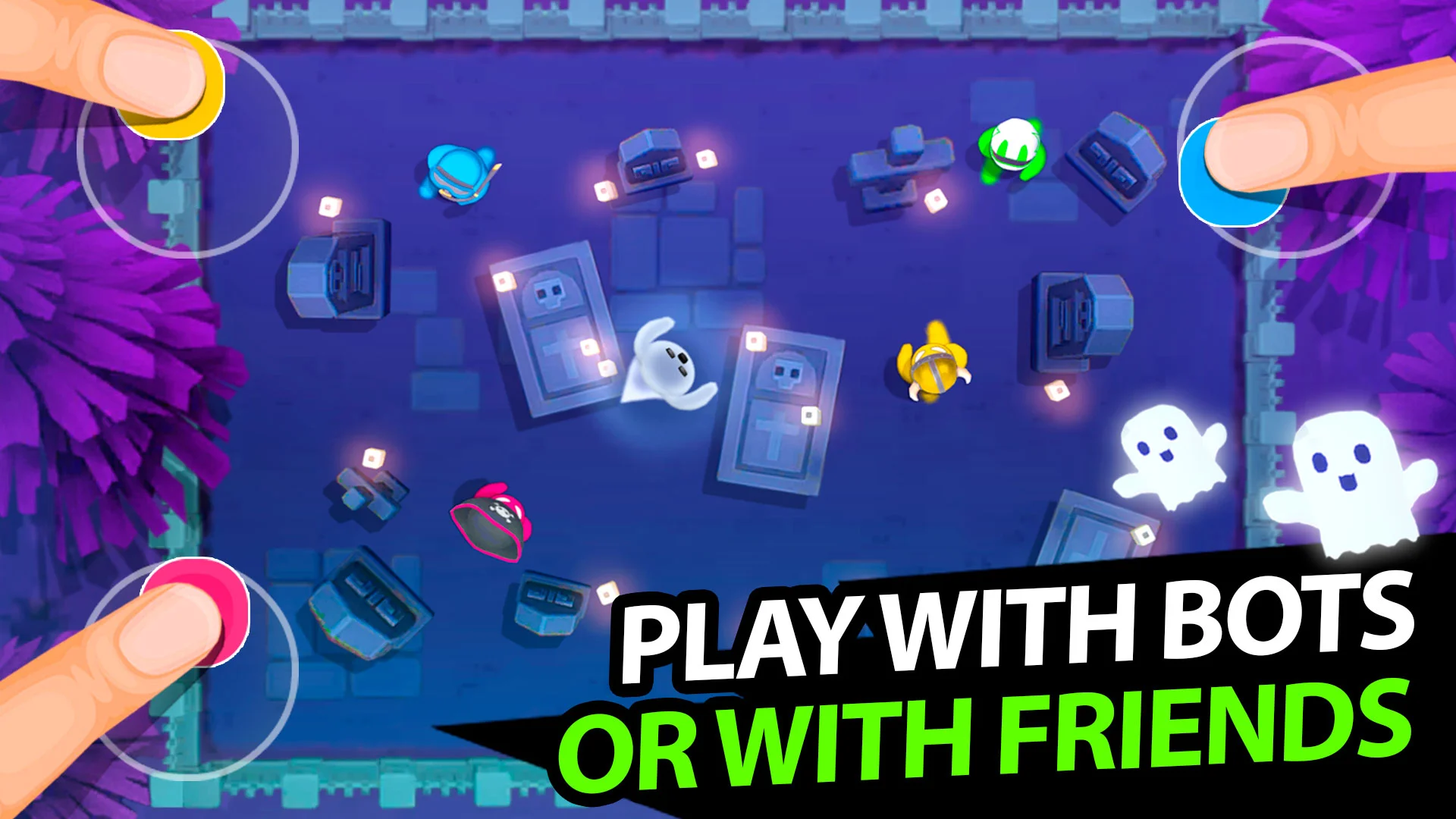
Stickman Party gathers dozens of quick-fire arcade minigames built specifically for local multiplayer on a single device. One to four players can compete together on the same Chromebook screen, battling in miniature tank skirmishes, micro-soccer matches, racing duels, and chicken-catching challenges. Every minigame uses straightforward one-touch or directional controls, ensuring friends and family members can jump straight into the competition without complex setup.
- Shared Single-Screen Play: Supports 1 to 4 players simultaneously on a single Chromebook display or keyboard.
- Dozens of Minigames: Includes top-down tank shootouts, micro-car racing, reflex soccer, and reaction challenges.
- Offline Family Friendly: Runs completely offline without Wi-Fi, making it great for road trips and family gatherings.
#15
Hungry Shark Evolution
★ Arcade Survival Action
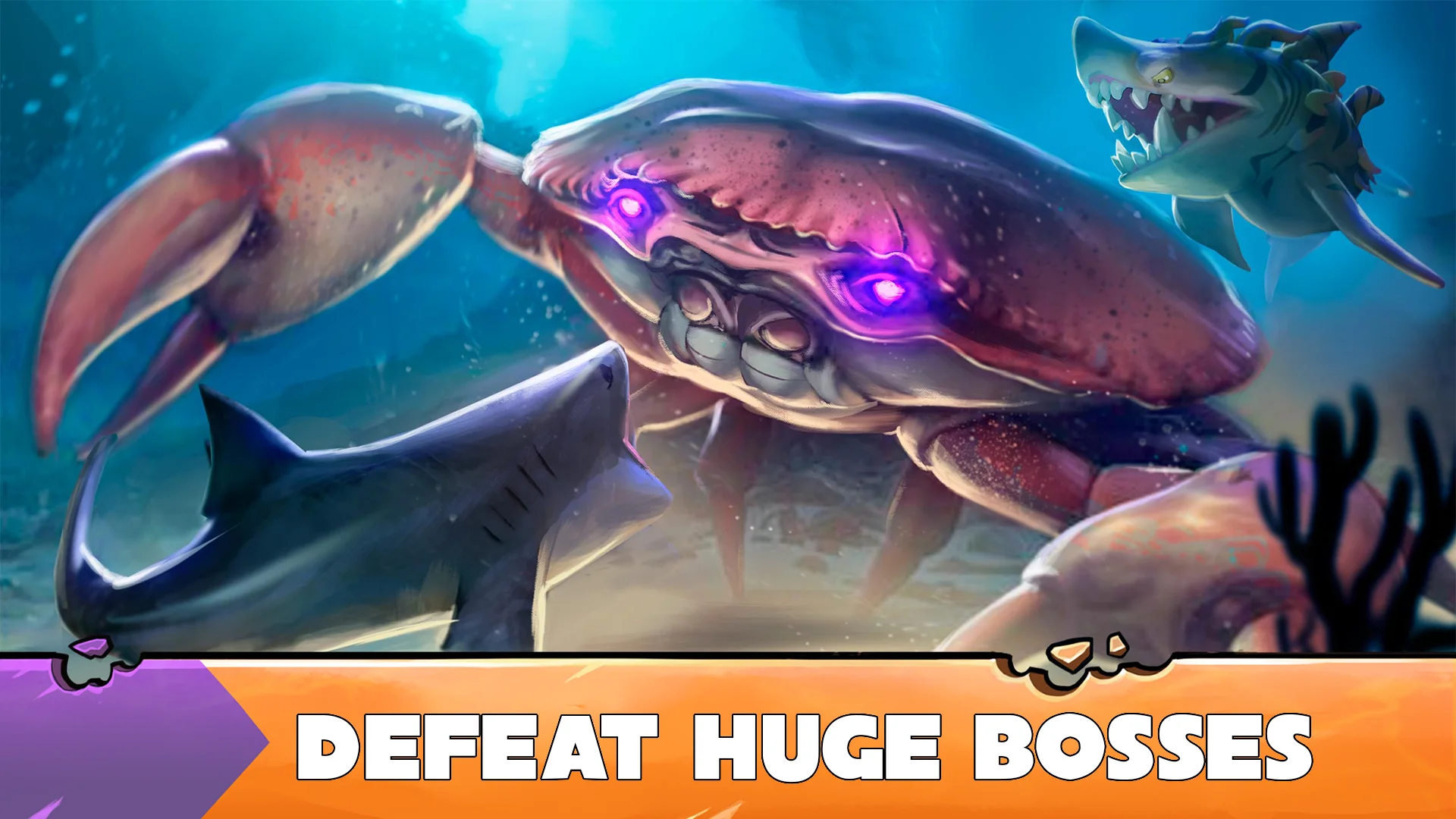
Hungry Shark Evolution drops you into an expansive 3D aquatic playground where survival requires continuous feeding. You swim through tropical coral reefs, sunken shipwrecks, and deep underwater trenches devouring smaller sea life, swimmers, and rival predators. As you eat, a Gold Rush meter charges up to trigger temporary invulnerability and huge score point multipliers. Earning coins lets you upgrade bite speed and evolve from a Reef Shark into legendary prehistoric behemoths.
- Continuous Feeding Loop: Stave off a depleting health bar by constantly hunting fish, crabs, and surface swimmers.
- Gold Rush Multipliers: Trigger explosive Gold Rush phases turning all prey into coins with maximum score boosts.
- Shark Evolution Tree: Evolve through dozens of distinct shark species, equipping jetpacks and laser gadgets.
Getting the Best Arcade Performance on Chromebook
Arcade games thrive on low input latency, sharp visual feedback, and reliable controls, whether you run Android apps locally or stream PC games across cloud networks.
1. Display Refresh and Touch Controls
Arcade reflex games like Geometry Dash and Fruit Ninja respond to instant touch and swipe inputs on touchscreen Chromebooks. Enable high refresh rates in ChromeOS display settings if your panel supports 120 Hz to reduce visual trailing on fast-scrolling levels.
2. Gamepad and Keyboard Setup
Precision games such as Cuphead, Sonic Mania Plus, and Trackmania play naturally on Bluetooth or USB-C controllers like Xbox Wireless or PlayStation DualSense. ChromeOS recognizes standard gamepad layouts automatically with zero driver installation required.
3. Network Stability for Cloud Streaming
Fast-twitch brawlers and cloud racers streamed through GeForce NOW and Amazon Luna demand minimal network jitter. Connect to a 5 GHz Wi-Fi band or use a USB-C Ethernet adapter, keeping background streaming tabs closed to minimize input lag.
4. Internal Storage and App Management
Native Android games from Google Play run directly inside the ChromeOS runtime container. Ensure your device has sufficient internal storage space and close unused applications in the background to ensure steady frame rates during intense arcade runs.
Frequently Asked Questions
Can you play arcade games on a Chromebook without an internet connection?
Yes. Many Android arcade titles from Google Play, including Geometry Dash, Crossy Road, and Tomb of the Mask, run completely offline on Chromebook once downloaded and installed. Built-in levels, practice modes, and local high-score runs work seamlessly off-grid.
How well do cloud gaming services handle fast-paced arcade games on Chromebook?
Cloud platforms like GeForce NOW and Amazon Luna handle fast-twitch arcade titles with remarkable responsiveness when paired with a low-latency 5 GHz Wi-Fi or Ethernet connection. Hardware-accelerated video decoding in modern Chromebooks ensures smooth frame delivery for demanding titles like Cuphead and Trackmania.
Do Chromebook arcade games support wireless gamepads?
Yes. ChromeOS natively supports standard Bluetooth and USB controllers, including Xbox Wireless, DualSense, and Nintendo Switch Pro controllers. Cloud gaming services and controller-enabled Android games automatically detect button layouts for comfortable physical arcade control.
Are arcade games on Chromebook free to play?
A large portion of the arcade roster is free to download through Google Play with optional in-app purchases or ads, such as Subway Surfers, Fruit Ninja, and Paper.io 2. Cloud games like Trackmania and Rocket League are free to play on PC, while premium games like Cuphead and Geometry Dash require a one-time purchase.
Can you play local multiplayer arcade games on a single Chromebook?
Yes. Games like Stickman Party: 234 MiniGames offer 1 to 4 player local multiplayer on a single screen using shared touchscreen corners, keyboard clusters, or multiple paired controllers. Cloud titles like Cuphead and MARVEL Cosmic Invasion also support local couch cooperative play when multiple gamepads are connected.
Discover more from Chrome Geek
Subscribe to get the latest posts sent to your email.