How to Play EA Sports FC Mobile on Chromebook
 by
Juniya Sankara
Post Updated: October 28, 2025
by
Juniya Sankara
Post Updated: October 28, 2025
Readers like you help support this site. When you make a purchase using links on our site, we may earn an affiliate commission. All opinions remain our own.
Hello everyone, you can download and install EA Sports FC Mobile 26 on your Chromebook and experience the next generation of mobile soccer on a bigger screen with more precise controls.
Let’s get FC Mobile up and running on your Chromebook.
Can You Play FC Mobile on a Chromebook?
Yes, you can play FC Mobile on a Chromebook! The easiest way is to get it directly from the Google Play Store.
First, you’ll need to make sure your Chromebook can run Android apps. Most gaming-capable Chromebooks support them, but if you have an older model, it’s best to double-check. Just head to your settings and look for the “Google Play Store” option. If it’s there, you’re ready to play!
How to Download FC Mobile on Chromebook
You can easily download EA Sports FC Mobile on your Chromebook by opening the Google Play Store and searching for “FC Mobile.” However, for your convenience, we’ve provided a direct link below.
Once installed, you can launch the game from your Chromebook’s app launcher. Simply open the launcher, find the “FC Mobile” icon, and click to start playing.

What is EA Sports FC Mobile 26 Game About?
EA Sports FC Mobile 26 is the premier mobile soccer game, bringing the full excitement of authentic football to your Chromebook. Build your Ultimate Team from a vast roster of over 19,000 real players, including legends like Ronaldinho and Zidane. The game features updated rosters for the 2025-2026 season and introduces new strategic depth with a Football Manager Mode. Engage in live events tied to real-world competitions like the UEFA Champions League, or challenge players worldwide in various PvP modes.
FC Mobile 26 Key Features:
- Ultimate Team: Build your dream squad with players from 35+ leagues, including ICONs and Heroes.
- Authentic Leagues & Competitions: Fully licensed from the Premier League, LALIGA, Bundesliga, UEFA Champions League, and more.
- Football Manager Mode: Take on a new strategic challenge by managing your club’s tactics and growth.
- Enhanced Visuals & Gameplay: Experience upgraded graphics, more impactful player attributes, and improved physics.
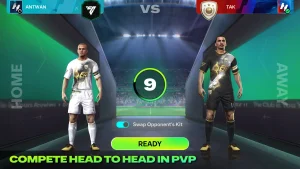
- Multiplayer Modes: Compete in real-time in Head-to-Head, VS Attack, and Club Challenge PvP.
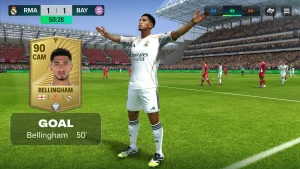
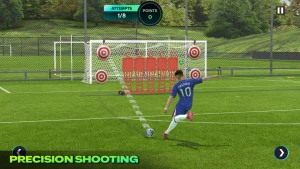
EA Sports FC Mobile 26 Gameplay Screenshots




EA Sports FC Mobile 26 Gameplay Video
EA Sports FC Mobile 26 Chromebook Requirements
- Supported OS Version: ChromeOS with Android 7.0 or newer (latest version recommended).
- RAM: 3 GB minimum (4 GB or more is strongly recommended for optimal performance).
- Storage Space: 2-5 GB of free space for the app and updates.
- Important: A stable internet connection and a touchscreen are required to play.
Love soccer games? Also check out our guide on how to play eFootball on Chromebook, play Madden Mobile, NBA 2K Mobile and check our list of the best Sports games for Chromebook.
Discover more from Chrome Geek
Subscribe to get the latest posts sent to your email.