How to play NBA Live Mobile for Chromebook
 by
Juniya
Post Updated: October 29, 2025
by
Juniya
Post Updated: October 29, 2025
Readers like you help support this site. When you make a purchase using links on our site, we may earn an affiliate commission. All opinions remain our own.
Hello everyone, you can download and install NBA Live Mobile on your Chromebook and experience fast-paced, authentic basketball action with the latest NBA superstars on a bigger screen.
Let’s get NBA Live Mobile up and running on your Chromebook.
Can You Play NBA Live Mobile on a Chromebook?
Yes, you can play NBA Live Mobile on a Chromebook! The game is available for free on the Google Play Store, making it easy to install on any compatible ChromeOS device.
First, you’ll need to make sure your Chromebook can run Android apps. Most gaming-capable Chromebooks support them, but if you have an older model, it’s best to double-check. Just head to your settings and look for the “Google Play Store” option. If it’s there, you’re ready to ball!
How to Download NBA Live Mobile on Chromebook
Installing the game is simple. Open the Google Play Store on your Chromebook and search for “NBA Live Mobile,” or use the direct link below for your convenience.
Once the download is complete, you can launch the game directly from your Chromebook’s app launcher or shelf. The touchscreen controls are intuitive, making it easy to pull off crossovers and slam dunks on the larger display.
By the way, you will need a touchscreen-enabled Chromebook. If your device was made after 2017, it can most likely run this game without any issues. Check our list of Chromebooks that can run Android apps and games to be sure.
- Can you play NBA Live Mobile on Chromebook? Absolutely! The game runs smoothly on ChromeOS through the Google Play Store.
What is NBA Live Mobile Basketball Game About?
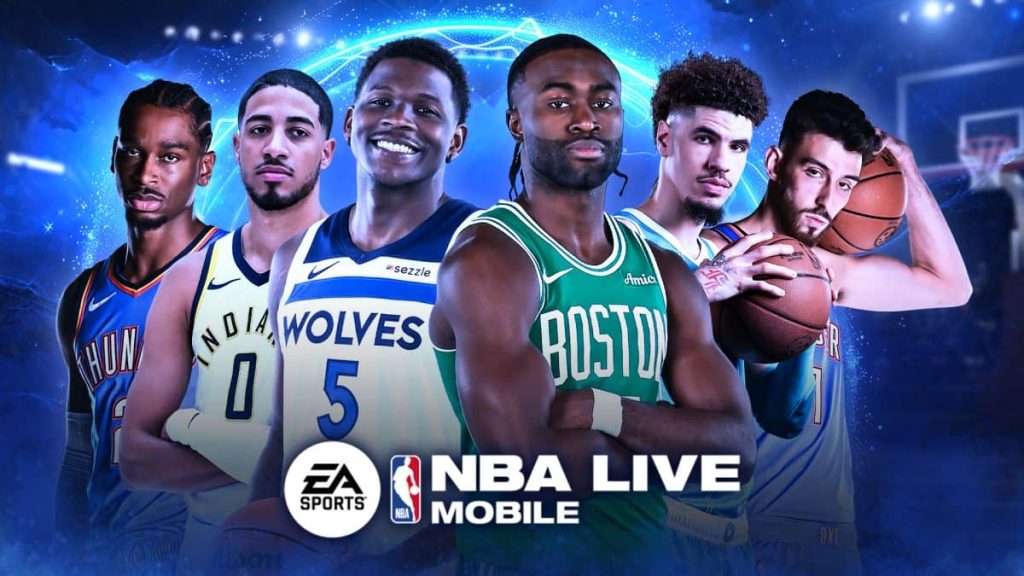
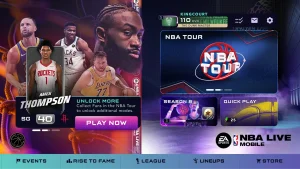
NBA Live Mobile is EA’s premier mobile basketball experience, putting the excitement of the NBA in your hands. Build your ultimate team from a massive collection of current superstars like Victor Wembanyama, Shai Gilgeous-Alexander, and Ja Morant, as well as legendary icons. The game is constantly updated with new content, live events, and the latest rosters to keep the action fresh.
NBA Live Mobile Key Features:
All-New Gameplay Engine:
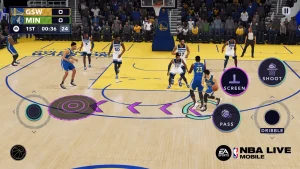
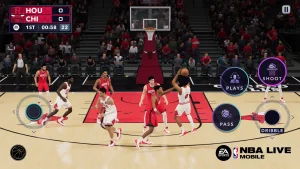
- Experience smoother, faster, and more authentic NBA action with improved visuals and higher framerates.
- Master new mechanics like the Dribble Stick and Playcalling for a deeper strategic experience.
Build Your Dynasty:
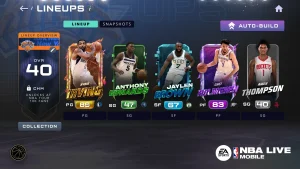
- Collect player cards featuring today’s biggest stars and all-time legends to create your dream roster.
- Utilize new progression systems like Team Chemistry and Snapshots to boost your team’s power.
Engaging Game Modes:
- NBA Tour: Play through thousands of events in the main campaign.
- Headlines & Court Clash: Compete in weekly and monthly events for exclusive rewards.
- Real-Time PvP: Test your skills against players from around the world.
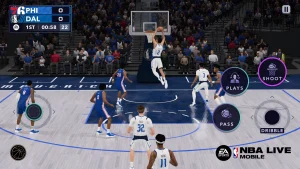
NBA Live Mobile Gameplay Screenshots
NBA Live Mobile Gameplay Video
NBA Live Mobile Chromebook Requirements
- Supported OS Version: ChromeOS with Android 7.0 or newer (latest version recommended).
- RAM: 3 GB minimum (4 GB or more is strongly recommended for optimal performance).
- Storage Space: 2-4 GB of free space for the app and updates.
- Important: A stable internet connection and a touchscreen are required to play.
Love basketball games? Also check out our guide on the best sports games on Chromebook and play NBA 2K Mobile on your Chromebook.
Discover more from Chrome Geek
Subscribe to get the latest posts sent to your email.