What is Google TV? (2026 Guide: It’s Free Software, Not a TV)
 by
Gloria Brown
Post Updated: January 7, 2026
by
Gloria Brown
Post Updated: January 7, 2026
Summary
Google TV is a smart interface that combines movies, live TV, and apps into one simple menu. It runs on compatible smart TVs and streaming devices, using AI to give you personalized recommendations so you don’t have to jump between different apps.
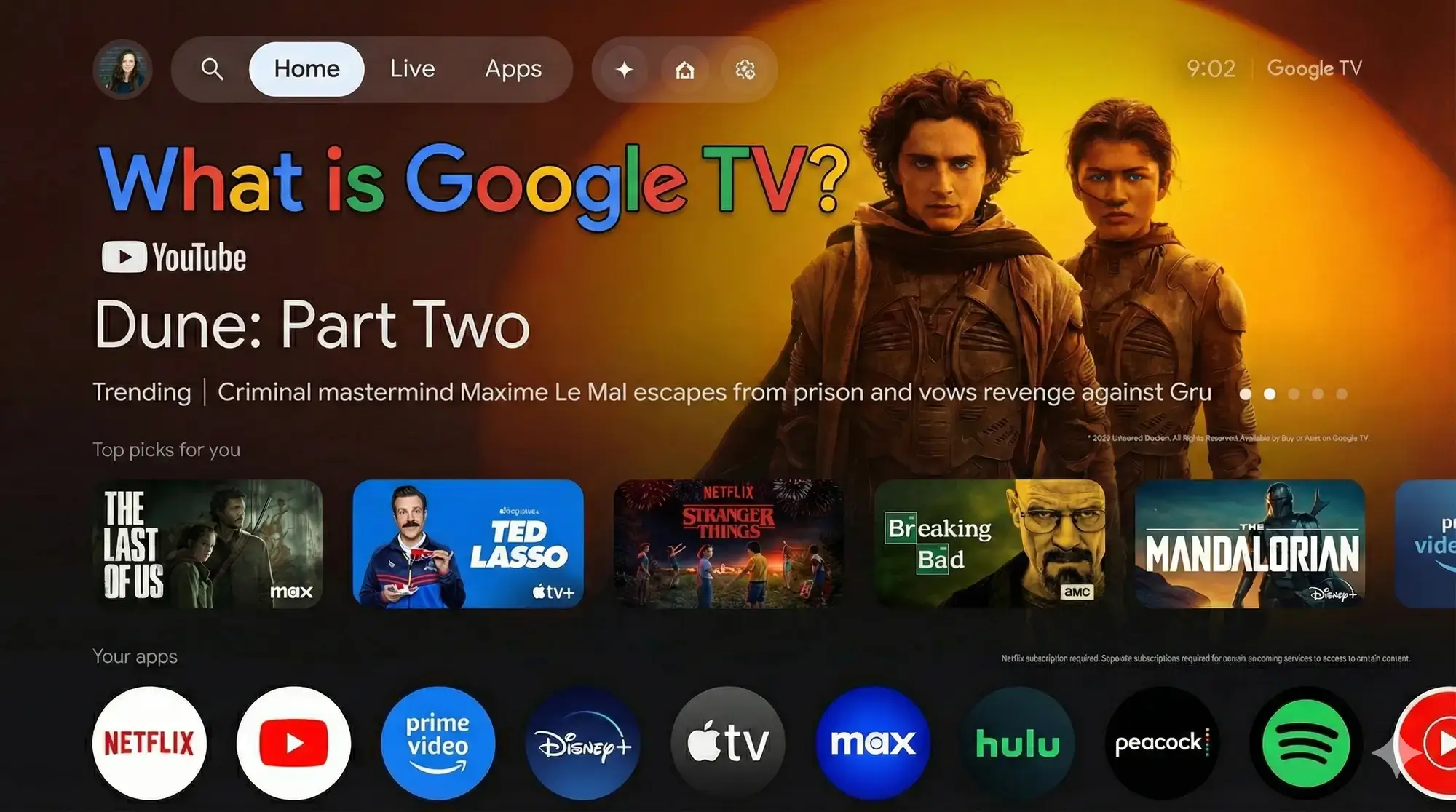
Google TV is a smart TV operating system developed by Google that combines content from your various streaming apps, live TV services, and free channels into a single, user-friendly platform.
Built on top of the Android TV OS, it powers select smart TVs and streaming devices. Its main goal is to offer you personalized recommendations based on what you actually watch, along with voice control via Google Assistant. For advertisers and the industry, it provides a powerful way to reach engaged audiences in a modern Connected TV environment.
How Does Google TV Work?
Google TV works by aggregating movies, shows, and live content from the apps you have installed, like Netflix, YouTube, and Disney+ and presenting them all on a centralized home screen.
Instead of opening apps one by one, you get tailored suggestions based on your viewing history right when you turn on the TV. Key features include:
- Universal Search: You can search across all your services at once using voice commands or the remote.
- Synced Watchlists: If you add a movie to your watchlist on your phone, it automatically appears on your TV for seamless access.
Is There a Monthly Fee?
Short Answer: No.
Google TV itself has no monthly fee. It is free software embedded in the hardware you buy (like a smart TV or streaming device). You get free access to the interface and over 800 ad-supported channels. However, you still have to pay for premium app subscriptions, such as Netflix or YouTube TV, to unlock that specific content.
Types of Content Available
Google TV’s extensive library draws from thousands of apps and free channels. Here is what you can watch:
Access on-demand films and series from services like Netflix, Prime Video, and Apple TV+.
Stream real-time broadcasts from apps like YouTube TV or Sling TV, including big events from ESPN and NBC.
Over 800 ad-supported options, such as Pluto TV and Google TV Freeplay, featuring news, classics, and niche programming.
Apps like YouTube Music and Spotify provide playlists and live concerts for audio-focused users.
Content from apps like Peloton or Nike Training Club includes workouts and wellness videos.
Casual titles via Google Play Games add interactive fun that engages younger demographics.
Family-friendly shows from Disney+ and PBS Kids come with built-in parental controls to ensure safe viewing.
How to Set Up a Google TV Device
Getting started is straightforward. Here is the step-by-step process:
- Purchase or Select Device: Choose a compatible smart TV or a dedicated streamer like the Google TV Streamer.
- Power On and Connect: Plug in the device, connect it to your TV via HDMI, and link it to your Wi-Fi network. Internet access is essential for streaming content.
- Sign In with Google Account: Use your Google credentials to log in. This is crucial for enabling personalized recommendations and syncing your watchlist across devices.
- Customize Profiles: Set up individual user profiles for tailored suggestions. You can also create “Kids Modes” with time limits.
- Download Apps: From the home screen, install your favorite streaming services like Netflix or Hulu to expand your content options.
- Explore and Search: Press the Google Assistant button to use voice commands and find content instantly.
What Devices Support Google TV?
Google TV runs on a variety of hardware, making it accessible for everyone. These are the main devices you will see on the market:
| Device Type | Details |
|---|---|
| Google TV Streamer | Google’s latest 4K device (launched in 2024). It offers fast processing and smart home integration, ideal for high-quality streaming. |
| Chromecast with Google TV | The affordable dongle that transforms any HDMI TV into a smart setup. (Note: Being replaced by the Streamer). |
| Sony Bravia TVs | Premium models from 2021 onward feature built-in Google TV with advanced picture quality. |
| TCL & Hisense TVs | Budget-friendly and mid-range options (like ULED models) that provide wide accessibility and vibrant screens. |
| Android TV Boxes | Select high-performance boxes, like the Nvidia Shield TV, run the Google TV interface for gamers and tech-savvy users. |
| Mobile Devices | The free Google TV app on Android and iOS lets you browse content and cast it to your screen. |
See it in Action
Words are fine, but seeing is believing. Watch this guide to see the interface and features in action.
Want to get more out of Google TV?
Discover more from Chrome Geek
Subscribe to get the latest posts sent to your email.