10 Best Education Apps for Chromebook (2026 Teacher’s Guide)
 by
Gloria Brown
Post Updated: September 7, 2026
by
Gloria Brown
Post Updated: September 7, 2026
Readers like you help support this site. When you make a purchase using links on our site, we may earn an affiliate commission. All opinions remain our own.
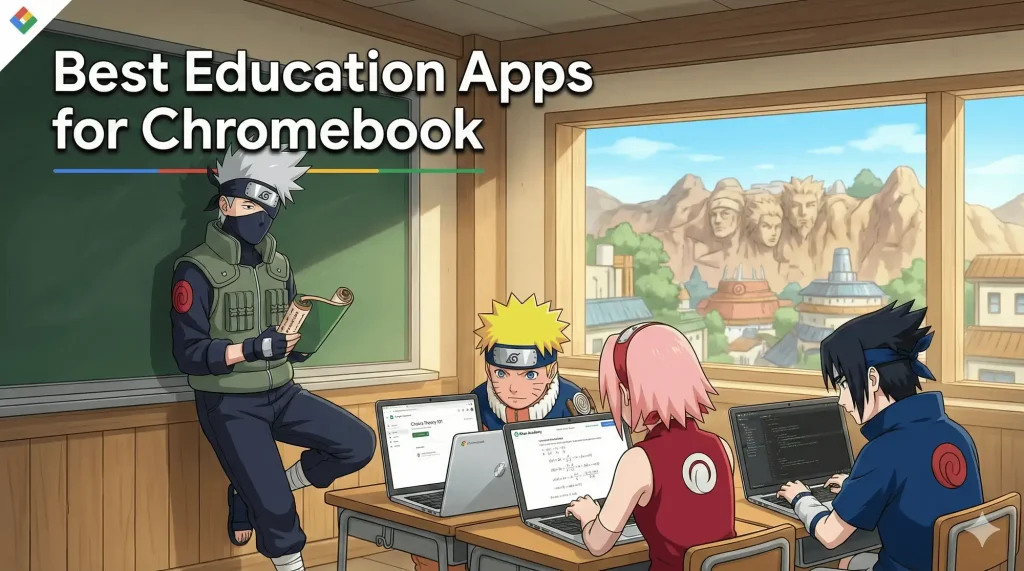
The best education apps for Chromebook are Google Classroom, Khan Academy, and Duolingo. These three lead the pack in 2026 because they are optimized for ChromeOS, offer powerful free tools, and use AI to make learning personal.
But that is just the start. A Chromebook is a portable supercomputer, and to truly unlock a student’s potential, you need software that moves as fast as they do.
Forget clunky, slow legacy programs; the apps on this list use gamification and real-time collaboration to keep students engaged.
Whether you are a teacher managing 30 assignments or a parent trying to make math fun, this guide covers the Top 10 Essential Chromebook Apps tailored for the modern classroom.
If you have any comments or you need help/advice, contact us or leave a comment below.
🏫 The Classroom Command Centers
1. Google Classroom
With a 4.5-star rating, this is the undisputed king of Chromebook education. It syncs Docs, Slides, and Drive instantly.
🔑 Key Features
- Easy assignment sharing
- Parent email summaries
- Secure class codes
🏆 Classroom Win
Parents stay in the loop with progress alerts, while teachers save time with auto-synced grading.
🎓 Good for Students: Kids get clear tasks and instant feedback, keeping them on track.
✅ Best For: Schools and parents tracking student work.

2. Seesaw
A digital portfolio tool with a 4.6-star rating that connects classrooms to homes.
🔑 Key Features
- Digital portfolios
- Parent messaging
- Activity library
🏆 Classroom Win
Teachers showcase growth over time, and parents feel involved in the daily wins.
🎓 Good for Students: Kids build pride in their work by uploading photos and videos easily.
✅ Best For: Parents and teachers linking home and school.

3. Nearpod
Nearpod boosts interactive lessons on Chromebook with a 4.4-star rating. It’s a teacher’s dream for engaging classes.
🔑 Key Features
- Live polls and quizzes
- Virtual reality lessons
- Student-paced mode
🏆 Classroom Win
Teachers run dynamic lessons where every student participates, not just the front row.
🎓 Good for Students: Interactive tasks and VR field trips keep them active and curious.
✅ Best For: Teachers sparking engagement.
🧠 The Skill Builders
4. Duolingo
Duolingo brings language learning to Chromebook with 500 million downloads. It now includes Math and Music lessons.
🔑 Key Features
- Game-like lessons
- 40+ languages
- Teacher class tools
🏆 Classroom Win
Teachers track progress easily, and parents love the daily habit it builds.
🎓 Good for Students: Short, playful lessons keep kids hooked while mastering new words.
✅ Best For: Teachers adding language skills.

5. Khan Academy
A goldmine for self-paced learning with a 4.6-star rating.
🔑 Key Features
- Video tutorials
- Offline lesson downloads
- Progress dashboards
🏆 Classroom Win
Teachers assign tailored lessons, and parents see exactly where kids excel or need help.
🎓 Good for Students: Bite-sized videos and practice make tough topics fun and doable.
✅ Best For: Parents and teachers supporting independent study.
6. Kahoot!
Kahoot! turns learning into play with 50 million downloads. It is quiz-time magic.
🔑 Key Features
- Live game quizzes
- Student-paced mode
- Lesson integration
🏆 Classroom Win
Teachers energize lessons, and parents join the fun at home.
🎓 Good for Students: Games make review a blast, not a chore.
✅ Best For: Teachers boosting participation.

7. IXL
IXL masters skills on Chromebook with a 4.3-star rating. It’s a practice powerhouse for core subjects.
🔑 Key Features
- Math and ELA drills
- Real-time analytics
- Award system
🏆 Classroom Win
Teachers target weak spots instantly, and parents can track specific gains.
🎓 Good for Students: Rewards and clear goals push kids to improve daily.
✅ Best For: Teachers refining skills.

8. Quizlet
Quizlet powers study sessions with 50 million downloads. It is the flashcard king for test prep.
🔑 Key Features
- Custom flashcards
- Practice quizzes
- Study games
🏆 Classroom Win
Teachers craft quick reviews, and parents reinforce learning at home.
🎓 Good for Students: Fun games and repetition make facts stick without the bore.
✅ Best For: Teachers and parents prepping for exams.
🎨 The Creative Studio

9. Adobe Express
Adobe Express fuels creativity on Chromebook. It’s free for schools and perfect for projects.
🔑 Key Features
- Design templates
- Photo/Video editing
- Collaboration tools
🏆 Classroom Win
Teachers assign stunning visual tasks, and parents cheer the professional results.
🎓 Good for Students: Kids shine with pro-looking posters and videos, boosting digital literacy.
✅ Best For: Schools fostering creativity.
10. Epic! Books
Epic grows readers on Chromebook with a library of 40,000+ books for kids.
🔑 Key Features
- Digital book access
- Reading badges
- Parent controls
🏆 Classroom Win
Teachers spark literacy, and parents nurture it at home with controlled screen time.
🎓 Good for Students: Endless stories and rewards make reading addictive.
✅ Best For: Parents and teachers building readers.
⚡ Quick Comparison: Top 10 Apps
| App Name | Key Feature | Best Use |
|---|---|---|
| Google Classroom | Assignment Sync | Class Management |
| Seesaw | Parent Communication | Student Portfolios |
| Nearpod | VR Field Trips | Interactive Lessons |
| Duolingo | Gamification | Language/Math |
| Khan Academy | AI Tutoring | Self-Paced Study |
| Kahoot! | Engagement | Live Quizzes |
| IXL | Adaptive Difficulty | Skill Drills |
| Quizlet | Flashcards | Test Prep |
| Adobe Express | Generative AI | Creativity |
| Epic! | 40k+ Library | Reading |
School Admins: Need to push these apps to 1,000 students at once? Use Google Workspace for Education for centralized device management.
Got younger kids? Check out our guide on Best Games for Toddlers on Chromebook.
Discover more from Chrome Geek
Subscribe to get the latest posts sent to your email.