Best Gmail Chrome Extensions
 by
Frank Cross
Post Updated: October 14, 2026
by
Frank Cross
Post Updated: October 14, 2026
The best Gmail Chrome extensions include Checker Plus for Gmail for checking multiple inboxes without opening Gmail, Mailtrack (Mailsuite) for email-open tracking, and Grammarly for improving messages as you write.
Other useful extensions can hide distractions, save emails as PDFs, turn messages into tasks, or help teams manage customer conversations. Some offer free features, while others require a subscription or a separate account.
Below, we’ll look at Gmail extensions for everyday email and business use, including what each does and any important limitations. For more tools that work across websites, see our best productivity extensions for Chrome.
Gmail Extensions for Your Everyday Inbox
These tools keep your inbox uncluttered, reduce distractions, review incoming messages faster, and save important message threads for offline reference.
1. Checker Plus for Gmail
Multi-Inbox Toolbar Triage
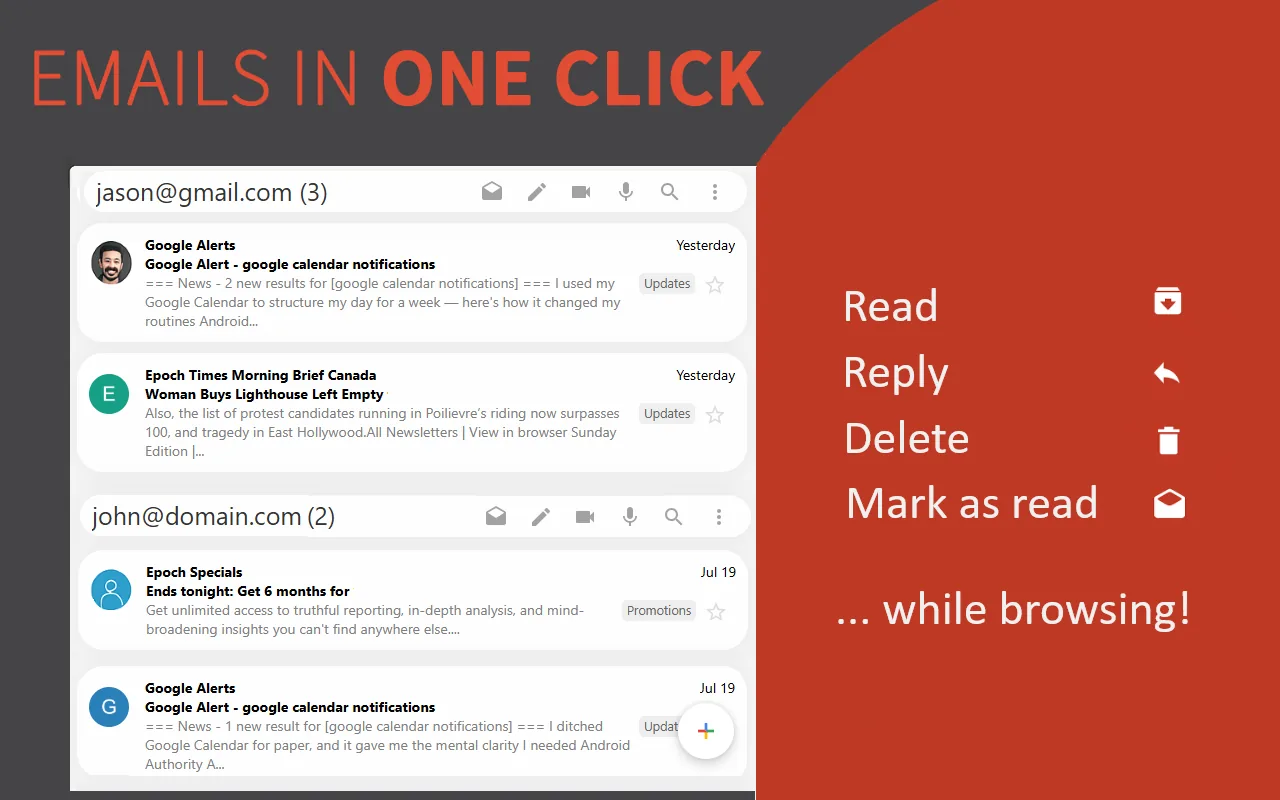
What it does: Checker Plus for Gmail lets you check and manage multiple Gmail accounts straight from Chrome’s toolbar without keeping an email tab running in the background.
👍 Why we like it: It solves the daily annoyance of switching between work and personal inboxes. When an email arrives, you get a clean desktop notification with sound or voice readout, and clicking the toolbar icon opens a compact popup where you can read, reply, archive, or delete messages in seconds.
Good to know: Core notification and quick-reply tools are completely free, while advanced cosmetic skins, extra sound packs, and voice options require a small one-time contribution.
2. Simplify Gmail
Minimalist Interface & Focus
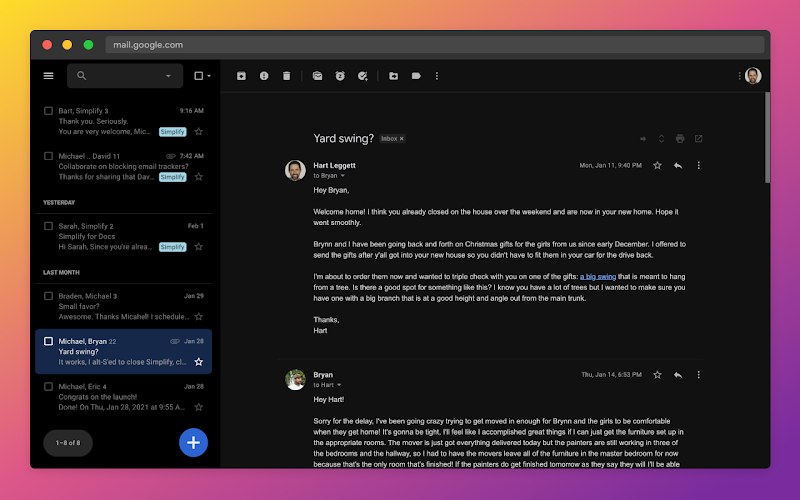
What it does: Simplify Gmail redesigns Gmail’s web interface to strip away visual clutter, banners, and sidebar distractions, leaving a clean, calm reading environment.
👍 Why we like it: Built by a former design lead for Google Inbox and Gmail, it brings back the elegance and simplicity of minimal email design. It hides unnecessary buttons, increases comfortable reading margins, bundles related emails, and adds tracker blocking and keyboard shortcuts.
Good to know: Simplify Gmail is not a free extension; it provides a one-month free trial, after which an ongoing paid subscription is required to keep using the customized interface.
3. Inbox When Ready
Email Distraction Blocker
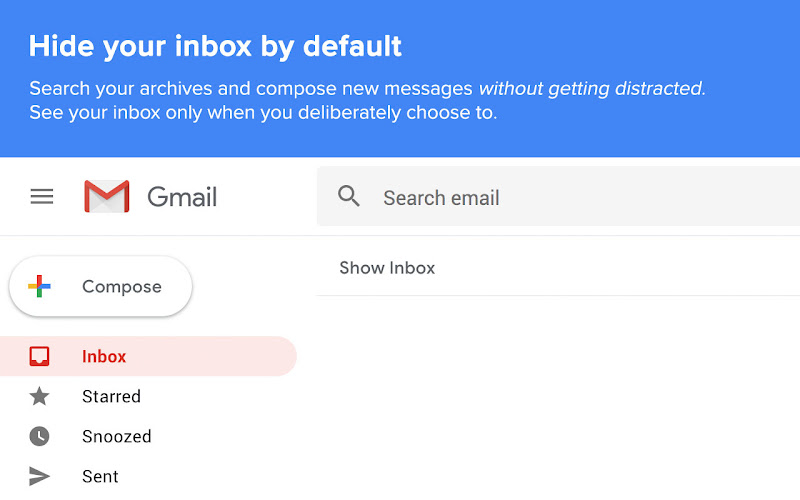
What it does: Inbox When Ready hides your incoming email feed behind a dedicated Show Inbox button so you can search archives or compose messages without getting pulled into new emails.
👍 Why we like it: It prevents the common reflex of checking email impulsively throughout the workday. You can set an inbox budget to restrict how many times you open your inbox each day and configure scheduled lockout periods during deep-work hours.
Good to know: The free tier inserts a small promotional notice into your outgoing email signature; upgrading to the paid Pro plan removes that signature insertion and unlocks flexible scheduling rules.
4. Trimbox
Mailing List Cleaner
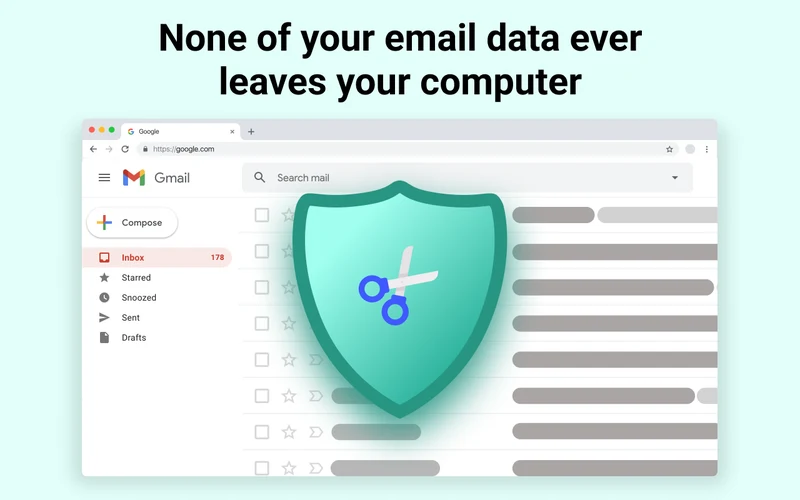
What it does: Trimbox scans your inbox to detect promotional newsletters, marketing campaigns, and mailing lists, allowing you to unsubscribe and delete old messages in batches.
👍 Why we like it: Unlike Gmail’s one-at-a-time native unsubscribe button, Trimbox groups high-volume senders and lets you wipe out hundreds of historical promotional emails from the same sender with a single click to instantly free up Google storage.
Good to know: Requires permission to inspect message headers; the free plan allows a limited number of unsubscribes each month, while unlimited batch cleaning requires a paid subscription.
5. Save Emails as PDF by cloudHQ
Email to PDF Archiver
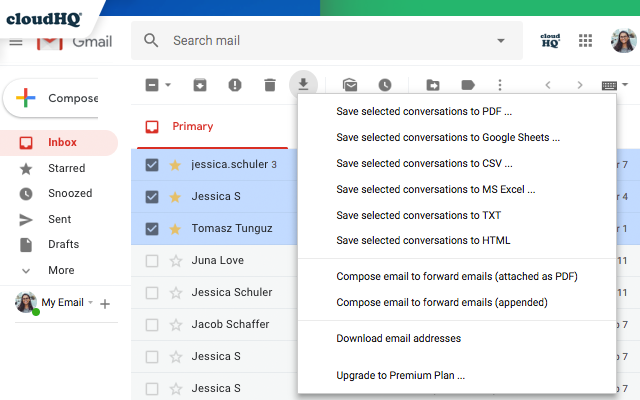
What it does: Save Emails as PDF by cloudHQ converts individual Gmail messages or full conversation threads and attachments into portable, formatted PDF documents with one click.
👍 Why we like it: It provides a fast, reliable way to archive purchase receipts, legal documents, client contracts, and invoices directly to Google Drive, Dropbox, OneDrive, or local storage without formatting headaches.
Good to know: Exporting selected messages to PDF is great for record-keeping, but should not be treated as a complete mailbox backup strategy. The free plan has monthly conversion limits; bulk exports require a paid plan.
AI Writing, Templates and Email Signatures
Speed up repetitive replies, eliminate typos, maintain consistent professional branding, and draft messages faster. For broader writing assistants across other websites, you can also explore our roundup of the best AI extensions for Chrome.
6. Compose AI
AI Drafting & Autocomplete
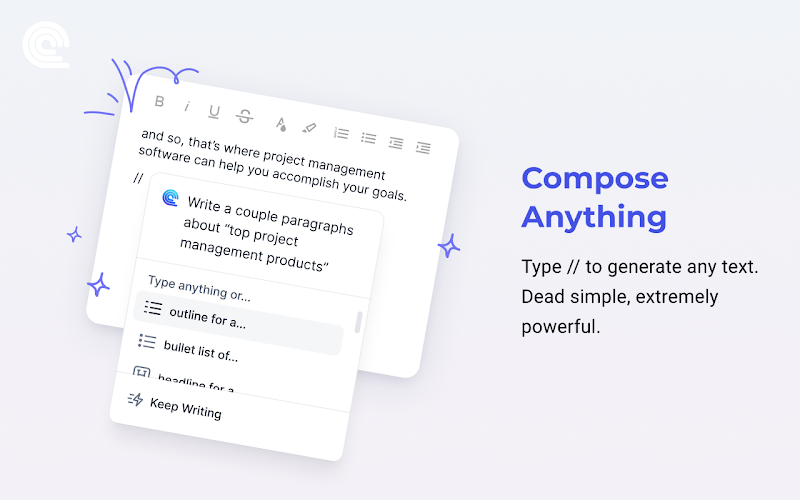
What it does: Compose AI accelerates typing in Gmail by offering real-time phrase autocompletions and generating complete email drafts from short prompts.
👍 Why we like it: Hitting Tab accepts intelligent inline text completions, while typing a quick command generates full, polite replies for routine scenarios like confirming meetings, declining requests, or asking for updates.
Good to know: It does not automatically learn every nuance of your personal voice, so always proofread drafts before sending. Heavy use and custom snippet expansions require an account and a paid subscription.
7. Grammarly
Grammar, Tone & Clarity
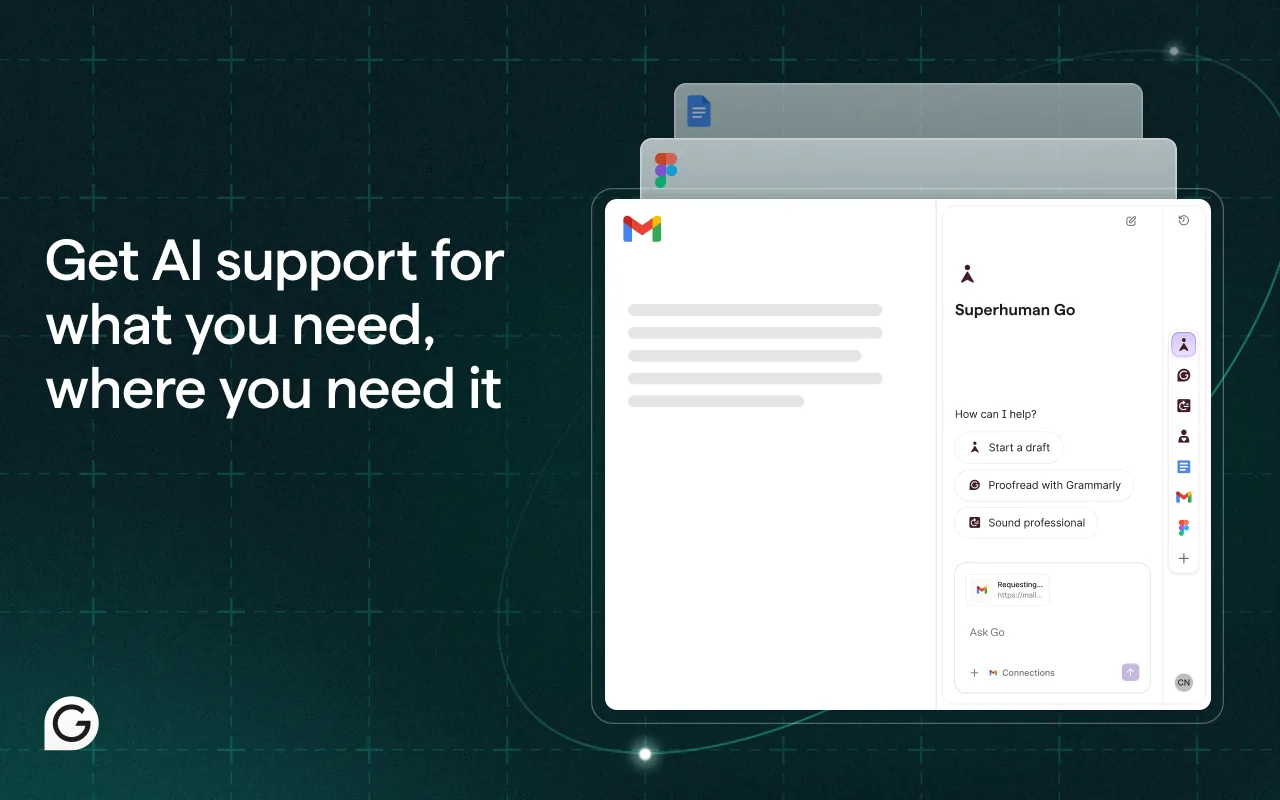
What it does: Grammarly reviews your writing in real time inside Gmail, catching misspelled words, grammatical errors, awkward phrasing, and tonal inconsistencies.
👍 Why we like it: Its real-time tone detector helps you gauge how your message will sound to recipients before you hit send. The instant inline corrections save you from embarrassing professional typos.
Good to know: Basic spelling and grammar checks are free. Advanced sentence rewrites, tone adjustments, vocabulary enhancements, and extended generative AI prompts require a paid Grammarly Premium subscription.
8. Briskine
Text Shortcuts & Templates
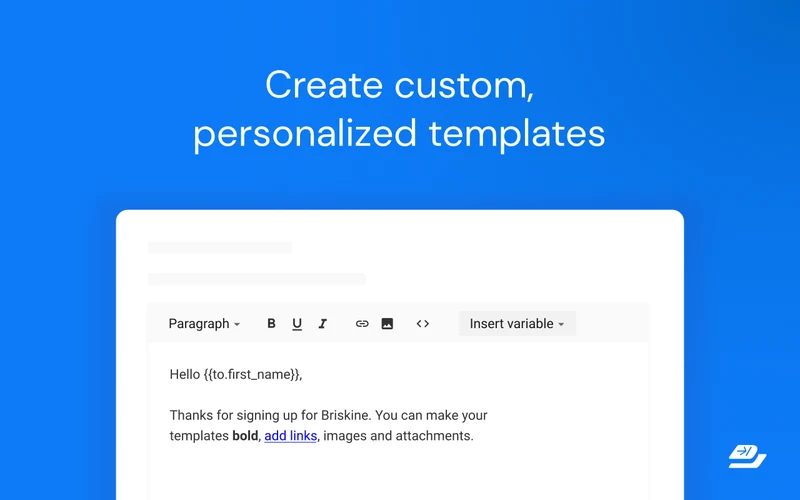
What it does: Briskine lets you create reusable email templates and insert them into Gmail by typing short keyboard shortcuts and pressing Tab.
👍 Why we like it: Unlike AI generators that introduce unpredictable wording, Briskine gives you exact, standardized text snippets with dynamic variables (like recipient names and dates) for support replies, pitches, or follow-ups.
Good to know: While Gmail has basic native canned responses, Briskine makes inserting them much faster with keyboard triggers across webmail. Free accounts have template limits; team sharing requires a paid plan.
9. WiseStamp
Company Email Signatures
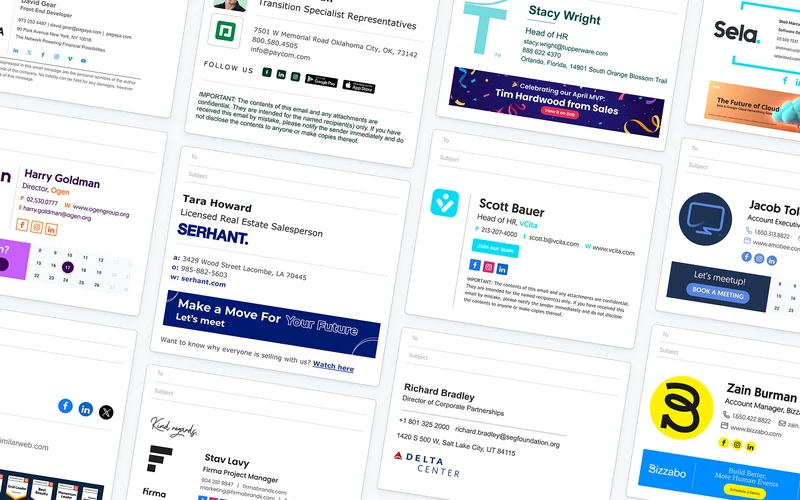
What it does: WiseStamp centrally creates and manages professional, branded email signatures with company logos, social links, disclaimers, and promo banners across employee Gmail accounts.
👍 Why we like it: It guarantees brand consistency across your organization. Instead of having each teammate design their own signature, administrators can deploy updates centrally that automatically reflect in outgoing messages.
Good to know: This extension is designed primarily for organizations and centrally managed company signatures rather than casual personal use. Full team deployment requires an active business plan.
Email Tracking and Follow-Ups
Keep tabs on whether important messages are received, schedule follow-up reminders, and coordinate communication timing.
10. Mailtrack (Mailsuite)
Open Tracking & Checkmarks
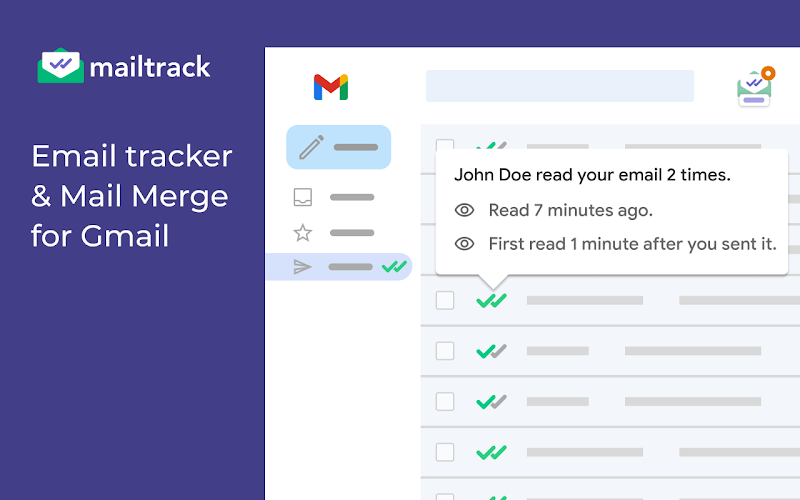
What it does: Mailtrack adds WhatsApp-style double checkmarks to your Gmail sent folder, showing one checkmark when an email is sent and two checkmarks when the recipient opens it.
👍 Why we like it: It gives you immediate clarity on whether important messages, client proposals, or job applications have been seen, sending desktop alerts the moment a recipient reads your message.
Good to know: Tracking pixels cannot guarantee 100% accuracy due to image-blocking tools and corporate email scanners. The free plan adds promotional branding to emails; paid tiers remove branding and track link clicks.
11. Right Inbox
Follow-Up Sequences & Reminders
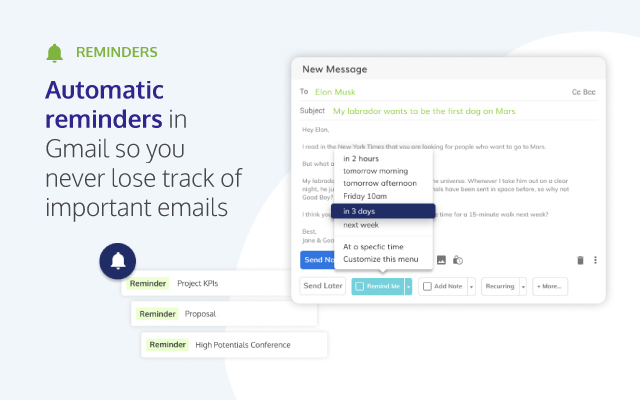
What it does: Right Inbox adds automated follow-up sequences, recurring emails, private thread notes, and send-later options directly to Gmail’s compose box.
👍 Why we like it: Gmail natively supports scheduled sending, but Right Inbox adds conditional follow-up sequences that automatically send reminders only if your recipient does not reply within a set timeframe.
Good to know: The free plan includes 10 scheduled emails, reminders, or private notes per month. High-volume senders needing unlimited multi-stage follow-up sequences require a paid subscription.
12. Boomerang for Gmail
Conditional Follow-Up Triggers
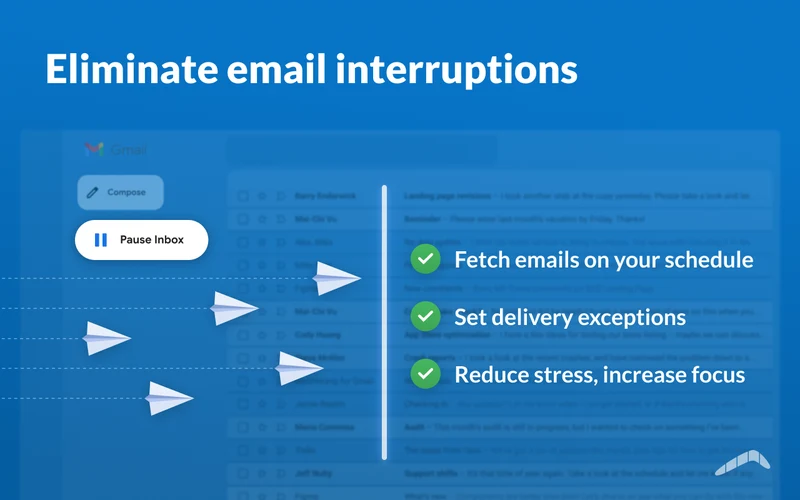
What it does: Boomerang for Gmail schedules outgoing emails, manages message returns, and tracks whether recipients reply within your desired timeframe.
👍 Why we like it: Its conditional return triggers bring an email back to the top of your inbox only if no one replies. It also features meeting booking links and Respondable, an AI assistant that rates email readability.
Good to know: Gmail already includes basic Snooze and Schedule Send features. Boomerang’s free tier provides 10 message credits per month; higher volumes and CRM syncing require a paid subscription.
Tasks and Scheduling
Turn inbox clutter into actionable projects, organize meetings without back-and-forth messages, and structure workflows directly from your inbox.
13. Todoist for Chrome
Email to Task Conversion

What it does: Todoist for Chrome integrates directly with Gmail, letting you convert any email conversation into a structured task with a direct link back to the message thread.
👍 Why we like it: It prevents emails from turning into an overwhelming to-do list. When viewing an email, clicking the Todoist button lets you set due dates, priority tags, and projects so you can clear your inbox with confidence.
Good to know: The old standalone ‘Todoist for Gmail’ extension was retired on June 30, 2026; Gmail functionality now lives in the main Todoist for Chrome extension. Core tasks are free; reminders require Pro.
14. Calendly Browser Extension
Meeting Booking Links
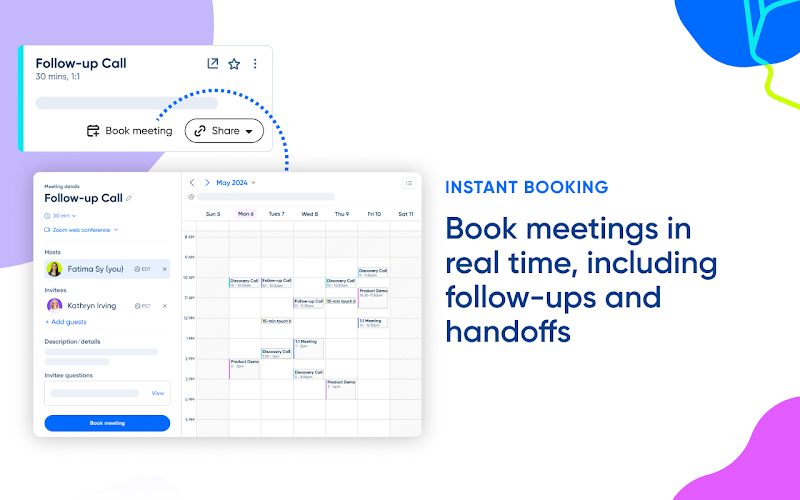
What it does: The Calendly Browser Extension embeds one-click meeting scheduling links or specific available time slots directly inside your Gmail compose window.
👍 Why we like it: It ends the frustrating back-and-forth email tag when trying to schedule calls. Recipients can select a suitable time directly from your email, and booked meetings sync automatically to your Google Calendar.
Good to know: Requires an active Calendly account. The free plan is limited to a single active event type; multiple event types, automated reminder workflows, and team routing require a paid plan.
15. Sortd for Gmail
Visual Kanban Task Boards
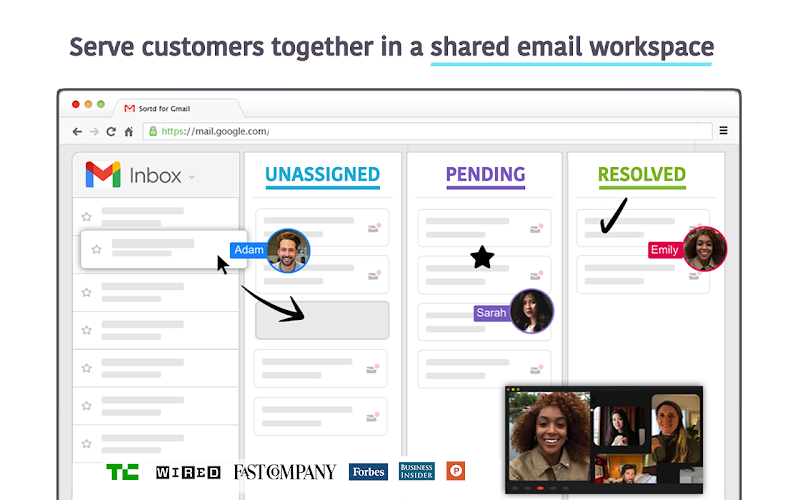
What it does: Sortd transforms your Gmail inbox into a visual Kanban board, allowing you to drag and drop email threads into organized task columns without leaving Gmail.
👍 Why we like it: It turns a chaotic inbox into a structured visual workflow. You can group emails into columns like ‘To Do’, ‘Waiting on Reply’, or ‘Project Milestones’, add checklists, and prioritize emails by importance.
Good to know: Unlike team-wide shared inbox tools like Gmelius, Sortd is focused on personal and small-team visual task tracking. Free tier includes personal boards; team collaboration requires paid plans.
Shared Inboxes and Customer Management
Coordinate customer inquiries across teams, assign conversation ownership, and manage sales pipelines inside Gmail.
16. Gmelius
Team Shared Inboxes & AI Routing
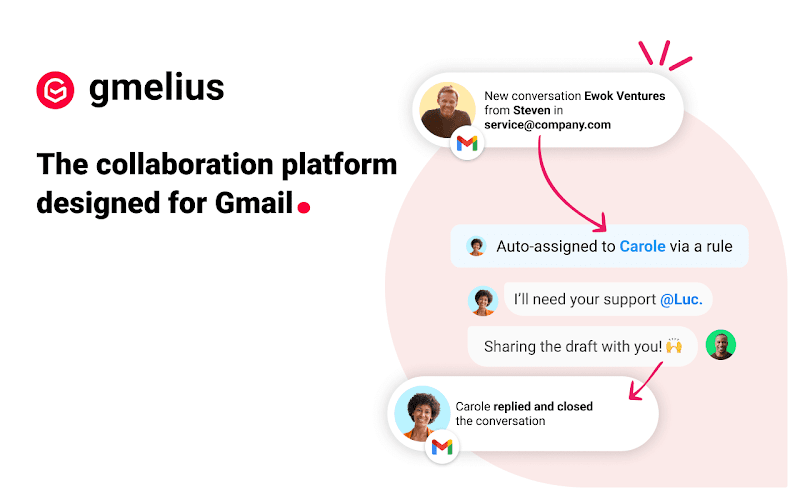
What it does: Gmelius converts standard Gmail into a shared workspace for teams managing group email addresses like sales@ or support@.
👍 Why we like it: It eliminates confusing forwards and shared passwords. Teammates can assign conversations, leave internal notes alongside email threads, share email templates, and use AI to draft replies and summarize long threads.
Good to know: Gmelius currently advertises a 7-day trial period, after which an ongoing paid business subscription per user is required. It is built for business collaboration rather than personal use.
17. Streak CRM for Gmail
In-Inbox Sales & CRM Pipelines
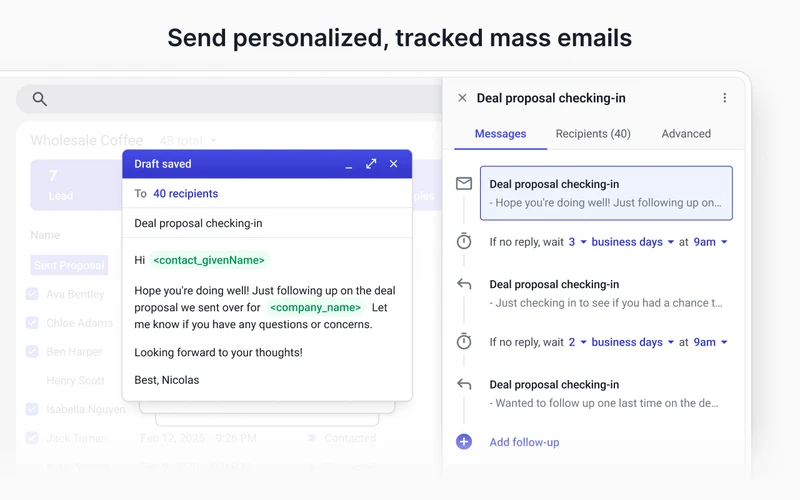
What it does: Streak CRM embeds a complete customer relationship management database directly into your Gmail inbox, grouping related emails into trackable deal boxes.
👍 Why we like it: It eliminates the friction of switching back and forth between webmail and a standalone CRM. You can track deals across customizable visual pipeline stages, log phone calls, and send mail merges straight from Gmail.
Good to know: Unlike general Kanban task tools, Streak is purpose-built for sales and customer pipelines. The free tier supports basic personal pipelines; shared team pipelines and automated triggers require a paid plan.
18. Hiver
Help Desk & SLA Management
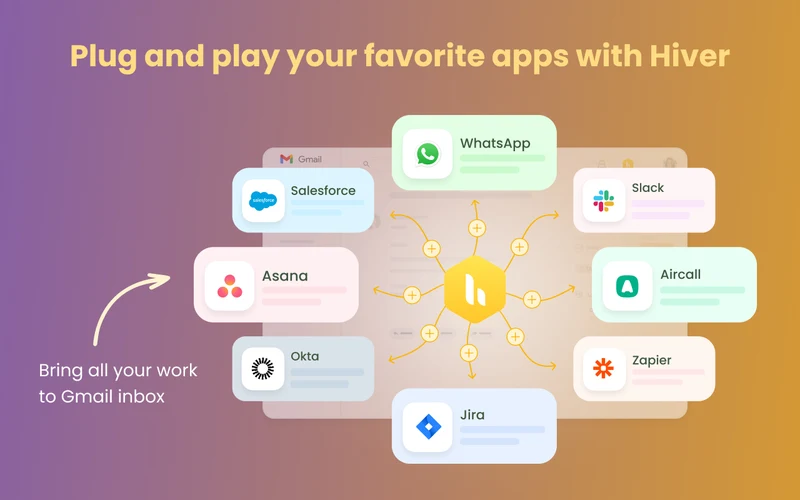
What it does: Hiver transforms Gmail into a structured help desk for customer support and client service teams managing shared inboxes like help@ or info@.
👍 Why we like it: It delivers dedicated customer support functionality (including conversation assignments, collision detection, SLA tracking, and customer satisfaction surveys) without forcing your team onto an external ticketing portal.
Good to know: Requires an organizational Google Workspace account and an ongoing paid business subscription following an initial trial period. It is designed for structured support teams.
Email Campaigns and Sales Outreach
Manage personalized outreach campaigns, schedule multi-step email sequences, and connect with prospective clients from Gmail.
19. GMass
Mail Merge & Mass Campaigns
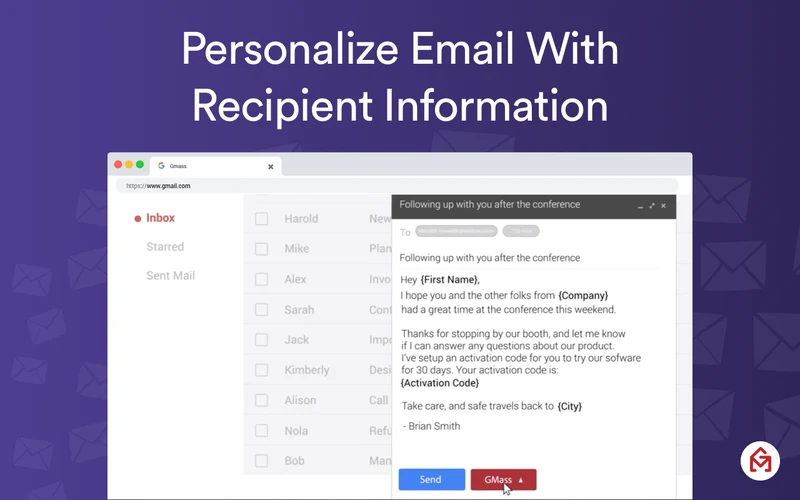
What it does: GMass links Google Sheets spreadsheets to Gmail, allowing you to run mass personalized email outreach campaigns directly from your inbox.
👍 Why we like it: It automates cold outreach with powerful multi-stage follow-up sequences that automatically stop when a recipient replies. It also features detailed campaign analytics, open and click tracking, and AB testing.
Good to know: Intended primarily for outbound marketing and sales campaigns; some high-volume features use GMass’s auxiliary sending infrastructure. Free plan allows 50 emails/day; paid plans required for volume.
20. Mailmeteor
Clean Mail Merge & Privacy
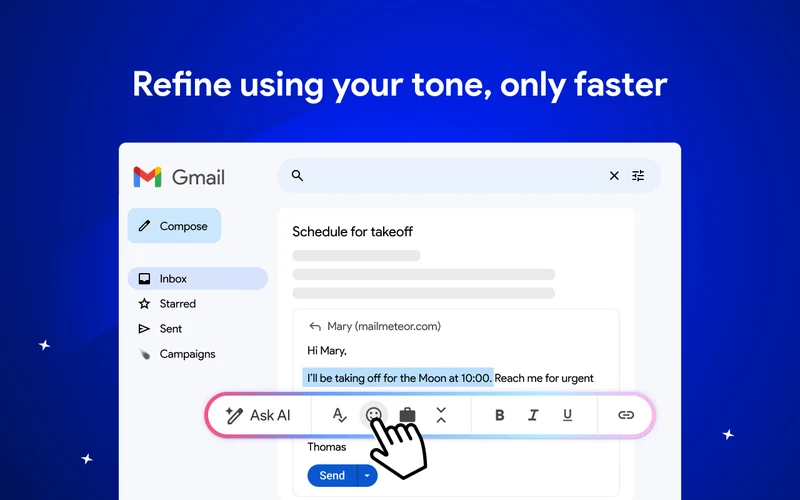
What it does: Mailmeteor offers a clean, privacy-focused mail merge solution for Gmail, connecting Google Sheets data to send personalized emails to multiple recipients.
👍 Why we like it: It provides a fast, intuitive mail merge experience without confusing configuration menus. You can preview personalized subject lines and bodies before sending, track open rates, and schedule follow-ups.
Good to know: Compared to GMass’s complex sales tools, Mailmeteor focuses on straightforward mail merges. The free plan provides up to 50 emails per day; higher daily volumes require a paid subscription.
21. Mixmax
Sales Engagement & Sequences
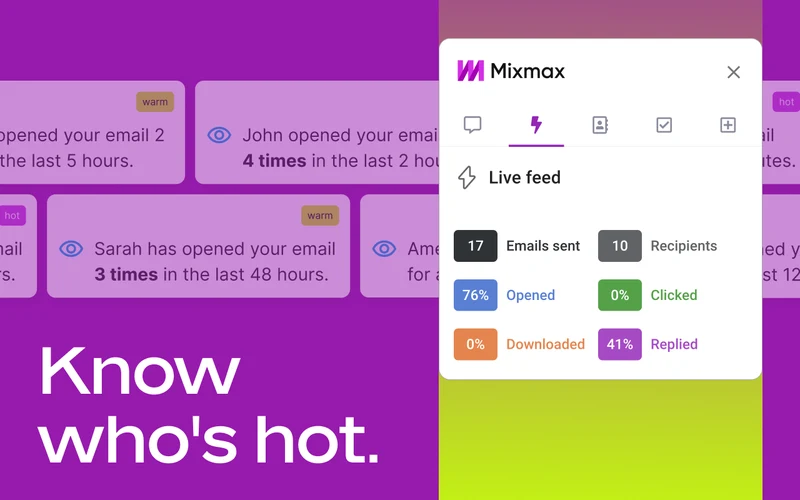
What it does: Mixmax is a comprehensive sales engagement platform inside Gmail that combines automated multi-touch email sequences, meeting polls, and interactive elements.
👍 Why we like it: It streamlines sales workflows by integrating directly with CRMs like Salesforce and HubSpot, letting sales reps track engagement, automate follow-up sequences, and embed calendar invites without leaving Gmail.
Good to know: Built specifically for dedicated revenue teams rather than casual senders. While an initial trial is available, ongoing sequence automation and CRM sync require paid business plans.
Email Security
Protect sensitive communications and attachments with end-to-end encryption before they leave your browser.
22. FlowCrypt
OpenPGP Email Encryption
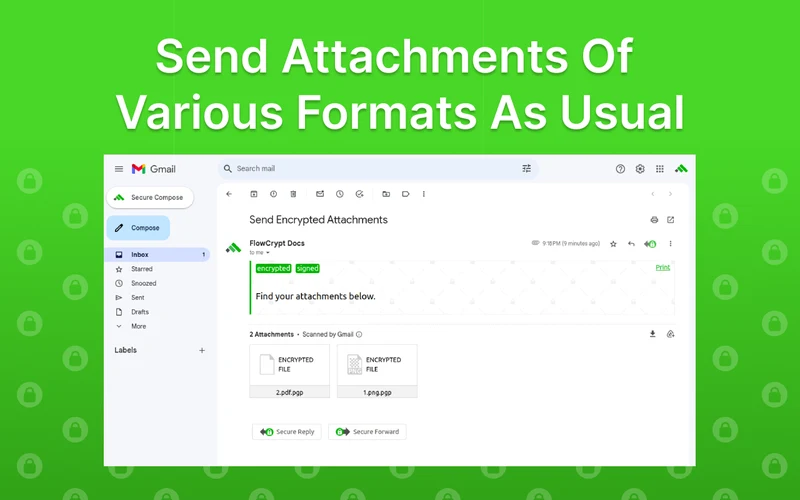
What it does: FlowCrypt adds end-to-end encryption to Gmail using the OpenPGP standard, placing a green Secure Compose button directly inside your inbox.
👍 Why we like it: It makes robust email encryption simple to use. Message bodies and attachments are encrypted before leaving your browser, and you can set password-protected decryption for recipients without PGP tools.
Good to know: End-to-end encryption protects message bodies and attachments, but cannot conceal email metadata (such as sender and subject line) or prevent phishing attacks. Free for personal use.
Compare Gmail Chrome Extensions (Click to expand)
| Extension | Best for | Important limitation |
|---|---|---|
| Checker Plus for Gmail | Multi-Inbox Toolbar Triage | Advanced sound packs, voice controls, and visual skins require a one-time contribution |
| Simplify Gmail | Minimalist Interface & Focus | Requires a paid annual or monthly subscription after a 30-day trial period |
| Inbox When Ready | Email Distraction Blocker | Free tier appends a promotional signature line to outgoing emails; Pro removes it |
| Trimbox | Mailing List Cleaner | Free plan limits monthly unsubscribes; full bulk-deletion history requires a subscription |
| Save Emails as PDF by cloudHQ | Email to PDF Archiver | Free tier restricts monthly conversions; batch archiving requires a paid plan |
| Compose AI | AI Drafting & Autocomplete | Requires an account; free tier has monthly generation caps and paid upgrades |
| Grammarly | Grammar, Tone & Clarity | Advanced sentence rewrites, tone changes, and vocabulary suggestions require a paid plan |
| Briskine | Text Shortcuts & Templates | Free tier has a template limit; team-wide shared snippets require a monthly plan |
| WiseStamp | Company Email Signatures | Tailored for organizations; team deployment and custom branding require paid business plans |
| Mailtrack (Mailsuite) | Open Tracking & Checkmarks | Tracking pixels cannot guarantee 100% accuracy; free plan appends promotional branding |
| Right Inbox | Follow-Up Sequences & Reminders | Free tier is capped at 10 emails/reminders per month; sequences require a paid plan |
| Boomerang for Gmail | Conditional Follow-Up Triggers | Free plan includes 10 message credits per month; unlimited scheduling requires a paid plan |
| Todoist for Chrome | Email to Task Conversion | Legacy Gmail-specific extension was retired June 30, 2026; main Chrome extension now handles Gmail |
| Calendly Browser Extension | Meeting Booking Links | Requires a Calendly account; free plan is limited to one active event type |
| Sortd for Gmail | Visual Kanban Task Boards | Focuses on personal Kanban boards; team collaboration and extra boards require a paid plan |
| Gmelius | Team Shared Inboxes & AI Routing | Requires a paid business subscription per user following a 7-day trial |
| Streak CRM for Gmail | In-Inbox Sales & CRM Pipelines | Free tier is intended for individual use; shared pipelines and automations require paid tiers |
| Hiver | Help Desk & SLA Management | Requires Google Workspace and an ongoing paid business subscription per user |
| GMass | Mail Merge & Mass Campaigns | Free plan limits sending to 50 emails/day; large campaigns require a paid subscription |
| Mailmeteor | Clean Mail Merge & Privacy | Free plan provides up to 50 emails/day; higher daily volume and follow-ups require payment |
| Mixmax | Sales Engagement & Sequences | Aimed at sales teams; advanced multi-touch sequences and CRM sync require paid plans |
| FlowCrypt | OpenPGP Email Encryption | Encrypts email body and attachments, but cannot conceal email metadata or prevent phishing |
The right Gmail Chrome extension can save hours every week by automating repetitive replies, organizing incoming messages, or turning emails into actionable tasks. When choosing extensions, start with one or two tools that solve your most pressing email challenges to keep your browser fast and responsive. For more ways to optimize your web browser, check out our comprehensive guide to the best Chrome extensions and our favorite productivity extensions for Chrome.
Discover more from Chrome Geek
Subscribe to get the latest posts sent to your email.