Book Creator on Chromebook and Googlebook: Web Access & Features

Share

You can access and use Book Creator on Chromebook and Googlebook directly through its full-featured web app at app.bookcreator.com, or by casting from your phone. As one of the world’s most acclaimed educational storytelling platforms, Book Creator empowers students and educators to construct interactive multimedia ebooks, dynamic comic strips, audio-narrated journals, and collaborative classroom portfolios without requiring complex desktop software or device downloads.

Whether you are guiding early learners through voice-recorded reading exercises on a convertible 2-in-1 touchscreen, illustrating science research reports with custom drawings and auto-draw shapes, or co-authoring multi-chapter group projects in real time, ChromeOS and Googlebook deliver an ideal environment for digital publishing. Our guide explains how to set up web access, pin Book Creator as a desktop Progressive Web App (PWA), unlock multi-track audio and drawing tools, and integrate student libraries seamlessly with Google Classroom.

Need guidance configuring Google Workspace single sign-on or resolving camera and microphone permissions on your device? Contact us with your device specifications and classroom setup for tailored assistance.
Official Book Creator app icon logo

Book Creator: Digital Storytelling and Multimedia Ebooks
Access the official Book Creator platform directly in Google Chrome on Chromebook and Googlebook. Create interactive student journals, comic books, and class portfolios with zero installation.

Launch Web App →

How to access and use Book Creator on Chromebook and Googlebook

Because Book Creator is engineered as a cloud-first web application, you do not need to install an Android package or Debian Linux client. Setting up the platform takes only a few quick steps in your web browser:

1

Launch Chrome: Launch Google Chrome from your Chromebook or Googlebook app launcher or shelf.
2

Navigate to Book Creator: Enter app.bookcreator.com into the Chrome omnibox and press Enter to reach the unified authentication portal.
3

Sign in as Student or Teacher: Switch the toggle to Teacher sign in or Student sign in. Click Sign in with Google to authenticate with your school or personal Google account, or enter the unique class invite code supplied by your teacher.
4

Create your first digital book: From your library dashboard, click the yellow + New Book button. Choose between standard canvas formats (Portrait, Square, or Landscape) or pre-styled comic templates to launch the visual editor.

For broader operating system guidance, review Google’s official Android app setup guide for Chromebook and companion guide on installing apps on Googlebook. Note that school and enterprise IT administrators can deploy and allowlist Book Creator across entire student fleets via the Google Workspace Marketplace and Google Classroom add-ons. To enjoy an app-like window on your device, click the Install icon on the right side of the Chrome address bar to pin Book Creator as a Progressive Web App (PWA) with a dedicated desktop window and shelf icon.
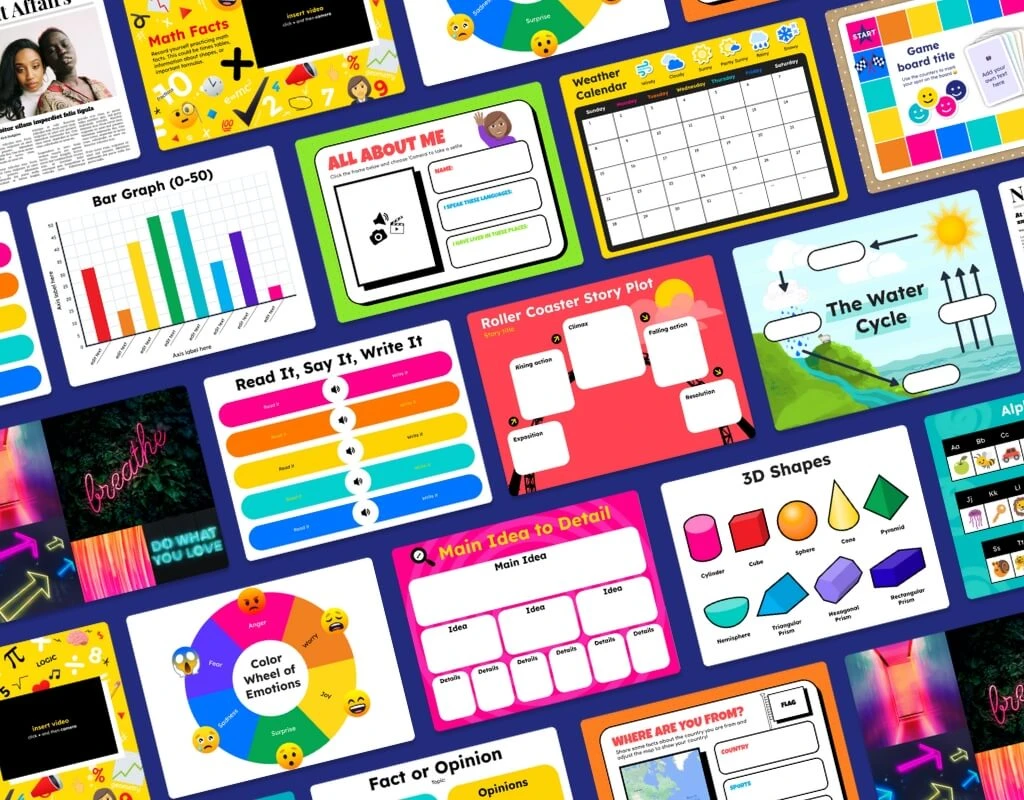
Book Creator page templates library on Chromebook featuring graphic novel, newspaper, notebook, and yearbook layouts
Jumpstart digital storytelling projects with customizable comic, notebook, and magazine page templates in Book Creator. Official screenshot: Book Creator.

Cast Book Creator from your phone on Googlebook

Googlebook users can also access Book Creator through native phone hub integration. Using Cast My Apps from the Googlebook phone hub, you can wirelessly stream your smartphone’s active mobile browser or media sessions directly onto your laptop screen. This allows you to pull mobile camera photos, recorded voice memos, and field trip snapshots directly into your digital book workspace without manually transferring files, adjusting cables, or signing in repeatedly across devices.
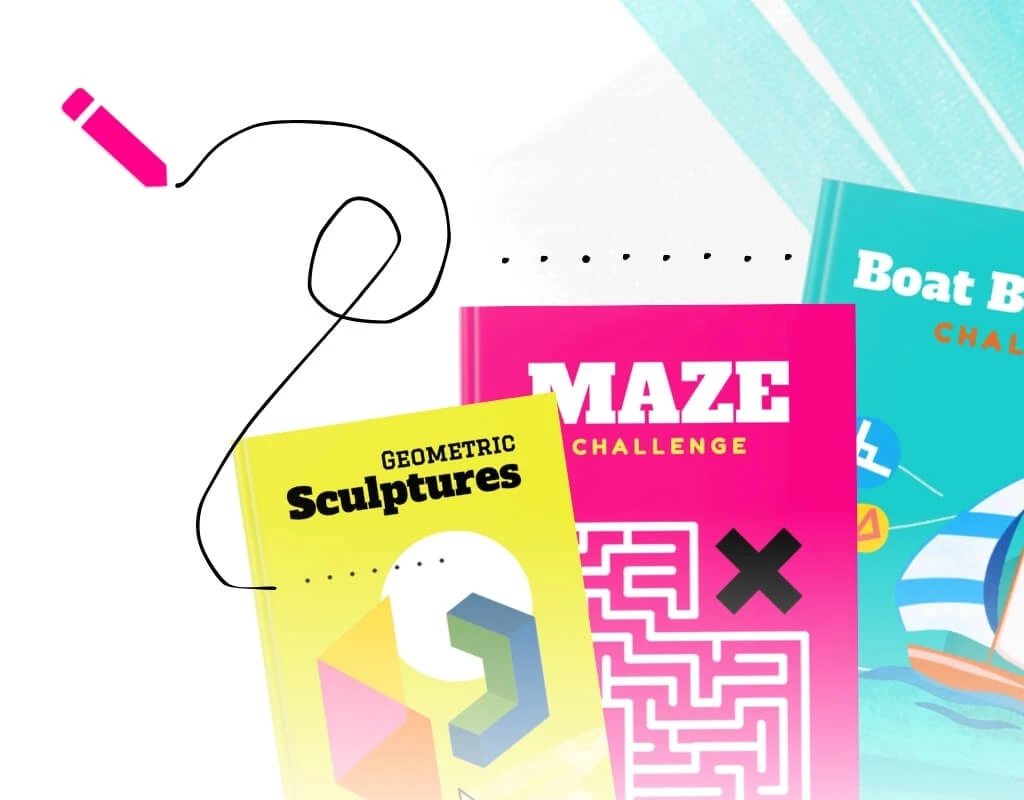
Book Creator pen drawing tool on Chromebook showing color palette, brush thickness, auto-draw, and emoji stickers
Illustrate stories using freehand pens, magic auto-draw recognition, highlighter tools, and expressive emoji stickers. Official screenshot: Book Creator.

Multimedia canvas: Drawing, audio recording, and comic panels

Book Creator’s digital canvas combines powerful multimedia creation tools with child-friendly simplicity, letting students express ideas through multiple learning modalities:
Pen Tool & AutoDrawSketch illustrations using custom ink pens, calligraphic markers, highlighter brushes, and Google AutoDraw, which intelligently suggests clean vector drawings from quick student doodles.
Comic Layouts & StickersConstruct dynamic graphic novels with preset comic cell panels, customizable speech balloons, thought bubbles, and dramatic pop-art sticker overlays.
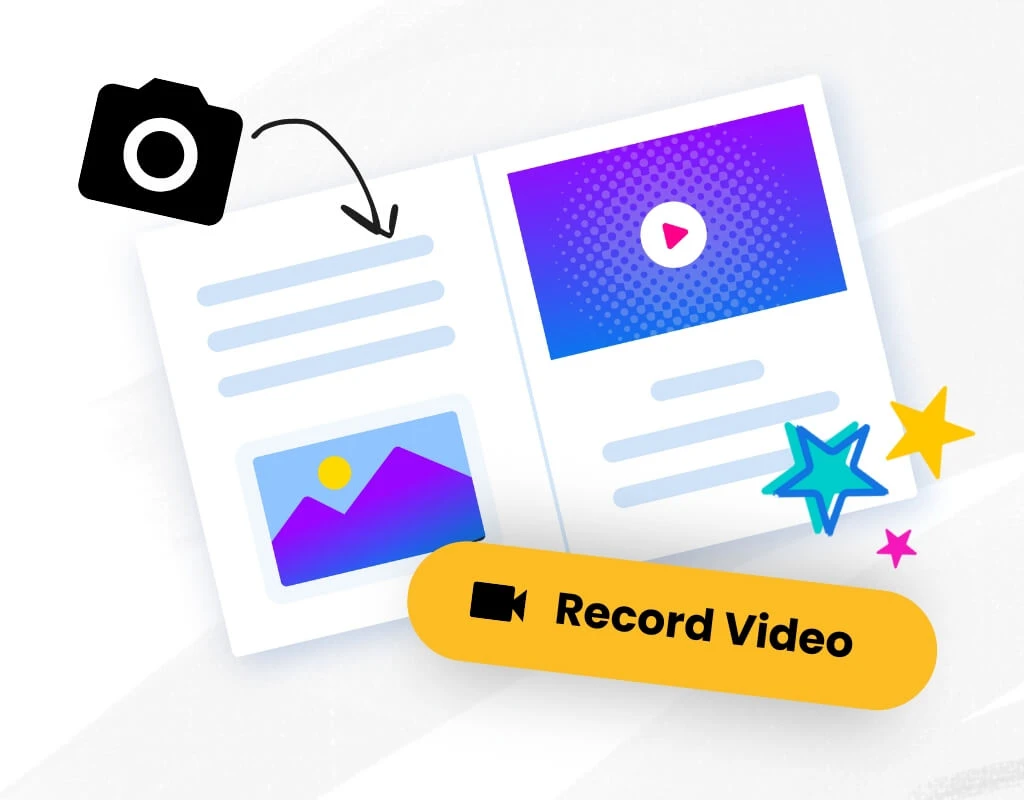
Built-in Voice RecordingCapture student narration, musical performances, and spoken reflections with single-click microphone recording that embeds interactive audio hotspots onto any page.
Media Embeds & Web ContentEmbed interactive web widgets, YouTube videos, Google Maps routes, audio tracks, and PDF documents directly into your book pages using safe embed codes.
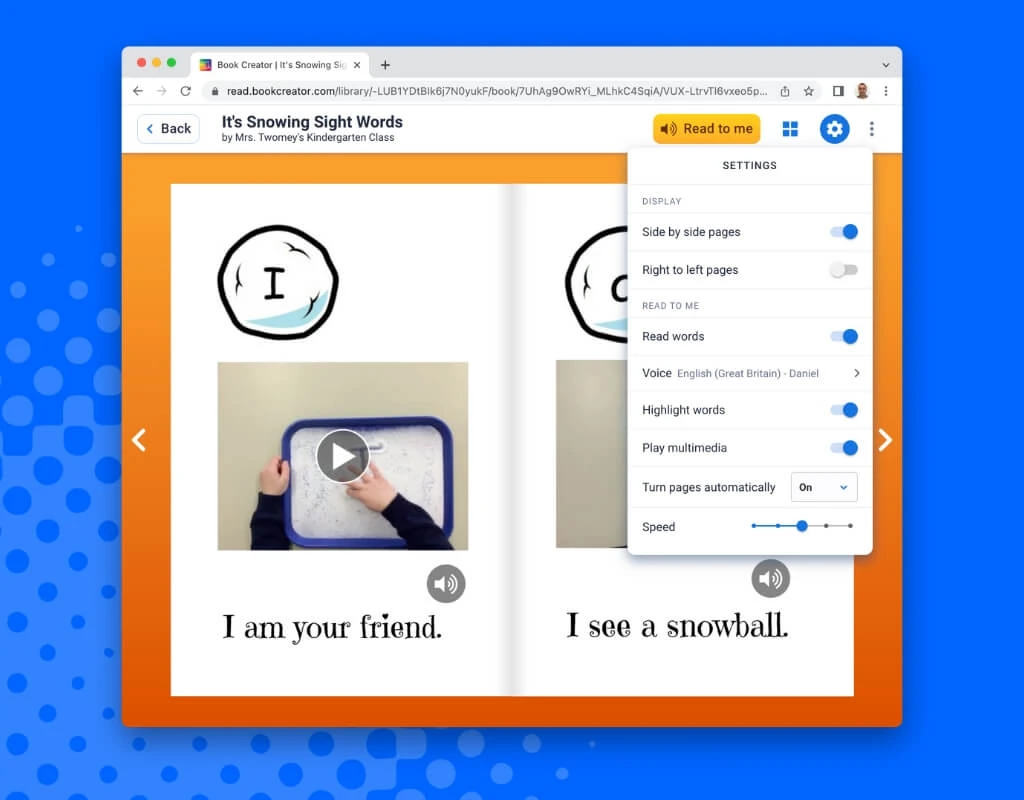
Book Creator Read to Me audio reader on Chromebook with synchronized word highlighting and speech speed controls
Listen to books read aloud with real-time word highlighting, adjustable reading speeds, and multilingual speech synthesis. Official screenshot: Book Creator.

Accessibility features: Read to Me, speech-to-text, and translation

Built with Universal Design for Learning (UDL) principles, Book Creator incorporates industry-leading accessibility features that support diverse learners and bilingual classrooms:
Read to Me Text-to-SpeechListen to books narrated with synthetic voice synthesis that synchronizes word highlighting in real time, helping developing readers connect spoken sounds to written text.
Speech-to-Text DictationTranscribe student voices directly into editable text boxes across more than 120 spoken languages, empowering emergent writers and students with motor challenges.
Automated Video CaptionsGenerate automated closed captions for recorded student videos and audio clips, ensuring all embedded multimedia adheres to accessibility baselines.
ChromeVox & Keyboard NavigationNavigate through book pages, libraries, and design toolbars using keyboard shortcuts, switch devices, and Chromebook’s integrated ChromeVox screen reader.
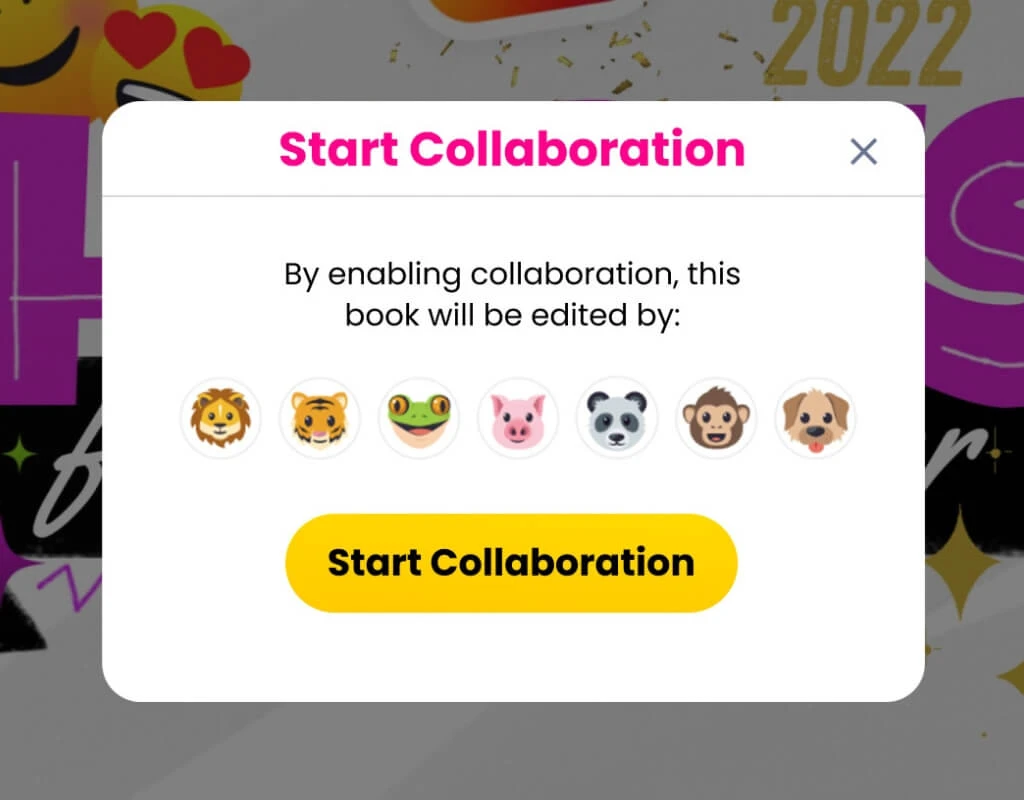
Book Creator real-time collaboration workspace on Chromebook showing co-authoring tools and shared library permissions
Collaborate simultaneously on group book projects with real-time multi-user editing and teacher moderation controls. Official screenshot: Book Creator.

Real-time classroom collaboration and Google Classroom integration

Book Creator facilitates interactive group projects and administrative oversight, connecting teachers and student authors across school networks:
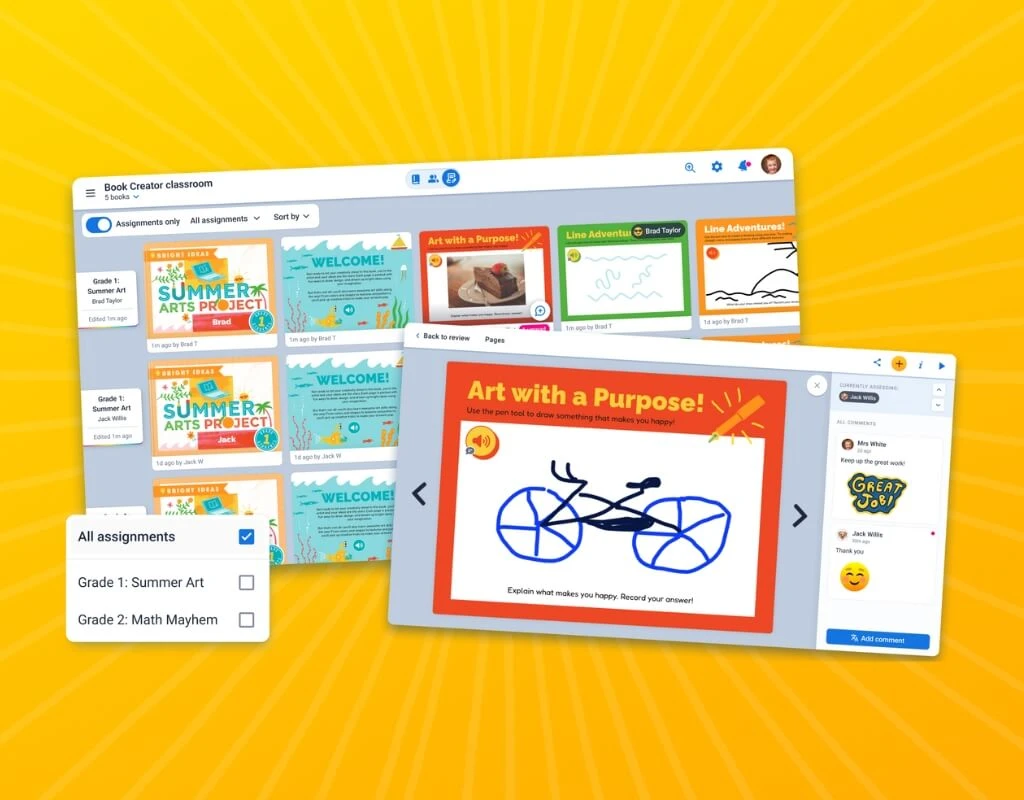
Real-Time Co-AuthoringEnable real-time collaboration so multiple students can work together on the same book simultaneously, drafting chapters, illustrating scenes, and sharing feedback.
Google Classroom Add-onAssign template books directly inside Google Classroom. Students complete work in Book Creator and turn it in for teacher grading without switching websites.
Classroom Library ControlsTeachers manage class libraries, issue secure 5-digit joining codes, toggle peer book visibility, and moderate student submissions from a central dashboard.
Publishing & Multi-Format ExportsPublish finished work to private, password-protected online libraries, generate interactive QR codes for parent nights, or export print-ready PDFs and ePub files.
Book Creator ClassView teacher dashboard on Chromebook displaying student book libraries, joining codes, and grading rubrics
Organize classroom assignments, review student progress, and manage digital book libraries with Book Creator ClassView. Official screenshot: Book Creator.

Book Creator Web App vs. iPad App vs. Phone Hub casting

Compare the advantages of each Book Creator access method to choose the best configuration for your classroom or personal projects:
Feature Book Creator Web App (Recommended for Chromebooks) Book Creator iPad App Phone Hub (Cast My Apps)
Installation Required Zero Installation (Browser / PWA) Apple App Store Download Wireless Phone Streaming
Touch & Stylus Support Full Touch, USI Stylus & Mouse Apple Pencil & Multi-Touch Forwarded Touch & Trackpad
Offline Book Editing Requires Internet Connection Supported Offline on Device Requires Active Phone Link
Real-Time Collaboration Native Web-Based Co-Authoring Requires Online Sync Single-User Screen Stream
Google Workspace & Classroom Seamless Single Sign-On (SSO) Supported via Google Login Mirrors Phone Account
Device Storage Footprint Minimal (~0 MB local cache) Moderate (~150MB + media) Ultra Low (Stored on phone)
Book Creator camera and video recording tool on Chromebook for capturing photos and student video responses
Capture webcam snapshots, record video reflections, and add audio narration directly onto digital book pages. Official screenshot: Book Creator.

Troubleshooting common Book Creator issues on ChromeOS

If you experience audio recording barriers, login errors, or layout issues on your device, apply these quick resolutions:

Microphone & Camera PermissionsIf voice recording or webcam photo capture fails, click the site settings tune icon on the left edge of the Chrome address bar. Confirm that Microphone and Camera toggles are set to Allow, and refresh your browser tab.
School Domain SSO Sign-In BlockedIf students receive authentication errors when signing in with Google, verify that your school IT administrator has allowed app.bookcreator.com in Google Admin Console and enabled the Book Creator Google Workspace Marketplace add-on.
Install PWA Standalone ShortcutTo run Book Creator outside distracting browser tabs, open app.bookcreator.com, click the install icon in the URL bar, and select Install. Right-click the app on your ChromeOS shelf and select Pin for instant one-click access.
Cloud Sync & Network InterruptionsBecause Book Creator saves edits continuously to the cloud, intermittent Wi-Fi can trigger a reconnection alert. Keep your browser tab open until the cloud icon shows a green checkmark indicating all changes are synced.

Frequently asked questions about Book Creator on Chromebook

Is Book Creator free to use on Chromebook and Googlebook?

Yes. Book Creator offers a free starter plan that lets individual teachers and students create up to 40 digital books in one library with full access to multimedia editing, drawing, and voice recording. Paid subscription tiers allow unlimited libraries, 1,000+ books, real-time multi-user collaboration, and administrative licensing for schools and districts.

Does Book Creator work offline on ChromeOS?

No. Book Creator operates entirely in the cloud as a web-based platform. An active internet connection is required to sign in, open libraries, load cloud assets, save student changes, and publish books. Any content created while online is stored securely in the cloud.

Why is there no Book Creator app on the Google Play Store?

The original native Android app was discontinued and retired from Google Play as Book Creator shifted to a unified, full-featured web application at app.bookcreator.com. The web app provides a far richer desktop and tablet editing experience optimized for Chromebooks and Chrome browsers with zero installation needed.

Can I install Book Creator as a desktop app on Chromebook?

Yes. While there is no Android package on Google Play, you can install Book Creator as a Progressive Web App (PWA). Open app.bookcreator.com in Chrome, click the install icon on the right side of the URL bar (or select Chrome menu > Cast, Save and Share > Install Book Creator), and pin it directly to your Chromebook shelf for a standalone app experience.

How do I fix microphone or camera access errors in Book Creator?

If Book Creator cannot record audio narration or capture webcam photos, click the site settings tune icon on the left edge of Chrome’s address bar. Ensure Camera and Microphone permissions are set to Allow, then reload the page. On school-managed devices, confirm with your IT administrator that media hardware policies allow microphone and camera access on the bookcreator.com domain.

Explore more creative education tools on Chromebook

Looking to expand your classroom’s creative digital toolset? Create polished graphic presentations and infographics with our guide to Canva on Chromebook, produce student video projects using Clipchamp on Chromebook, record classroom podcasts and music with Soundtrap on Chrome, or build immersive STEM worlds using Minecraft Education on Chromebook.


Discover more from Chrome Geek

Subscribe to get the latest posts sent to your email.
Juniya Sankara is a veteran systems administrator and open-source advocate who has been configuring Linux environments since childhood. When he isn't hardening kernel security or testing desktop environments in his hardware lab, he writes deep-dive technical tutorials for UbuntuFree, WindowsMode, and ChromeGeek.