How to Install and Use Clipchamp on Chromebook and Googlebook
 by
Frank Cross
Post Updated: November 3, 2026
You can install and use Clipchamp on Chromebook and Googlebook through the official Progressive Web App (PWA) in Google Chrome or directly at app.clipchamp.com. Microsoft’s cloud video editor delivers multi-track timeline editing, screen and webcam recording, lifelike AI text-to-speech voiceovers, and watermark-free 1080p exports engineered to run smoothly on ChromeOS.
Googlebook runs modern Progressive Web Apps seamlessly alongside native phone casting. This comprehensive guide walks you through installing the PWA, timeline video editing, simultaneous screen and webcam recording, AI text-to-speech voiceovers, royalty-free stock media, and cloud export options.
Need help setting up your video editing projects? Contact us with your laptop model and any export or sign-in questions.
How to install Clipchamp on Chromebook and Googlebook
Installing the official Clipchamp Progressive Web App (PWA) directly from Google Chrome integrates the editor cleanly into your laptop launcher and desktop shelf with a dedicated window:
If you need guidance configuring app permissions on your device, check Google’s Android app setup guide for Chromebook or the guide on installing apps on Googlebook. On school and workplace devices, administrator policies may regulate app installations or require Microsoft 365 administrator authorization. While Microsoft has not issued a native Debian Linux package (.deb) or an official Android APK on Google Play, the Chrome Progressive Web App delivers full desktop editing performance with zero terminal setup.
Cast Clipchamp from your phone on Googlebook
If you capture mobile footage on your phone or have video drafts saved on your mobile device, Googlebook’s Cast My Apps feature lets you stream phone media directly onto your laptop screen. Open the Phone Hub in the bottom-right corner of your Googlebook shelf, click Cast My Apps, and mirror your device. This allows you to inspect mobile clips, review social drafts, and coordinate media without manual file transfers.
Clipchamp setup options: PWA, browser editing, and store safety
Understanding how Clipchamp operates on ChromeOS ensures you get smooth playback, responsive timeline scrubbing, and protect your login information from clone apps:
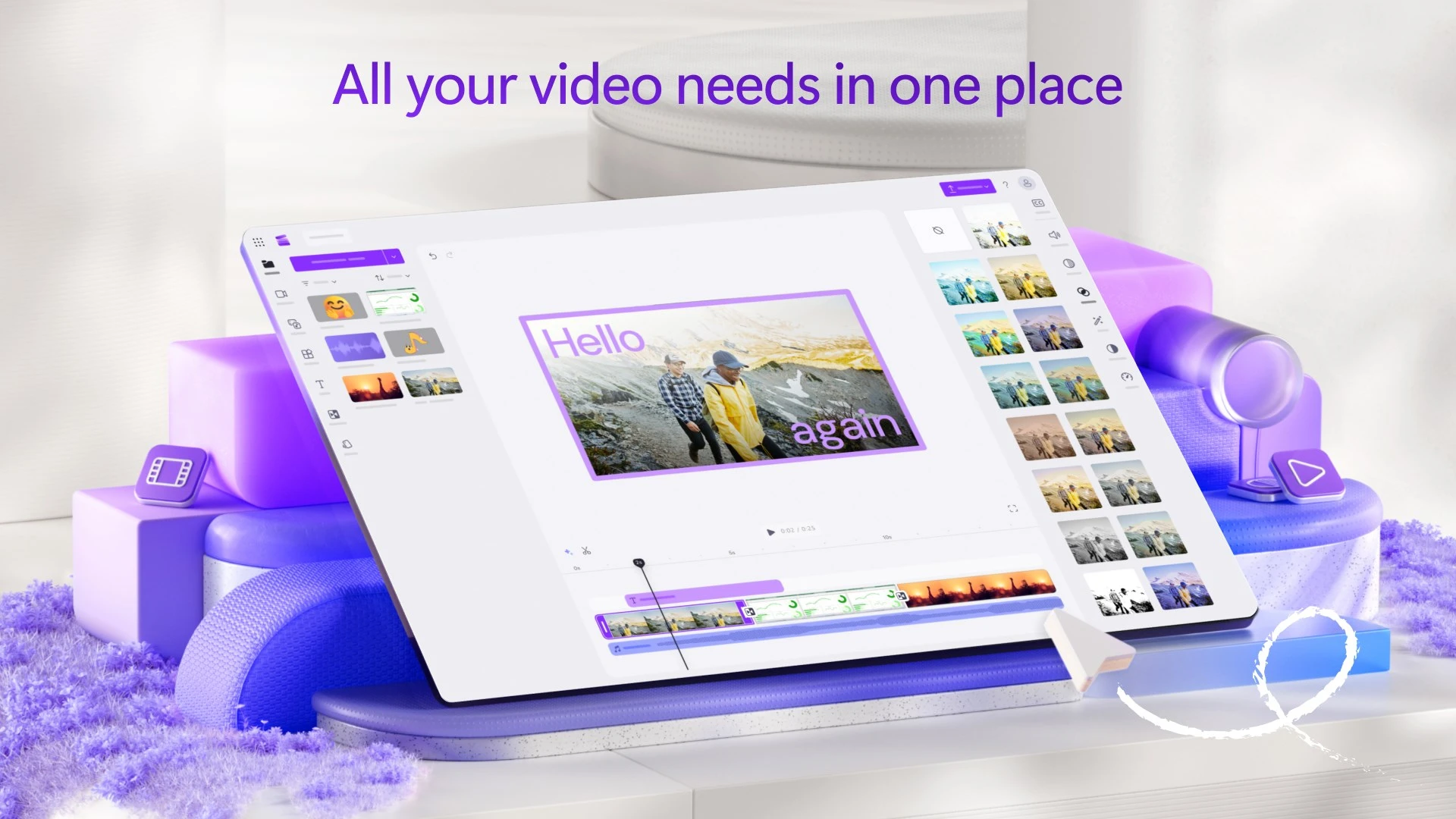
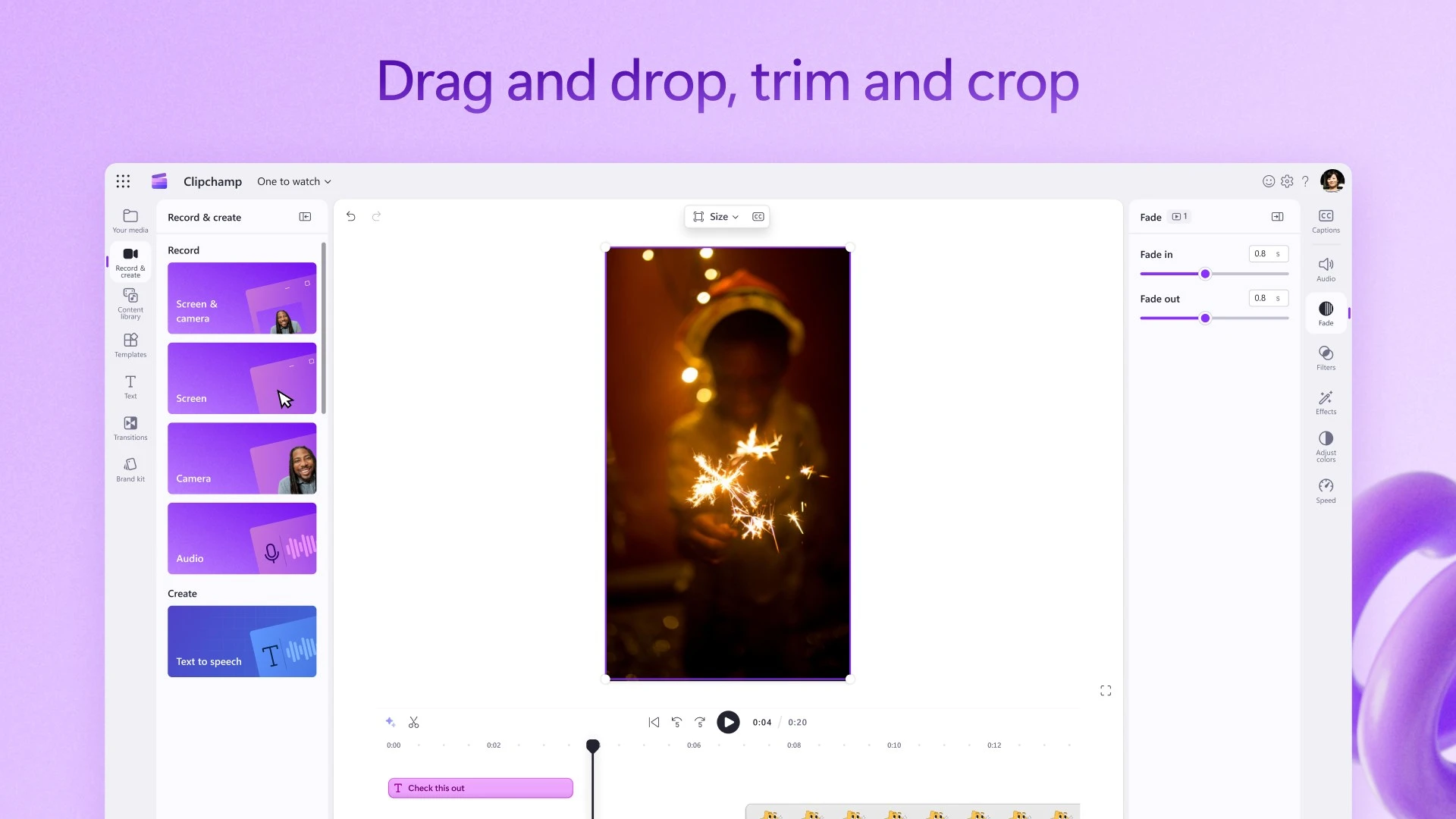
Multi-track timeline editing and precision trimming
Clipchamp combines desktop multi-track precision with intuitive drag-and-drop simplicity. You can layer multiple video clips, b-roll footage, sound effects, and title cards on dedicated tracks without performance slowdowns:
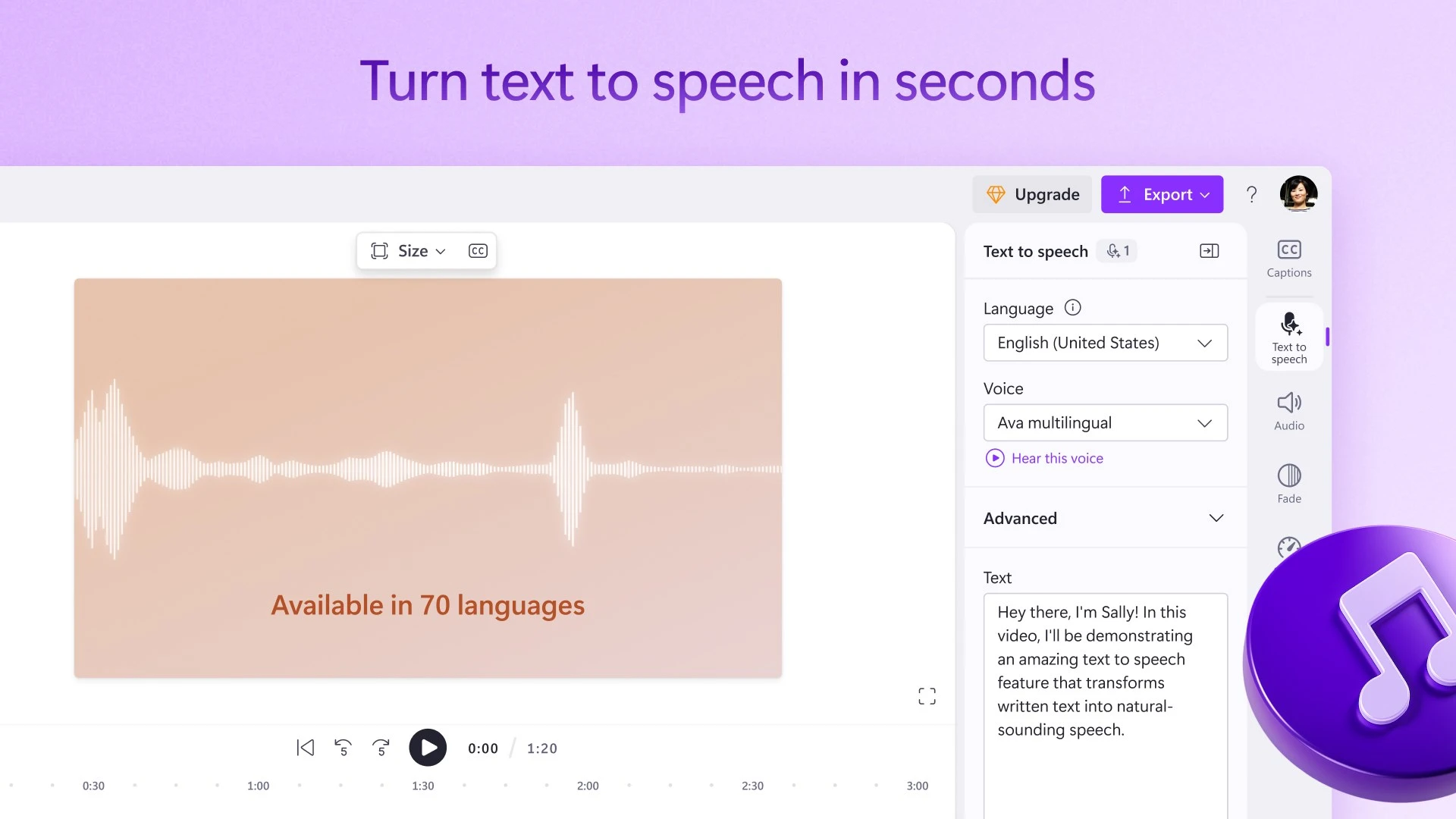
AI text-to-speech voiceovers and smart autocaptions
Creating informative tutorials and narration no longer requires an expensive studio microphone. Clipchamp integrates Microsoft Azure’s advanced AI speech synthesis directly into the timeline:
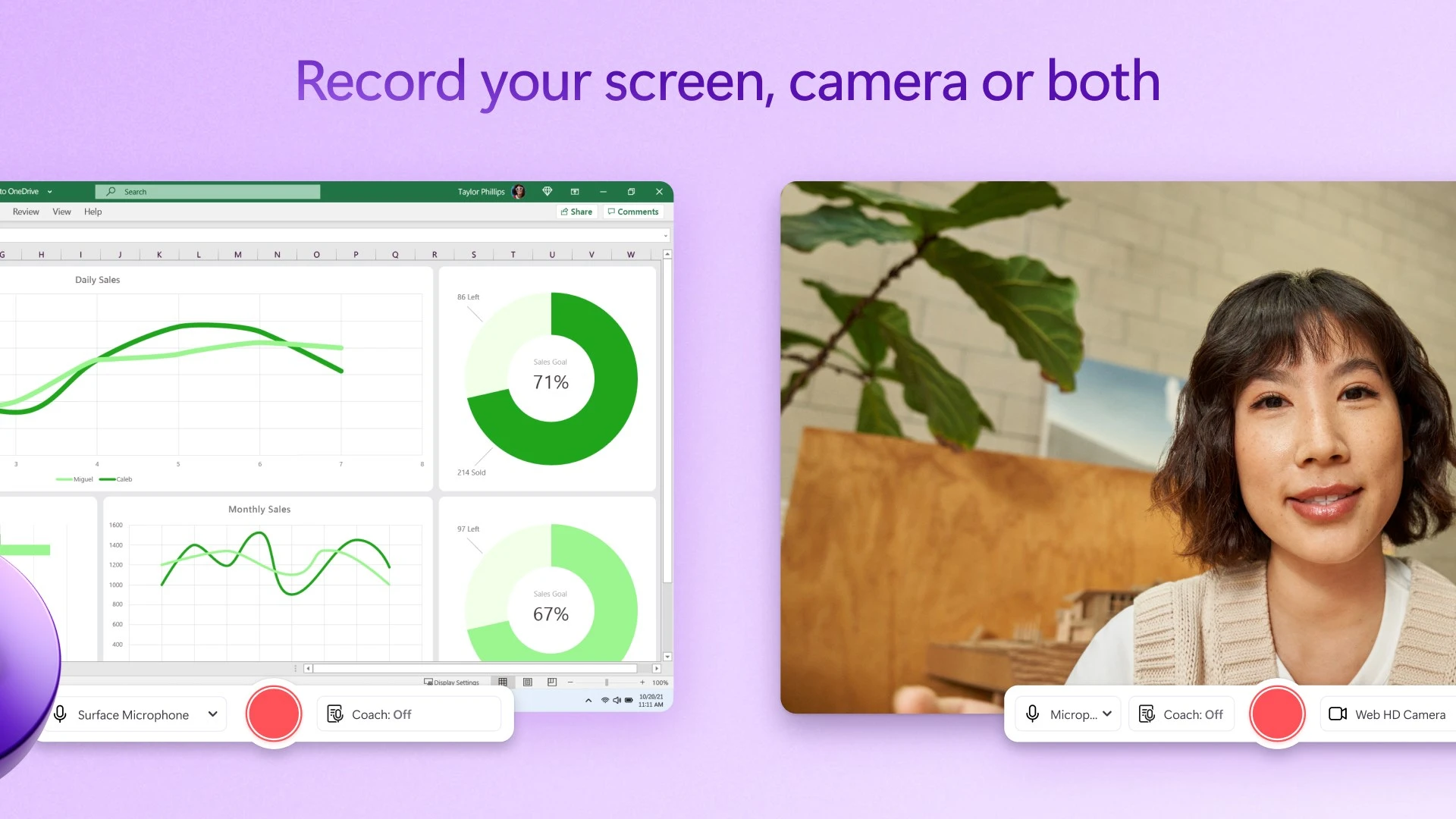
Simultaneous screen and webcam recording on ChromeOS
Educators, gamers, and corporate presenters can record software demos and webcam presentations directly in Clipchamp without installing third-party screen capture extensions:
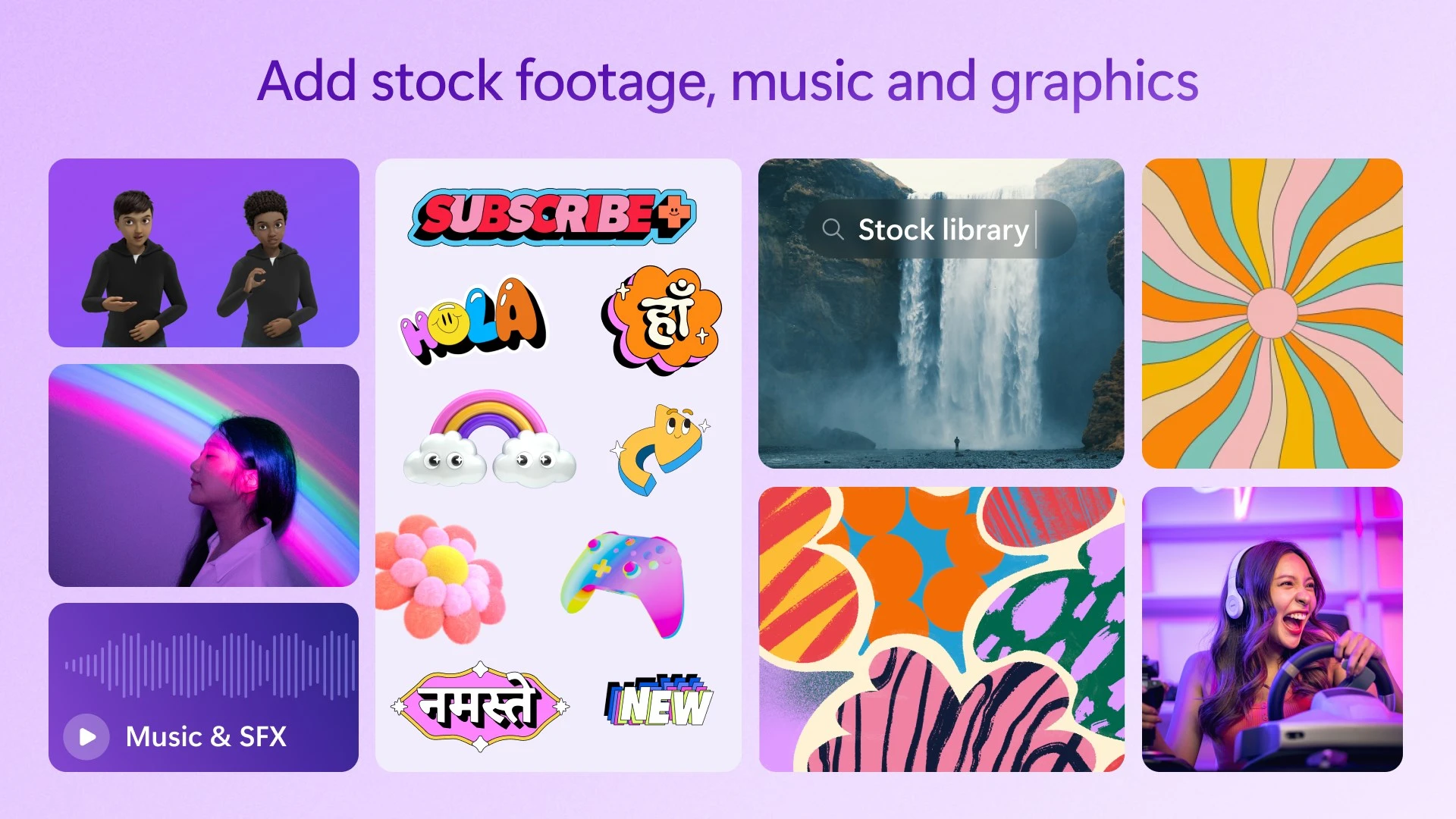
Curated stock video, royalty-free audio, and creative effects
Clipchamp features a massive integrated content library packed with designer-crafted video templates, licensed audio tracks, sound effects, and animated stickers:
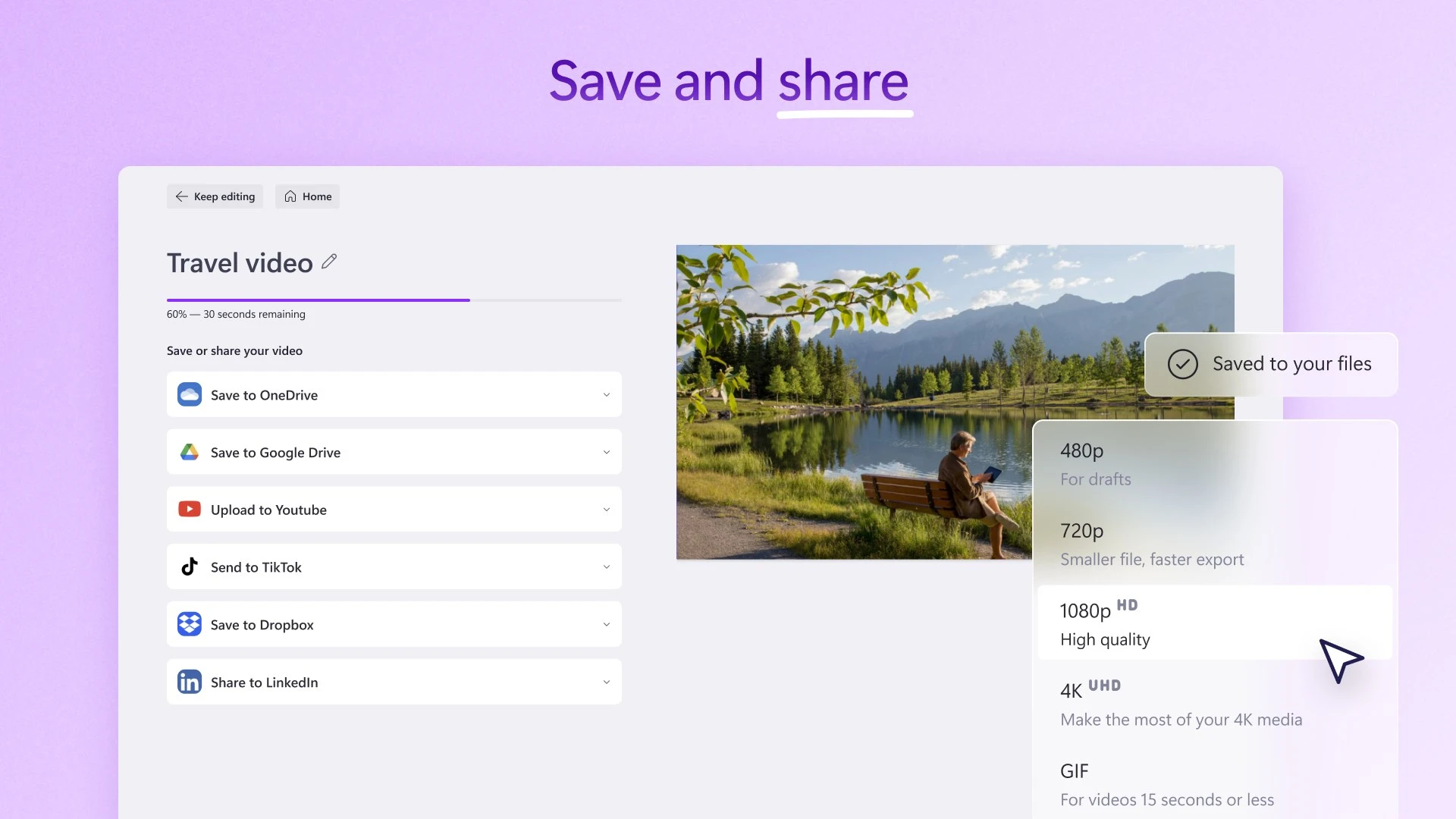
Watermark-free 1080p HD exports and cloud publishing
Unlike rival browser editors that degrade export quality on free accounts, Clipchamp lets you export crisp 1080p Full HD video files without watermarks:
Clipchamp pricing: free vs. Microsoft 365 subscription
Clipchamp offers an exceptionally generous free tier alongside expanded capabilities for Microsoft 365 subscribers:
Ready to start creating your next video project? Launch the editor today at app.clipchamp.com.
Frequently asked questions about Clipchamp on Chromebook
Is Clipchamp free to use on Chromebook and Googlebook?
Yes. Clipchamp provides a fully functional free tier that allows unlimited exports up to 1080p HD without any watermarks. You also gain access to standard editing tools, screen recording, and select free stock media assets. Upgrading to a Microsoft 365 subscription or Clipchamp Premium unlocks 4K UHD video exports, brand kit management, cloud OneDrive backup, and the entire premium stock media collection.
Does Clipchamp work offline on Chromebook?
Clipchamp operates primarily in the cloud using local browser caching and high-speed in-browser WebAssembly rendering. While opening the web app and loading cloud assets require an active internet connection, your media files process locally on your machine rather than uploading to a remote server during editing. An internet connection is necessary to launch projects, sync with OneDrive, and utilize AI text-to-speech voiceovers.
Why is there no official Clipchamp app on the Google Play Store?
Microsoft developed Clipchamp as a desktop web-first Progressive Web App (PWA) rather than a native Android package. Any application currently listed under the Clipchamp name on Google Play is an unofficial third-party guide or unauthorized clone. Always install the verified PWA directly through Google Chrome by visiting app.clipchamp.com to protect your device security and account credentials.
Can Clipchamp export videos in 1080p without a watermark?
Yes. Unlike many competing video editors that restrict free exports to 720p or slap heavy watermarks across your video, Clipchamp allows you to render and export unlimited 1080p Full HD videos completely watermark-free on the free plan, provided your timeline uses free stock media or your own original media clips.
How do I fix camera or microphone access errors in Clipchamp?
If Clipchamp cannot detect your webcam or microphone during screen recording, click the site settings tune icon on the left side of Chrome’s address bar. Ensure Camera and Microphone permissions are toggled to Allow, and refresh the browser window. On school or managed workplace devices, confirm that ChromeOS administrator policies have not disabled hardware media inputs across browser sessions.
Explore more video editing tools for Chromebook
Looking to compare video editors for ChromeOS? Check out our curated guides to the 11 best video editors for Chromebook, the versatile cloud studio in WeVideo on Chromebook and Googlebook, the viral mobile timeline in CapCut on Chromebook and Googlebook, the multi-track tool PowerDirector on Chromebook, and the pro video powerhouse LumaFusion on Chromebook.
Discover more from Chrome Geek
Subscribe to get the latest posts sent to your email.