Use Duolingo on Chromebook: App & Web Guide
 by
Gloria Brown
Post Updated: July 5, 2025
by
Gloria Brown
Post Updated: July 5, 2025
 Hello everyone! Welcome to our guide on using Duolingo on Chromebook, a top language-learning tool with over 300 million users worldwide.
Whether you’re picking up Spanish or brushing up on French, Duolingo brings fun, game-like lessons to ChromeOS via its Android app or web version.
It’s free, easy, and perfect for students, travelers, or anyone curious about new languages.
We’ll walk you through setup, spotlight its best features, and show why it’s a Chromebook gem.
Ready to start speaking? Share your thoughts or contact us below.
Looking for the Kids version of Duolingo? Check out our Duolingo ABC post here.
How to Set Up Duolingo on Chromebook
Duolingo works seamlessly on Chromebook with its Android app or web platform. Here’s how to get going in minutes.
Method 1: Install Duolingo Android App
- Open the Google Play Store on your Chromebook.
- Search for “Duolingo.”
- Click “Install” to download.
- Launch from your app drawer.
- Sign up or log in to begin.
Quick Tip: 💡 Pin it to your dock for daily practice.
Method 2: Use Duolingo Web Version
- Open Chrome on your Chromebook.
- Visit duolingo.com.
- Sign up or log in to start.
- Pick a language and learn in your browser.
Quick Tip: 💡 Use the app for offline lessons when Wi-Fi’s spotty.
App vs. Web: What’s the Difference?
- Android App: Offline mode, bite-sized lessons, ideal for on-the-go.
- Web Version: No install, extra exercises, great for longer sessions.
- Which to Choose? App for quick drills; web for deeper practice.
What is Duolingo About?
Duolingo, launched in 2011 by Luis von Ahn, is a language-learning platform on Chromebook via its Android app or web version, boasting a 4.7-star rating.
It stands out with over 40 languages and a playful, addictive style that beats boring textbooks or pricey classes hands-down.
Key Features:
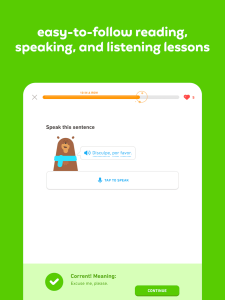
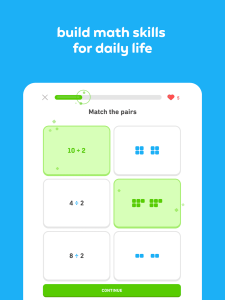
- Game-like language lessons
- Speaking and listening practice
- Daily streak rewards
- Teacher tools for classrooms
Why You Might Like Duolingo:
It’s perfect for learning “basic Spanish phrases” or prepping for a trip, with a Chromebook setup that’s free and fun. Teachers and parents dig it for kids, too!
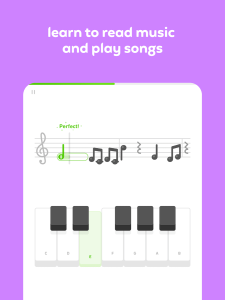
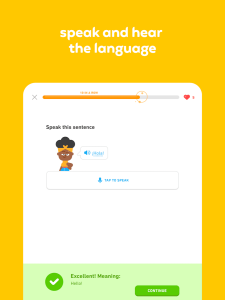
Duolingo Screenshots
Duolingo on Chromebook FAQ:
- Is it free? Yes, core lessons are free; premium options exist.
- Does it work offline? Yes with the app; web needs internet.
- Good for beginners? Yes, starts simple for all ages.
Duolingo Chromebook Requirements:
- OS Version: ChromeOS with Android 9.0+ or Chrome 90+.
- Device Specs: 4GB+ RAM recommended.
- Storage Space: 500MB+ for app, minimal for web.
- Internet: Optional for app, required for web.
For more help:
Explore more Chromebook tools: Khan Academy or Best Education Apps
Discover more from Chrome Geek
Subscribe to get the latest posts sent to your email.