Google Maps Can Now Plan Your Road Trip With Ask Maps
 by
Sophie Sullivan
Post Updated: November 16, 2026
Google Maps can now plan a whole trip for you. Google announced on November 16 that Ask Maps, the Gemini-powered chat built into Google Maps, can build step-by-step itineraries, search your saved lists and, in the U.S., find open appointments at local businesses. Ask Maps is also expanding to 30 more countries across Europe, according to Google’s announcement.
1. Ask Maps can now build itineraries
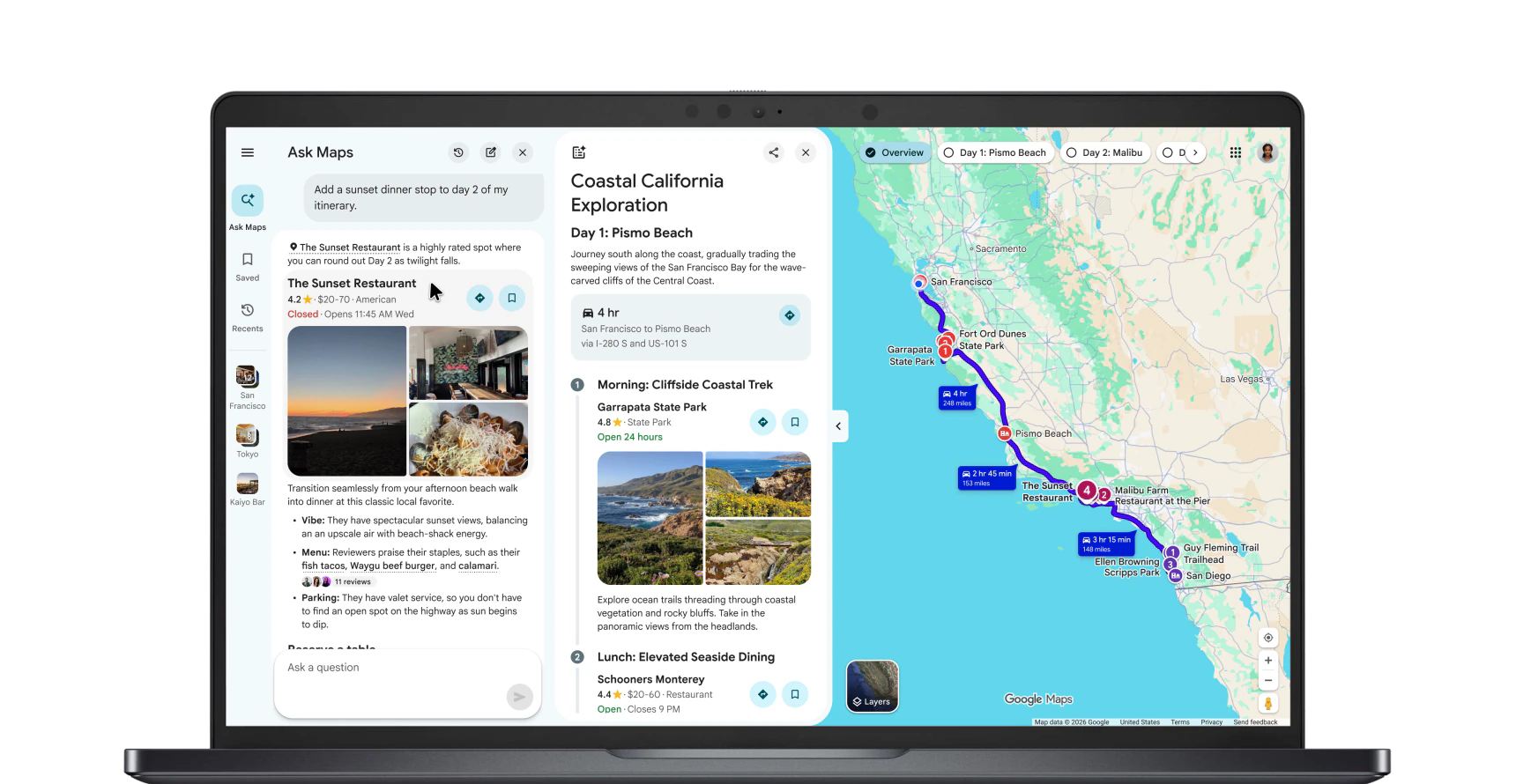
How it works: type a request like a holiday shopping day or a three-day coastal road trip, and Ask Maps returns a schedule split by day, with tips for each stop and numbered pins on the map.
Share or export: you can share the finished plan with friends and family. On desktop, you can also export it to Google Docs, which is handy if you plan trips from a Chromebook or Googlebook.
Change it on the go: ask Ask Maps to add a stop, such as a lunch spot or a viewpoint, and tap to get directions to the next stop straight from the itinerary. Saved plans show an “itinerary” badge in your chat history.
2. Live details while you travel
Real-time info: when you open your itinerary on the day, Maps shows live traffic, whether a place is open and what the atmosphere is like at your next stop.
Know before you go: when you pull up directions, Maps can also show tips about your route, such as where to park or charge an electric car, plus weather, likely delays and tolls. This part starts in the U.S.
3. Search your saved lists and find appointments
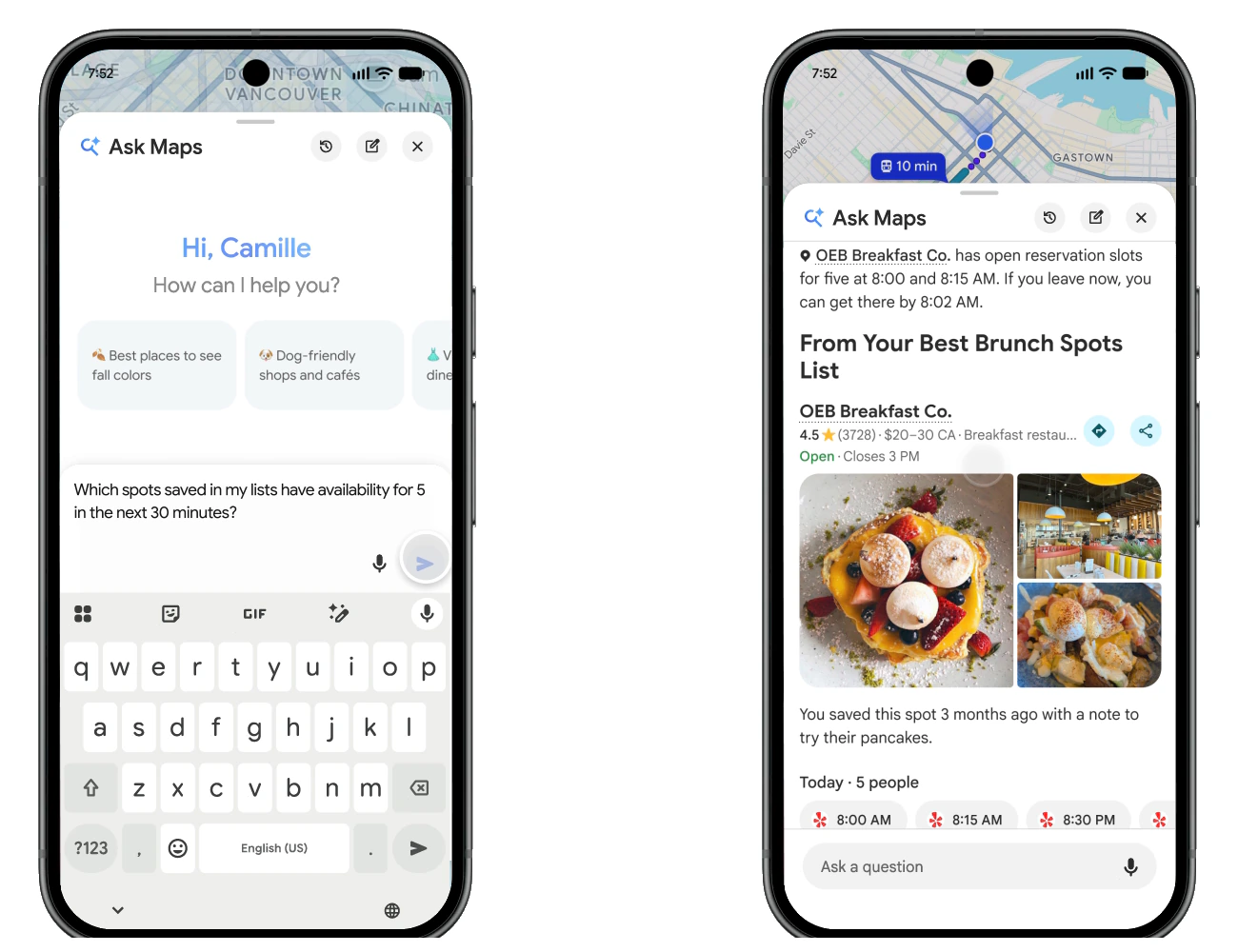
Lists: instead of scrolling through hundreds of saved places, you can ask something like “Which spots saved in my lists have availability for five people in the next 30 minutes?” Ask Maps checks your lists and live availability.
Appointments: Ask Maps can now look for beauty, pet care, car repair and home repair appointments online, and call local businesses for you if you choose. Ask for “a 4 p.m. nail appointment near me” and it lists open slots nearby.
4. Where you can get it
Rollout: Google says the updates start rolling out on Android and iOS from November 16. With the European expansion, Ask Maps covers more than 200 countries and territories. 9to5Google also reports that itineraries and list search work in every Ask Maps country.
Our take
This is one of the more useful Gemini features Google has shipped, because it lives in an app most people already open every day. Itineraries with live updates could replace a messy mix of notes, tabs and screenshots for a holiday trip. The Google Docs export is a nice touch for anyone who likes to plan on a bigger screen. It follows Gemini moving into cars with Gemini on Apple CarPlay, so expect Ask Maps to keep growing.
Read more: how Google Maps now works inside AI Studio.
Discover more from Chrome Geek
Subscribe to get the latest posts sent to your email.