How to Install and Use Fox News on Chromebook and Googlebook
 by
Frank Cross
Post Updated: November 12, 2026
You can install and use Fox News on Chromebook and Googlebook through the official Android app from Google Play or directly in Chrome at foxnews.com. It brings U.S. and world breaking news, opinion commentary, live TV streams, and audio shows straight to your laptop screen.
Googlebook runs Android apps natively through Google Play alongside simple phone-app casting. This guide covers Google Play installation, browser and PWA setup, live TV and radio streaming, offline article reading, and quick troubleshooting steps.
Need help setting up your news apps? Contact us with your laptop model and any login or playback questions.

How to install Fox News on Chromebook and Googlebook
Installing the official Fox News app from Google Play takes less than a minute and unlocks native ChromeOS notifications and saved articles:
The official Google Play listing uses the package identifier com.foxnews.android. Installing the Android app gives you full support for breaking news notifications, saved articles, and widescreen tablet navigation.
If the Play Store is missing from your launcher, review Google’s Android app setup guide for Chromebook or the guide on installing apps on Googlebook. School and workplace devices managed by an administrator may restrict Play Store installs. There is no separate Linux package for ChromeOS, but you can always open foxnews.com in Google Chrome for immediate access without installing anything.
Cast Fox News from your phone on Googlebook
If you already have your favorite topics, saved stories, and TV provider login set up on your Android phone, Googlebook’s Cast My Apps feature lets you open that active phone session right on your laptop. Click the Phone Hub icon in the bottom-right corner of your Googlebook shelf, choose Cast My Apps, and pick Fox News to read headlines or listen to audio clips in a desktop window without logging in again.
Fox News Web vs. Android app: choosing your ChromeOS setup
You can follow Fox News through the Google Play Android app, directly in Google Chrome, or as a standalone Chrome web shortcut depending on how you work:
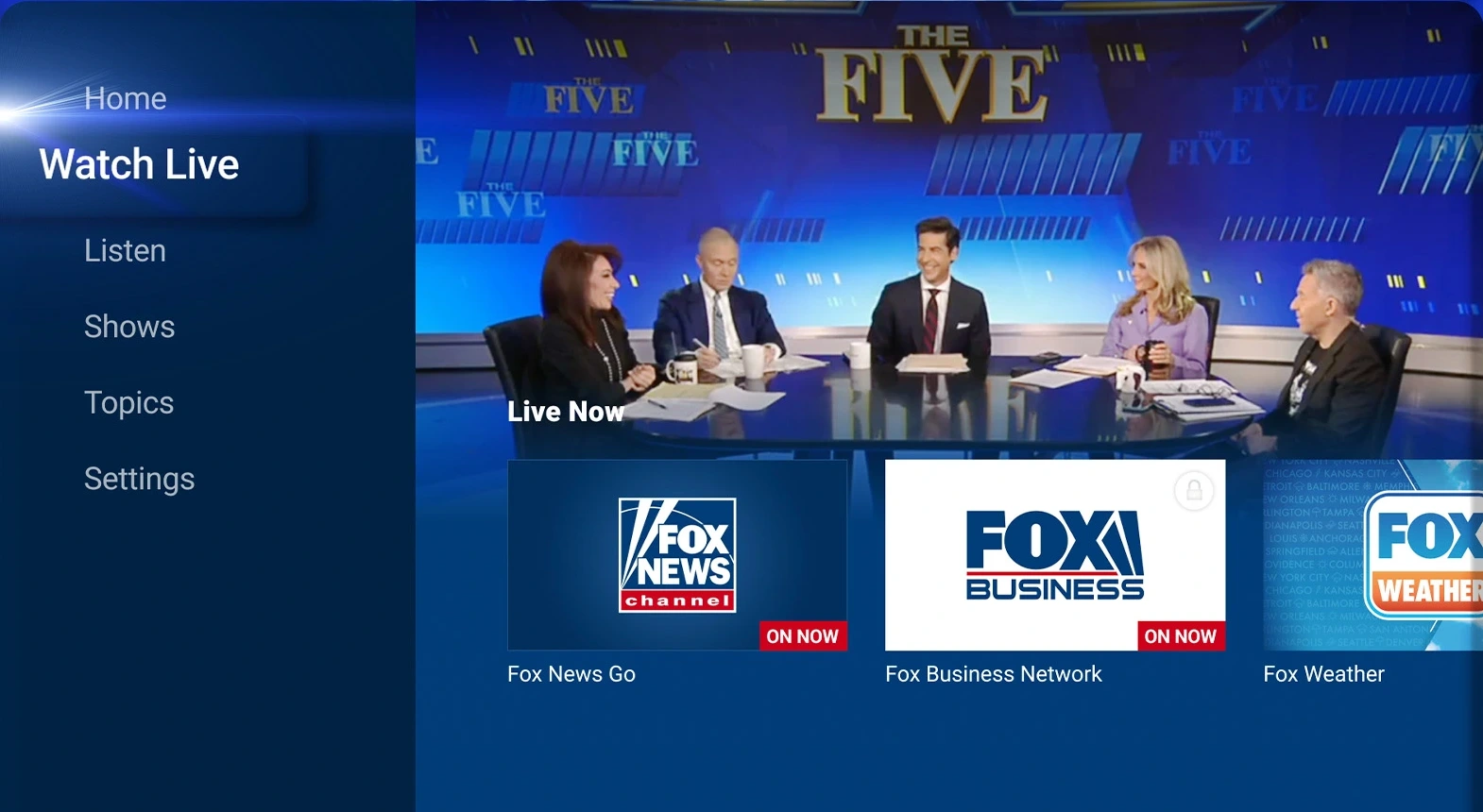
Live TV, Fox Business, Fox Weather, and radio shows
The Fox News app brings together live video channels and audio programming in a clean sidebar layout built for larger screens:
- Watch Live broadcasts: sign in with a participating cable, satellite, or live TV provider to stream the 24/7 Fox News Channel and Fox Business Network feeds.
- Free Fox Weather stream: check national radar, severe storm coverage, and live weather forecasts directly from the Watch Live tab without a cable login.
- Fox News Radio and podcasts: switch to the Listen tab for live radio shows such as The Brian Kilmeade Show, hourly news updates, and original podcasts while you work in other windows.
- Picture-in-picture multitasking: keep a live broadcast playing in a smaller window on your Chromebook or Googlebook screen while reading articles or answering emails.
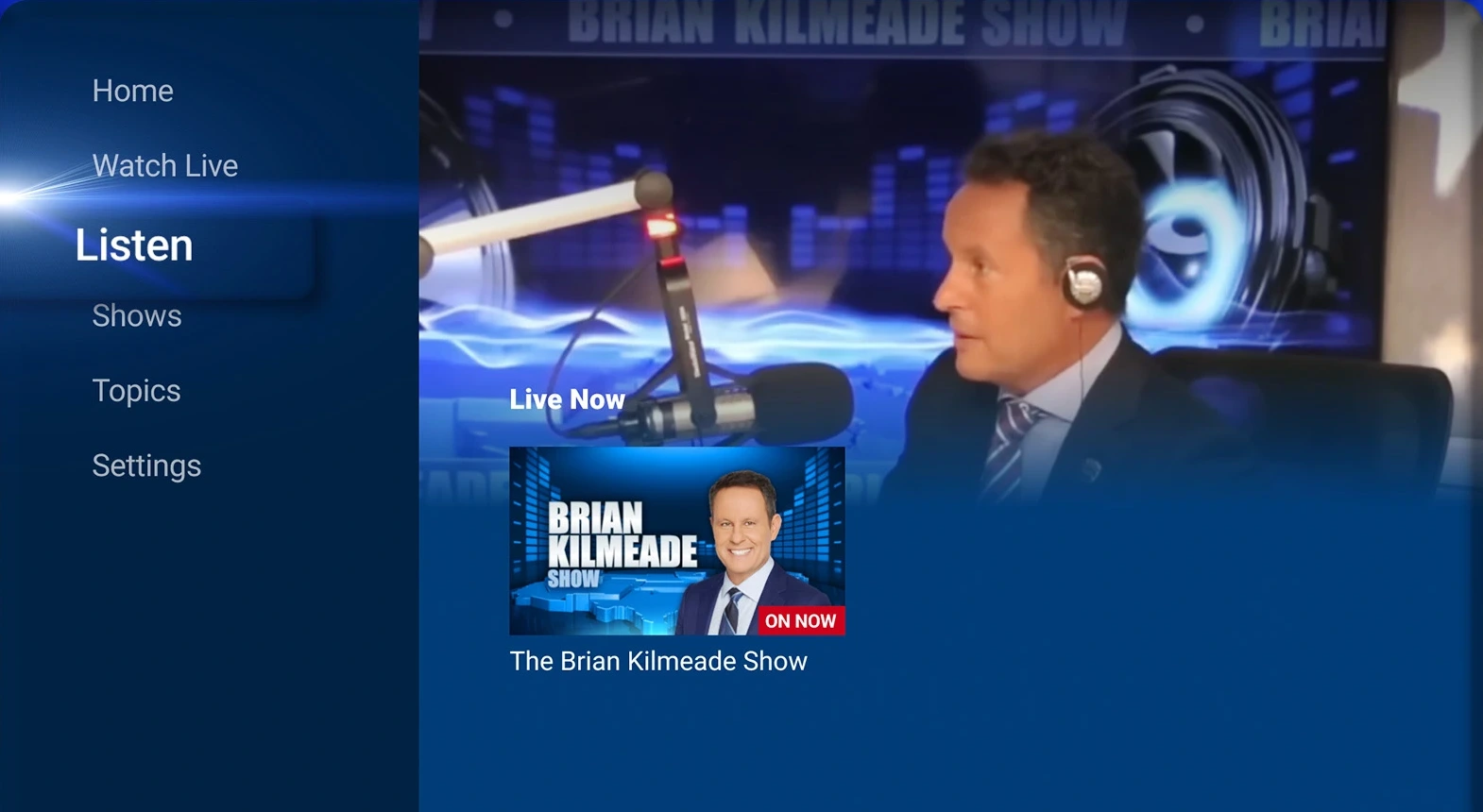
Customizing topics, alerts, and shows on a big screen
You can tailor the Fox News experience to focus on the beats, programs, and reading preferences you care about most:
- Follow specific topics: browse Politics, U.S., World, Opinion, Entertainment, Sports, and Tech sections from the Topics menu to build a focused feed.
- Catch up on daily shows: open the Shows tab to watch clips and full episodes from programs like Fox & Friends and America’s Newsroom on demand.
- Fine-tune breaking news alerts: manage notification categories in Settings so only major breaking headlines pop up on your ChromeOS shelf.
- Save articles for later: bookmark long-form stories and opinion pieces inside the Android app so you can read them during flights or offline commutes.

Troubleshooting Fox News on ChromeOS
If videos buffer, live TV fails to verify your cable account, or the Android app freezes on your Chromebook or Googlebook, try these fixes:
- Live TV provider sign-in loop: temporarily pause aggressive ad-blocking or privacy extensions on
foxnews.comand allow third-party cookies for your TV provider authentication window. - Black video screen with audio playing: open Chrome Settings > System, turn off Use graphics acceleration when available, and relaunch Google Chrome.
- Missing or delayed breaking news alerts: open ChromeOS Settings > Apps > Manage your apps > Fox News and confirm Notifications are enabled, then check alert toggles inside the app’s Settings menu.
- App crashes or stuck headlines: clear the Android app cache under ChromeOS Settings > Apps > Manage your apps > Fox News > Storage > Clear cache, then reopen the app.
Frequently asked questions about Fox News on Chromebook and Googlebook
Is the Fox News app free on Chromebook and Googlebook?
Yes. Reading articles, checking breaking news alerts, browsing topics, and listening to Fox News Radio audio streams are free. Watching the 24/7 Fox News Channel live TV stream requires signing in with a participating cable, satellite, or live TV streaming provider.
Should I use the Fox News Android app or foxnews.com in Chrome?
Both work well on ChromeOS. The Google Play Android app is best if you want native desktop push notifications, saved articles for offline reading, and touch-friendly navigation. Opening foxnews.com in Google Chrome is ideal for multitasking across browser tabs without using local storage.
How do I cast Fox News from my Android phone to Googlebook?
Open the Phone Hub in the bottom-right corner of your Googlebook shelf with your Android phone linked. Click Cast My Apps and select Fox News to open your phone’s active news feed or audio stream in a floating desktop window.
Why is the Fox News live stream not playing on my Chromebook?
Live TV playback issues are usually caused by browser ad blockers, disabled cookies for your TV provider login, or outdated graphics acceleration settings. Try disabling ad blockers on foxnews.com, confirming your TV provider session is active, or turning off graphics acceleration in Chrome Settings > System.
Can I listen to Fox News Radio and podcasts in the background on ChromeOS?
Yes. Both the Fox News Android app and the web player support background audio playback, so you can listen to live radio shows and podcasts while working in other Chrome tabs or ChromeOS apps.
Companion news and streaming guides
Round out your daily news, live TV, and audio setup on ChromeOS with these companion guides:
- International headlines and radio: Follow global reporting, live audio feeds, and personalized topic lists with our guide to BBC News on Chromebook.
- Live U.S. cable news: Compare another major 24-hour news network and web player setup in our walkthrough for CNN on Chromebook.
- Free live news channels: Watch hundreds of free ad-supported news, sports, and entertainment channels using our Pluto TV on Chromebook guide.
- On-demand streaming and sports: Set up movies, original series, and live ABC News or ESPN hubs with How to Install and Use Disney Plus on Chromebook and Googlebook.
Discover more from Chrome Geek
Subscribe to get the latest posts sent to your email.