Antigravity 2.29 Adds Remote Agents and Gemini Live Voice Mode
 by
Sophie Sullivan
Post Updated: November 6, 2026
Google Antigravity 2.29 is rolling out with Remote Agents, Voice Mode and a redesigned chat page. 9to5Google reports the update for Mac, Windows and Linux, and Google’s own Antigravity changelog lists it as version 2.29.0 (dated November 3, 2026). Features roll out gradually, so you may not see everything on day one.
1. Remote Agents in the cloud
What they are: Remote Agents run your agent sessions in an isolated Google-managed environment instead of on your computer. Per Google’s Remote Agents docs, they keep working on long tasks even when you close the browser, sleep the laptop or switch between desktop and phone.
Who gets them: rolling out to Google AI Pro and Google AI Ultra subscribers signed in with a personal Google Account. Not on the free plan, Google AI Plus, or business accounts (Workspace or Google Cloud).
How to start: in the Antigravity App, create a New Remote Project and attach a GitHub repo, Drive files or uploads. On the web, sign in at antigravity.google.com and start a remote conversation or create a project. The CLI needs version 1.4.12 or later and the --remote-agent flag.
Not the same as Remote Control: Remote Control drives an agent on your own machine (which must stay on). Remote Agents run in Google’s cloud VMs, so no local host needs to stay powered.
2. Voice Mode powered by Gemini Live
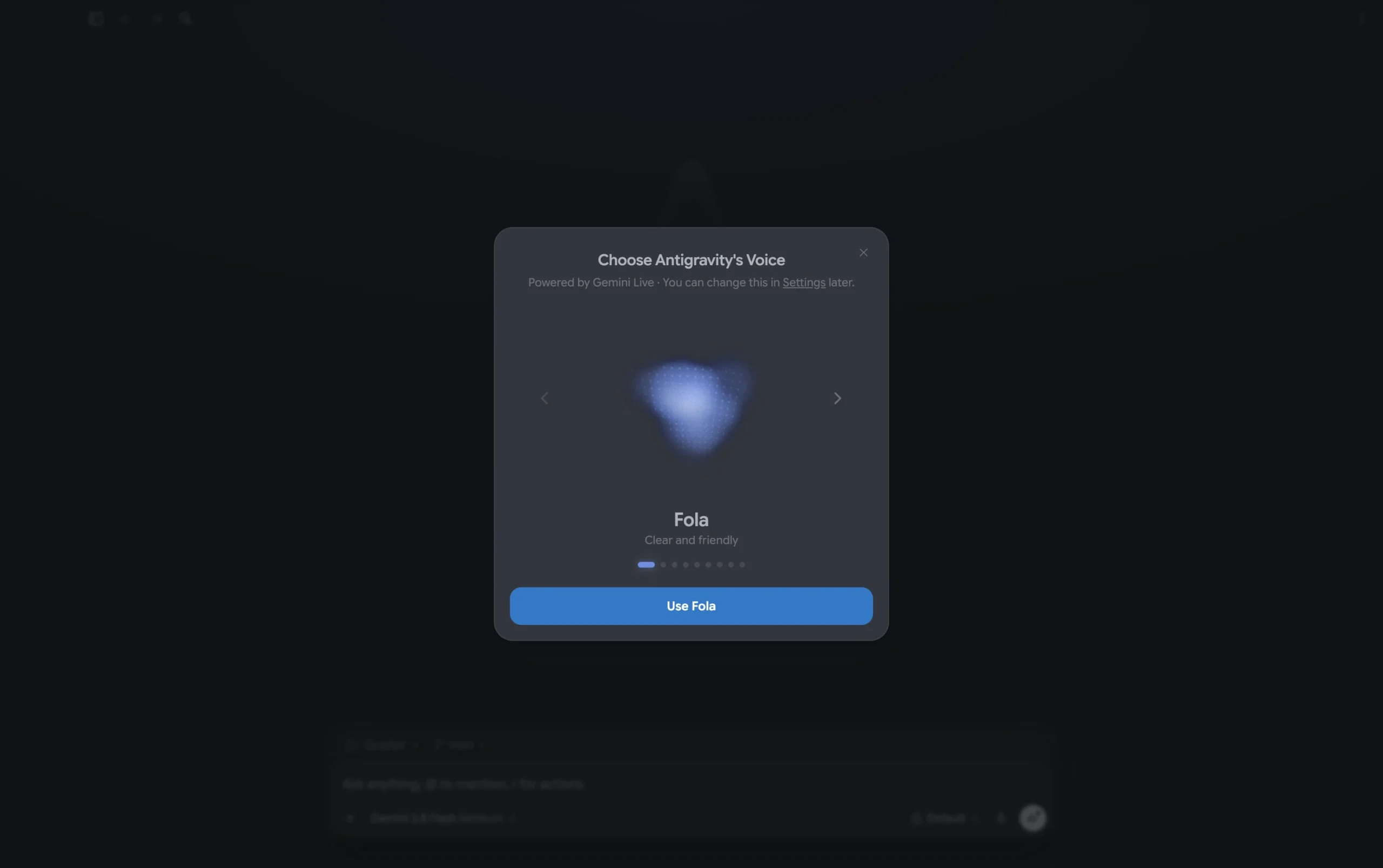
Talk instead of type: Voice Mode holds a two-way spoken conversation with the agent. You give tasks, steer while it works, and answer permission prompts out loud. Google’s Voice Mode docs say the agent works quietly by default and only speaks when it has an answer or needs you, unless you ask for spoken progress updates.
Speed and voices: pick a voice the first time you start (you can change it later in Settings), and set playback speed from 0.75x to 2x while Voice Mode is on.
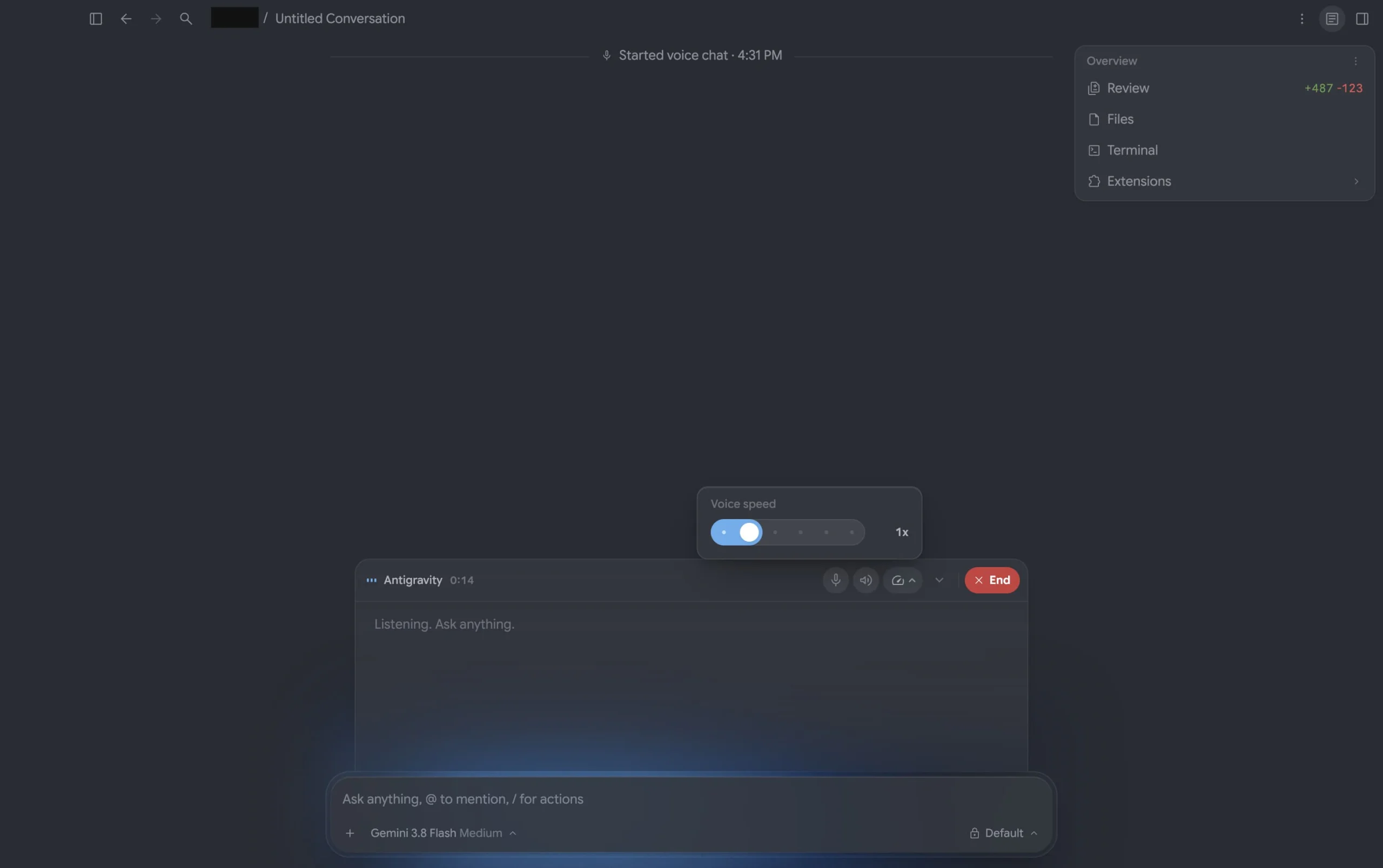
Local only for now: in the App, Voice Mode works in local conversations only. It is not available in Remote Control sessions or in conversations that run in the cloud. That is an important limit if you planned to talk to a Remote Agent out loud.
3. Redesigned conversation page and defaults
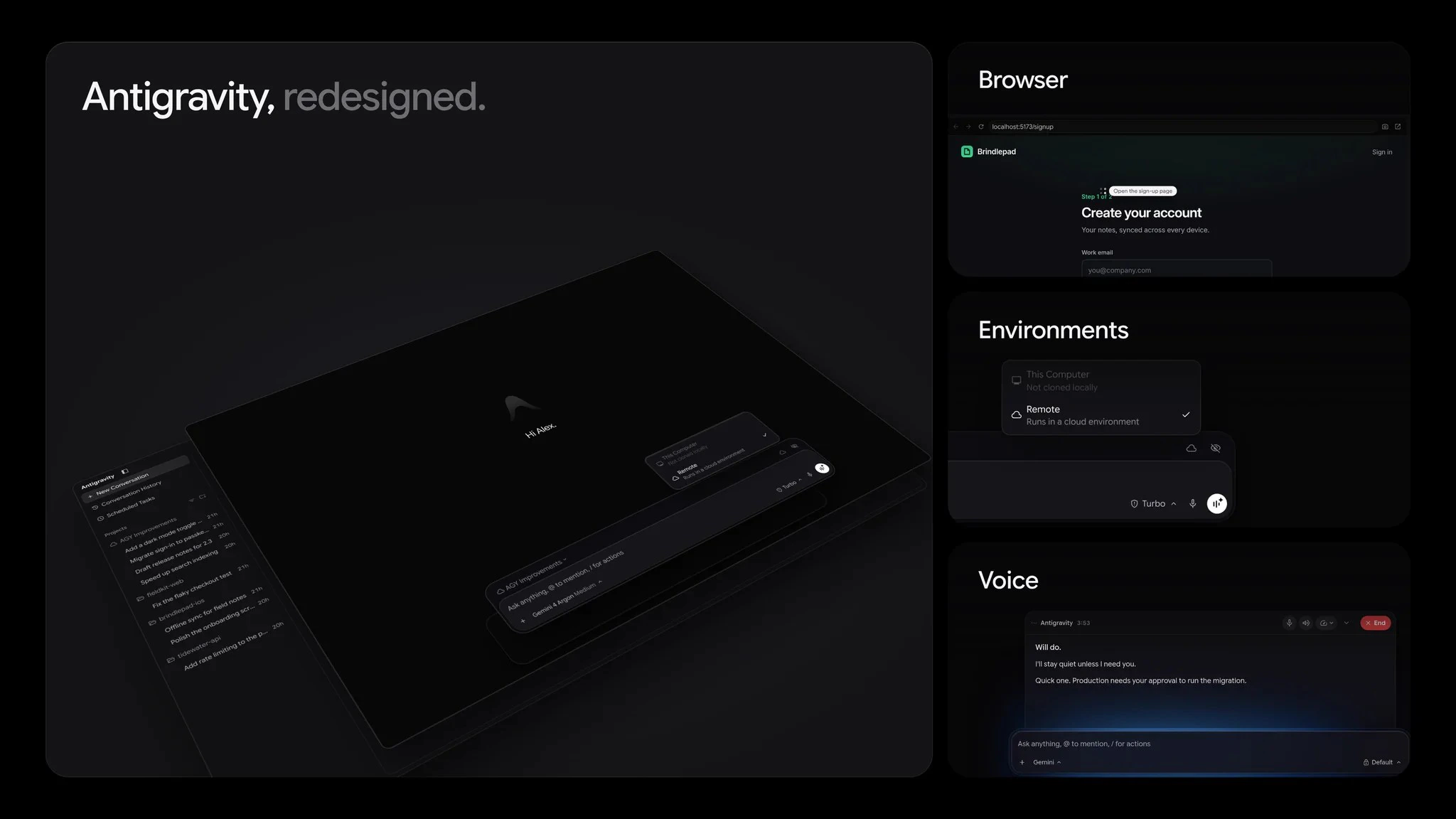
Chat layout: the new-conversation page greets you at the top and pins the message box to the bottom, similar to the Gemini app. Single-repo projects combine branch and Git worktree selection into one menu, and the agent picker now lives inside the model menu.
Look and feel: if you have not picked your own, Antigravity now defaults to the Onyx theme and Google Sans. Settings > Appearance also adds a Fill width option, a Font menu (System UI, Inter, Google Sans) and a Screen Reader Mode toggle.
4. Automations, browser, Jupyter and polish
Automations: the Automations page now groups items into Scheduled, Always on and Paused lists, with Next run and Last run times, plain-menu schedule pickers, in-page details and a full-page creation form.
Built-in browser: downloads go straight to your downloads folder with a toolbar progress drawer, and you can set a default folder under Settings > General. The address bar suggests matching pages from browsing history, shows clearer connection security, and adds a thin top loading bar. You can open a URL or search Google from the side panel New Tab page, drag links into the side panel, and close tabs to the left.
More 2.29 extras: Jupyter .ipynb files open natively in the file viewer. You can customize keyboard shortcuts under Settings > Shortcuts and reset any of them. Cold start is faster, and opening or closing the sidebar and side panel animates without layout jumps. Long conversations get short AI titles on collapsed chapter cards.
Our take
Remote Agents are the headline for anyone who wants Antigravity working while they step away, and the phone/web control story is real. Voice Mode is the friendlier demo, but Google is clear it stays on local conversations for now, so do not expect to talk to a cloud agent yet. Together with the Jules wind-down and Plugin Marketplace we covered earlier, 2.29 pushes Antigravity further as Google’s main agentic coding surface. If you code on a Googlebook, Antigravity for Googlebook is still the setup path to check first.
Keep reading: how to use Gemini 4 Argon and OpenAI GPT models in Antigravity.
Discover more from Chrome Geek
Subscribe to get the latest posts sent to your email.