15 Best Weather Extensions for Chrome in 2026
 by
Gloria Brown
Post Updated: October 15, 2026
by
Gloria Brown
Post Updated: October 15, 2026

The best weather extensions for Chrome include UV Weather for detailed forecasts and radar maps, Weatherly for free everyday weather updates, and Rain Alarm for warnings when rain is approaching in supported locations.
Whether you want today’s temperature in your Chrome toolbar, a forecast for the week, or weather updates whenever you open a new tab, these extensions make checking the weather easier. We’ve included options for simple forecasts, detailed weather reports, rain alerts, and more.
Detailed forecasts, radar, and rain alerts
1. UV Weather
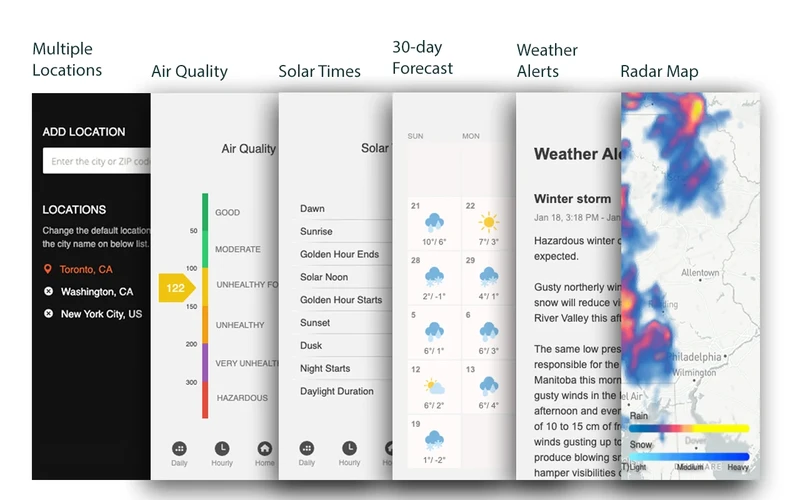
What it does: UV Weather delivers real-time conditions, minute-by-minute rain forecasts, and live interactive radar maps directly from your browser toolbar. It tracks detailed UV index levels and air quality ratings to help you plan outdoor activities safely, while providing severe-weather notifications and multi-location tracking.
👍 Why We Chose It: One of the strongest all-in-one options for people who want more than just the temperature, with radar, air quality and useful weather alerts in one place.
Good to know: Core hourly and daily forecasts, multi-location support, and radar maps are free to use. Advanced features, including AI-generated reports, require a UV Weather Pro subscription.
2. Weatherly (Weather Forecast)
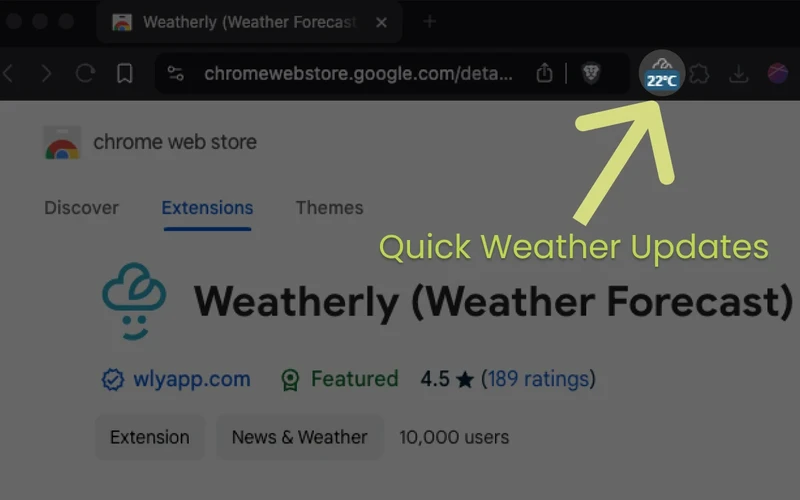
What it does: Weatherly turns everyday meteorological data into intuitive visual weather graphs, providing detailed hourly and seven-day forecasts without visual clutter. It tracks temperature shifts, wind speeds, atmospheric humidity, and air quality alongside sunrise and sunset times, with options to toggle between simple and detailed views in full dark mode.
👍 Why We Chose It: Weatherly makes detailed forecasts easy to read without forcing users to pay just to see useful everyday weather information.
Good to know: The developer describes Weatherly as completely free to use without advertisements or paid upgrades.
3. Rain Alarm Extension
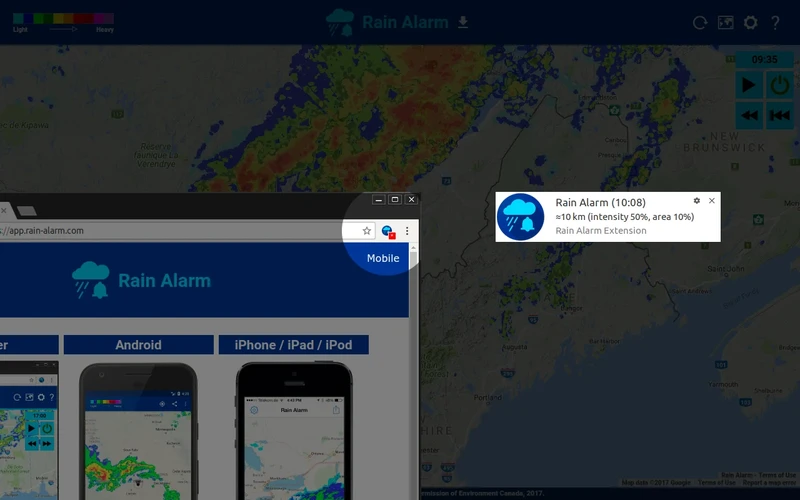
What it does: Rain Alarm Extension focuses specifically on knowing when rain or precipitation is moving toward your location. It monitors near real-time weather radar data from participating governmental meteorological services and alerts you when rain, snow, or storms cross into your area, making it practical for commuting, cycling, walking, and outdoor plans.
👍 Why We Chose It: Unlike ordinary forecast extensions, Rain Alarm focuses on one practical question: is rain approaching your location right now?
Good to know: Coverage is strictly limited to supported countries and regions with participating weather radar networks. It is not available worldwide, so check the supported-country list for your area.
4. Gismeteo
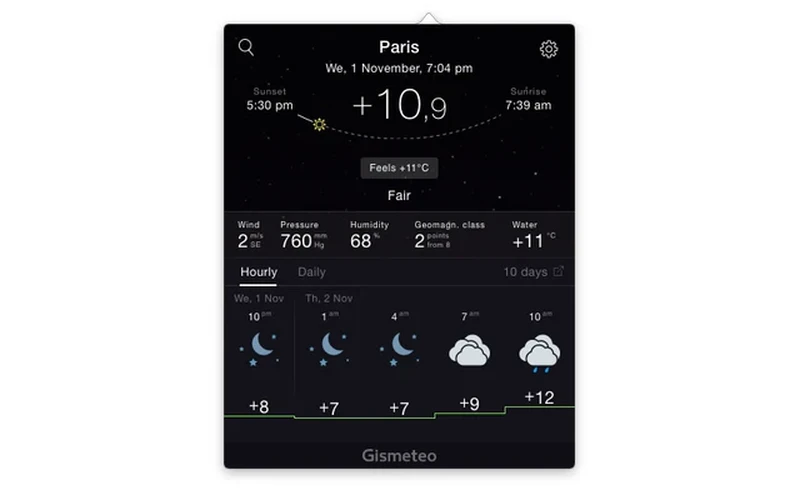
What it does: Gismeteo places a lightweight temperature badge right in Chrome’s toolbar so you can check current conditions while browsing without opening an extra tab. Clicking the extension icon opens a detailed forecast popup with hourly conditions, wind speed, and atmospheric trends for locations worldwide.
👍 Why We Chose It: A well-established option for readers who want to glance at the temperature while browsing and open the full forecast when necessary.
Good to know: Completely free to use. It delivers straightforward, utilitarian weather information without unnecessary animations or heavy background scripts.
Multi-city tracking and extended forecasts
5. Weather Please
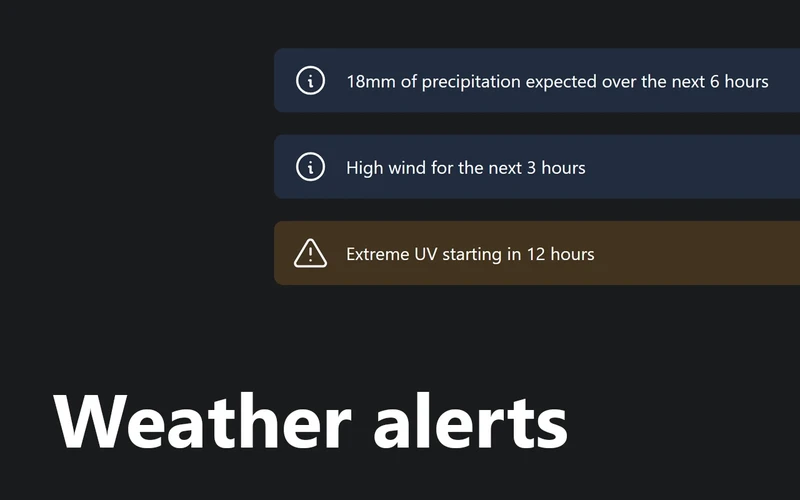
What it does: Weather Please replaces Chrome’s default new-tab screen with a clean, weather-focused start page. Every new tab displays your current local weather alongside a nine-day outlook featuring temperature ranges, wind speed, UV index, and rain probabilities. It can also connect optionally with Google Calendar and Microsoft Outlook to show your upcoming events alongside the day’s forecast.
👍 Why We Chose It: A good choice for people who prefer seeing the weather automatically when opening Chrome tabs, especially now that it can also show upcoming calendar events.
Good to know: This is a new-tab weather extension, not the toolbar popup described in older guides. The developer notes that no account or subscription is required for its core weather features.
6. Weather Now! Real Time Weather Report
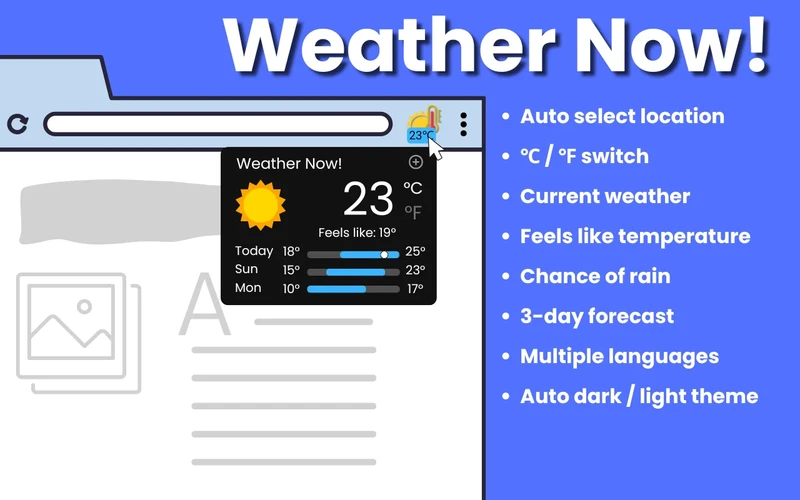
What it does: Weather Now! Real Time Weather Report is designed for users who follow conditions in several places simultaneously. It displays your current temperature directly in the toolbar and supports fast switching between up to five saved cities, with automatic location detection and concise three-day forecasts.
👍 Why We Chose It: Particularly helpful for people who travel, work with others in different cities or regularly check conditions for family members.
Good to know: Free to use and lightweight. It focuses on concise three-day forecast summaries rather than multi-week outlooks.
7. WorldWeatherOnline
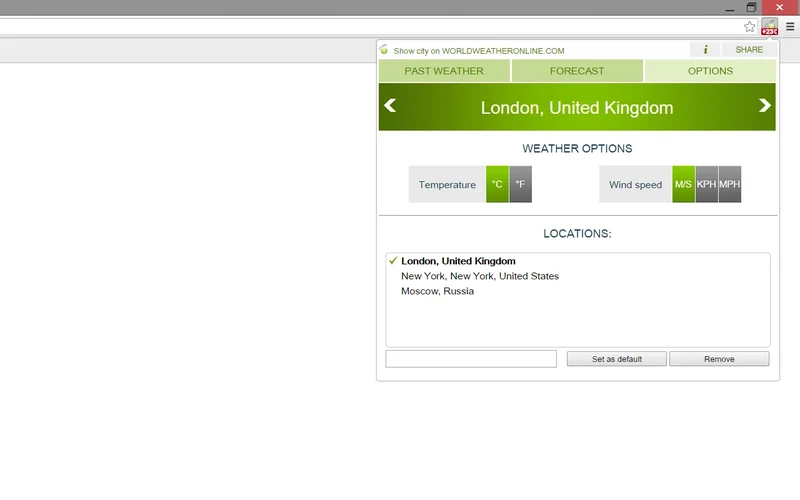
What it does: WorldWeatherOnline connects with global weather data to provide dependable seven-day forecasts across international destinations. You can search by city name, postal code, or airport code, and access historical weather records directly through the developer’s platform.
👍 Why We Chose It: Useful for travelers and readers who need to compare weather across locations or look up past weather rather than just today’s conditions.
Good to know: Completely free to install. The ability to search by airport code is especially handy for frequent flyers, trip organizers, and transit planning.
8. Weather Forecast (Weather Underground-based)
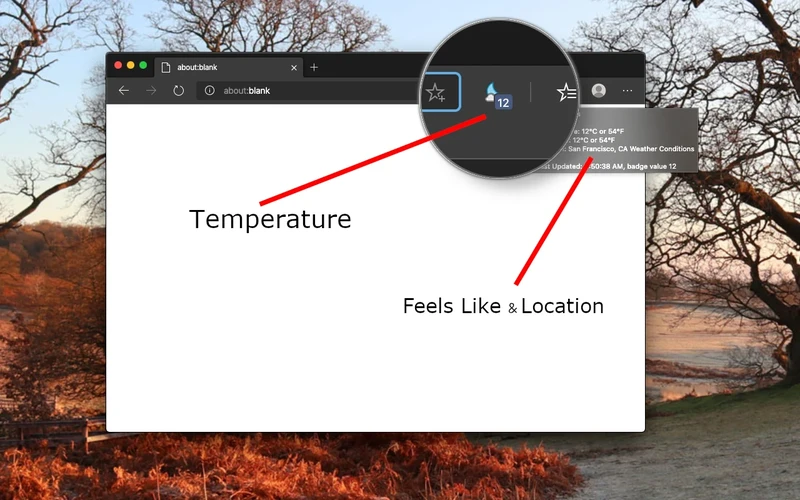
What it does: Listed on the Chrome Web Store simply as Weather Forecast, this extension draws on Weather Underground data to deliver extended 10-day forecasts, current temperatures on the Chrome toolbar badge, and direct radar map access with worldwide coverage.
👍 Why We Chose It: Suits readers who prefer a longer forecast and radar view without opening a full weather website.
Good to know: Free to use with support for multiple saved cities. Radar maps open in convenient linked views for detailed storm exploration.
Customizable toolbar tools and regional forecasts
9. Global Weather Snap
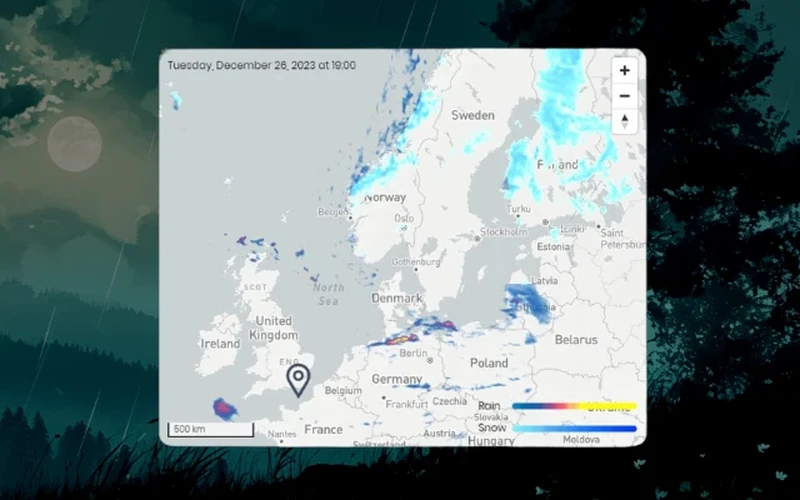
What it does: Global Weather Snap provides comprehensive meteorological details right from your toolbar. In addition to current temperature readings, it features a regional rain map, UV index ratings, air quality figures, sunrise and sunset times, and barometric pressure for multiple saved locations.
👍 Why We Chose It: A useful alternative for people who regularly check several locations and want more weather details than a basic temperature badge.
Good to know: Free to use with an all-in-one popup that makes comparing conditions across favorite locations quick and simple.
10. Forecastfox – Weather Forecast
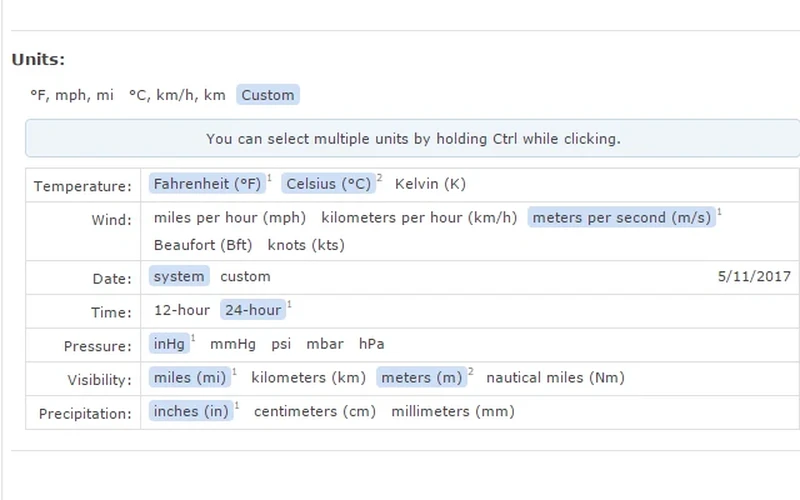
What it does: Forecastfox is a classic, long-standing weather extension that puts upcoming forecasts and current temperatures in your browser toolbar. It provides wind speed and humidity details, with flexible settings for measurement units, icon styles, and location options.
👍 Why We Chose It: Good for readers who prefer a familiar toolbar-based weather tool and want control over its display settings.
Good to know: Free to use. It focuses on classic toolbar-based forecasting with customizable icons and display settings rather than modern live radar overlays.
11. NOAA NWS Weather Forecast
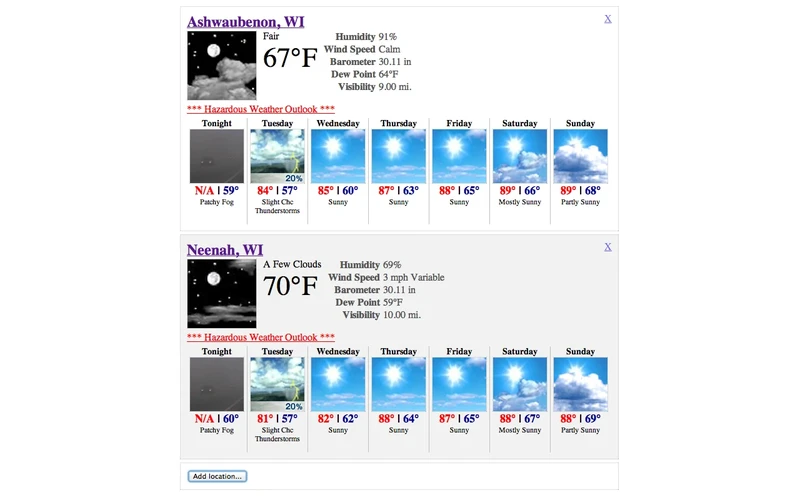
What it does: NOAA NWS Weather Forecast delivers seven-day weather forecasts drawn directly from NOAA and National Weather Service data feeds. You can search by US city or postal ZIP code to view official government forecast narratives, expected high and low temperatures, and local conditions.
👍 Why We Chose It: A practical option for US readers who prefer forecasts drawn from National Weather Service data.
Good to know: This extension is made by an independent developer and is not an official NOAA extension. Because it relies entirely on NWS data feeds, its forecast coverage is focused exclusively on the United States.
12. Weather Forecast (Fast Simple Apps)
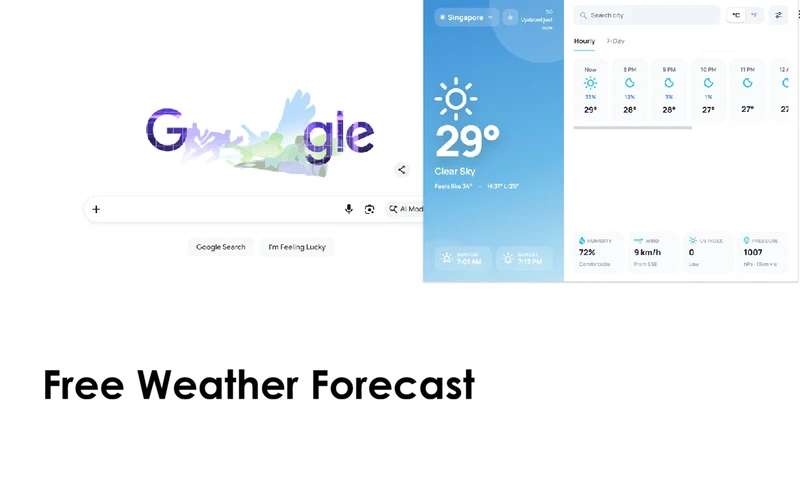
What it does: Sourcing weather data from the open Open-Meteo platform, this extension features a refreshed interface with hourly outlooks and seven-day forecasts. It displays current temperatures in Chrome’s toolbar, lets you save favorite places, and tracks UV levels, wind speed, humidity, and rain probability.
👍 Why We Chose It: Its 2026 redesign adds a cleaner forecast view and easier access to saved places, making it worth considering among newer-looking alternatives.
Good to know: Completely free to use. Its Chrome Web Store ratings are somewhat mixed depending on regional station accuracy, so it is best viewed as a modern alternative for Open-Meteo fans.
Weather dashboards and new-tab start pages
13. Momentum
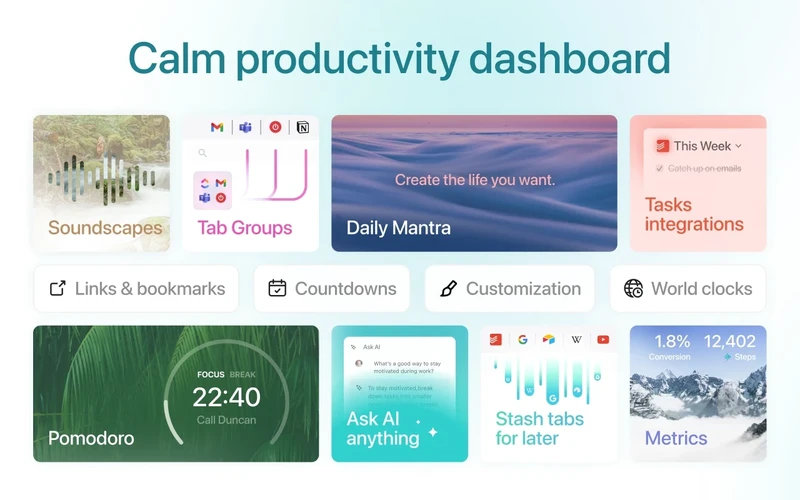
What it does: Momentum transforms every new tab into an inspiring productivity dashboard featuring daily landscape photography, a focus prompt, and a to-do list alongside a clean local weather widget. Clicking the weather display opens upcoming forecasts without cluttering your workspace.
👍 Why We Chose It: Ideal for readers who want basic weather information alongside their daily tasks and frequently visited websites.
Good to know: Momentum is a personal productivity dashboard with ambient weather features, not a dedicated weather forecasting service. The core dashboard and basic weather forecasts are completely free, while advanced weather metrics, hourly graphs, and additional widgets are part of Momentum Plus.
14. Bonjourr
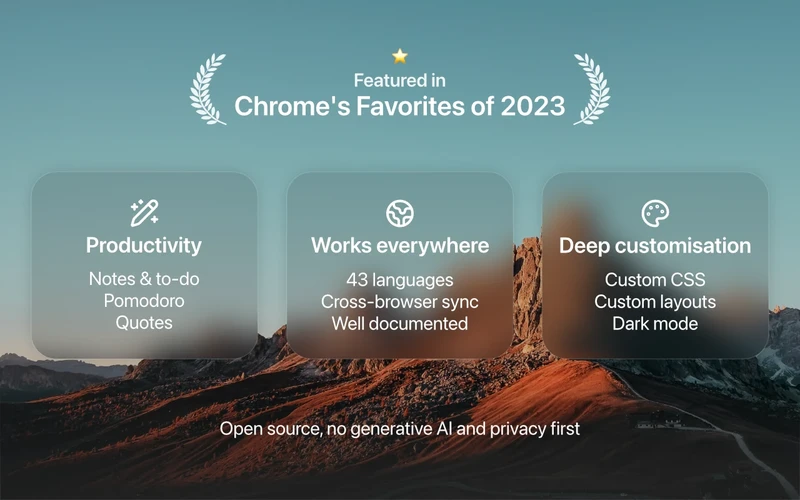
What it does: Bonjourr replaces your start page with a calm, minimalist new-tab experience inspired by modern mobile aesthetics. It features dynamic background images, a clean clock, customizable bookmarks, and a subtle weather forecast showing current conditions and daily temperature ranges.
👍 Why We Chose It: One of the most appealing options for readers who want weather, bookmarks and a clock together on a clean start page.
Good to know: Bonjourr is completely free, open source, and ad-free, with no account required. It is designed for visual peace of mind and light forecast awareness, not for detailed storm tracking or weather radar.
15. Star Wars Weather
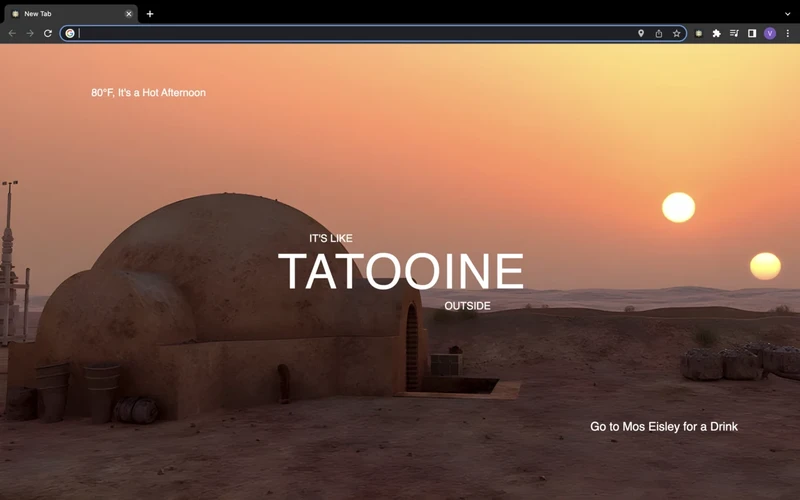
What it does: Star Wars Weather is a playful, novelty new-tab extension that matches your local weather to a planet from the Star Wars universe. Depending on whether it is hot, rainy, overcast, or freezing, your new tab displays scenic planetary backgrounds with day and night transitions and easy Celsius or Fahrenheit toggles.
👍 Why We Chose It: A fun alternative for Star Wars fans who want their new-tab page to reflect the weather in a playful way.
Good to know: Positioned as a fun bonus option rather than a serious weather-alert tool. It is completely free without in-app purchases or account requirements.
Quick Comparison of the Best Weather Chrome Extensions
Compare all 15 weather extensions
Click to expand
| Extension | Best for | Weather display | Main feature | Free or paid options |
|---|---|---|---|---|
| UV Weather | Detailed weather forecasts, radar and alerts | Toolbar icon & popup | Live radar, rain forecasts & air quality | Freemium |
| Weatherly (Weather Forecast) | Free, detailed everyday forecasts | Toolbar icon & popup | Interactive temperature & rain graphs | Free |
| Rain Alarm Extension | Knowing when rain is approaching | Toolbar icon & alerts | Approaching precipitation Doppler radar alerts | Free |
| Gismeteo | Checking the temperature quickly | Toolbar badge & popup | Glanceable toolbar badge & forecast | Free |
| Weather Please | A clean weather-focused new-tab page | New tab page | 9-day outlook & calendar integration | Free |
| Weather Now! Real Time Weather Report | Following weather in several cities | Toolbar badge & popup | Multi-city tracking up to 5 locations | Free |
| WorldWeatherOnline | Weather in different countries and past weather records | Toolbar popup | Historical weather data & flexible search | Free |
| Weather Forecast (Weather Underground-based) | Longer forecasts and radar maps | Toolbar badge & popup | 10-day outlook & radar map links | Free |
| Global Weather Snap | Weather details across multiple locations | Toolbar popup | Rain map, air quality & barometric pressure | Free |
| Forecastfox – Weather Forecast | A traditional, customizable weather extension | Toolbar badge & popup | Customizable toolbar icons & display settings | Free |
| NOAA NWS Weather Forecast | Weather forecasts in the United States | Toolbar popup | Direct National Weather Service forecasts | Free |
| Weather Forecast (Fast Simple Apps) | A recently refreshed forecast popup | Toolbar badge & popup | Open-Meteo data & redesigned interface | Free |
| Momentum | Combining weather with daily planning | New tab dashboard | Daily focus, inspiring photos & local weather | Freemium |
| Bonjourr | A minimalist new tab with weather | New tab page | Open-source aesthetic & light weather glance | Free |
| Star Wars Weather | A fun, weather-themed new-tab page | New tab page | Star Wars planet scenes matched to local weather | Free |
If you enjoy tailoring your browser to fit your daily routine, check out our guides to the best Chrome extensions for everyday browsing, the best productivity extensions for Chrome to stay focused during work sessions, and the best Chrome extensions for students to simplify studying and research.
Discover more from Chrome Geek
Subscribe to get the latest posts sent to your email.