Update Chrome Now: Google Fixes Its Eighth Zero-Day of 2026
 by
Sophie Sullivan
Post Updated: November 10, 2026
Google has patched another Chrome bug that attackers are already using. In its Stable channel update on Monday, November 9, Google says it is “aware that an exploit for CVE-2026-125350 exists in the wild.” The fix ships in Chrome 157.0.8103.50/.51 for Windows and Mac and 157.0.8103.50 for Linux, along with 8 other security fixes.
1. What happened
A quick turnaround: an anonymous researcher reported the flaw to Google on Friday, November 6. By Monday, Google had shipped the fix and confirmed that an exploit is being used in real attacks.
What a use after free means: the browser frees up a piece of memory but keeps a pointer to it. If an attacker can control what goes into that memory, a crafted web page can corrupt it and possibly run code. That is why bugs like this are rated High.
Details are limited on purpose: Google keeps bug reports private until most people have updated, so other attackers cannot copy the exploit. BleepingComputer and other security sites note this is the eighth Chrome zero-day exploited in attacks this year.
2. All 9 security fixes in this update
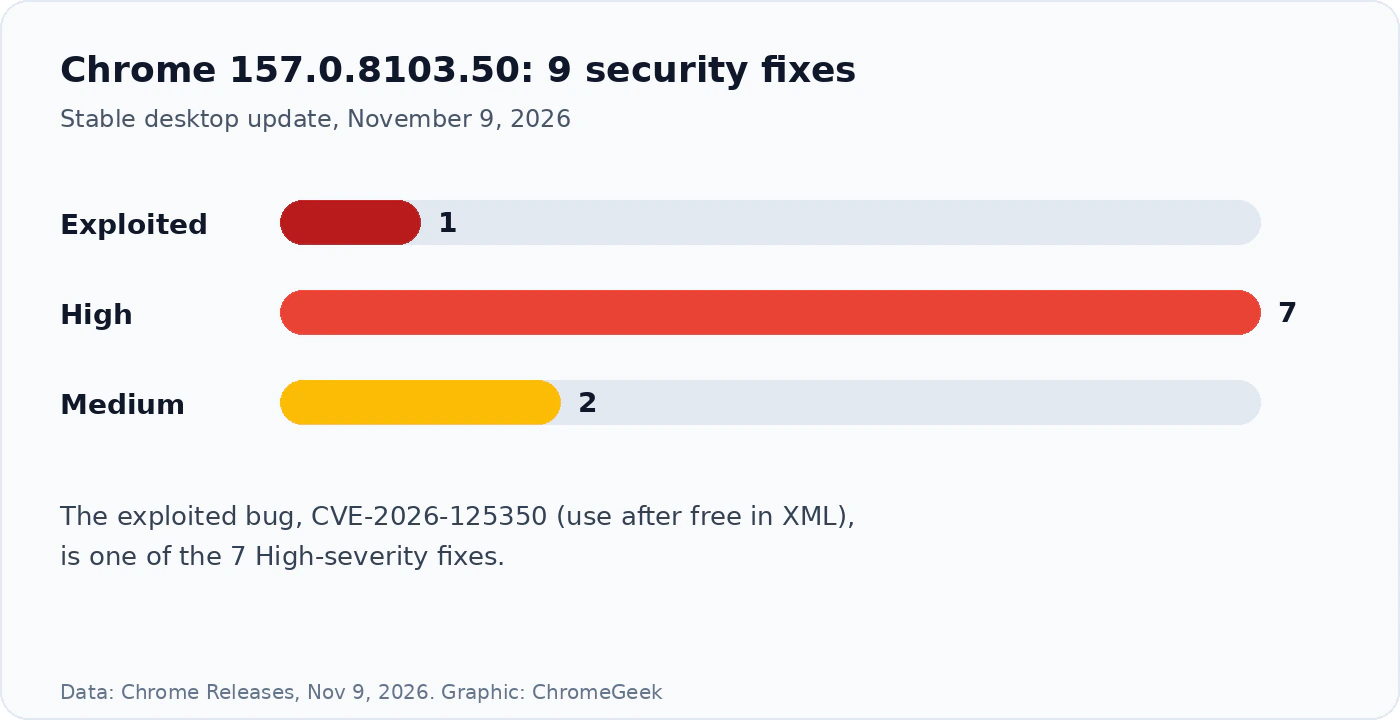
Most were found by Google: Google’s own teams reported six of the nine bugs. The second XML bug, CVE-2026-125346, came from Arni Hardarson of Neonix Security, and one GPU bug came from Vo Duc Thang.
3. Which version you should have
About Chromebooks: the latest ChromeOS Stable update, M-156 from November 6, does not list CVE-2026-125350, and Monday’s ChromeOS Beta note had no security details. We will update this post when Google posts a ChromeOS fix. In the meantime, keep your Chromebook updated and be careful with links from people you do not know.
4. How to update Chrome
- Open Chrome and click the three-dot menu in the top right.
- Go to Help, then About Google Chrome. Chrome checks for updates on its own.
- When it finishes downloading, click Relaunch. Your tabs come back after the restart.
- Check the version shows 157.0.8103.50 or later.
- On a Chromebook, open Settings, then About ChromeOS, and click Check for updates.
Using Edge, Brave, Opera or Vivaldi? these browsers are built on Chromium too, so install their next security update as soon as it arrives.
Our take
Eight exploited zero-days before the middle of November is a reminder that the browser is the main target on any computer. On Windows, Mac and Linux, this one takes a minute to fix, so do it now rather than waiting for Chrome to update on its own. Chromebook owners are in a waiting game until Google ships a ChromeOS build with the fix, and we will flag it as soon as it lands.
Discover more from Chrome Geek
Subscribe to get the latest posts sent to your email.