Upverter Education on Chromebook and Googlebook: Guide & Features
 by
Gloria Brown
Post Updated: November 3, 2026
You can access and use Upverter Education on Chromebook and Googlebook directly through its full-featured web platform at education.upverter.com, or stream it wirelessly from your phone. Developed by Altium, Upverter Education is a cloud-native electronic design automation (EDA) studio and interactive curriculum that empowers students, STEM educators, and hobbyists to master circuit schematic capture, PCB layout routing, and hardware prototyping directly in Google Chrome without downloading heavyweight desktop software.
Chromebook and Googlebook laptops offer an ideal educational workstation for electronics engineering, combining lightweight portable hardware, high-resolution touchscreens, responsive trackpads, and effortless integration with Google Classroom. This comprehensive guide details how to launch the web platform, pin Upverter as a desktop Progressive Web App (PWA), draw circuit schematics, route multi-layer printed circuit boards, export manufacturing Gerbers, and manage classroom assignments.
Need assistance configuring student Google SSO permissions or setting up electronics curriculum modules for your school district? Contact us with your device specifications and ChromeOS build for customized guidance.
How to access and use Upverter Education on Chromebook and Googlebook
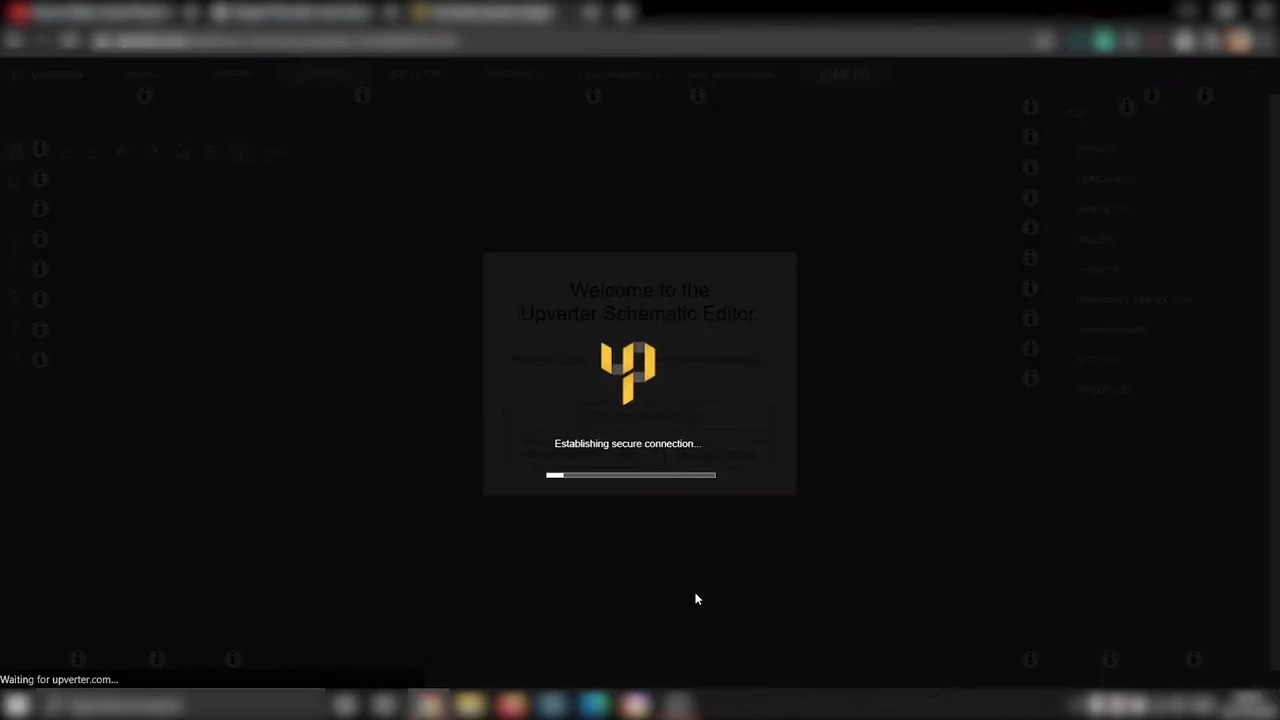
Because Upverter Education is engineered entirely as a browser-native electronic design automation suite, you do not need to download Android APK packages, configure Linux Crostini containers, or allocate massive local disk partitions. Launching your electronics engineering workstation takes only a few quick steps in Google Chrome:
For broader operating system guidance, consult Google’s official Android app setup guide for Chromebook and companion guide on installing apps on Googlebook. Note that school district and enterprise IT administrators can deploy and allowlist Upverter Education across entire student fleets via the Google Admin Console managed browser bookmarks and app permissions. To give Upverter Education a distraction-free, dedicated window, click the Install icon in Chrome’s URL bar to save it as a Progressive Web App (PWA), then right-click its shelf icon and select Pin.
Cast Upverter Education from your phone on Googlebook
Googlebook users can also interact with Upverter Education using native phone hub integration. Through Cast My Apps on the Googlebook phone hub, you can wirelessly stream your smartphone’s active mobile browser session, electronics reference apps, or hardware pinout datasheets directly into an adjacent window on your laptop screen. This dual-screen workflow enables engineering students and makers to consult complex microcontroller GPIO pin maps and component datasheets on their phone while keeping the primary Upverter design canvas open full-screen on the laptop display without transferring files or managing tether cables.
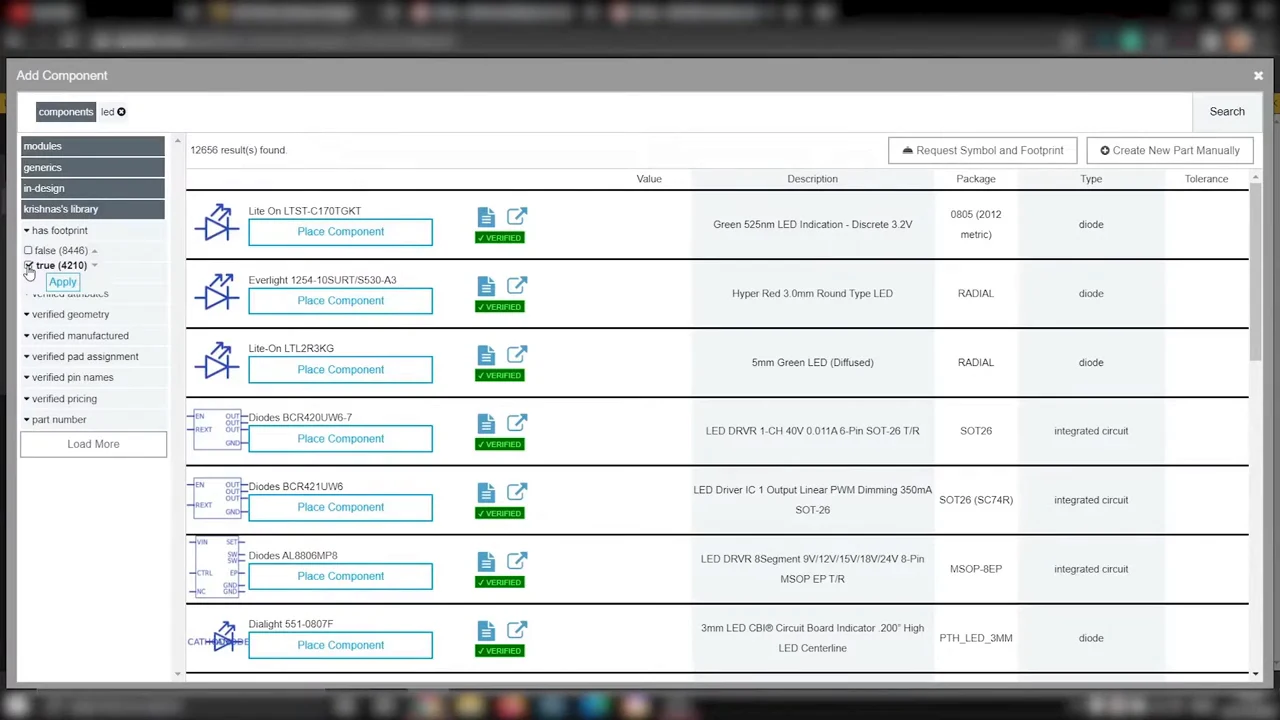
Web-based schematic capture, circuit wiring, and verified parts library
Upverter Education streamlines circuit engineering with intuitive tools designed for beginners and seasoned creators alike:
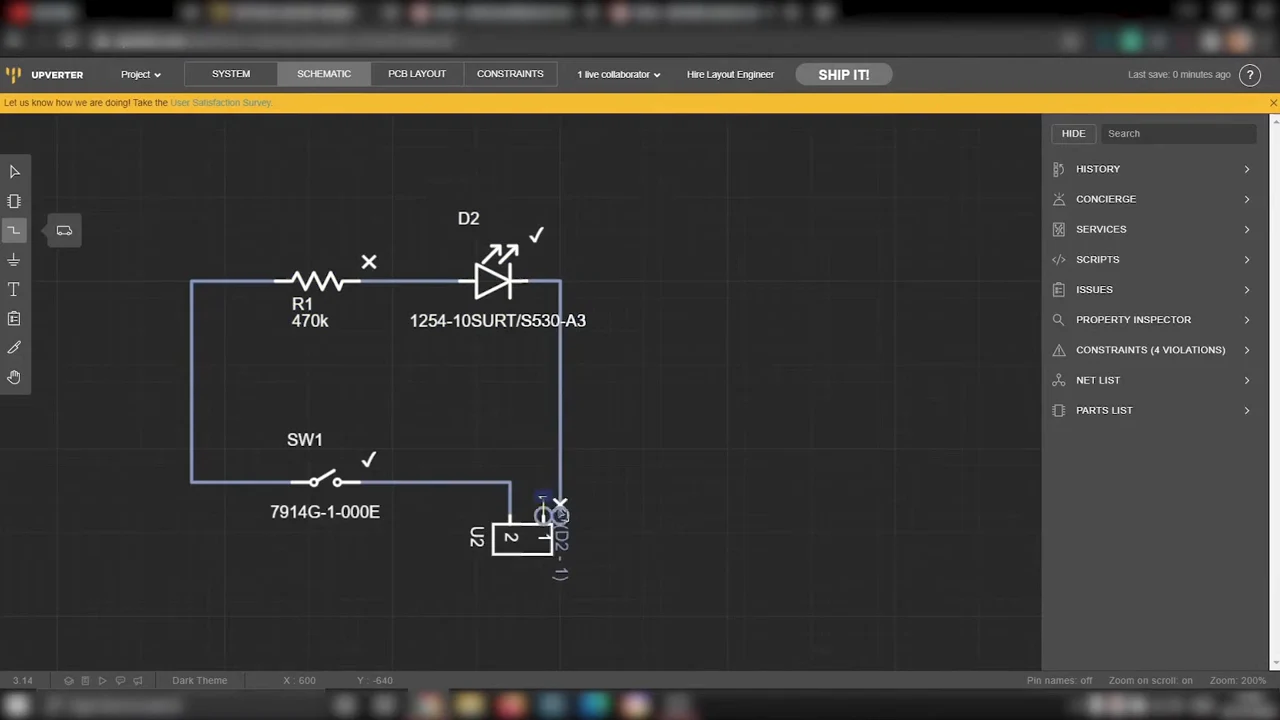
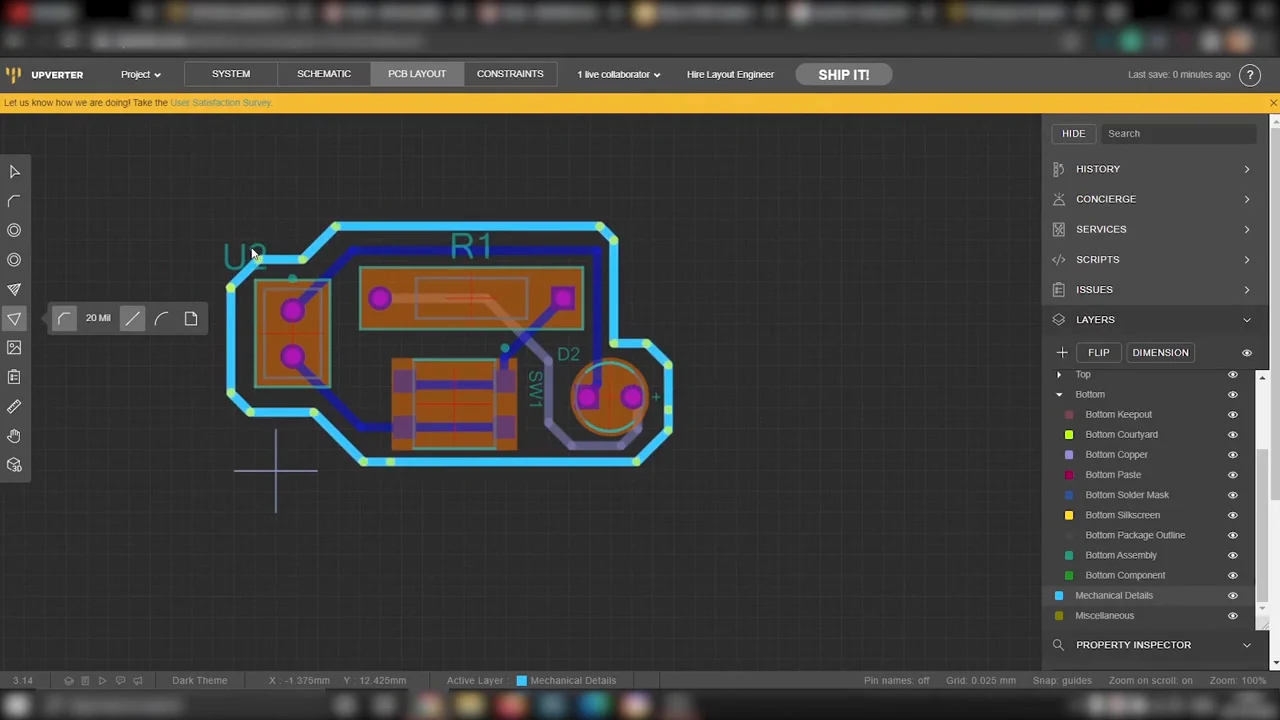
Multi-layer PCB layout routing and interactive design rule checks
Transitioning from theoretical schematics to physical hardware is effortless thanks to Upverter’s integrated printed circuit board routing engine:
Interactive electronics curriculum and Google Classroom sync for educators
Tailored specifically to secondary schools, robotics teams, and STEM classrooms, Upverter Education bridges academic coursework with real-world engineering:
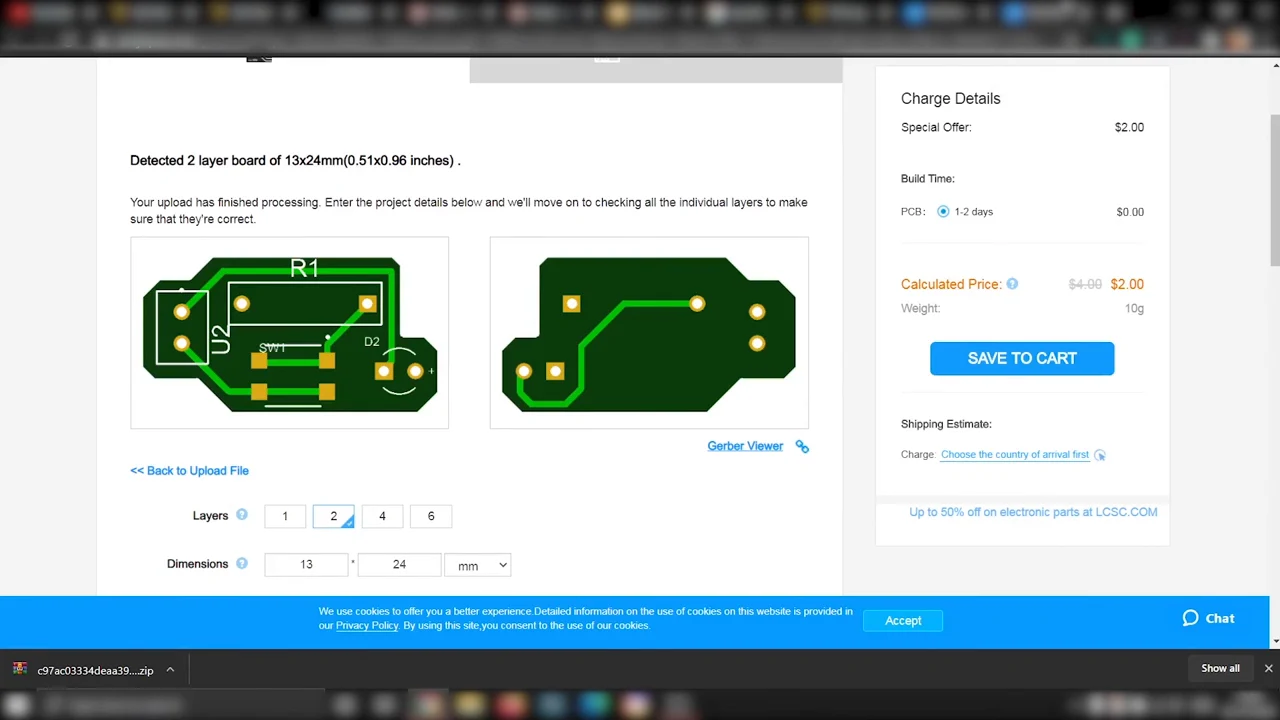
Manufacturing outputs, Gerber file generation, and bill of materials (BOM)
Upverter Education is not a toy simulator; it produces true production-grade manufacturing packages that can be sent straight to fabrication houses:
Upverter Education Web Platform vs. Desktop EDA software vs. Phone Hub casting
Compare the core differences between the top electronics design workflows on Chromebook and Googlebook to choose the optimal setup for your classroom or workshop:
Troubleshooting common Upverter Education issues on ChromeOS
If you experience canvas rendering delays, login errors, or export download hurdles, apply these targeted troubleshooting steps:
Frequently asked questions about Upverter Education on Chromebook
Is Upverter Education completely free on Chromebook and Googlebook?
Yes. Upverter Education is 100% free for students, teachers, and educational institutions. Altium provides full access to its web-based schematic editor, PCB layout environment, component libraries, and modular curriculum modules without subscription fees or licensing paywalls.
Does Upverter Education require installing Linux or Crostini on ChromeOS?
No. Unlike traditional desktop EDA suites such as KiCad or EAGLE that require Linux containers or virtual machines, Upverter Education is built as a pure cloud application using modern HTML5 and WebGL. It runs smoothly in the standard Google Chrome browser on any standard Chromebook or Googlebook.
Can I use Upverter Education offline without an internet connection?
No. Because Upverter Education relies on real-time cloud computing to render schematics, manage component libraries, run design rule checks, and sync student work with Google Classroom, an active internet connection is necessary to load and edit projects.
How does Upverter Education integrate with Google Classroom?
Upverter Education includes native Google Classroom integration, allowing teachers to import student rosters, distribute guided PCB design assignments, and track class progress directly with single sign-on (Google SSO) using school-managed Google accounts.
Can I export files from Upverter to manufacture physical circuit boards?
Yes. Upverter allows users to export standard manufacturing packages, including industry-standard RS-274X Gerber files, NC drill files, and CSV bill of materials (BOM). These files can be uploaded directly to PCB fabrication services such as OSH Park, PCBWay, or JLCPCB to manufacture real physical circuit boards.
Explore more STEM design and creative productivity guides on Chromebook
Looking to expand your classroom engineering and creative toolkit on ChromeOS? Organize student assignments and manage digital curricula using our guide to Google Classroom on Chromebook, compile student hardware portfolios and engineering project reports with Book Creator on Chromebook, design custom laboratory posters and project presentation graphics in Canva on Chromebook, or create animated step-by-step engineering walkthroughs using Cloud Stop Motion on Chromebook.
Discover more from Chrome Geek
Subscribe to get the latest posts sent to your email.