How to Install and Use BandLab on Chromebook and Googlebook
 by
Juniya Sankara
Post Updated: November 3, 2026
You can install and use BandLab on Chromebook and Googlebook through the official Android app from Google Play or directly via the cloud-based Web Studio in Google Chrome. As a world-class digital audio workstation (DAW) trusted by tens of millions of creators, BandLab delivers multitrack recording, AI-driven vocal effects, royalty-free sample packs, and automated mastering right on your ChromeOS desktop.
Googlebook runs Android applications natively through Google Play, giving you touch-friendly mixing alongside effortless phone-app streaming. This step-by-step guide covers the unified Google Play setup, the Chrome Web Studio workflow, multitrack audio recording, vocal cleanup tools, virtual MIDI instruments, USB audio interface configuration, and common troubleshooting solutions.
Have questions about configuring your external USB microphone or MIDI controller? Feel free to contact us with your device model and recording questions.

How to install BandLab on Chromebook and Googlebook
Installing the official BandLab Android app through Google Play gives you quick access to touchscreen faders, mobile stem imports, and portable sketching on your laptop:
Setup Note: If your laptop cannot find the Play Store or blocks app downloads, review the official Android app setup guide for Chromebook and our companion guide on installing apps on Googlebook. Enterprise or school-managed laptops may restrict Google Play access, in which case the browser-based Web Studio works seamlessly without downloads.
Cast BandLab from your phone on Googlebook
If you already started an impromptu vocal recording or acoustic sketch on your mobile phone, you do not need to export audio stems or email project files back and forth. Open the Googlebook phone hub and launch Cast My Apps to stream your live BandLab phone session straight onto your Googlebook screen. This lets you monitor waveforms, adjust mixing faders, and tweak vocal effects across a spacious widescreen display while continuing to capture pristine vocal audio through your phone’s familiar microphone.
BandLab Web Studio vs. Android app: choosing your ideal ChromeOS setup
BandLab offers two distinct ways to create music on ChromeOS devices, and understanding their strengths ensures you pick the best tool for your production style:
BandLab Web Studio (Chrome Browser)
- Zero install required; runs directly inside Google Chrome at bandlab.com.
- Full widescreen DAW layout optimized for external monitors, mouse navigation, and complex arrangements.
- Superior support for USB-MIDI keyboard controllers and low-latency Web Audio routing.
- Unlimited track creation with advanced automation lanes and master bus processing.
BandLab Android App (Google Play)
- Optimized for touchscreen Chromebook convertibles and tablet-mode sketch recording.
- Quick voice memo captures, lyric writing pad, and creator social feed access.
- Lightweight background RAM footprint for quick chord sketching on entry-level hardware.
- Seamless automatic cloud synchronization with your Web Studio account.
Multitrack timeline recording and audio arrangement
The centerpiece of BandLab is its robust multitrack studio timeline. You can record up to 16 separate tracks in the mobile app and even more in the Web Studio, combining live microphone recordings, imported WAV stems, virtual software instruments, and drum patterns into a cohesive musical arrangement.
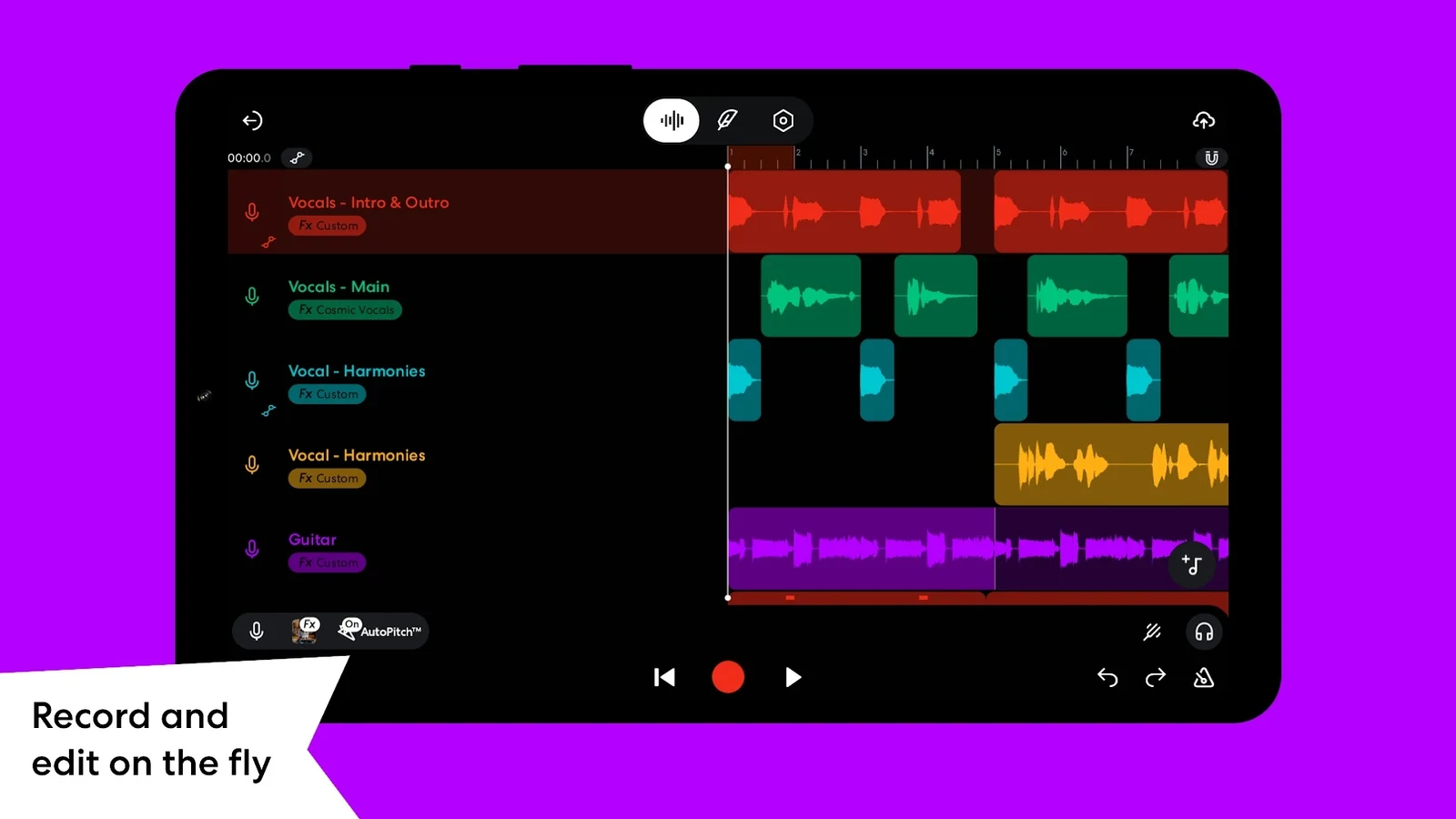
The studio timeline features comprehensive track management: mute, solo, pan, and independent volume faders allow you to dial in clean submixes. Precision snapping to grid helps lock drum samples and loops into your chosen BPM, while waveform editing tools allow you to slice, trim, duplicate, and time-stretch clips effortlessly.
Vocal audio editor, Voice Cleaner, and stem splitter
Vocals often define a modern song, and BandLab includes specialized audio processing algorithms designed to transform raw bedroom microphone takes into radio-ready vocal performances.
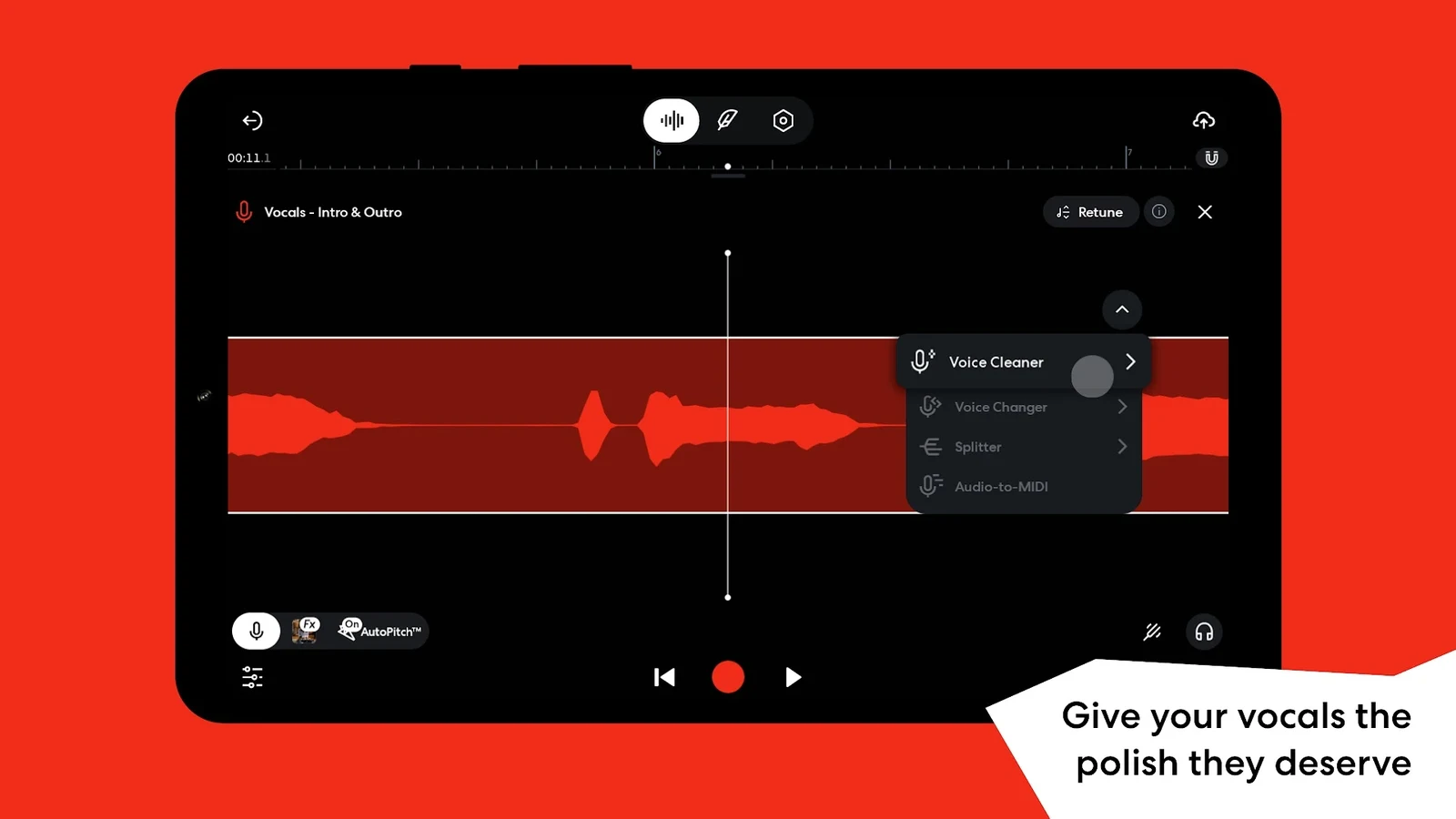
Key vocal features include:
- Voice Cleaner: An intelligent AI de-noising tool that removes room reverberation, air conditioner hum, and background hiss with one click.
- AutoPitch: Real-time and post-recording pitch correction ranging from subtle pitch stabilization to dramatic robotic modern autotune effects.
- Audio Stem Splitter: Separate any mixed stereo song or uploaded audio file into isolated vocal, drum, bass, and instrumental stems for instant sampling and remixing.
AI FX preset generator and virtual software instruments
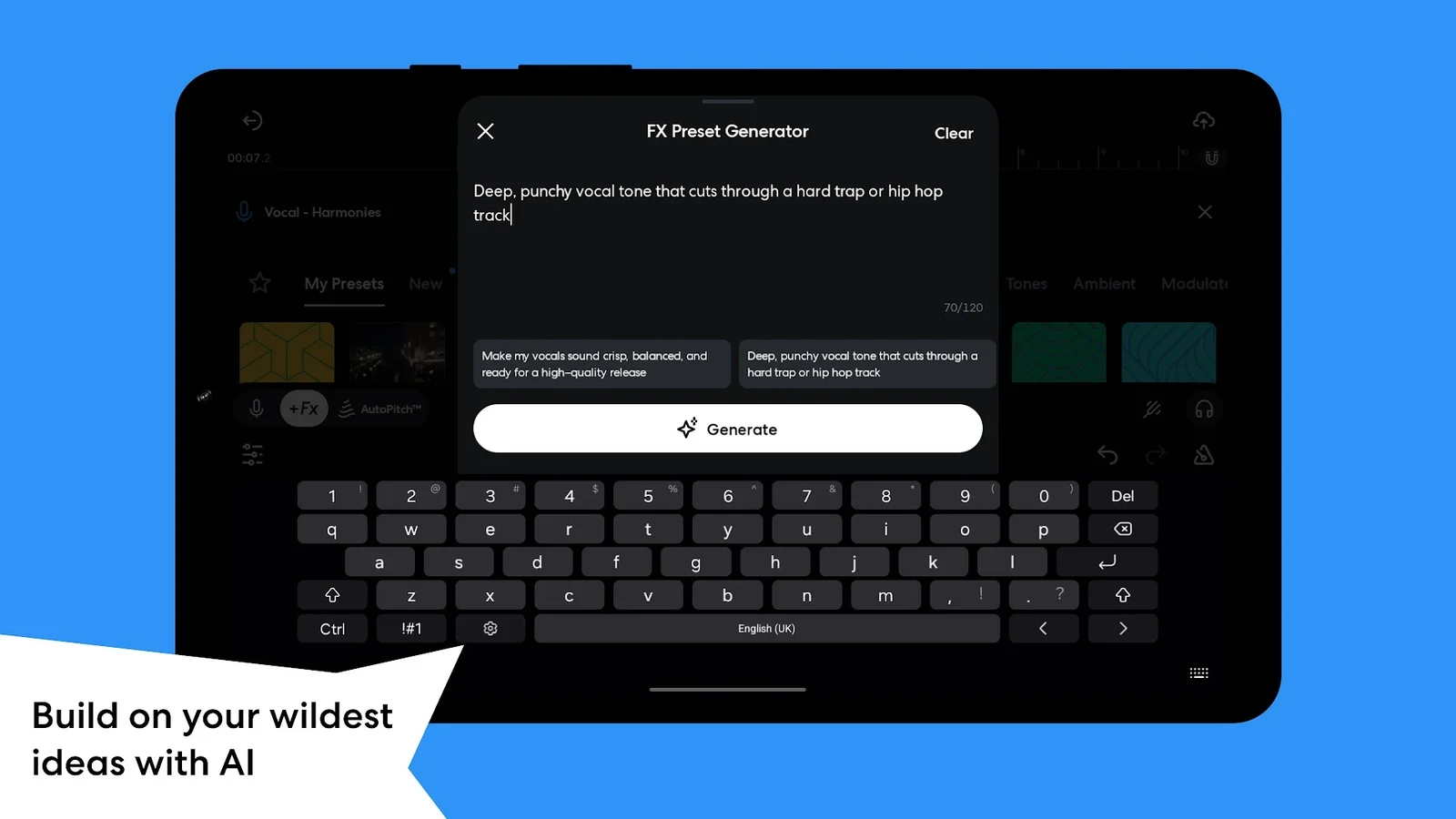
Finding the right sound design chain can be daunting, but BandLab’s innovative AI FX Preset Generator speeds up the creative process. Simply type a description of the tone you want—such as “dreamy vintage vocal with warm tape delay” or “heavy distortion guitar with dark reverb”—and the studio dynamically configures a custom multi-effect rack.
In addition to effect processing, BandLab features hundreds of playable software instruments. Play acoustic pianos, lush 80s synthesizers, orchestral strings, and 808 sub-basses using on-screen touch keys, your laptop’s computer keyboard, or any class-compliant USB MIDI keyboard plugged directly into your Chromebook.
Royalty-free Beats and Sounds loop library
Never hit writer’s block with BandLab’s built-in Beats and Sounds catalog. Containing hundreds of thousands of curated, 100% royalty-free samples across hip-hop, R&B, EDM, trap, pop, rock, and ambient genres, every loop automatically matches your project tempo and pitch.
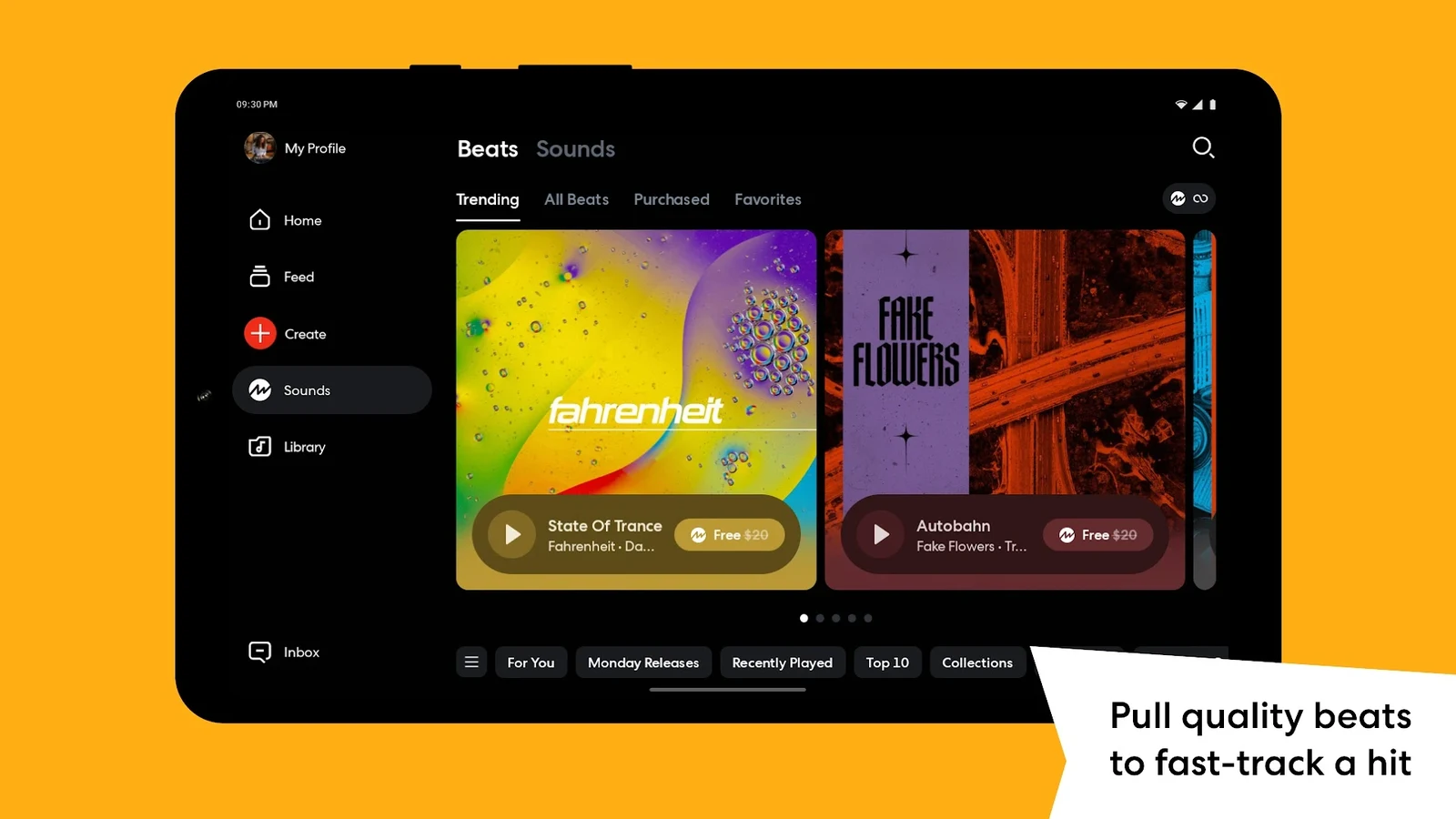
Audition loops in real time, drop them directly onto new tracks, and arrange complete rhythm sections in minutes without legal worries—all sounds are cleared for commercial streaming releases on Spotify, Apple Music, and YouTube.
Automated audio mastering suite and reference matching
Once your song arrangement and vocal balance are complete, finalizing the mix is critical before publishing. BandLab includes an automated cloud mastering suite engineered with input from Grammy-winning audio engineers.
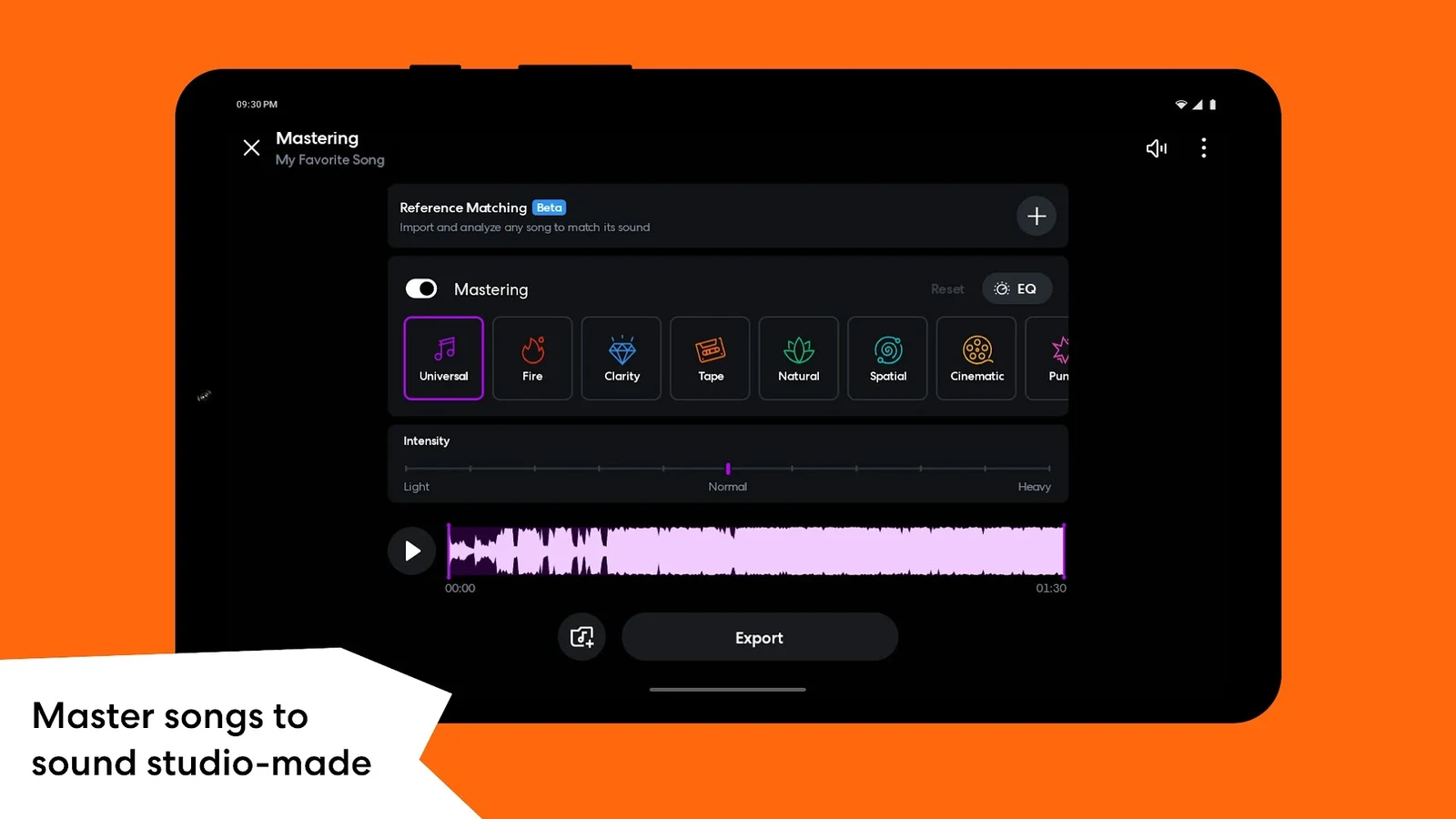
Select from mastering sonic profiles like Universal, Fire, Clarity, or Tape to bring your track up to commercial loudness standards (-14 LUFS) with optimal punch and dynamic clarity. Alternatively, use Reference Matching to upload a commercially released song you admire and allow BandLab’s algorithms to contour your master’s tonal balance to match.
Connecting USB microphones, audio interfaces, and MIDI keyboards
ChromeOS provides native class-compliant audio and MIDI driver support, making it simple to build a professional home studio setup around your Chromebook or Googlebook:
- USB Microphones: Popular condenser mics like the Blue Yeti, Audio-Technica AT2020USB, and Rode NT-USB connect directly via USB-C or USB-A adapters and require zero third-party drivers.
- Audio Interfaces: Class-compliant 2-channel audio interfaces (Focusrite Scarlett, PreSonus AudioBox, Behringer U-Phoria) provide pristine XLR microphone preamps and 1/4-inch guitar inputs.
- MIDI Controllers: Plug-and-play USB keyboards and pad controllers (Akai MPK Mini, Novation Launchkey, Arturia MiniLab) are automatically recognized by both the BandLab Android app and Chrome Web Audio.
- Audio Settings: Click Quick Settings in your shelf, open the Audio menu, and select your USB interface as both the active Input and Output device before opening BandLab.
BandLab Chromebook and Googlebook system requirements
BandLab is highly optimized and functions smoothly across lightweight and premium ChromeOS devices:
| Component | Minimum Specification | Recommended Setup |
|---|---|---|
| Operating System | ChromeOS 80+ with Android support | ChromeOS latest stable channel |
| Processor | Intel Celeron / AMD A4 / ARM Quad-Core | Intel Core i3/i5, AMD Ryzen 3/5, or ARM Octa-Core |
| RAM | 4GB RAM | 8GB or 16GB RAM (ideal for 12+ track sessions) |
| Local Storage | 1GB free space | 5GB+ free space for audio caching |
| Internet Connection | 5 Mbps Wi-Fi for cloud saves | 25+ Mbps high-speed Wi-Fi for stem streaming |
Frequently asked questions about BandLab on Chromebook
Is BandLab completely free to use on Chromebook and Googlebook?
Yes. BandLab offers a 100% free core tier that provides unlimited cloud song saves, access to all virtual software instruments, multitrack recording, and the complete royalty-free Beats and Sounds library. An optional BandLab Membership unlocks advanced artist services, commercial distribution, and priority algorithmic mastering.
Should I use the BandLab Android app or the Chrome Web Studio?
Both versions synchronize with the same cloud account. The Android app is fantastic for touchscreen 2-in-1 laptops, quick vocal sketch ideas, and creator community engagement. The Web Studio in Google Chrome offers a spacious multi-monitor layout, expanded automation envelopes, and optimal support for external MIDI hardware.
Can I use BandLab offline on my Chromebook?
The Android app allows you to record vocal takes and acoustic tracks offline, caching audio files on local device storage. Once your device reconnects to Wi-Fi, BandLab automatically synchronizes all project revisions to your cloud studio library.
How do I fix audio latency or microphone lag in BandLab?
If you hear vocal delay while recording, use wired 3.5mm headphones or a USB audio interface rather than Bluetooth headphones (which introduce inherent audio lag). In the Web Studio, open Settings > Audio Latency and run the automated latency calibration test to align monitoring perfectly.
Explore more creative apps for Chromebook
Looking to expand your creative workstation on ChromeOS? Discover alternative digital audio workstations in our comprehensive guide to Soundtrap on Chrome, assemble music videos using Clipchamp on Chromebook, design album cover artwork in Canva on Chromebook, or edit promo photos in Pixlr on Chromebook.
Discover more from Chrome Geek
Subscribe to get the latest posts sent to your email.