How to Install and Use Kahoot on Chromebook and Googlebook
Install and use Kahoot on Chromebook and Googlebook from Google Play or phone casting. Host live quizzes, join game PINs, create interactive study cards, and track student scores.

The best ChromeOs Blog on the web.


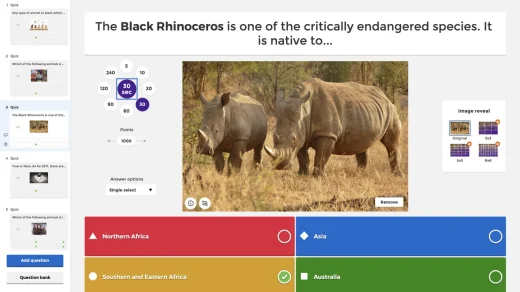
Install and use Kahoot on Chromebook and Googlebook from Google Play or phone casting. Host live quizzes, join game PINs, create interactive study cards, and track student scores.

Get BandLab for Chromebook and create your own audio, beats, loops and music with unique tools and samples.
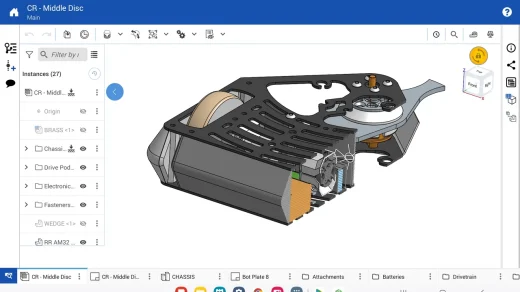
Install and use Onshape 3D CAD on Chromebook and Googlebook from Google Play, Chrome browser, or phone casting. Build 3D parametric models, assemble parts, and collaborate in the cloud.
Choose the right AutoCAD version for your Chromebook or Googlebook. Check Android availability, try the web app and understand the limits before paying.

Learn how to install and use Twitch on Chromebook and Googlebook through Google Play or Chrome. Explore live streams, chat emotes, and esports channels.

Install YouTube Music on Chromebook or Googlebook via Google Play or web PWA. Discover offline downloads, audio quality settings, synced lyrics, and keyboard shortcuts.

Install and use WEBTOON on Chromebook and Googlebook through Google Play or Chrome. Enjoy digital comics, weekly manga updates, and offline reading.
Learn how to access and use Upverter Education on Chromebook and Googlebook. Design circuit schematics, route PCBs, and sync Google Classroom assignments.

Install and use Webex Meetings on Chromebook and Googlebook. Set up the Android app, cast your phone session, and access AI video meetings and interactive whiteboards.

Set up and use Prezi Video on Chromebook and Googlebook via the web platform. Create interactive video presentations alongside your slides and connect with Zoom.