How to Install and Use Evernote on Chromebook and Googlebook
Install and use Evernote on Chromebook and Googlebook via PWA or Android. Organize notebooks, manage to-dos, use Web Clipper, and cast from your phone.

The best ChromeOs Blog on the web.

Install and use Evernote on Chromebook and Googlebook via PWA or Android. Organize notebooks, manage to-dos, use Web Clipper, and cast from your phone.

Install TikTok on Chromebook or Googlebook from Google Play or use the Chrome web player. Learn navigation shortcuts, Auto Scroll, and video editing tools.

Install Facebook Lite from Google Play, sign in and start sharing. Follow the Chromebook and Googlebook setup steps, with messaging tips and a browser option.
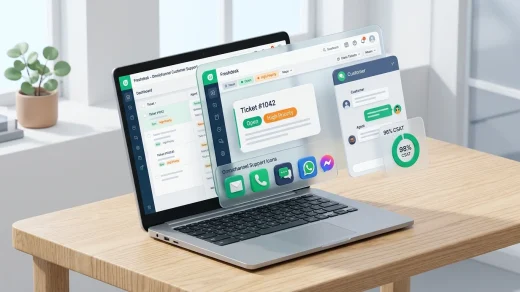
Install Freshdesk on Chromebook and Googlebook via Google Play or the web support portal. Master ticket management, omnichannel queues, SLA rules, and phone casting.

Install Plex on Chromebook or Googlebook via Google Play. Unify streaming watchlists, stream 50,000+ free movies, watch 600+ live TV channels, and cast from phone.

Install Clipchamp on Chromebook and Googlebook via the official Progressive Web App (PWA). Create multi-track videos, record webcam and screen, and use AI voiceovers.

Install RealVNC Viewer on Chromebook or Googlebook via Google Play or Linux. Connect to Windows, Mac, and Linux PCs, configure security, and cast from phone.

Install Instagram on Chromebook or Googlebook via Google Play or the web PWA. Discover Reels, Stories, DMs, creator tools, keyboard shortcuts, and phone casting.

Install and use Vysor on Chromebook and Googlebook via Google Play or the WebUSB browser app. Mirror phone screens, use keyboard and mouse controls, and cast apps.

Install Telegram on Chromebook and Googlebook from Google Play or use Telegram Web in Chrome. Discover how to share 2GB files, join supergroups, and manage privacy.